
メール用 Anypoint Connector (Email Connector) には、指定したメールボックスフォルダー内のメッセージの総量を取得する Count messages - IMAP および Count messages - POP3 操作が用意されています。
Count Messages - IMAP 操作の設定
次の例は、Count messages - IMAP 操作を設定する方法を示しています。
-
Studio で新しい Mule プロジェクトを作成します。
-
HTTP Listener ソースをキャンバスにドラッグします。
-
[Listener] 設定画面で、[Connector configuration (コネクタ設定)] 項目の横にあるプラス記号 (+) をクリックして、操作のグローバル要素を設定します。
-
必要な HTTP Listener 接続項目を設定して、[OK] をクリックします。
-
[Path (パス)] を
/count に設定します。 -
[Count messages - IMAP] 操作を HTTP Listener の右にドラッグします。
-
[Count messages - IMAP] 設定画面で、[Connector configuration (コネクタ設定)] 項目の横にあるプラス記号 (+) をクリックして、操作のグローバル要素を設定します。
-
次の項目を設定します。
-
Host (ホスト):
192.168.0.1 -
User (ユーザー):
usertest -
Host (ホスト):
userpass
-
-
[OK] をクリックします。
-
[Mailbox folder (メールボックスフォルダー)] の [fx] をクリックしてリテラルモードに切り替えて、メールボックスフォルダーを
vars.mailboxFolder に設定します。 -
[Count filter (計数検索条件)] を次のいずれかのオプションに設定します。
-
ALL (デフォルト)
-
DELETED
-
NEW
-
UNREAD
-
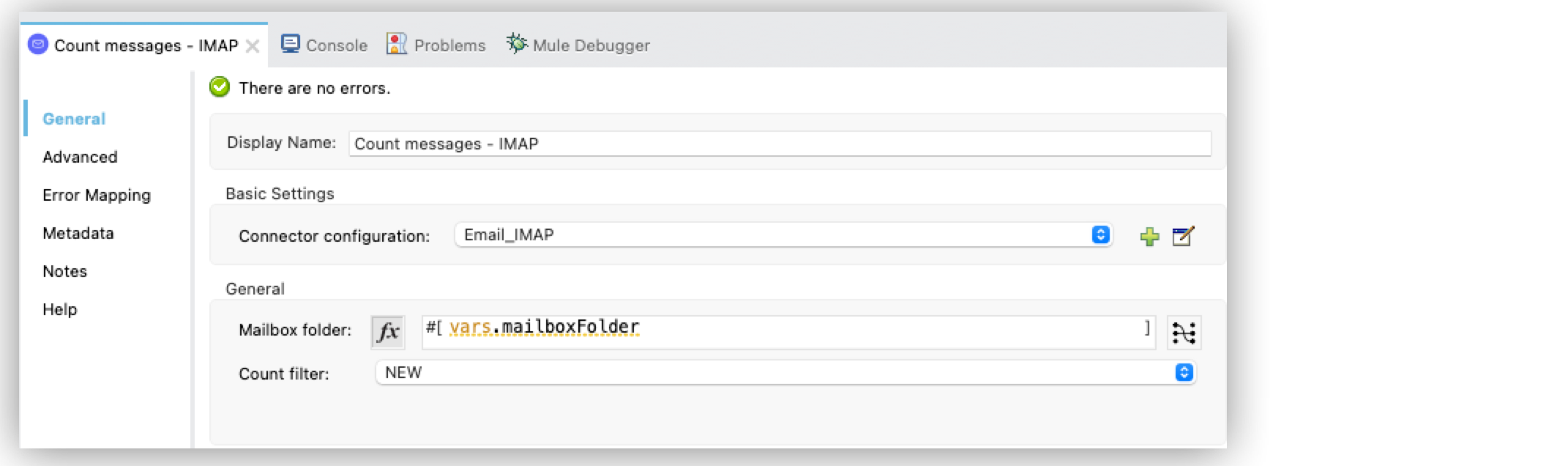
設定 XML エディターでは、email:count-messages-imap 設定は次のように記述されます。
<?xml version="1.0" encoding="UTF-8"?>

<mule xmlns:http="http://www.mulesoft.org/schema/mule/http" xmlns:file="http://www.mulesoft.org/schema/mule/file"
	xmlns:email="http://www.mulesoft.org/schema/mule/email"
	xmlns="http://www.mulesoft.org/schema/mule/core" xmlns:doc="http://www.mulesoft.org/schema/mule/documentation" xmlns:xsi="http://www.w3.org/2001/XMLSchema-instance" xsi:schemaLocation="http://www.mulesoft.org/schema/mule/core http://www.mulesoft.org/schema/mule/core/current/mule.xsd
http://www.mulesoft.org/schema/mule/email http://www.mulesoft.org/schema/mule/email/current/mule-email.xsd
http://www.mulesoft.org/schema/mule/file http://www.mulesoft.org/schema/mule/file/current/mule-file.xsd
http://www.mulesoft.org/schema/mule/http http://www.mulesoft.org/schema/mule/http/current/mule-http.xsd">
	<email:imap-config name="Email_IMAP"  >
		<email:imap-connection host="192.168.0.1" user="usertest" password="userpass" />
	</email:imap-config>
	<http:listener-config name="HTTP_Listener_config" >
		<http:listener-connection host="0.0.0.0" port="8081" />
	</http:listener-config>
	<flow name="email1Flow"  >
		<http:listener config-ref="HTTP_Listener_config" path="/count"/>
		<email:count-messages-imap doc:name="Count messages - IMAP" config-ref="Email_IMAP" mailboxFolder="#[vars.mailboxFolder]" countFilter="NEW"/>
	</flow>
</mule>
Count Messages - POP3 操作の設定
次の例は、Count messages - POP3 操作を設定する方法を示しています。
-
Studio で新しい Mule プロジェクトを作成します。
-
HTTP Listener ソースをキャンバスにドラッグします。
-
[Listener] 設定画面で、[Connector configuration (コネクタ設定)] 項目の横にあるプラス記号 (+) をクリックして、操作のグローバル要素を設定します。
-
必要な HTTP Listener 接続項目を設定して、[OK] をクリックします。
-
[Path (パス)] を
/count に設定します。 -
[Count messages - POP3] 操作を HTTP Listener の右にドラッグします。
-
[Count messages - POP3] 設定画面で、[Connector configuration (コネクタ設定)] 項目の横にあるプラス記号 (+) をクリックして、操作のグローバル要素を設定します。
-
次の項目を設定します。
-
Host (ホスト):
192.168.0.1 -
User (ユーザー):
usertest -
Host (ホスト):
userpass
-
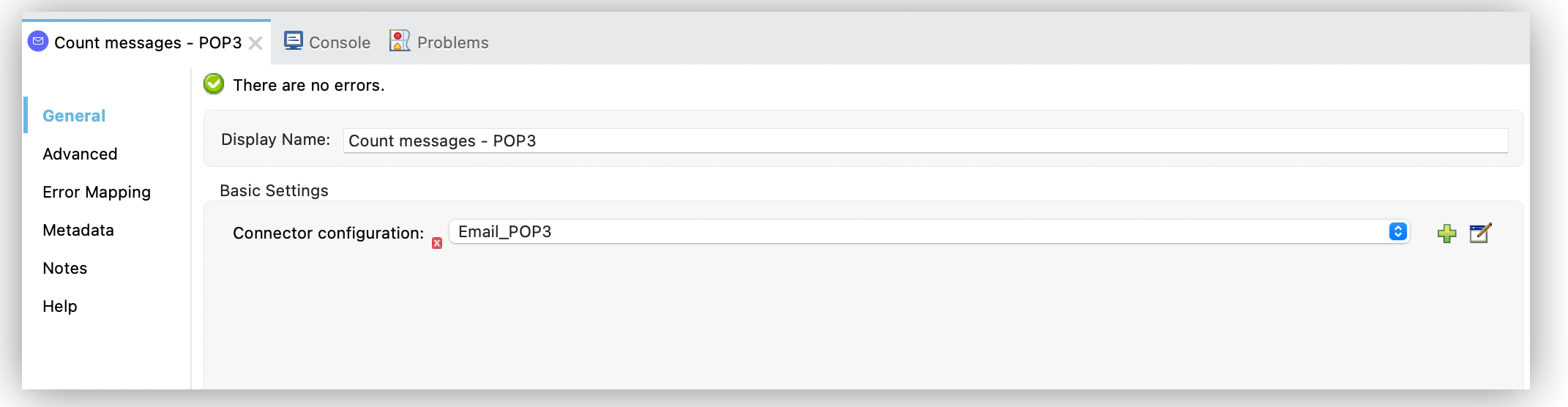
設定 XML エディターでは、email:count-messages-pop3 設定は次のように記述されます。
<?xml version="1.0" encoding="UTF-8"?>

<mule xmlns:db="http://www.mulesoft.org/schema/mule/db" xmlns:http="http://www.mulesoft.org/schema/mule/http"
	xmlns:file="http://www.mulesoft.org/schema/mule/file"
	xmlns:email="http://www.mulesoft.org/schema/mule/email" xmlns="http://www.mulesoft.org/schema/mule/core" xmlns:doc="http://www.mulesoft.org/schema/mule/documentation" xmlns:xsi="http://www.w3.org/2001/XMLSchema-instance" xsi:schemaLocation="http://www.mulesoft.org/schema/mule/core http://www.mulesoft.org/schema/mule/core/current/mule.xsd
http://www.mulesoft.org/schema/mule/email http://www.mulesoft.org/schema/mule/email/current/mule-email.xsd
http://www.mulesoft.org/schema/mule/file http://www.mulesoft.org/schema/mule/file/current/mule-file.xsd
http://www.mulesoft.org/schema/mule/http http://www.mulesoft.org/schema/mule/http/current/mule-http.xsd
http://www.mulesoft.org/schema/mule/db http://www.mulesoft.org/schema/mule/db/current/mule-db.xsd">

	<http:listener-config >
		<http:listener-connection host="0.0.0.0" port="8081" />
	</http:listener-config>
	<email:pop3-config name="Email_POP3" >
		<email:pop3-connection host="192.168.0.1" user="usertest" password="userpass" />
	</email:pop3-config>
	<flow name="email1Flow" >
		<http:listener config-ref="HTTP_Listener_config" path="/count"/>
		<email:count-messages-pop3 doc:name="Count messages - POP3" config-ref="Email_POP3"/>
	</flow>
</mule>