
Unresolved include directive in modules/ROOT/pages/agentforce-connector-config-acb.adoc - include::connectors::partial$configure-acb-connectors-partial.adoc[]
新しいインテグレーションプロジェクトを作成する
Unresolved include directive in modules/ROOT/pages/agentforce-connector-config-acb.adoc - include::connectors::partial$configure-acb-connectors-partial.adoc[]
プロジェクトにコンポーネントを追加する
Unresolved include directive in modules/ROOT/pages/agentforce-connector-config-acb.adoc - include::connectors::partial$configure-acb-connectors-partial.adoc[]
フローのトリガーを設定する
Unresolved include directive in modules/ROOT/pages/agentforce-connector-config-acb.adoc - include::connectors::partial$configure-acb-connectors-partial.adoc[]
インテグレーションプロジェクトにコネクタを追加する
-
[Explorer] ビューで、目的のプロジェクトの設定 XML ファイル (
my-project-name.xml など) を開きます。 -
キャンバス UI が自動的に開かない場合は、アクティビティバーの
 (Show Mule graphical mode (Mule グラフィカルモードを表示)) アイコンをクリックしてキャンバス UI を開きます。
 -
キャンバス UI から他のコンポーネントを追加した方法と同じ方法でコネクタを追加します。
-
キャンバス UI で
 アイコン",15,15] ([Add component (コンポーネントを追加)]) アイコンをクリックします。
 -
[Add Component (コンポーネントを追加)] パネルで [Connectors (コネクタ)] をクリックします。
-
-
 アイコン",15,15] ([Search in Exchange (Exchange 内を検索)]) 切り替えをクリックします。
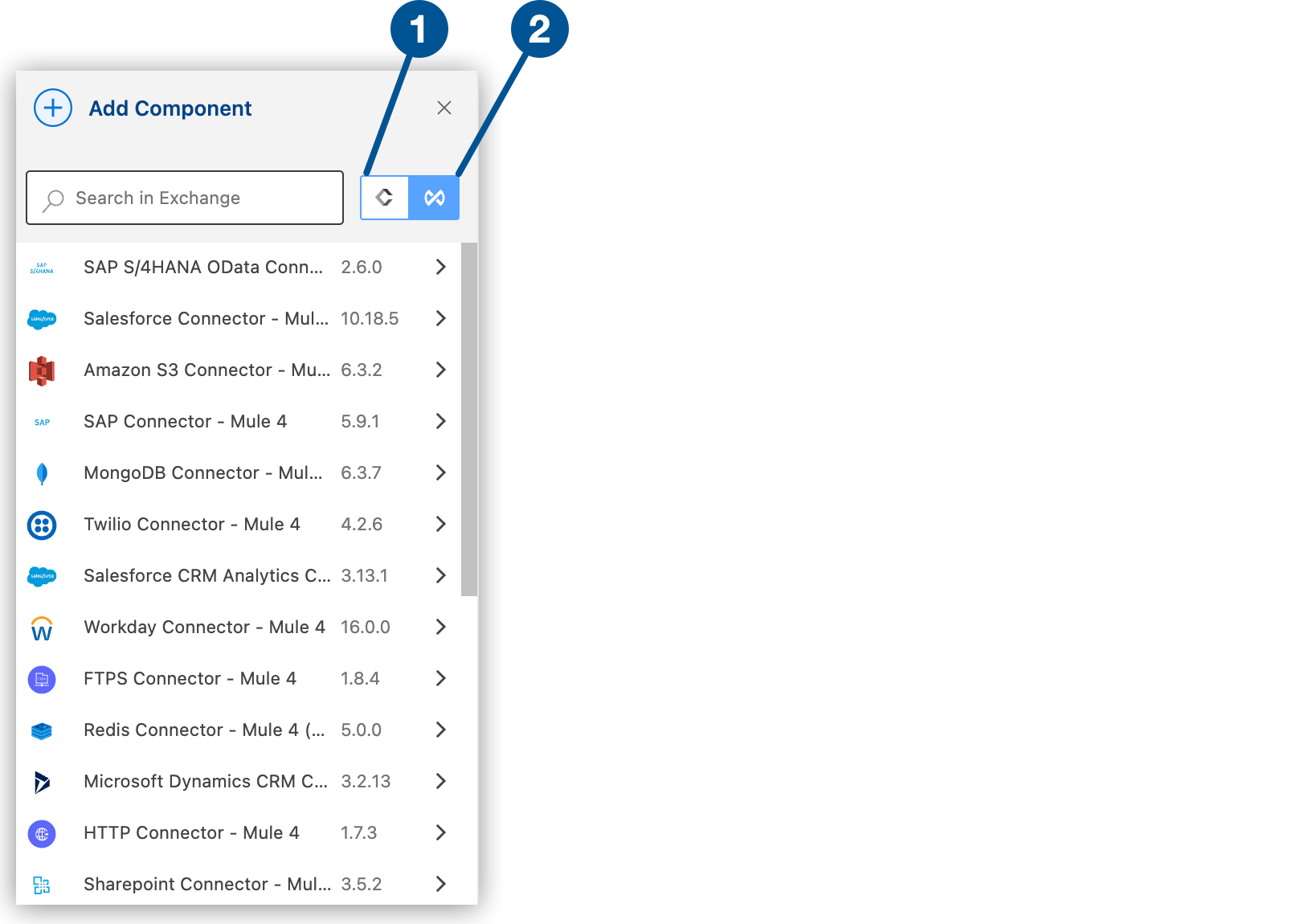 切り替え"]
 -
検索ボックスに
「agentforce」と入力します。 -
コネクタを選択してプロジェクトに追加します。
コネクタをインテグレーションプロジェクトに追加しても、Anypoint Code Builder ワークスペースの他のプロジェクトはそのコネクタを使用できません。
グローバル設定を追加する
-
設定 XML で、
<flow/> 要素の前にカーソルを置いて「agentforce」と入力します。カーソルが
<flow/> 要素の内側にないことを確認します。 -
ms-agentforce:config スニペットを選択します。このスニペットでは次のコードが追加されます。
<ms-agentforce:config clientId="#[]" clientSecret="#[]" /> -
属性を追加して設定を完了します。次に例を示します。
<ms-agentforce:config name="Agentforce_Config" doc:name="Agentforce Config" doc:id="e3428ee2-d4ee-47dc-ba7e-30073f69165e" >
		<ms-agentforce:oauth-client-credentials-connection >
		<ms-agentforce:oauth-client-credentials clientId="clientid" clientSecret="supersecret" />
		</ms-agentforce:oauth-client-credentials-connection>
</ms-agentforce:config>
この例は、2 つのグローバル要素 (
http:listener-config と ms-agentforce:config) が定義されている「Define_Prompt」という名前のフローを示しています。<http:listener-config basePath="/path" name="HTTP-Listener-config"> <http:listener-connection host="0.0.0.0" port="8081"> </http:listener-connection> </http:listener-config> <ms-agentforce:config name="Agentforce_Config" doc:name="Agentforce Config" doc:id="e3428ee2-d4ee-47dc-ba7e-30073f69165e" > <ms-agentforce:oauth-client-credentials-connection > <ms-agentforce:oauth-client-credentials clientId="clientid" clientSecret="supersecret" /> </ms-agentforce:oauth-client-credentials-connection> </ms-agentforce:config> <flow name="Define_Prompt">
その他のコネクタ項目の設定
コネクタのグローバル要素を設定したら、他の必須項目を設定します。必須項目は、使用するコネクタアクションによって異なります。
Agentforce Connector アクションの設定についての詳細は、Agentforce Connector のエージェント操作の設定を参照してください。