
Use the Student Success app from Education Cloud to create personalized care plans that help learners achieve educational success.
| Available in: Lightning Experience |
| Available in: Enterprise, Performance, Unlimited, and Developer Editions with Education Cloud |
Each individual is different and so are their learning needs. To ensure a rewarding learning experience, it is critical to understand learner requirements and support them. Institutions employ advisors to counsel learners on various aspects of their learning journey, and help them overcome challenges.
With care plans in Education Cloud, advisors can conveniently track each case, and assign goals and tasks that guide learners to take steps towards achieving their objectives. As an advisor, you can create care plans customized to the needs of the learner. In addition to goals and tasks, you can add specific benefits to a care plan, and the learner is automatically enrolled in the program that contains the benefits.
You can apply a care plan directly on a learner’s case, or on an alert created over the learner’s case. To learn more, see Care Plans for Program and Case Management.
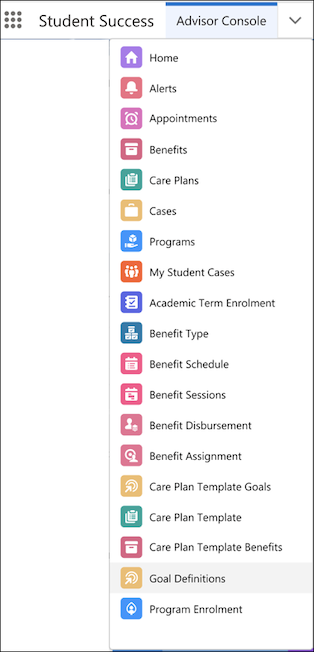
On the advisor console in the Student Success app, from the dropdown navigation menu, you can launch workflows to create care plans, care plan templates, goals, and benefits.
The mobile-friendly learner portal enables learners to view details of their care plans, success teams, and schedule appointments with advisors on the go.
- Create a Care Plan
Create a care plan to help the learner overcome challenges and achieve their learning objectives. - Create a Care Plan Template
Create a care plan template with frequently used benefits and goals that can be reused to create care plans. - Apply Care Plans to Alerts
Apply a care plan to record alerts to support the respective learners.