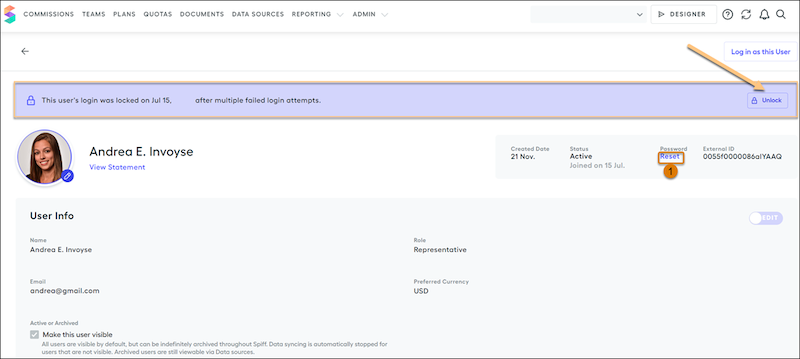
After ten invalid login attempts by a user, their account is locked in Salesforce Spiff. When the user's account is locked, they receive an email notification. Only an admin can unlock the account.
Required Editions
| Available in: both Salesforce Classic (not available in all orgs) and Lightning
Experience |
| Available in: Enterprise, Unlimited, and Developer
Editions |
| Available for an additional cost in: Professional Edition with Web
Services API Enabled |
| User Permissions Needed |
| To unlock a user: |
A Spiff user role with this permission turned on.
Users: Unlock
|
- From the Admin menu, select Users.
- In the Users table, select the user whose account you want to unlock.
You’ll see a banner with the details relating to the lock for the specific user.
- To allow the user to log in with the correct password, click Unlock.
- To send the user an email on how to reset their password if necessary, click Reset under password (1).