
To set field-level and object-level security on the Quote, Quote Line, Opportunity, and Opportunity Product objects for users who make commission callouts to Salesforce Spiff, create another permission set.
Required Editions
| Available in: both Salesforce Classic (not available in all orgs) and Lightning Experience |
| Available in: Enterprise, Unlimited, and Developer Editions |
| Available for an additional cost in: Professional Edition with Web Services API Enabled |
| User Permissions Needed | |
|---|---|
| To create Salesforce permission sets: |
(Salesforce) Manage Profiles and Permission Sets AND View Setup and Configuration |
| To assign Salesforce permission sets: | (Salesforce) Assign Permission Sets |

Tip If users already have permission through a permission set or profile, skip these steps.
- Create a permission set with the API Name Commission_Fields_Access and that uses the Salesforce license type.
- After you save the permission set, go to the permission set details and click Object Settings.
-
Search or browse for the Quote object, click Edit, turn on Read Access for these fields, and save your changes.
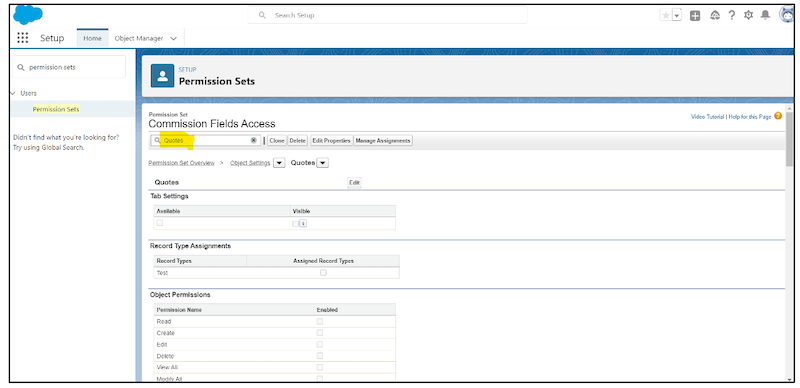
- All the custom commission estimation fields you added to the Quote object
- The standard fields Id, Name, OwnerId, LastModifiedById, LastModifiedDate, SystemModstamp, LastReferencedDate, LastViewedDate, CreatedById, CreatedDate, and CurrencyIsoCode
- Repeat the previous step for the Quote Line, Product, and Product Opportunity objects.
- Assign the permission set to all users who make callouts to Spiff for commission estimation.