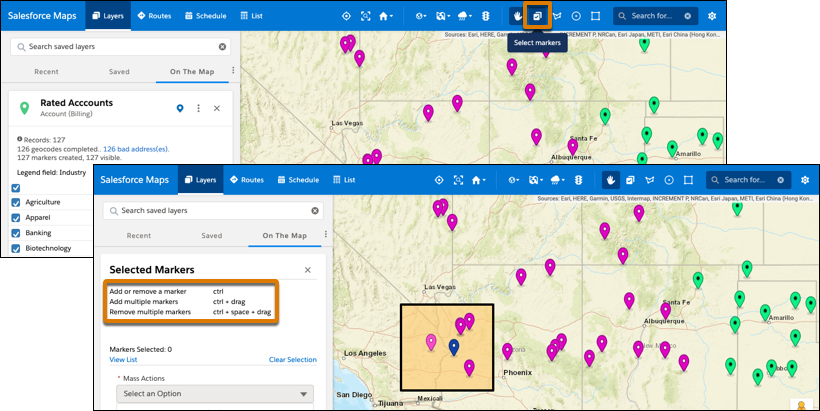
Select key records on the map and perform mass actions for them from a list that appears
in the legend. Identify records using shape, color, and opacity options that keep you focused on
what’s important now in Salesforce Maps.
Required Editions
| User Permissions Needed |
| To access Salesforce Maps: |
Salesforce Maps |
-
Open a marker or polyline layer.
-
Click Select Markers, and then select markers using Ctrl key
shortcuts.
-
View the list of records and select an action that you want to take.
-
Set appearance options so that you identify selected records and reduce opacity for
unselected ones.