Identify properties that can benefit from your products and services using trusted
property data from ATTOM. Get insight on issued permits, loan positions and balances, and property
features and characteristics. Focus on specific cities and neighborhoods on a map using Salesforce
Maps data.
Required Editions
| User Permissions Needed |
| To access Salesforce Maps: |
Salesforce Maps |
-
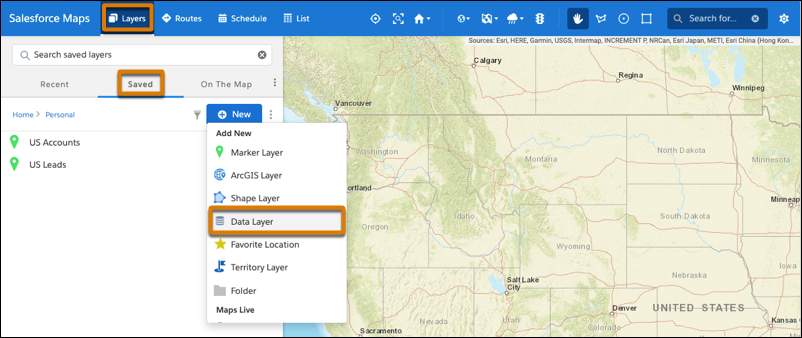
Click .
-
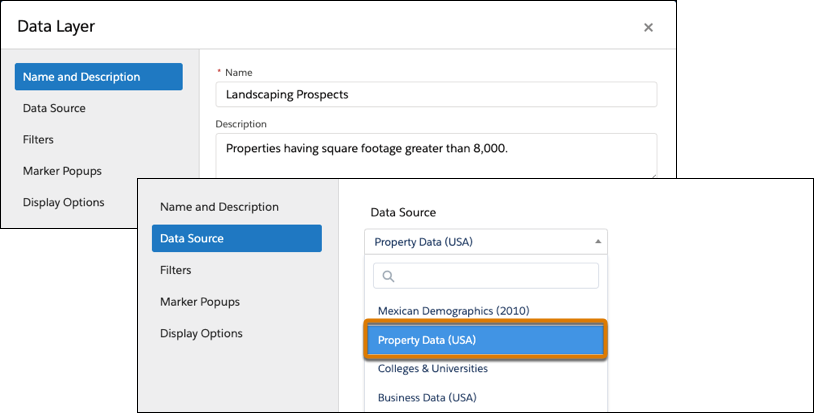
Enter a name and a description for your data layer. Select the data source
Property Data (USA).
-
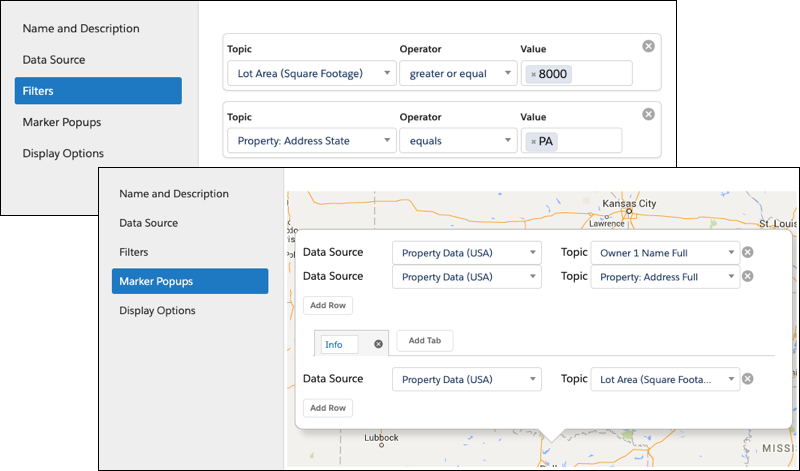
Add filters so that you focus on specific property characteristics and locations. Then
specify the details that you want to appear in marker popups, such as names, addresses, and
property characteristics.
-
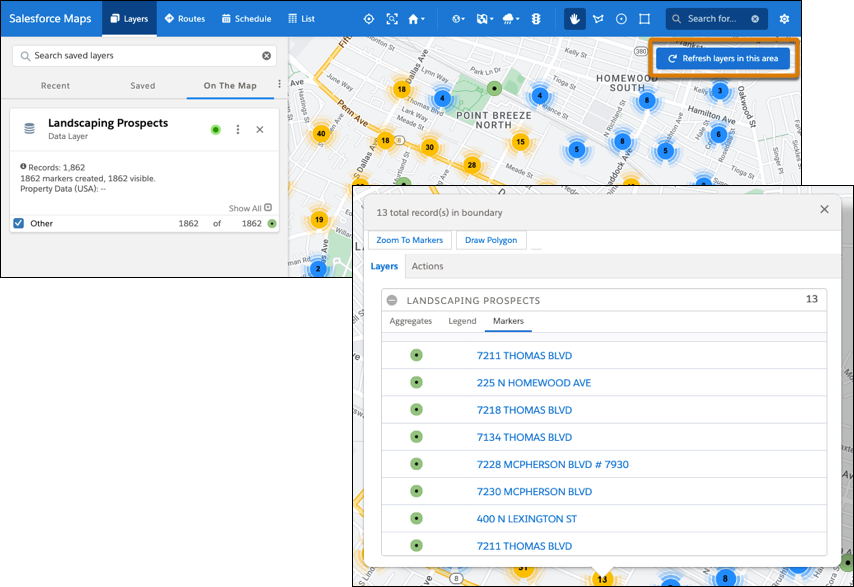
Save your work, and then plot the data layer. Zoom to the area where you want to focus your
efforts, and then refresh the layer for that area.
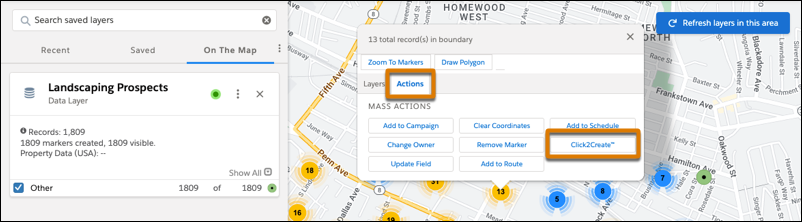
Markers that represent individual and clusters of properties appear. When you select any
marker, you get access to details for the properties represented in that marker.
-
To create leads for properties, click a marker, select Actions, and
then click Click2Create. If you don’t have access to Click2Create, ask
your Salesforce admin for help.