Determine the best markets for expanding your business, diversify recruiting efforts
based on specific demographics, and focus your sales and service efforts among key populations.
Visual indicators on a map show where you can concentrate your search for new business
opportunities and talent using demographic data in Salesforce Maps.
Required Editions
| User Permissions Needed |
| To access Salesforce Maps: |
Salesforce Maps |
-
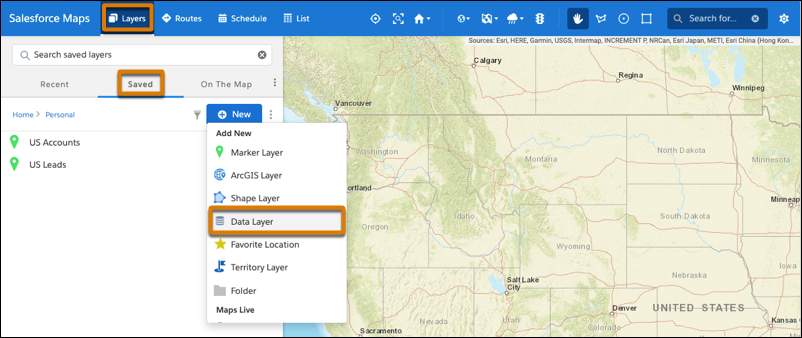
Click .
-
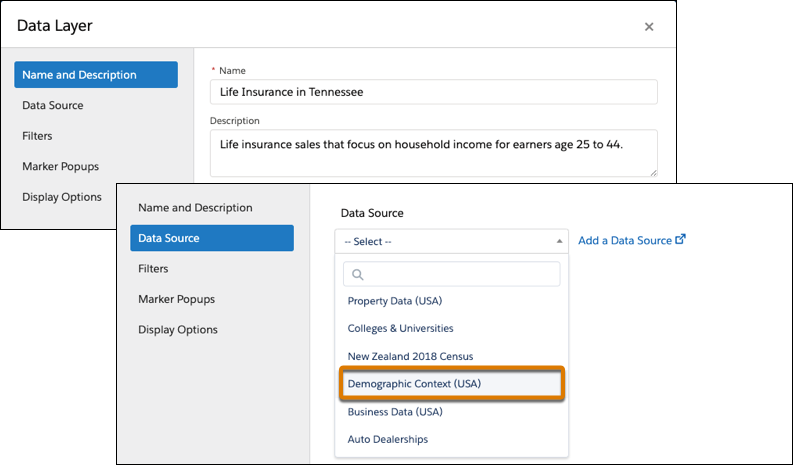
Enter a name and a description for your data layer. Select the data source
Demographic Context (USA), and then select the level of detail that you
want to appear on the map such as neighborhoods or ZIP codes.
-
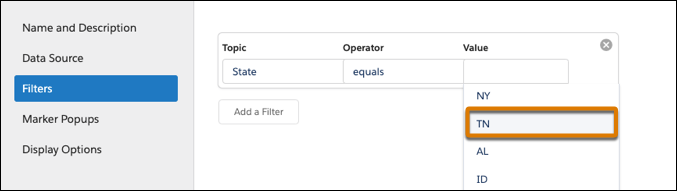
Add a filter so that you focus on a specific area such as a state or a county.
-
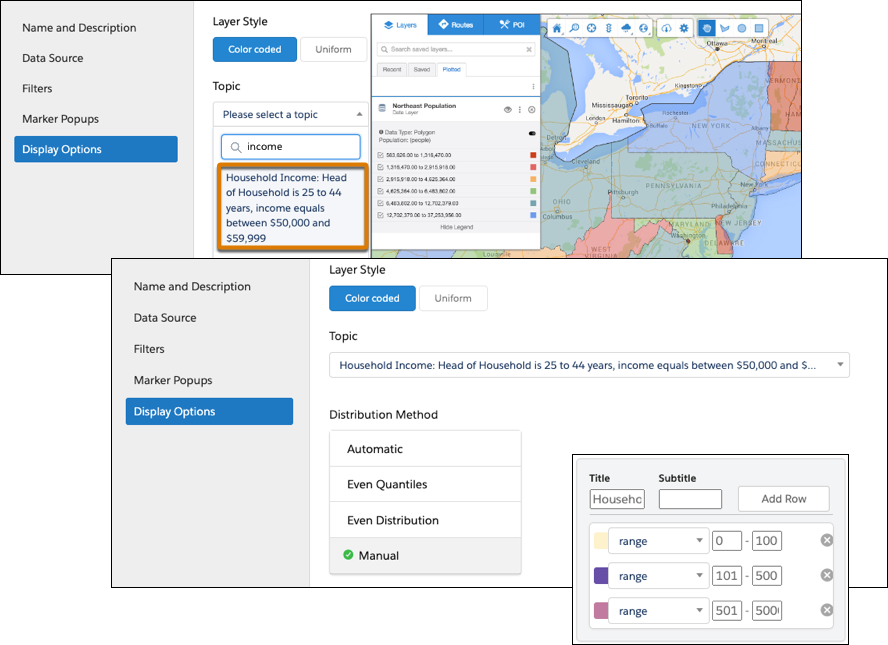
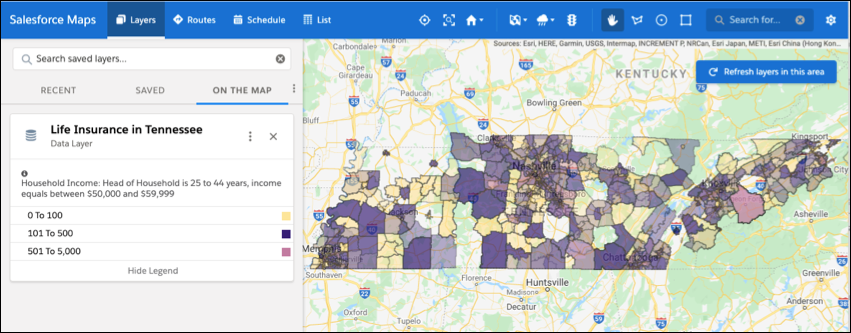
Add styles that help you differentiate areas that represent greater opportunities than
others. For example, you want to focus on ZIP codes where the most households earn between
$50,000 and $59,999. To show you where to focus your energy, you set ranges and corresponding
colors that show concentrations of households earning income based on your selection.
-
Save your work, and then plot the data layer. Zoom to the areas where you want to focus
your efforts.