Gain deeper insight on the geographical landscape and plan schedules that improve sales
and service when you plot available layers from Esri™ ArcGIS Living Atlas of the
World—directly in Salesforce Maps.
Required Editions
| User Permissions Needed |
| To access Salesforce Maps: |
Salesforce Maps |
-
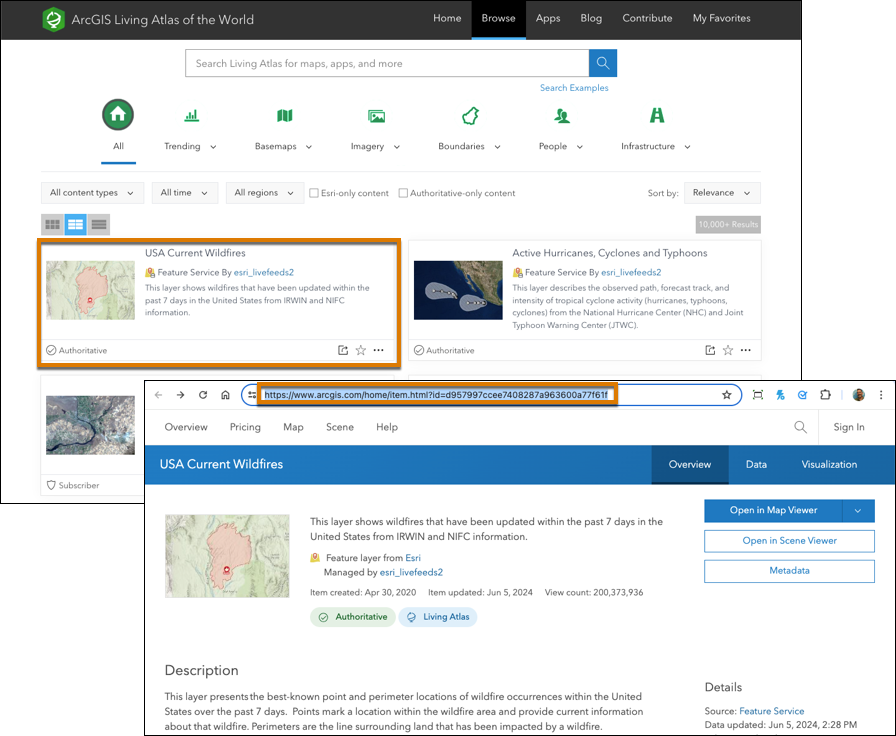
Browse the catalog of layers at ArcGIS Living Atlas of the
World.
-
Click a layer that you want to plot, and then copy its URL. For example, to plot wildfire
data, select USA Current Wildfires. Then copy its URL.
-
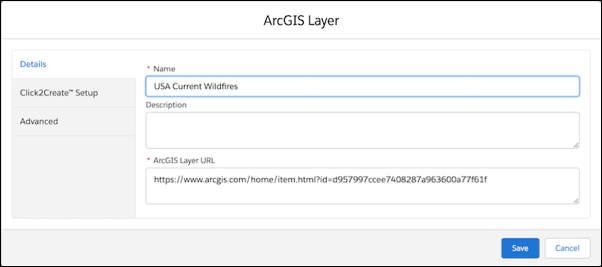
In Salesforce Maps, create an ArcGIS layer. If you don’t see the option to do so, ask your
Salesforce admin to enable ArcGIS in Salesforce Maps permission groups.
-
Name your layer, and then paste the ArcGIS layer URL.
-
Save your changes.
-
Plot the layer you created.