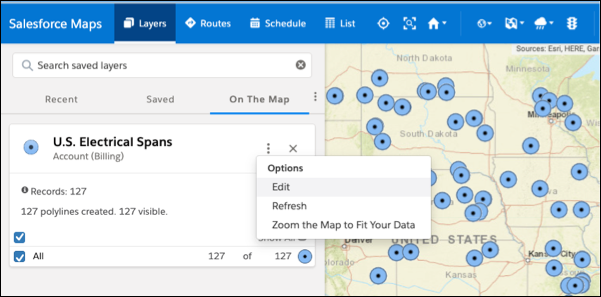
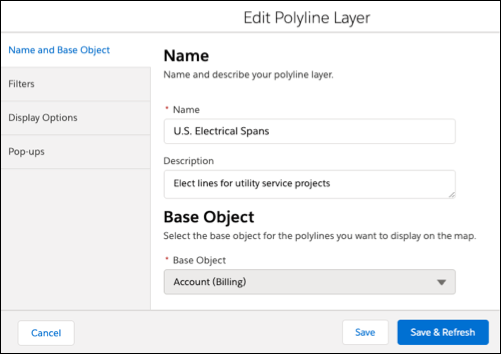
Update polyline layers as your business changes and grows. Change which records you see
on the map and adjust their filters, display options, and popups in Salesforce Maps.
Required Editions
| User Permissions Needed |
| To access Salesforce Maps: |
Salesforce Maps |
| To customize settings: |
Customize Application |
| To access the shared Corporate folder: |
Folder Permissions |
-
Click Layers.
-
Enter the name of the polyline layer you want to edit, or click
Saved and select the folder that contains the polyline layer you want
to edit.
-
Hover over the polyline layer menu and click Edit.
-
Select the tab for the area you want to edit. Then make your changes.
-
Save your changes.