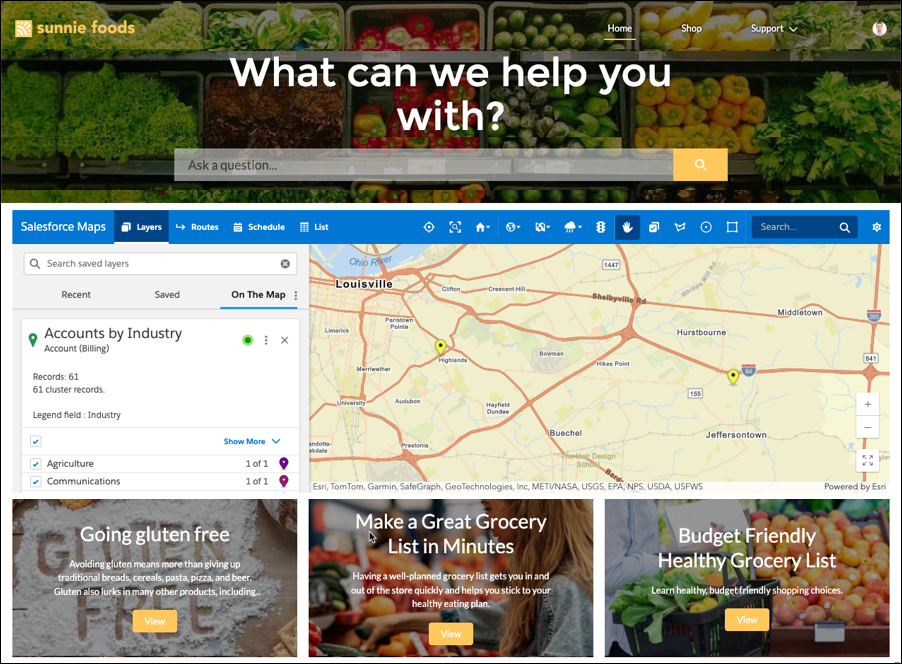
Support partner selling efforts when you include Salesforce Maps in your Experience
Cloud sites. The added context of embedded maps helps partners identify sales opportunities and
generate routes to them from shared customer data.
Required Editions
| User Permissions Needed |
| To customize settings: |
Customize Application |
-
From Setup, in the Quick Find box, enter Sites, and then select
All Sites.
-
Next to the site where you want to embed Salesforce Maps, click
Builder.
-
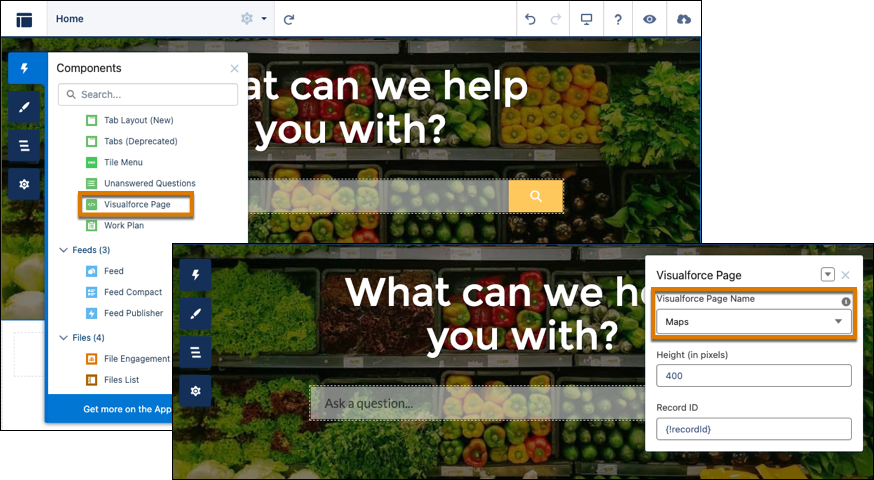
Drag the Visualforce Page component to your page layout. Select
Maps, and then increase the height to at least 400 pixels so that the
site shows Salesforce Maps correctly.
-
Preview and publish the site.
The site shows Salesforce Maps for your partners.