Customize nearby maps to show the records or filtered layers that you want to appear in
Salesforce records and on sites when you add a Salesforce Maps component to page and site
layouts.
Required Editions
| User Permissions Needed |
| To customize settings: |
Customize Application |
-
From Setup, in the Quick Find box, enter Installed Packages, and
then select Installed Packages.
-
Click Configure next to the Salesforce Maps package.
-
Select Nearby Map, and then click Create
New.
-
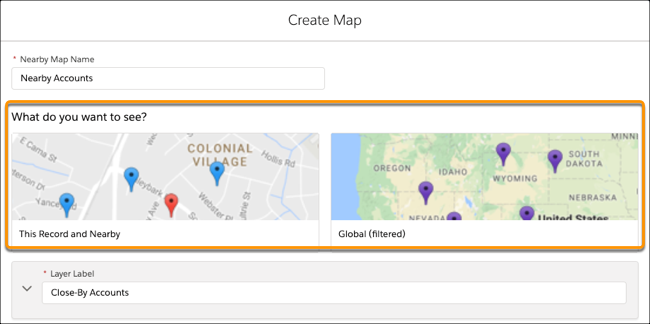
Name your map, and then select what you want the map to show.
For example, to show:
- Other records within close proximity to the record you’re working on, select
This Record and Nearby.
- A predefined, filtered layer, select Global (filtered).
-
Customize your map, and then save your changes.