
After you create your custom object for Salesforce Maps Advanced output, create a lookup relationship with the Maps Advanced Route Waypoint object.
Required Editions
| View supported editions. |
| User Permissions Needed | |
|---|---|
| To customize settings and create and edit custom objects: | Customize Application |
- From Setup, in the Quick Find box, enter Object, and then select Object Manager.
- Create and name your custom object in Object Manager.
-
Select Fields & Relationships, and then click
New.
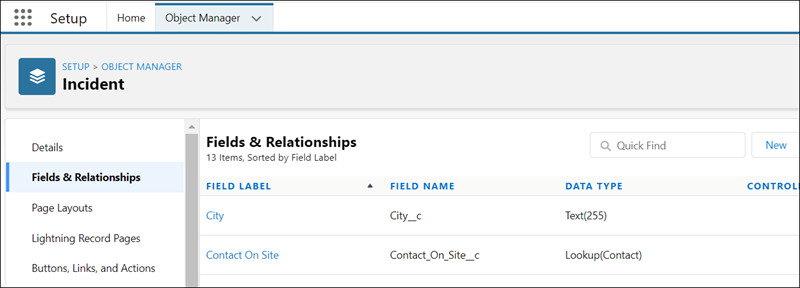
- On the New Custom Field page, under Data Type, select Lookup Relationship, and then click Next.
- From the Related To list, select Maps Advanced Route Waypoint, and then click Next.
-
On the New Relationship page, specify the field label and field name, and then click
Next.
- Field Label: Maps Advanced Route Waypoint
- Field Name: WA_AdvRouteWaypoint
- Configure optional field-level security and other settings for the custom object, and then save your work.
Next, create a custom event to ensure that your custom object’s records appear on your reps’ schedules.