Reduce the noise and show only the things that matter when you schedule appointments in
Salesforce Maps Advanced. Flag private and all-day events that you don’t want to
schedule.
Required Editions
| User Permissions Needed |
| To customize settings: |
Customize Application |
-
From Setup, in the Quick Find box, enter Installed Packages, and
then select Installed Packages.
-
Next to the Salesforce Maps package, click Configure.
-
Under Maps, select Routes & Schedule, and then click
Event.
-
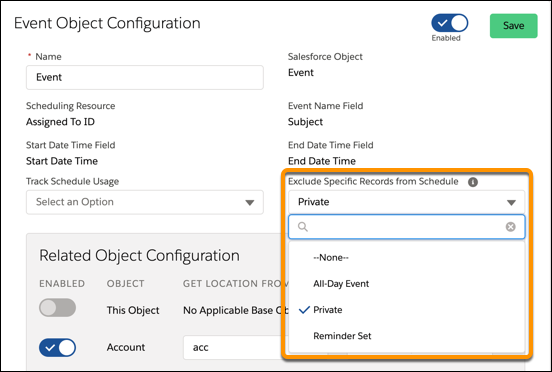
On the Event Object Configuration page, from Exclude Specific Records from Schedule, select
the types of events that you want to omit from appearing on schedules. For example, a private
event.