If you're unsure whether your Salesforce Maps Advanced data is being kept up to date
through scheduled batches, check the status of the scheduled job in Setup.
Required Editions
| User Permissions Needed |
| To customize settings: |
Customize Application |
-
From Setup, in the Quick Find box, enter Jobs, and then select
Scheduled Jobs.
-
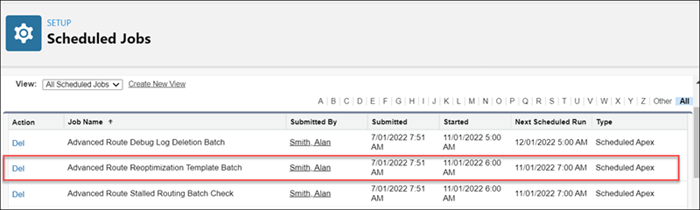
Navigate to the Advanced Route Reoptimization Template Batch job and identify when the job
started and is scheduled to run next. About every hour, the product checks to see if there are
any visit plans with route optimization scheduled. If there are, the batch job runs and updates
route and schedule data in those visit plans.