
The To Dos card keeps you focused on your next tasks, Learn how to create, manage, and complete them.
Required Editions
| Available in: Salesforce Mobile App for Android and iOS on phones and tablets in all editions, except Database.com. |
| User Permissions Needed | |
|---|---|
| To use Seller-Focused Mobile Experience | Salesforce Mobile App: Native Seller Experience |
See the most time-dependent tasks in the To Dos card in Home. To filter the results you see in the card, tap Due Today, Overdue, or All.
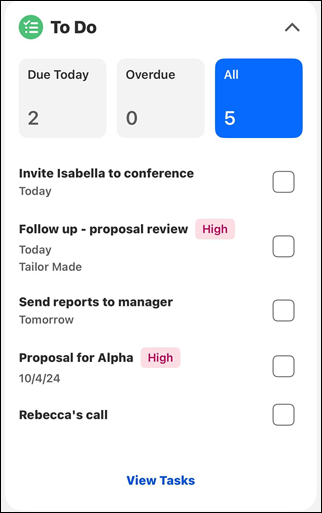
Tapping the checkbox next to a task marks it complete.
Swiping the task to the left reveals options.
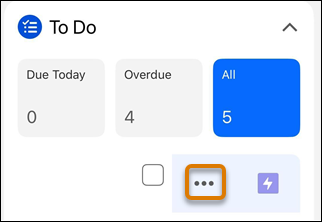
To log a call, or create a task or event, tap the three dots.
To see all of your tasks and access other options, tap View Tasks on the To Do card on the home screen.
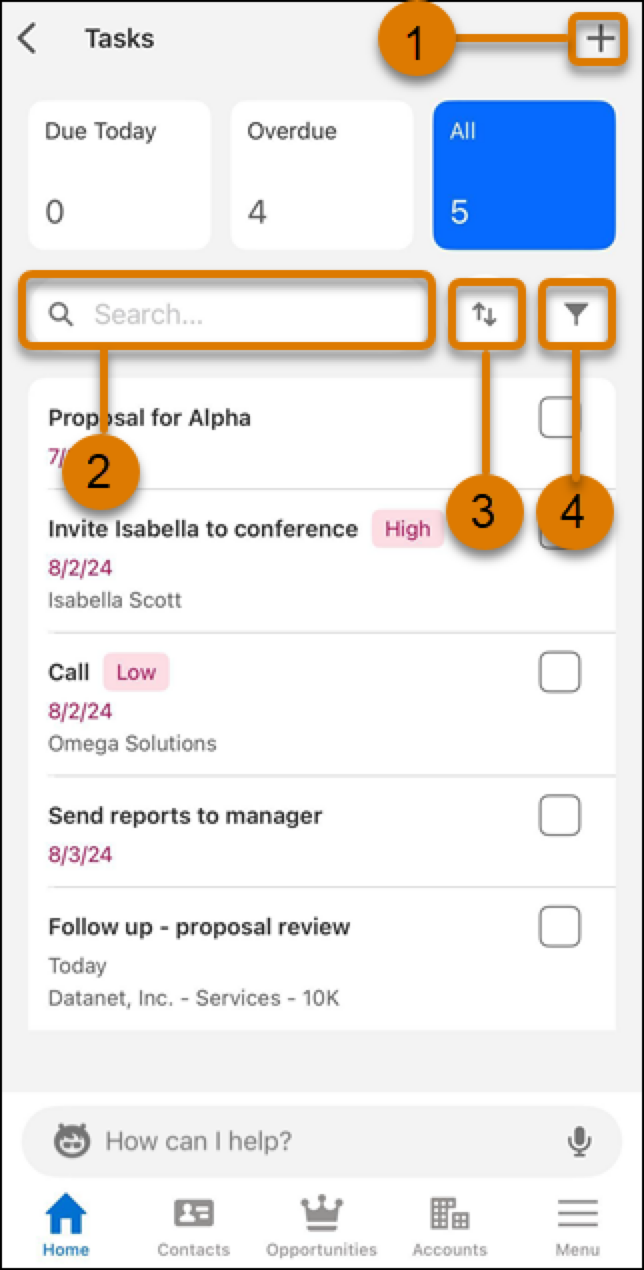
To create a to do item, tap the plus (1). (2) Search, (3) sort, or (4) filter your items.
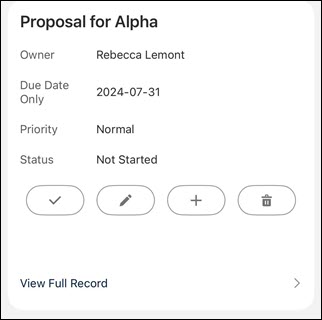
To see details, mark a task as done, edit, create another task, delete, or view the full record, tap a to do item.