
View and manage events quickly and easily in the Events card.
Required Editions
| Available in: Salesforce Mobile App for Android and iOS on phones and tablets in all editions, except Database.com. |
| User Permissions Needed | |
|---|---|
| To use Seller-Focused Mobile Experience | Salesforce Mobile App: Native Seller Experience |
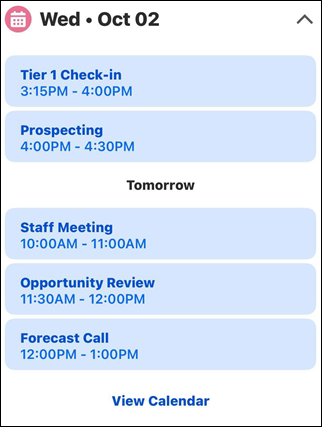
The Events card shows you your upcoming events.
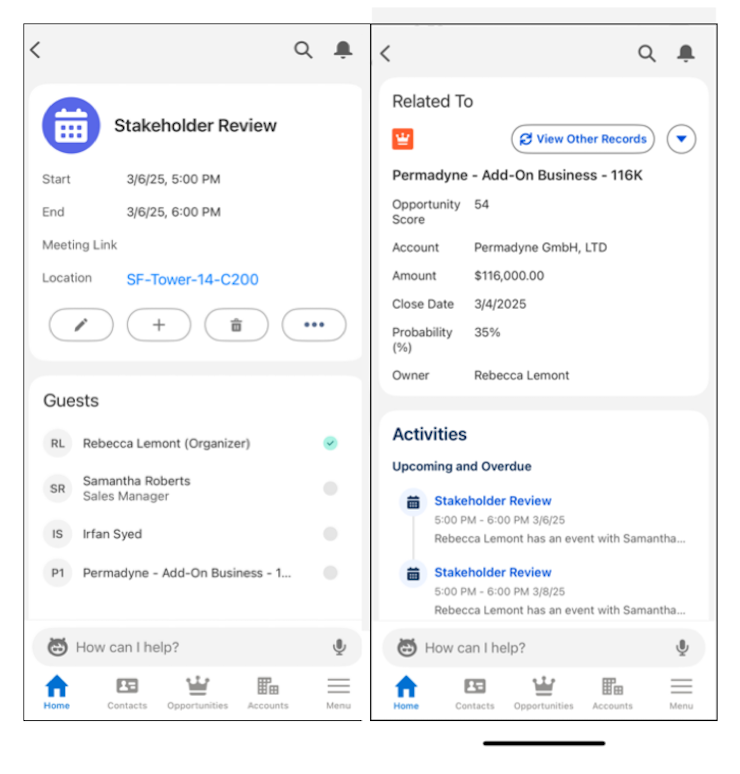
To prepare for a meeting, tap on an event. You see more details, like who is attending, attachments and notes, and can edit the event.
To see a full calendar, tap View Calendar on the Events card on the home screen.
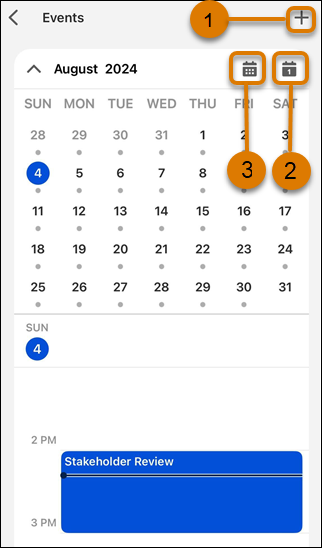
To create an event, tap the plus icon (1).
Change how many days of events you see by tapping the view icon (2). Select Day, 3-Day, or Week.
Jump to today's schedule by tapping on the calendar icon(3). Swipe left or right to change the date in view.