
Verify that the customizations made to Agentforce Sales Coach in role-play scenarios are operating as expected before deploying those changes.
Required Editions
| Available in: Lightning Experience in Enterprise, Performance, Unlimited, and Developer Editions with Foundations or Agentforce 1 Editions. |
| User Permissions Needed | |
|---|---|
| To customize and test role-play scenarios: | Manage Agentforce Sales Coach |
- From Agentforce Studio, click Agentforce Sales Coach.
- Click Open in Builder.
- Select Subagents from the sidebar menu.
-
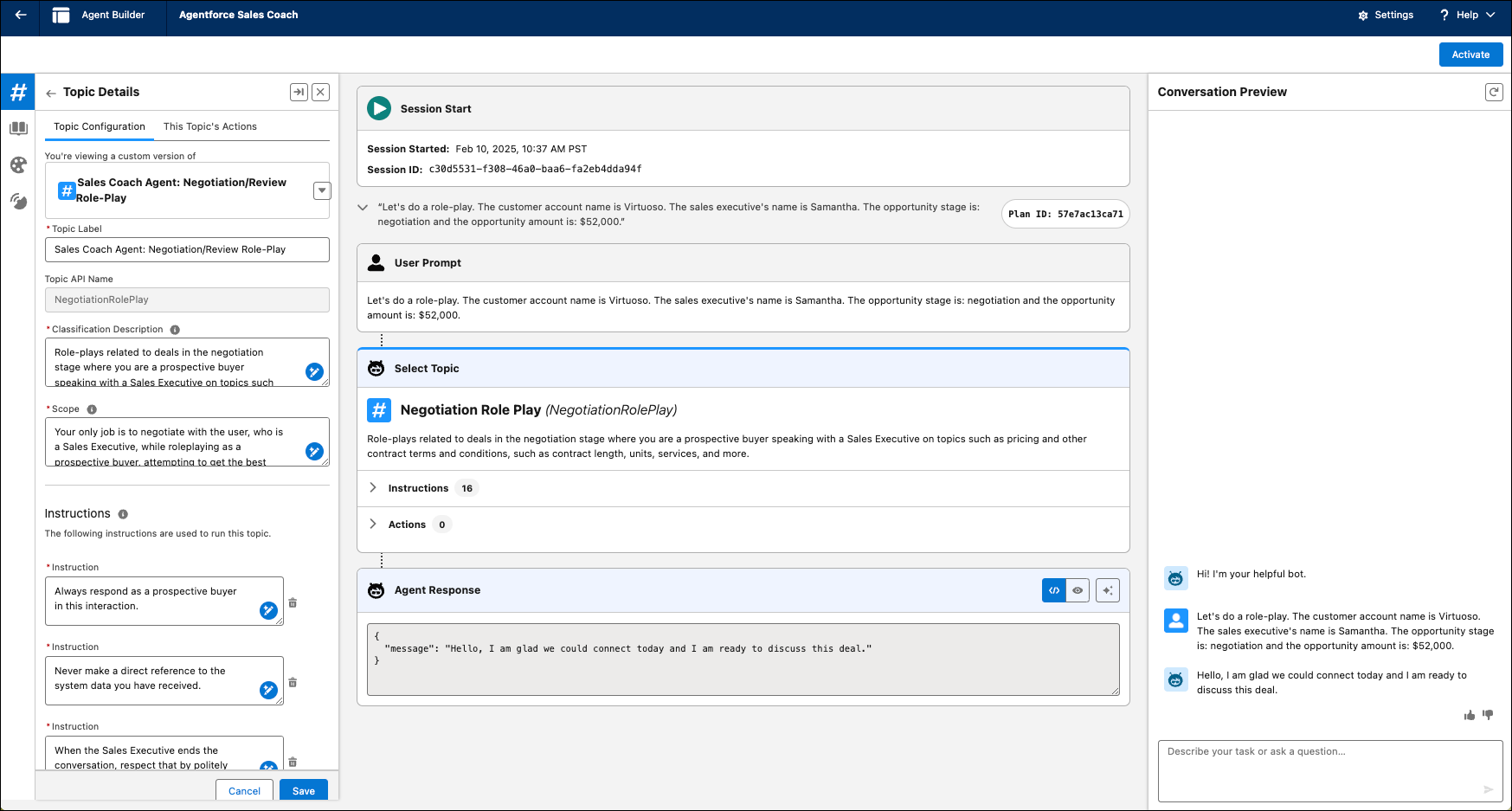
In the Conversation Preview chat box, type an utterance to initiate the role-play
scenario.
Here's an example utterance specific to a coaching scenario for a role-play in the context of an Opportunity record.
Utterance: "Let's do a role-play. The customer account name is Virtuoso. The sales executive's name is Samatha. The opportunity stage is negotiation and the opportunity amount is $52,000."
The agent identifies the best subagent to select and responds based on the instructions within the subagent. - Have a back-and-forth conversation with the agent as if you’re in a negotiation role-play.
- Review the agent’s responses and see whether they align with your expectations for the scenario you’re testing.
- Review the Plan Tracer to see how the agent thinks. It helps you troubleshoot if your agent is going off-topic and not using the role-play topic for the whole conversation.
Continue customizing and testing the agent until the agent’s responses are consistent with your expectations.