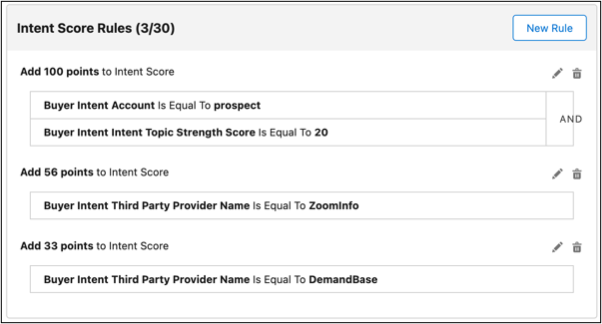
The Intent Score indicates buyers who are showing strong purchasing intentions based on
their actions in the digital and physical worlds. A higher Intent Score signals the interest and
readiness of the account to move forward in the buying process. In Prospecting Center, you can
turn on or turn off the Intent Score. By default, the Intent Score is turned off.
Required Editions
| Available in: Lightning Experience |
| Available with Sales Engagement, which is included with Sales in
Performance, Unlimited Editions, Agentforce 1 Edition, and
available for an extra cost in Professional and Enterprise Editions.
Sales Engagement is also available for an extra cost in Service and Lightning
Platform.
|
| User Permissions Needed |
| To give users access to the Sales Engagement app: |
Sales Engagement User |
Before you define the Intent Score rules, make sure that Intent Score and Prospecting Center
are enabled.
Add or modify the Intent Score rules, by adding points to each criteria, to calculate an
Intent Score.
-
Go to the Prospecting Center setup page.
-
Click Configure next to Configure Account Scoring.
-
Enable the Intent Score.
-
Adjust the weights of the Engagement, Fit, and Intent Scores to make the Total Weight
100.
-
Click Done.
-
To create an Intent Score rule, click New Rule next to Intent
Score Rules. You can add or modify the criteria that’s used to calculate the Intent
Score.
-
To edit or remove the points assigned to a specific criteria, click
 next to a rule.
-
To save your changes, click Publish.