
Users with permission to access Trailmaker Content, Trailmaker Release, or Trailmaker Settings can access the apps through the enablement site user menu.
Required Editions
| Available in: Enterprise, Performance, and Unlimited Editions |
| User Roles | |
|---|---|
| This topic supports these enablement site roles: |
|
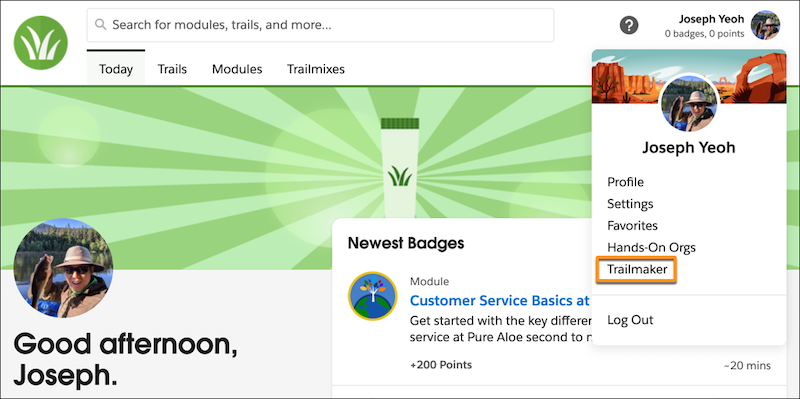
After a user logs in to your enablement site, they can access the Trailmaker apps by clicking their avatar and selecting Trailmaker.
Then, depending on the user’s enabled permissions, they can access the individual apps from separate tabs.
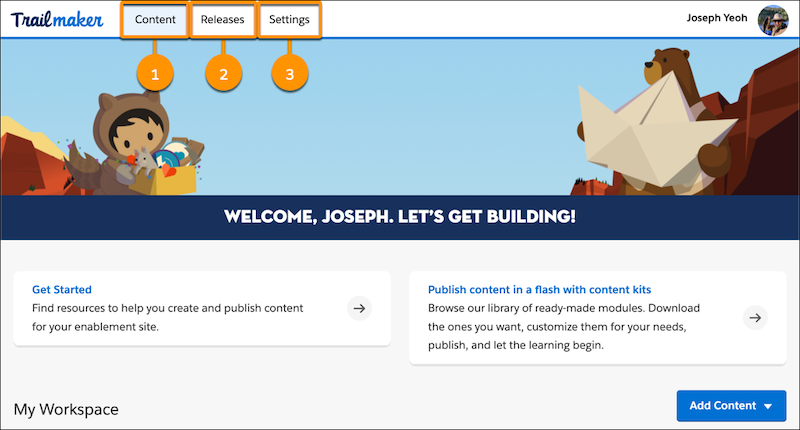
| App | User Permissions Required |
|---|---|
| Trailmaker Content (1) | Create Content |
| Trailmaker Release (2) | Manage Releases |
| Trailmaker Settings (3) | Manage Site Settings |