
Learners can access enablement site content from anywhere using the Trailhead GO app on their iOS, iPadOS®, or Android™ device. Learners can earn badges and points in the app.
Required Editions
| Available in: Enterprise, Performance, and Unlimited Editions |
| User Roles | |
|---|---|
| This topic supports these enablement site roles: | Learners |
The steps to access enablement site content from the Trailhead GO app depend on the authentication provider that your enablement site uses.
Access with Salesforce Identity for Enablement
If you’re logging in to an enablement site that uses Salesforce Identity for Enablement authentication, follow the link that you receive from your Salesforce admin.
After you log in, you can access only your enablement site—you can’t switch to access Trailhead content using the same credentials. To switch to Trailhead content, log out of the app, and then log back in with your Trailhead credentials.
Access with Trailblazer.me (TBID)
If you’re logging in to an enablement site that uses TBID authentication, complete these steps.
- Log in to the app with your Salesforce username and password.
- Click More.
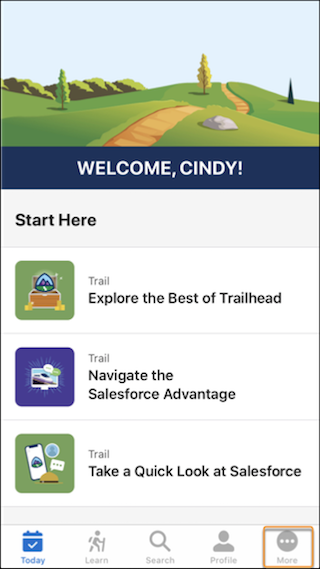
- Click your name.
- From the org picker, select your enablement site's subdomain name, and click
Continue.
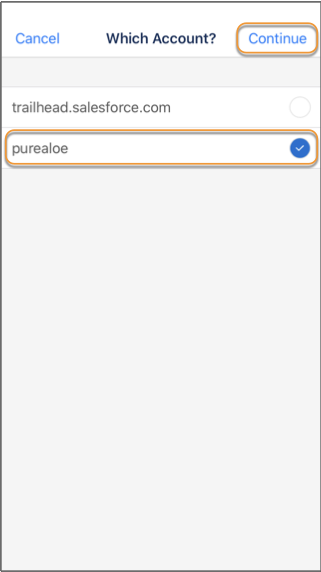
To switch to public Trailhead content, follow the same steps, but select the trailhead.salesforce.com domain instead.
