
When reviewing an email details page, sales reps now see the complete list of engagements pertaining to that outbound email.
| Available in: Lightning Experience |
| Available with Sales Cloud and included in Professional, Enterprise, Performance, and Unlimited Editions |
For emails that are manually logged to Salesforce, view the full list of email engagement on email records.
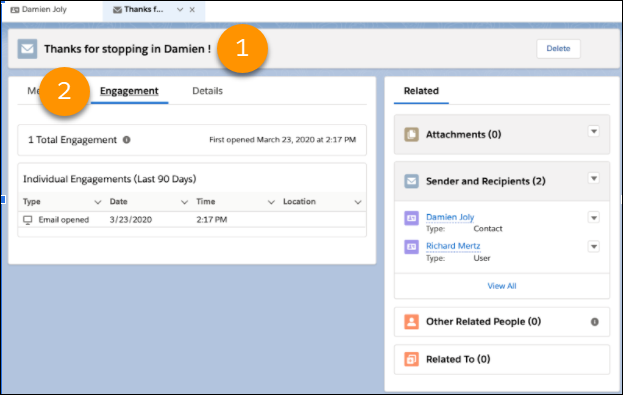
Navigate to an email detail page (1). Then on the Engagement tab (2), view all the individual engagements available in this email.

| Alert Types | Inbox Only | Inbox + Sales Engagement | Inbox + Sales Engagement + Einstein activity capture |
|---|---|---|---|
| Opens | Yes | Yes | Yes |
| Replies | Yes | Yes | Yes |
| Record assignments | -- | Yes | Yes |
| Link clicks | -- | -- | Yes |
| Bounces | -- | -- | Yes |
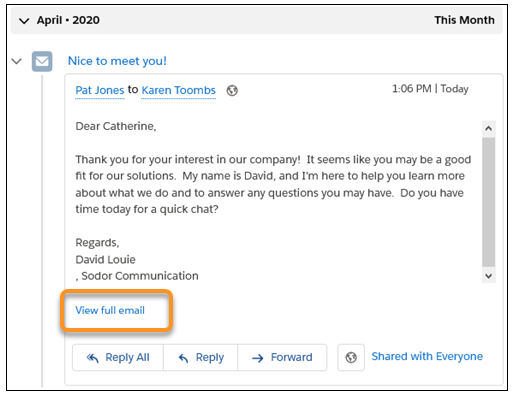
On lead, contact, and person account records, when the activity timeline shows email activity, sales reps can access the engagement details for each email. To view the engagements, click View full email and then hover over the Last Opened Date or click the email subject. If you use Einstein Activity Capture to log emails automatically, use this method to view the engagement history for an email.