
To let users create folders, enable this setting.
Required Editions
| Available in: Lightning Experience |
| Available in: Professional, Enterprise, Performance, Unlimited, and Developer Editions |
| User Permissions Needed | |
|---|---|
| To update settings: | Customize Application |
- From Setup, enter Email Templates in the Quick Find box, then select Lightning Email Templates.
-
Enable Folders and Enhanced Sharing.
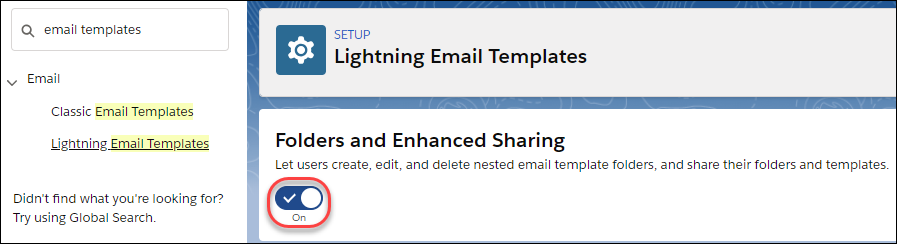 To let other users create folders, assign them the Create Folders for Lightning Email Templates permission.

Note If you disable Folders and Enhanced Sharing for Lightning Email
Templates, your reps lose access to the email template folders they created and the
email templates inside those folders. To give your reps access again, enable Folders
and Enhanced Sharing for Lightning Email Templates.