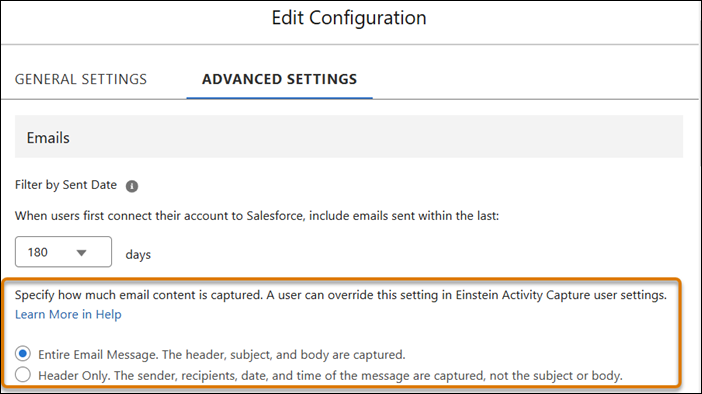
When Sync Email as Salesforce Activity is enabled in Einstein Activity Capture, you can
control the amount of email data captured: entire email message or header only. The header-only
capture option gives you more privacy by letting you capture only the sender, recipients, and
date and time the email was sent.
Required Editions
| Available in: Lightning Experience |
| Available with Einstein Activity Capture Standard in Sales in Starter,
Pro Suite, Professional, and Enterprise Editions
|
| Available with Unlimited Edition, Einstein 1 Sales Edition, and
Agentforce 1 Edition
|
| Available with Einstein for Sales, which is included in Einstein 1 Sales
Edition and available for an extra cost in Enterprise and
Unlimited Editions
|
| Available with Sales Engagement, which is included with Sales in
Performance and Unlimited Editions, and available for an extra cost
in Professional and Enterprise Editions
|
| Available with Revenue Intelligence, which is available for an extra cost in
Enterprise and Unlimited Editions
|
Choose how you want email to be captured in your personal Email Capture Settings in Einstein
Activity Capture. Your personal settings override the email capture settings configured by
admins in Advanced Settings in Einstein Activity Capture setup. When capture settings are
changed, they apply to future synced emails. (Past synced emails are unchanged).
Header-only capture isn’t available for emails sent via the Salesforce Email Composer. The
entire email message will be captured.