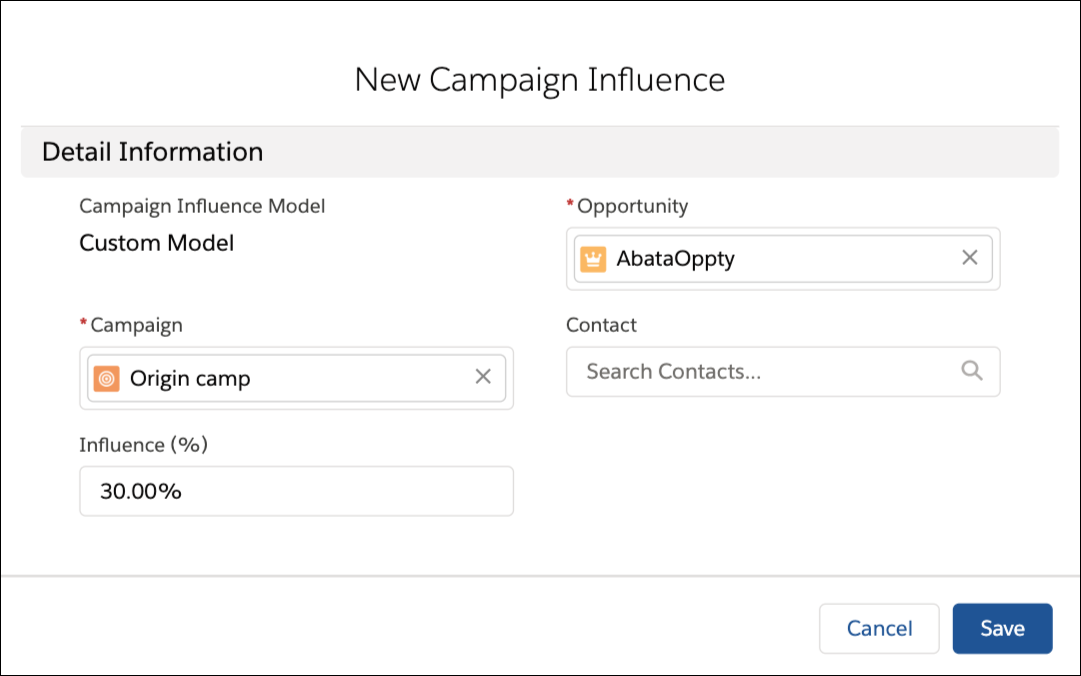
When you’re using a custom model with Customizable Campaign Influence and the model set
as the default, you manually create campaign influence records. Each time a campaign makes an
impact on an opportunity, create a record that identifies the influential campaign, and enter an
attribution percentage.
Required Editions
| Available in: Salesforce Classic and Lightning
Experience |
| Available in: Salesforce Professional, Enterprise,
Performance, Unlimited, and Developer Editions
|
| User Permissions Needed |
| To view, add, or update campaign influence records: |
Read and Edit on campaigns and opportunities
AND
Marketing
User selected in User Detail
|
-
On an opportunity record, find the Campaign Influence related list.
-
Click New.
-
Enter a campaign name or search for one.
-
Enter an attribution percentage in the Influence (%) field.
-
Click Save.