
The Chrome side panel is visible as sales reps work in their email and calendar, and as they navigate from page to page in their browser.
Required Editions
| Available with Sales, Service, and Lightning Platform in: Essentials, Group, Professional, Enterprise, Performance, Unlimited, and Developer Editions |
| User Permissions Needed | |
|---|---|
| To enable the Gmail integration | Customize Application |
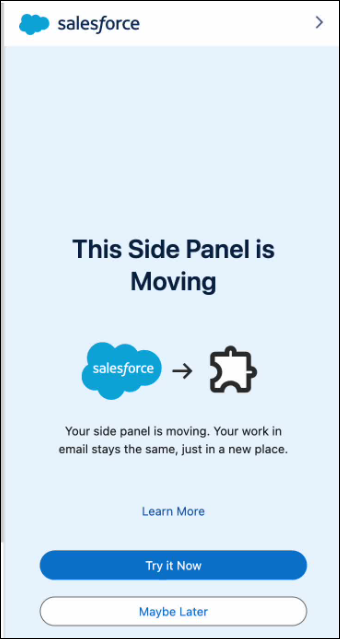
The process to move to the Chrome side panel starts automatically when you open Gmail.
- Open the Gmail integration.
-
Click Try It Now in the first onboarding panel.
-
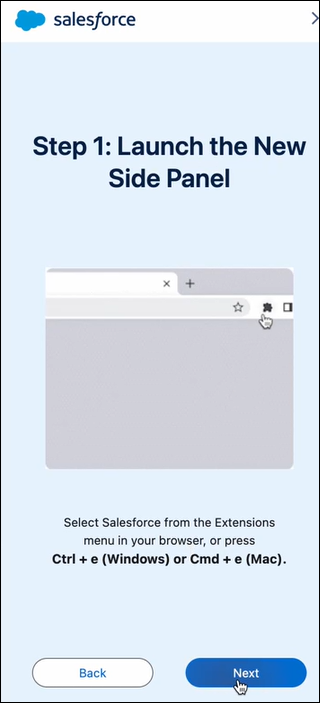
In the next panel, click Next.
-
In the next panel, check Remove this panel from view, and then click
Done.
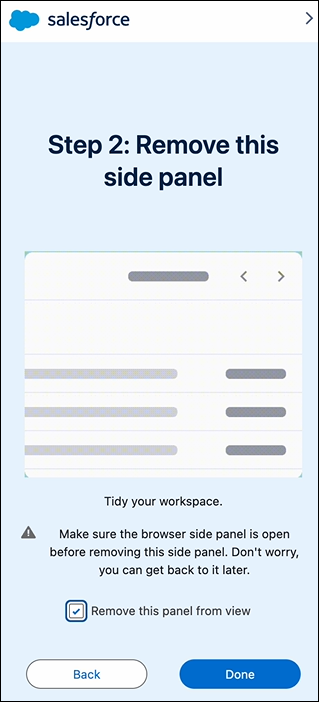
You can return to the old way of working with the Gmail integration. From the side panel navigation menu, select Switch back to embedded mode. If you don't see that option, exit and then reopen the Gmail integration. In the last step, select Remove this panel from view and then click Done.