
To view account activities, see vital account metrics, and access related records in one dedicated workspace, turn on the Account Intelligence view.
Required Editions
| Available in: Lightning Experience |
| Available with Sales in: Professional, Enterprise, Performance, and Unlimited Editions |
| User Permissions Needed | |
|---|---|
| To set up accounts: | Modify Application |

Tip Check
out this feature in Salesforce Go! Find a guided setup experience, explore more content,
discover related features, and monitor feature usage. See Discover and Set Up Features With Salesforce Go.
The Account Intelligence view is the default view for most users. To see the Account Intelligence view, click Intelligence View from the Account list view page. To return to the Account list view, click List View. If you don’t see the Account Intelligence view, your Salesforce admin can turn it on by using these steps.
-
From Setup, in the Quick Find box, enter Account
Intelligence View, and then select Account Intelligence View
Setup.
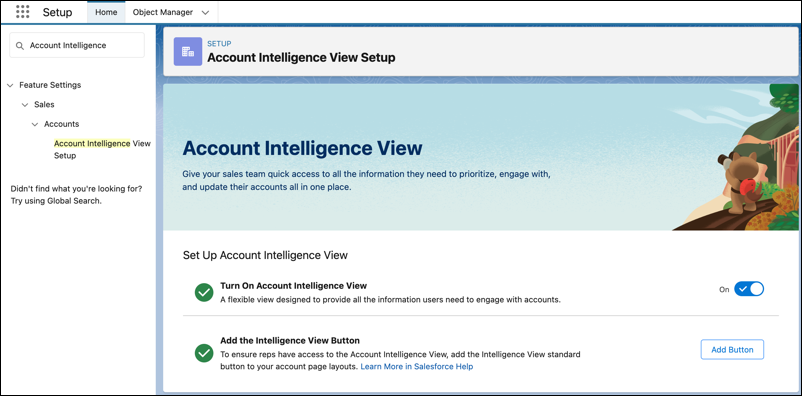
- Turn on Account Intelligence View.
-
Add the Intelligence View button to your Accounts List View button layout.
- Click Add Button
- Select Intelligence View
- Save your changes
Optionally, select the opportunity fields users can apply when customizing their Account Intelligence metrics. The default value is Amount.
To get the most out of the Account Intelligence View, turn on Einstein Activity Capture.