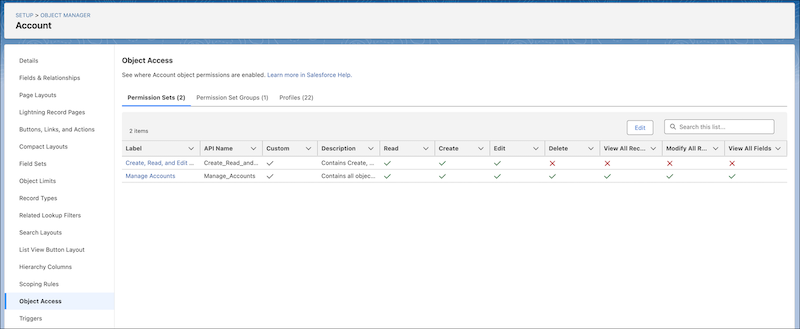
See the permission sets, permission set groups, and profiles that grant access to an
object, and the level of access granted. You can also update the object permissions enabled in
custom permission sets and profiles.
Required Editions
| Available in: Lightning Experience |
| Available in: all editions |
| User Permissions Needed |
| To access Object Manager: |
View Setup and Configuration |
-
In Object Manager, select an object.
-
In the sidebar, click Object Access.
-
Click the tabs to see all permission sets, permission set groups, and profiles that
have object permissions enabled for the object. To update object permissions in custom
permission sets and custom profiles, click Edit on their
tabs.