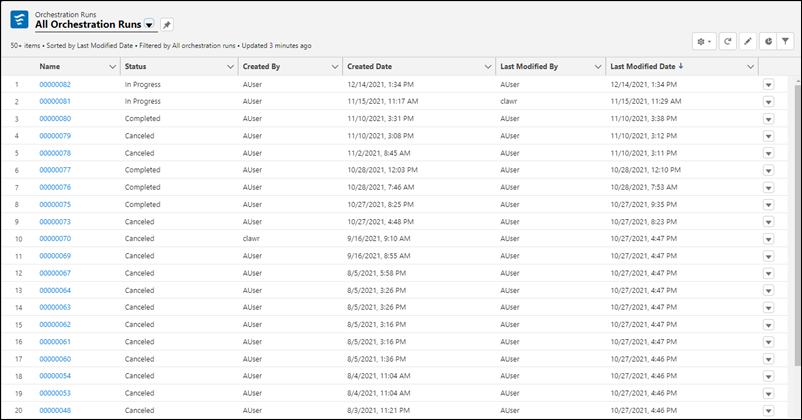
Use the Orchestration Runs list view to see all in-progress, canceled, and completed
orchestration runs in your org. Access orchestration details and history through the orchestration
runs list view.
Required Editions
| User Permissions Needed |
| To view orchestration runs: |
View access is based on sharing settings |
-
In the App Launcher, find and select Orchestration Runs.
-
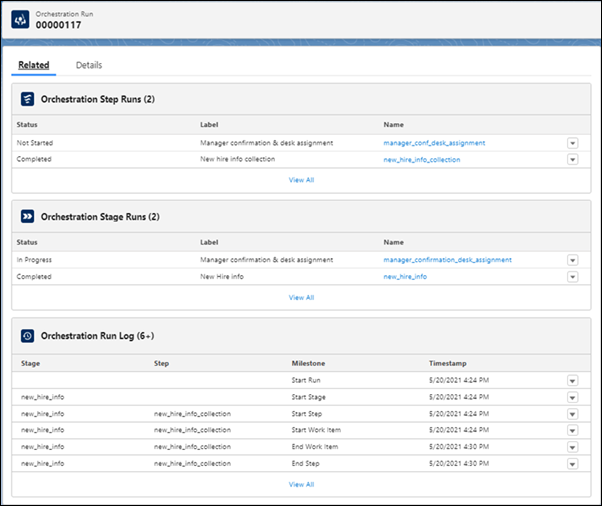
To see details for a specific orchestration run, on the All Orchestration Runs list view,
click the link for an orchestration, and then click the Related
tab.
-
To see the full orchestration run history, under Orchestration Run
Log, click View All.