Orchestration versions use flows to run interactive and background steps. Orchestration
version stages and steps can use flows to evaluate complex criteria. Those criteria can determine
when a background, interactive step, or MuleSoft step starts and when to mark a stage or
interactive step as completed. View the flows that an orchestration version uses to understand the
relationships between an orchestration version and the flows it references.
Required Editions
| User Permissions Needed |
| To view usage details on the Orchestrations tab in the Automation Lightning
app |
Manage Flow |
The Uses Flows list depends on whether the selected orchestration version was created
in your org. If Salesforce or a managed package provided the orchestration version, then the
Uses Flows list contains no items.
-
On the navigation bar, click
 .
.
-
In the search box, enter automation, and then select
Automation.
The Automation app opens.
-
Select the Orchestrations tab, click an orchestration label, and
then select the Versions tab.
The Orchestration page opens and shows a list of versions for the selected
orchestration.
-
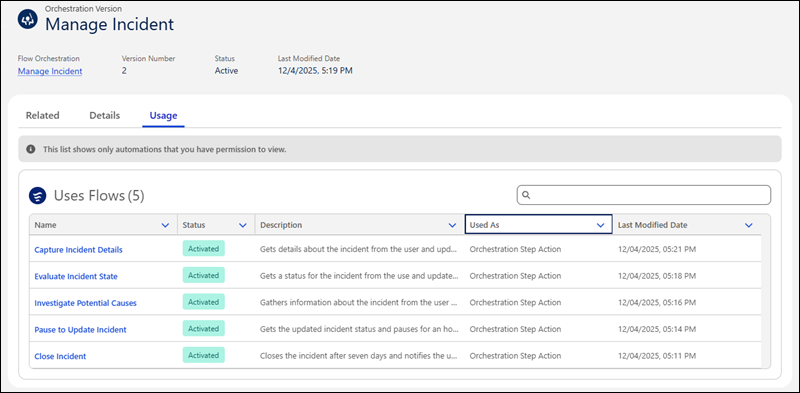
Click the link of an orchestration version name, and then select the Usage
tab.
The tab shows the flows that the orchestration version uses.