
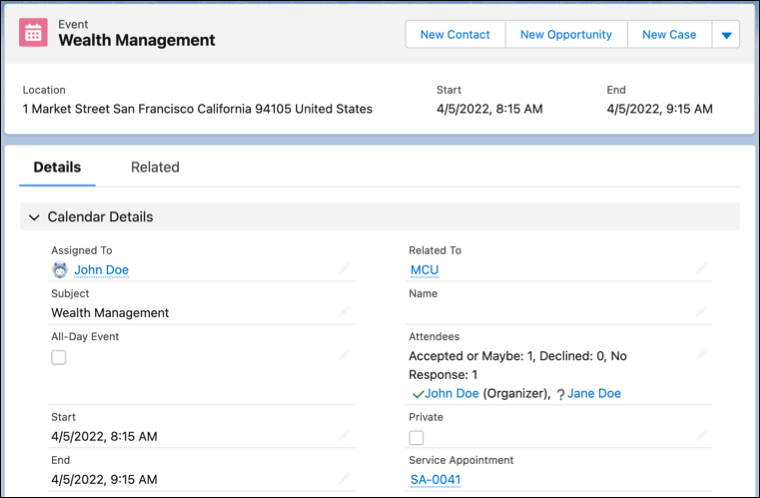
After enabling the Multiple Service Resource Event setting, Scheduler groups individual events and lists all attendees (service resources) under a single event.
Required Editions
| Available in: Lightning Experience. |
| Available in: Enterprise and Unlimited Editions |
| User Permissions Needed | |
|---|---|
| To view event: | Access Activities |
| To create event: | Edit Events |
| For external users, to view other service resources in an event | Organization-Wide Defaults for Users to Public Read Only for Default External Access |
When the Multiple Service Resource Event setting is enabled, each service resource can view the list of all service resources in the corresponding event. When this setting isn’t enabled, Scheduler creates individual calendar events for each service resource that's assigned to a service appointment.
The primary service resource of the service appointment is called the event organizer in the Salesforce Calendar. The rest of the service resources who are invited to the event are called event attendees. Attendees can view and set reminders for the events in their respective calendars.

In multi-resource scheduling, you can pull in service resources with specific expertise. For example, a wealth manager pulls in a real estate specialist for their client’s investment discussion. In such scenarios where multiple resources are part of the appointment, it’s easier to reschedule or modify a service appointment if you can view the complete list of attendees.
- Considerations for Multiple Service Resource Events
Here are some things to keep in mind for events that have multiple service resources. - Prerequisites to Enable Multiple Service Resource Event Setting
Before you enable the Multiple Service Resource Event setting in your production org, enable the setting in a sandbox and then test its features. - Enable Multiple Service Resource Event Setting
To group individual events and view the list of all service resources under a single event, enable the Multiple Service Resource Event setting.