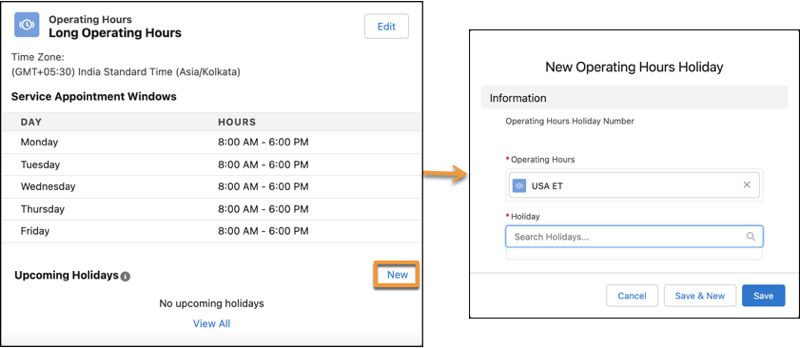
Link the holidays that you created to a service territory.
Required Editions
| Available in: Lightning Experience. |
| Available in: Enterprise and Unlimited Editions |
| User Permissions Needed |
| To link holidays to a service territory: |
View Setup and Configuration |
| To view holidays: |
View Setup and Configuration |
-
Click the Service Territories tab, and then select a service
territory.
-
Click New for Upcoming Holidays.
-
If you want to view the complete list of holidays (upcoming and elapsed), click
View All.
-
In the Holiday field, enter the name of the holiday, and then select the holiday.
Holidays linked to service territories are associated with the service territories'
operating hours. To link a holiday directly to the operating hours, in the Related tab of an
operating hours instance, click New for Operating Hours Holiday.
-
Save your changes.