
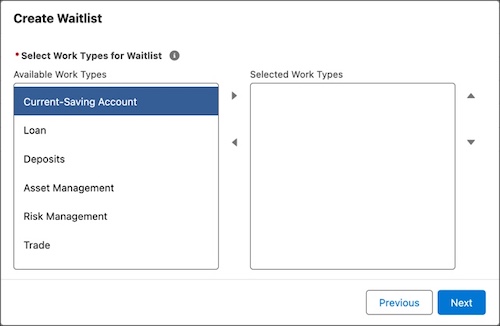
With this component, users can either select a list of work types or a list of service resources for a waitlist.
Required Editions
| Available in: Lightning Experience. |
| Available in: Enterprise and Unlimited Editions |
| Attribute | Description | Additional Information |
|---|---|---|
| API Name | Use underscores and alphanumeric characters without spaces. Begin the name with a letter, don’t end the name with an underscore, and don’t use two consecutive underscores. |
|
| Heading Label |
The heading for the flow screen component. Example: Select Work Types |
|
| Heading Label Help Text | The help text for the heading label for the flow screen component. |
|
| Available Listbox Label |
The label for the listbox that shows the available items for the waitlist. Example: Available. |
|
| Selected Listbox Label |
The label for the listbox that shows the selected items for the waitlist. Example: Selected. |
|
| Selected IDs | Optional. As input, a collection of IDs of work type or service resource records that are selected by default. As output, a collection of the selected work type or services resource record IDs. |
|
| Selected IDs List |
Optional. As input, a comma-delimited list of IDs of work type or service resource records that are selected by default. As output, a comma-delimited list of IDs of the selected work type or services resource records. If Work Type ID List is specified, this field accepts a list of service resource IDs. Otherwise, this field accepts a list of work type IDs. |
|
| Service Territory ID | The service territory ID to associate with the waitlist. |
|
| Work Type ID List | Optional. The comma-delimited list of work type IDs to associate with the waitlist. If you specify the list of work type IDs, the component shows the service resources that are available for the selected work types and allows flow screen users to select the service resources. Otherwise, the component allows flow screen users to select work types. |
|
| Error Message | The error message to display to the flow user if the component encounters an error. |
|