
Turn on this org-wide setting once so that admins can debug or test flows as a specific user.
Required Editions
| View supported editions. |
| User Permissions Needed | |
|---|---|
| To edit process automation settings: | Customize Application |
| To create, update, and delete flow list views: | Manage Flow |
This setting is available only in sandbox environments. After you turn it on, users with the Manage Flow and View All Data permissions can select the running user when they debug a flow with the Flow Builder debugger or run a test scenario.
- From Setup, in the Quick Find box, enter Process, and then click Process Automation Settings.
- Turn on Let admins debug flows as other users.
-
Save your work.
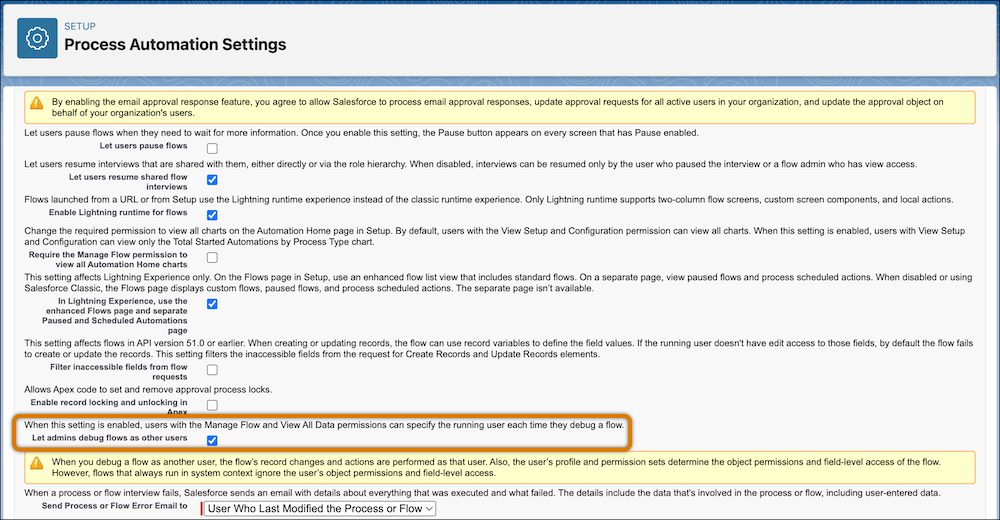
 Warning When you debug or test a flow as another user, the flow makes record changes and performs actions as that user. Also, the user’s profile and permission sets determine the object permissions and field-level access of the flow. However, flows that always run in the system context ignore the user’s object permissions and field-level access.