Move approved work items forward without waiting for the entire stage to be ready.
Select specific work items for promotion, while others remain in their current stage until they’re
ready.
Required Editions
| Available in: Lightning Experience in Professional (API access required),
Enterprise, Performance, Unlimited, and Developer
Editions
|
| Not Available in: Government Cloud Plus. Contact your Salesforce account
executive for more details. |
| Not available in: EU Operating Zone. EU Operating zone is a special paid
offering that provides an enhanced level of data residency commitment. Lifecycle Center
is supported in orgs in the EU that aren’t part of EU OZ, per standard product terms
and conditions.
|
| User Permissions Needed |
| To promote individual work items: |
Lifecycle Center Deployment Manager |
-
Go to the Pipelines tab, and identify the stage that contains the work items you
want to promote.
-
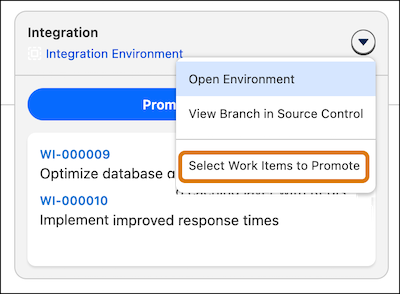
On that pipeline stage, click
 , and then select Select Work Items to Promote.
-
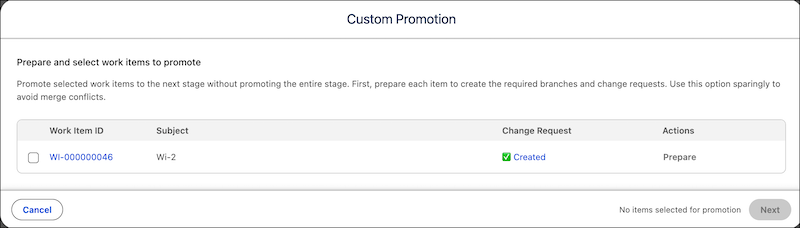
In the Custom Promotion window, click Prepare for each work item you
want to promote.
This action creates a branch and change request for your work items.
-
Click Next.
-
If Lifecycle Center detects no conflicts or shared components, select the changes and the Apex
tests to run, then promote the changes.
-
If Lifecycle Center detects a dependency, select one of these options: