
Create a template based on an existing flow approval process or turn an existing flow approval process into a template. Then use the template as a starting point for creating other flow approval processes in Flow Builder. You can also distribute the template via a managed package so that subscribers can create flow approval processes based on it.
Required Editions
| View supported editions for Flow Approval Processes. |
| User Permissions Needed | |
|---|---|
| To open, edit, or create a flow approval process in Flow Builder: | Manage Flow |
Create a Flow Approval Process Template
Create a flow approval process template from an existing flow approval process.
-
Open a flow approval process and click Save As New
Version.
The Save as window opens.
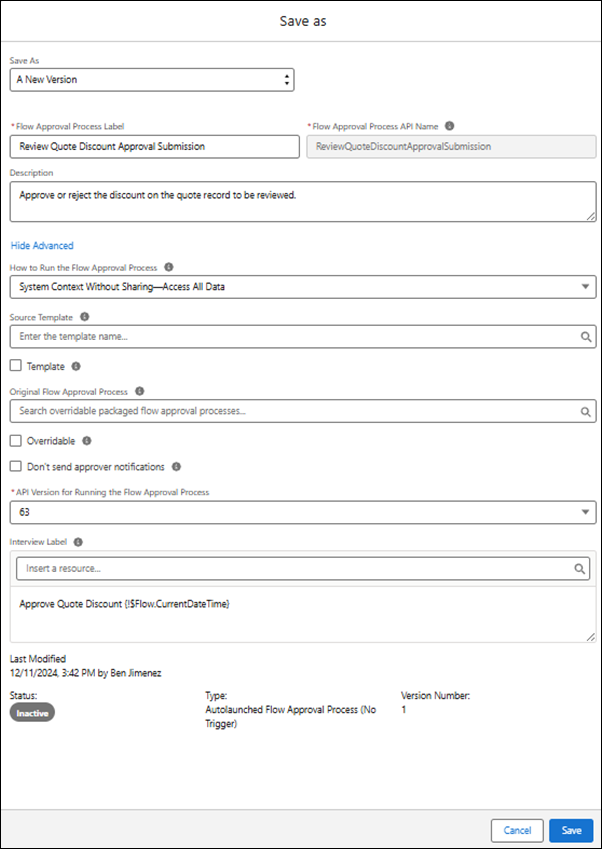
-
Make sure that the flow approval process has a description.
The description appears under the flow approval process template’s name in the New Automation window and gives users information about what your template does.
- Click Show Advanced.
- Select Template and click Save.
Make an Existing Flow Approval Process into a Template
When you have a flow approval process that you want to be used as a starting point for other flow approval processes, make it into a template. After you’ve saved it as a template, any changes that you make to it are automatically reflected in the template.
-
Open a flow approval process and click
 , and then click Show Advanced.
The Edit version properties window opens.
, and then click Show Advanced.
The Edit version properties window opens.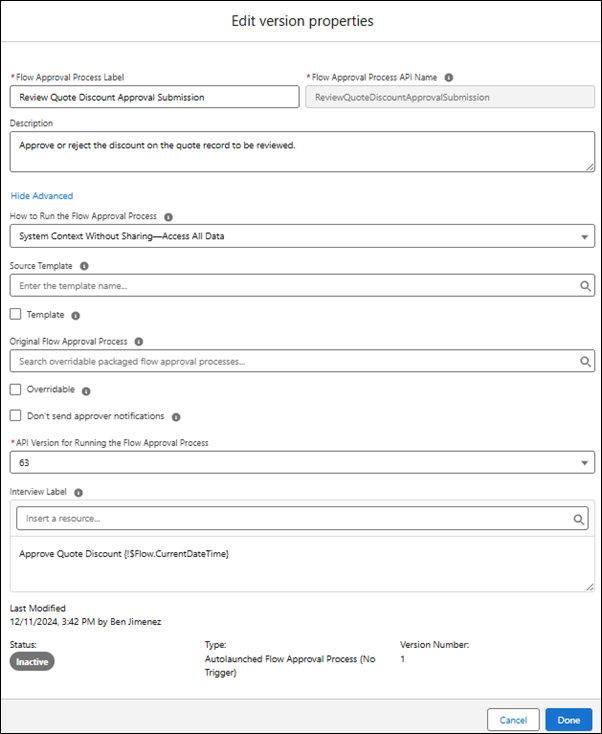
-
Make sure that the flow approval process has a description.
The description appears under the flow approval process template’s name in the New Automation window and gives users information about what your template does.
- Select Template and click Save.
Create an Editable Copy of a Flow Approval Process Template
Flow approval process templates appear in the New Automation window.
-
Click , and then select Setup.
- From Setup, in the Quick Find box, enter Flows, and then select Flows.
- In the Flows window, click New Flow.
-
In the New Automation window, enter the name of the template into the search
box.
The new flow approval process template appears under Templates in the New Automation window.
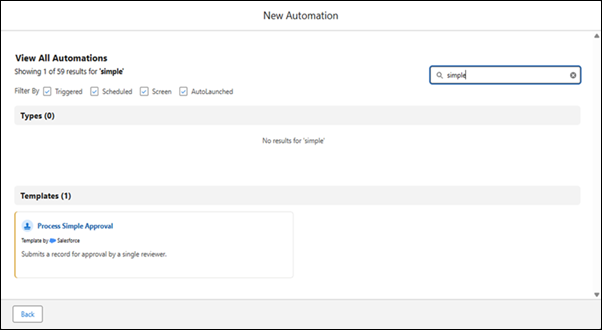
-
Select a template.
A copy of the flow approval process template opens in Flow Builder for you to edit.