---
schema_version: "1"
id: 7d76ec878c94abdc00d6316f1ab78991328617cc5f8ed6423630eeda820560aa
title: Work with Flow Approval Process Templates
collection: admin
version: current
locale: en-us
portal_url: https://docs.salesforce.com/admin/current/en-us/platform/264-0-0/automate_automated_approvals_build_template.md
canonical_url: https://help.salesforce.com/s/articleView?id=platform.automate_automated_approvals_build_template.htm&release=264.0.0&type=5
source_site: help.salesforce.com
content_type: documentation
content_hash: 02aa61317441a08ba4e0e1eba4d5fa388b50ec5107a0659950765f46130af57b
description: Create a template based on an existing flow approval process or turn an existing flow approval process into a template. Then use the template as a starting point for creating other flow approval processes in Flow Builder. You can also distribute the template via a managed package so that subscribers can create flow approval processes based on it.
products:
- Flow Builder
- Salesforce Platform
release: "264"
---
# Work with Flow Approval Process Templates
Create a template based on an existing flow approval process or turn an existing flow approval process into a template. Then use the template as a starting point for creating other flow approval processes in Flow Builder. You can also distribute the template via a managed package so that subscribers can create flow approval processes based on it.
### Required Editions
To open, edit, or create a flow approval process in Flow Builder:
Manage Flow
## Create a Flow Approval Process Template
Create a flow approval process template from an existing flow approval process.
1. Open a flow approval process and click **Save As New Version**.
The Save as window opens
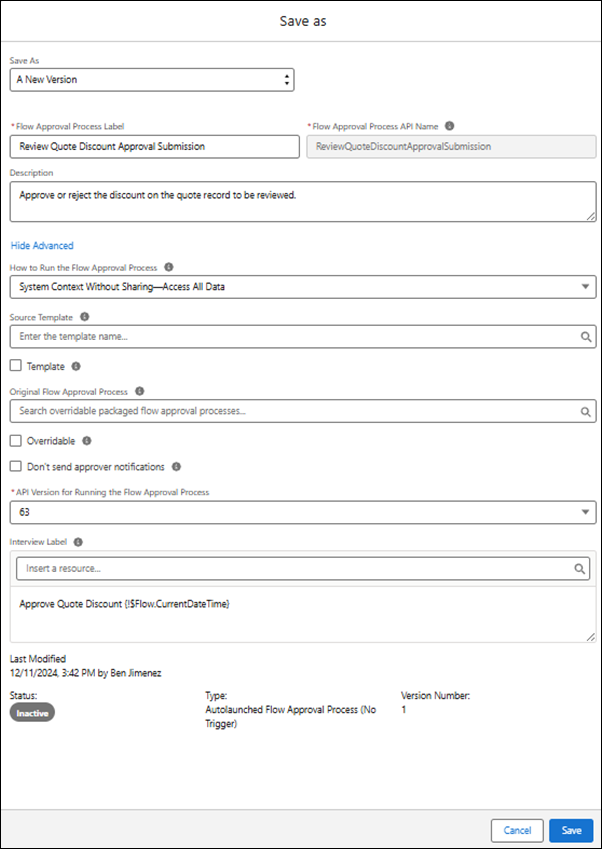
.
2. Make sure that the flow approval process has a description.
The description appears under the flow approval process template’s name in the New Automation window and gives users information about what your template does.
3. Click **Show Advanced**.
4. Select **Template** and click **Save**.
## Make an Existing Flow Approval Process into a Template
When you have a flow approval process that you want to be used as a starting point for other flow approval processes, make it into a template. After you’ve saved it as a template, any changes that you make to it are automatically reflected in the template.
1. Open a flow approval process and click , and then click **Show Advanced**.
The Edit version properties window opens.
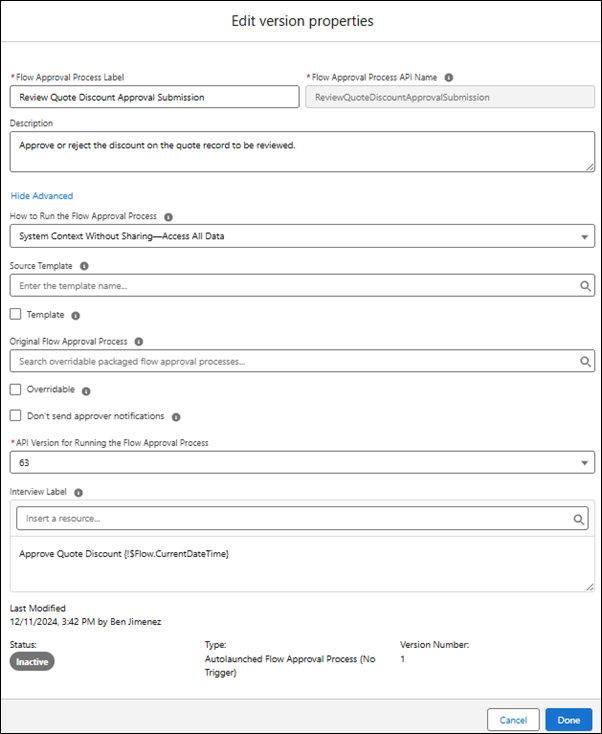
2. Make sure that the flow approval process has a description.
The description appears under the flow approval process template’s name in the New Automation window and gives users information about what your template does.
3. Select **Template** and click **Save**.
## Create an Editable Copy of a Flow Approval Process Template
Flow approval process templates appear in the New Automation window.
1. Click , and then select **Setup**.
2. From Setup, in the Quick Find box, enter Flows, and then select **Flows**.
3. In the Flows window, click **New Flow**.
4. In the New Automation window, enter the name of the template into the search box.
The new flow approval process template appears under Templates in the New Automation window.
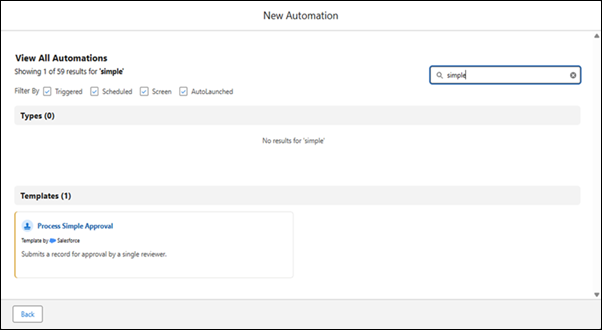
5. Select a template.
A copy of the flow approval process template opens in Flow Builder for you to edit.