
If you don’t want to use an Account Engagement landing page to host your marketing form, you can place a form on your website using an iframe.
Required Editions
| Available in: All Account Engagement Editions |
| User Permissions Needed | |
|---|---|
| To view a form’s code: | Account Engagement Administrator or Marketing role |
You can place an iframed form on any web page, but you can also limit iframing to specific domains or restrict it completely. Learn how to control iframing restrictions.
-
Open the Forms page.
- In Account Engagement, select Marketing | Forms | Forms.
- In the Lightning app, select Content | Forms.
- Open the form you want to work with.
-
Click the arrow, and select View HTML code from the dropdown.
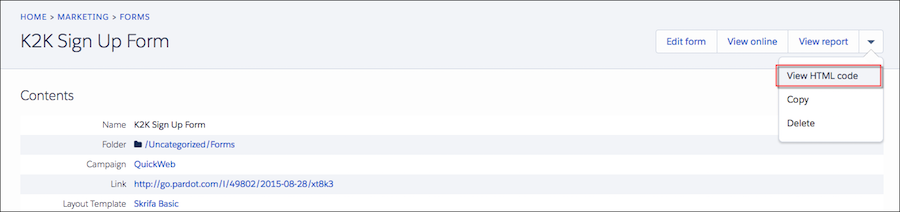
- Copy the iframe code, and paste it into your web page source code.