
To capture prospect activity that happens externally, add an activity type to your marketing app extension.
Required Editions
| Available in: Account Engagement Plus, Advanced, and Premium Editions |
| User Permissions Needed | |
|---|---|
| To access Marketing Setup in Salesforce: | Customize Application |
- Open a marketing app extension record, and click Related.
- Next to Activity Types, click New.
-
Enter a name for the activity type.
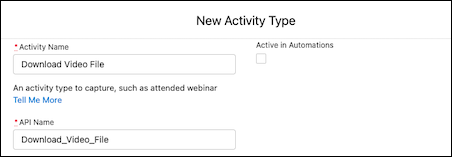
- Enter an API name for your activity, or you can use the name that’s generated when you enter the name of your activity type.
- If needed, enter a description for internal use.
-
Leave Active in Automations deselected for now.
After you complete the integration, return to this step to activate your activity.
- Save your work.
Next, contact your developer to complete your integration.