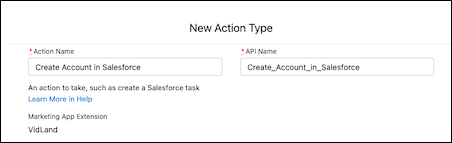
To execute a task externally, add an action type and an invocable action to your
marketing app extension. Standard invocable actions are available in Marketing Setup. You can also
install an action from AppExchange or work with your developer to create one.
Required Editions
| Available in: Account Engagement Plus,
Advanced, and Premium
Editions |
| User Permissions Needed |
| To access Marketing Setup in Salesforce: |
Customize Application |
-
Open a marketing app extension record, and click Related.
-
Next to Action Types, click New.
-
Enter a name for the action.
-
Enter an API name for your action, or you can use the name that’s generated when you enter
the name of your action type.
-
Verify that the marketing app extension is correct.
-
Use the search bar to select a standard or custom invocable action.
After you select the invocable action, Salesforce generates the schema and parameters for
you.
-
Leave Active in Automations deselected for now, and save your work.
After you save the action type record, review the next steps and make a plan for your external
action. Contact your developer to customize the action schema to fit your needs.