
Use the Behavior report to view the number of new versus returning visitors based on visits, engagement, logged-in status, and purchases. You can define the date range and apply one filter to narrow the results by campaign or by other criteria.
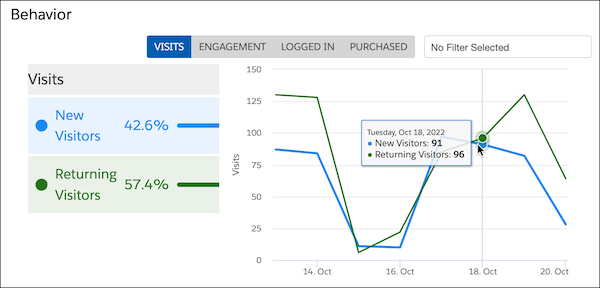
The Behavior report includes these views.
| View | Description |
|---|---|
| Visits | Compares the number of new or returning visitors |
| Engagement | Compares overall engagement of visitors |
| Logged In | Shows how many visitors were anonymous and how many were logged in, making them known visitors |
| Purchased | Compares the number of visitors who purchased with the number of visitors who never purchased (revenue generating only) |
Applying a filter narrows the results to make comparisons. For example, you can see how engagement level affects purchases.