
To dynamically populate the Reply-To header, first request the Dynamic Reply-To feature. When this is enabled, the header Reply-To value is populated with the Reply Email from the Populate Reply-to Address Dynamically section rather than a unique address at the Reply sub domain.
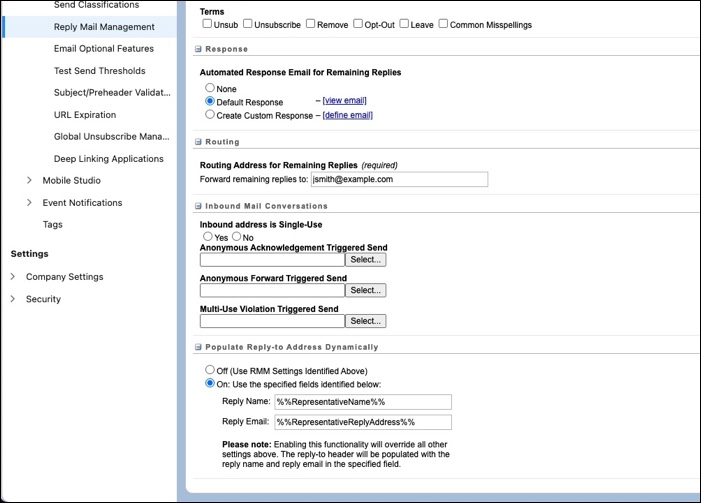
Reply Name and Reply Email can use static values or personalization strings from the subscriber list or data extension involved in the send. For example, these values send all replies to Angela Cruz via acruz@example.com.
- Angela Cruz
- acruz@example.com
These values come from the fields specified by these personalization strings.
-
%%RepresentativeName%% -
%%RepresentativeReplyAddress%%
You can specify different names and email addresses for each record. If you leave the fields blank or enter an incorrect value, the email is sent using the default rules. In this situation, you don’t receive an error notification.