
You can share widgets and pages via email to collaborate with colleagues and clients.
Required Editions
| Available in: Intelligence Reports and Intelligence Reports Advanced |
| User Permissions Needed | |
|---|---|
| To share dashboard pages and widgets in email: | Access, View & Export, Schedule, Create & Edit |
- Select the dashboard page or widget that you want to share.
-
Click Share, and then click Email.
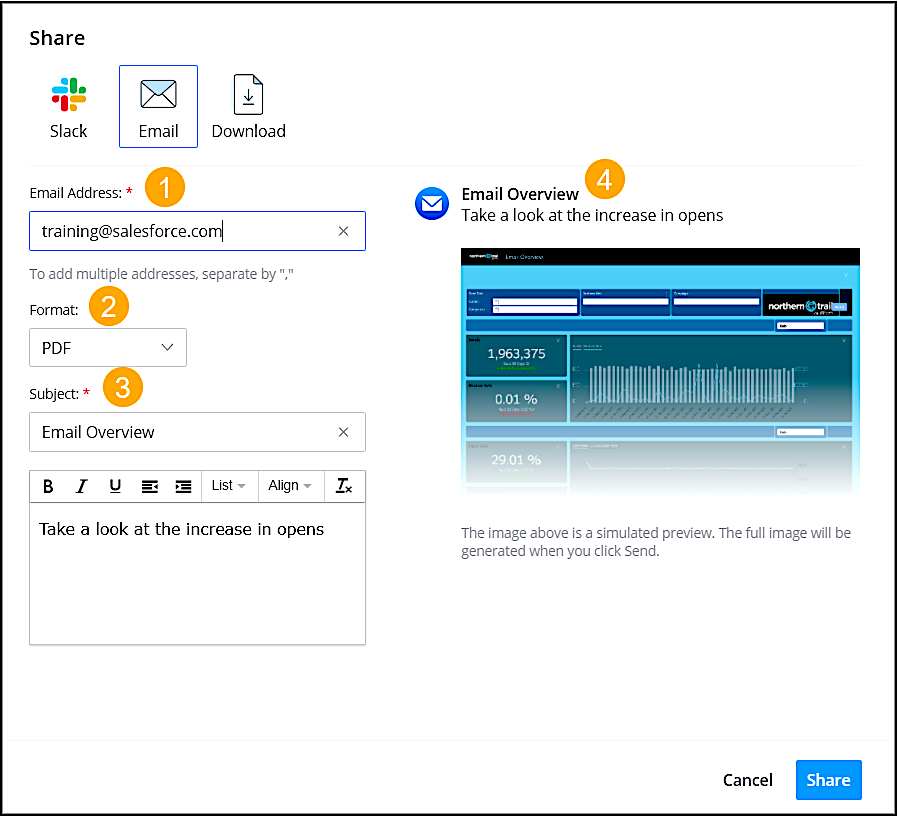
Enter the recipient’s email address (1), and select the format (2). Enter the subject (3). The name of the dashboard or page is used by default. Preview what you’re sending (4).
- Click Send.