
You can share widgets and pages via email to collaborate with colleagues and clients.
| REQUIRED USER ROLE | |
|---|---|
| To share in email | Admin and Power User |
- For the page or widget you want to share, click the Share icon.
-
Click Email and enter the sharing information.
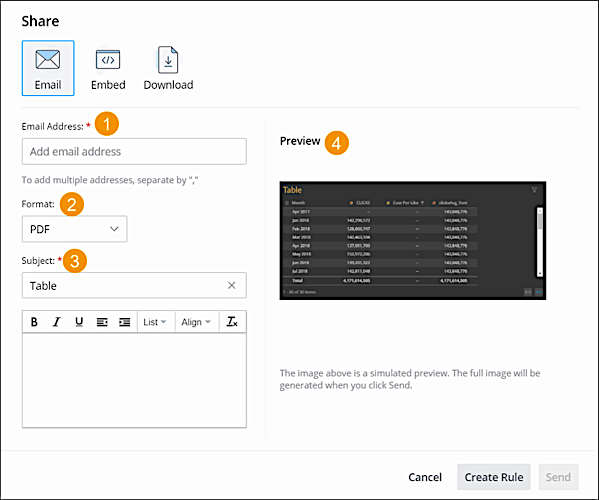
- Enter the email address you want to share to (1).
- Select the format (2)
- Add a message to describe what you’re sharing (3).
- Click Send
- Create an Email Rule
Create a rule to trigger an email. You can schedule email alerts based on specific KPIs or by a particular date and time. Use rules to stay updated on the progress of your data.