By default, your site is available on the *.my.site.com or
*.force.com domain, but you can add a custom domain so that your site URLs reflect your
company brand. However, multiple domains for the same site, meaning *.my.site.com,
*.force.com, and custom domains, can dilute search engine results and lower page ranking. If
you have multiple domains, identify which domain to use for crawling and indexing your site’s
pages.
Required Editions
| Available in: Salesforce Classic and Lightning Experience |
| Available in: Enterprise, Performance, and Unlimited
Editions |
| Applies to: LWR and
Aura sites |
| User Permissions
Needed |
| To customize or publish an Experience Cloud site: |
- Create and Set Up Experiences AND View Setup and Configuration AND be a member
of the site
OR
- View Setup and Configuration AND be a member of the site AND have appropriate
role-based site access
|
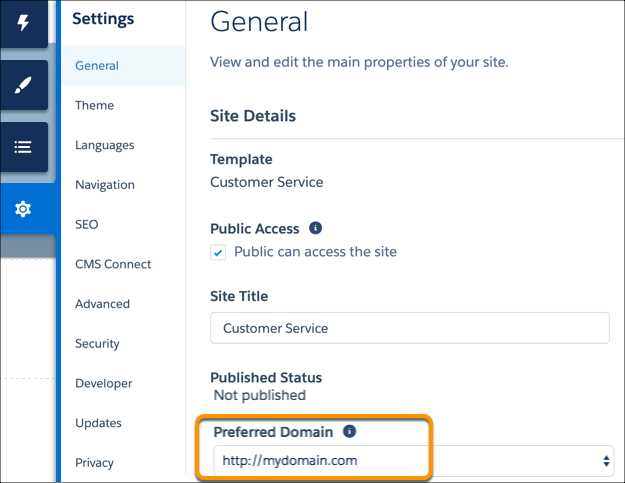
The Preferred Domain setting appears in Experience Builder only if you have multiple
domains associated with your Aura or LWR site. For an enhanced LWR site, or for an Aura or
LWR site with multiple domains where you haven’t identified a preferred domain, the site’s
first custom domain alphabetically is the preferred domain.
-
In Experience Builder, go to .
-
Select your preferred domain.