| Available in: Essentials, Group, Professional, Enterprise, Performance, Unlimited, Contact Manager, and Developer Editions |
| User Permissions Needed | |
|---|---|
| To customize Content Version layouts: | Customize Application |
| Available in: Lightning Experience |
| User Permissions Needed | |
|---|---|
| To add files to a library: | Customize Application |
| Available in: both Salesforce Classic and Lightning Experience |
| Available in: Enterprise, Performance, Unlimited, and Developer Editions |
| User Permissions Needed | |
|---|---|
| To create a flow category: | Customize Application |
| To create a Lightning Bolt Solution without an Experience Builder template: | Customize Application AND View Setup and Configuration |
| To create a Lightning Bolt Solution with an Experience Builder template: | Customize Application AND Create and Set Up Experiences AND View Setup and Configuration |
| Available in: both Salesforce Classic and Lightning Experience |
| Available in: All Editions except Database.com |
| User Permissions Needed | |
|---|---|
| Creating a Google doc and linking it to Salesforce records: |
Edit on the appropriate record type AND Google Apps account |
| Available in: Salesforce Classic and Lightning Experience |
| Available in: Enterprise, Performance, Unlimited, and Developer Editions |
| Applies to: Aura sites |
| User Permissions Needed | |
|---|---|
| To customize or publish an Experience Cloud site: |
|
| Available in: Salesforce Classic and Lightning Experience |
| Available in: Group, Essentials, Professional, Enterprise, Performance, Unlimited, Developer, and Contact Manager Editions |
| User Permissions Needed | |
|---|---|
| To add existing topics to posts and comments: | Assign Topics |
| To add new topics to posts and comments: | Create Topics |
| Available in: Salesforce Classic and Lightning Experience |
| Available in: Enterprise, Performance, Unlimited, and Developer Editions |
| Applies to: Aura sites |
| User Permissions Needed | |
|---|---|
| To customize or publish an Experience Cloud site: |
|
| Available in: Lightning Experience |
| User Permissions Needed | |
|---|---|
| To add library members: | Customize Application |
| Available in: both Salesforce Classic and Lightning Experience |
| Available in: Enterprise, Performance, Unlimited, and Developer Editions |
| User Permissions Needed | |
|---|---|
| To customize or publish an Experience Cloud site: |
|
| Allowed Tags | Allowed Attributes |
|---|---|
| <base> | href, target |
| <link> |
as, charset, crossorigin, disabled, href, hreflang, id, import, integrity, media, rel,1 relList, rev, sheet, sizes, target, title, type 1 For rel, allowed values are alternate, apple-touch-icon, apple-touch-icon-precomposed, apple-touch-startup-image, author, bookmark, canonical, external, help, icon, license, manifest, mask-icon, next, nofollow, noopener, noreferrer, pingback, prefetch, preload, prev, search, shortcut icon, stylesheet, and tag. |
| <meta> |
charset, content, http-equiv,2 name, property, scheme 2 For http-equiv, allowed values are cleartype, content-type, content-language, and default-style. The attribute |
| <noscript> |
Within <noscript> only the following elements are supported: <a>, <iframe>, <img>, and <meta>3 3For <meta>, allowed attributes are http-equiv and content. Both attributes are required. refresh is the only allowed value for the attribute http-equiv. |
| <script> | Use for custom content |
| <style> | type, media, nonce, title |
| <title> | None allowed |
| Available in: both Salesforce Classic and Lightning Experience |
| Available in: Essentials, Group, Enterprise, Professional, Performance, Unlimited, Contact Manager, and Developer Editions |
| Available in: Salesforce Classic and Lightning Experience |
| Available in: Enterprise, Performance, Unlimited, and Developer Editions |
| Applies to: Aura and Visualforce sites |
| User Permissions Needed | |
|---|---|
| To add Rich Publisher Apps to the Chatter publisher: |
Chatter Enabled AND Create and Set Up Experiences |
| Available in: Salesforce Classic and Lightning Experience |
| Available in: Enterprise, Performance, Unlimited, and Developer Editions |
| Applies to: LWR and Aura sites |
| Available in: Salesforce Classic and Lightning Experience |
| Available in: Enterprise, Performance, Unlimited, and Developer Editions |
| Applies to: LWR sites |
| User Permissions Needed | |
|---|---|
| To customize or publish an Experience Cloud site: |
|
| Available in: Salesforce Classic and Lightning Experience |
| Available in: Enterprise, Performance, Unlimited, and Developer Editions |
| Applies to: LWR and Aura sites |
| Available in: Salesforce Classic and Lightning Experience |
| Available in: Enterprise, Performance, Unlimited, and Developer Editions |
| Applies to: Aura sites |
| Available in: both Salesforce Classic and Lightning Experience |
| Available in: Enterprise, Performance, Unlimited, and Developer Editions |
| User Permissions Needed | |
|---|---|
| To customize an Experience Cloud site: |
|
| To publish an Experience Cloud site: |
|
| Available in: both Salesforce Classic and Lightning Experience |
| Available in: Enterprise, Performance, Unlimited, and Developer Editions |
| User Permissions Needed | |
|---|---|
| To customize or publish an Experience Cloud site: |
|
| Available in: both Salesforce Classic and Lightning Experience |
| Available in: Enterprise, Performance, Unlimited, and Developer Editions |
| User Permissions Needed | |
|---|---|
| To create an Experience Cloud site: | Create and Set Up Experiences AND View Setup and Configuration |
| To customize or publish an Experience Cloud site: |
|
| Available in: Salesforce Classic and Lightning Experience |
| Available in: Group, Professional, Enterprise, Performance, Unlimited, Contact Manager, and Developer Editions |
| Available in: both Salesforce Classic and Lightning Experience |
| Available in: Enterprise, Performance, Unlimited, and Developer Editions |
| Available in: Salesforce Classic and Lightning Experience |
| Available in: Enterprise, Performance, Unlimited, and Developer Editions |
| Available in: LWR and Aura |
| User Permissions Needed | |
|---|---|
| To create an Experience Cloud site: | Create and Set Up Experiences AND View Setup and Configuration |
| To customize or publish an Experience Cloud site: |
|
| Available in: Salesforce Classic and Lightning Experience |
| Available in: Essentials, Enterprise, Performance, Unlimited, and Developer Editions |
| User Permissions Needed | |
|---|---|
| To access Experience Workspaces or Experience Management page: |
Manage Experiences OR Create and Set Up Experiences |
| To add or remove topics: | Create Topics |
| Available in: Salesforce Classic and Lightning Experience |
| Available in: Group, Essentials, Professional, Enterprise, Performance, Unlimited, Contact Manager, and Developer Editions |
| User Permissions Needed | |
|---|---|
| To add existing topics to posts and comments: | Assign Topics |
| To add new topics to posts and comments: | Create Topics |
| User Permissions Needed | |
|---|---|
| To add topics to files |
Viewer access to the file AND Assign Topics (to add existing topics) OR Create Topics (to add new topics) |
| Available in: both Salesforce Classic and Lightning Experience |
| Available in: Essentials, Group, Professional, Enterprise, Performance, Unlimited, Contact Manager, and Developer Editions |
| User Permissions Needed | |
|---|---|
| To customize Chatter email settings: | Customize Application |
| Available in: both Salesforce Classic and Lightning Experience |
| Available in: Enterprise, Performance, Unlimited, and Developer Editions |
| Available in: both Salesforce Classic and Lightning Experience |
| Available in: Enterprise, Performance, Unlimited, and Developer Editions |
| User Permissions Needed | |
|---|---|
| To customize or publish an Experience Cloud site: |
|
| Available in: Salesforce Classic and Lightning Experience |
| Available in: Enterprise, Performance, Unlimited, and Developer Editions |
| Applies to: LWR, Aura, and Visualforce sites |
| Available in: Lightning Experience |
| Available in: Enterprise, Performance, Unlimited, and Developer Editions with Foundations, or Agentforce 1 or Einstein 1 Editions |
| Applies to: LWR sites |
| Available in: Enterprise, Performance, Unlimited, and Developer Editions with Foundations or Agentforce 1 Editions. Access to some standard agent actions requires additional add-on licenses. |
| Available in: both Lightning Experience and Salesforce Classic |
|
Available in: Group, Professional, Enterprise, Performance, Unlimited, Contact Manager, Developer, and Database.com Editions Salesforce CRM, Approvals, Chatter email notifications, Chatter Invitations, and customer invitations aren’t available in Database.com. |
| User Permissions Needed | |
|---|---|
| To enable Chatter: | Customize Application |
| Available in: Salesforce Classic and Lightning Experience |
| Available in: Enterprise, Performance, Unlimited, and Developer Editions |
| Applies to: LWR, Aura, and Visualforce sites |
| Available in: Salesforce Classic and Lightning Experience |
| Available in: Enterprise, Performance, Unlimited, and Developer Editions |
| Applies to: LWR, Aura, and Visualforce sites |
| User Permissions Needed | |
|---|---|
| To create permission sets or enable custom permissions in profiles: | Manage Profiles and Permission Sets |
| To assign a permission set to a user: | Assign Permission Sets |
| To share a report folder with external users: | Manager folder access or Manage Reports in Public Folders |
| External User Permissions Needed to Create and Edit Reports | |
|---|---|
| To create, customize, and delete reports in a personal folder: | Create and Customize Reports |
| To create, customize and delete their own reports in a privately shared folder with Viewer access: | Edit My Reports |
| To export report data: | Export Reports |
| Available in: Salesforce Classic and Lightning Experience. |
| Available in: Enterprise, Performance, Unlimited, and Developer editions. |
| User Permissions Needed | |
|---|---|
| To create, customize, or publish a site: | Create and Set Up Experiences AND View Setup and Configuration |
| Available in: both Salesforce Classic and Lightning Experience |
| Available in: Enterprise, Performance, Unlimited, and Developer Editions |
| Available in: Salesforce Classic and Lightning Experience |
| Available in: Enterprise, Performance, Unlimited, and Developer Editions |
| Applies to: LWR sites |
| Available in: both Salesforce Classic and Lightning Experience |
| Available in: Enterprise, Performance, Unlimited, and Developer Editions |
| Available in: Salesforce Classic and Lighting Experience |
| Available in: All Editions that have Chatter enabled. |
| Available in: both Salesforce Classic and Lightning Experience |
| Available in: Enterprise, Performance, Unlimited, and Developer Editions |
| User Permissions Needed | |
|---|---|
| To customize or publish an Experience Cloud site: |
|
| Available in: Lightning Experience |
| Available in: Essentials, Group, Enterprise, Professional, Performance, Unlimited, Contact Manager, and Developer Editions |
| 1 |
At the top of the post, the name of the person who posted appears. Click the name to navigate to that person’s profile. If you’re seeing a post in a combined feed, like Company Highlights or What I Follow, the top can also show where the post originates. For example, it can show the name of the group where the post appears. You can click the group name to navigate to that group. |
| 2 | The actions menu. The options that appear on the actions menu depend on a few things. Are you viewing the post’s detail view? Has your administrator added actions to the Chatter publisher? Standard items on this menu include Bookmark and Delete—provided you’re the person who posted or you have permission to delete users’ posts. The Mute option appears on a post’s actions menu in the What I Follow feed and in the post’s detail view. |
| 3 |
The post’s date and timestamp. The date and timestamp shows when the item was posted. Click the date and timestamp to navigate to the post’s detail view. If the post is less than two days old, the date and timestamp is relative, such as “Just now.” Otherwise, the date and timestamp is absolute, such as “October 5, 2017 at 4:06 PM.” |
| 4 | The post. In this example, we see a poll question and its selection of answers. |
| 5 | The Like button. Click the Like button to show appreciation, agreement, affection, or some other positive response to the post. Some people like posts to show that saw the post. |
| 6 | The Comment button. Click the Comment button to shift your mouse focus to the Comment field. You can also click in the Comment field to start entering a comment on the post. |
| 7 | The Share menu. Use the Share menu to share this post with your followers or a group that you choose. Share with anyone who has access to the post, using the Copy Link option on the Share menu. |
| 8 |
The view count. The view count shows how many times this post has been viewed. The count goes up whenever someone likes, comments on, or navigates to the detail view of the post. Posts in private and unlisted Chatter groups can use a seen-by count in lieu of the view count. Seen by shows the count of people who have seen a post. Click the count to see the names of the people who have seen the post. What is considered as being seen? Liking, commenting, editing, and viewing in detail. An item is also considered seen when a user has it in view on the screen or when they scroll past it. For both seen by and view, the actions you take in Salesforce Classic are tracked and counted. But only Lightning Experience shows the seen-by count and list.  Note Users with Modify All Data or View All Data
permission see a seen-by count in all feeds, and not just private and unlisted
feeds.
One difference between the seen-by and view counts is that one person can be counted many times with view count. With seen by, a person is counted only one time, no matter how many times they perform a counted action. |
| 9 | The comment field. Comment on a post to build the discussion thread. |
| Property | Details |
|---|---|
| Group ID |
Enter a group ID. To find a specific group ID, navigate to the group home page and copy the ID from the URL. The ID is a string of numbers and letters. Group URL format example: https://MyDomainName.my.site.com/siteName/s/group/0F7A0000000DZXiNQO/groupName For this URL, the group ID is 0F7A0000000DZXiNQO. |
| Header Label | Enter header text for your component. The default is Announcement. |
| Available in: both Salesforce Classic and Lightning Experience |
| Available in: Enterprise, Performance, and Unlimited Editions. Also available with Marketing Cloud Account Engagement (Pardot) in Professional Edition. |
| Applies to: LWR, Aura, and Visualforce sites |
| Available in: Experience Builder sites accessed through Lightning Experience and Salesforce Classic |
| Available in: Essentials, Enterprise, Performance, Unlimited, and Developer Editions |
| Applies to: LWR and Aura sites |
| User Permissions Needed | |
|---|---|
| To access Experience Workspaces or Experience Builder: |
|
| To add, remove, or change a contributor access role: |
|
| To be a contributor with a publisher, builder, or viewer role in an Experience Builder site: |
|
| Available in: Salesforce Classic and Lightning Experience |
| Available in: Enterprise, Performance, Unlimited, and Developer Editions |
| Applies to: LWR, Aura, and Visualforce sites |
| User Permissions Needed | |
|---|---|
| To archive an Experience Cloud site: |
|
| Available in: Salesforce Classic and Lightning Experience |
| Available in: Group, Essentials, Professional, Enterprise, Performance, Unlimited, Developer, and Contact Manager Editions |
| Available in: both Salesforce Classic and Lightning Experience |
| Available in: Essentials, Group, Professional, Enterprise, Performance, Unlimited, Contact Manager, and Developer Editions |
| Available in: Salesforce Classic and Lightning Experience |
| Available in: Aura and LWR Experience Cloud Sites |
| Available in: Enhanced Chat with the Einstein for Service, Einstein Platform, Community, Community Plus, or Agentforce Service Agent add-on |
| Available in: Enterprise, Performance, Unlimited, and Developer Editions with Foundations or Agentforce 1 Editions. Access to some standard agent actions requires additional add-on licenses |
| User Permissions Needed | |
|---|---|
| To set up Enhanced Chat: | Customize Application AND Modify Metadata Through Metadata API Function |
| To create an Experience Cloud site: | Create and Set Up Experiences AND View Setup and Configuration AND be a member of the site OR View Setup and Configuration AND be a member of the site AND have appropriate role-based site access |
| To customize or publish an Experience Cloud site: | Create and Set Up Experiences AND View Setup and Configuration AND be a member of the site OR View Setup and Configuration AND be a member of the site AND have appropriate role-based site access |
| To create and manage Agentforce Service agents: | Create and Set Up Experiences AND View Setup and Configuration AND be a member of the site OR View Setup and Configuration AND be a member of the site AND have appropriate role-based site access |
| Property | Details |
|---|---|
| Button Label | Enter the text to show on the Ask button. The default is Ask a Question. |
| Allow members to add topics | Select to show the topic area at the bottom of the feed publisher (1) and to allow members to add topics. |
| Block topic selection on questions in topics | In a topic feed, block members from choosing a different topic from the Post To list when they ask a question. |
| Expand Details section by default | When a member asks a question, show the Details section in an expanded state (2). |
| Button Text Color |
Set the color to use for button text when the button is inactive. For all values, |
| Button Text Hover Color |
Set the color to use for button text when a member mouses over the button. In Experience Builder, you can test hover colors in Preview mode. |
| Button Background Color | Set the color to use for the button background when the button is inactive. |
| Button Background Hover Color |
Set the color to use for the button background when a member mouses over the button. In Experience Builder, you can test hover colors in Preview mode. |
| Button Border Color | Set the color to use for the border that surrounds the button. |
| Button Border Radius | Move the slider to control the amount of curve to use for the button shape. |
| Max Button Width | Move the slider to control the width of the button. Width percentage is set against the full width of the container the button sits in. So 100% is the full width of the container, rather than the full width of the browser page. |
| Button Alignment | Set the position of a button within its container by selecting Center, Left, or Right. |
| Suggest questions | Select to show previous questions that are similar to the one the member is asking. This property assists with question deflection and helps in using existing resources. |
| Include discussions in suggestions | Select to show discussions related to the question the member is asking. This property assists with question deflection and helps in using existing resources. |
| Include articles in suggestions | Select to show Knowledge articles related to the question the member is asking. This property assists with question deflection and helps in using existing resources. |
| Max Suggestions to Show | Set the maximum number of questions, discussions, and articles to show to a member who is asking a question. |
| Show satisfaction prompt | Select to show the member a prompt that asks if they were satisfied with the information provided when they asked a question. |
| Satisfaction Prompt | Enter the question you want to ask a member about their satisfaction with the questions, discussions, and articles provided in response to their question. The default is Did we help to answer your question? Frame the question so that a positive response shows that your data helped and a negative response shows that it didn’t. Member response data provides you with metrics on the effectiveness of question deflection. |
| Ask follow-up question | Select to ask the member a follow-up question to their satisfaction response. |
| Follow-Up Prompt | Enter the follow-up question you want to ask the member. The default is Can we close your question? A member’s positive response closes the question without posting it. A negative response keeps the member’s question active. |
| Confirmation Message | Enter a confirmation message to show when a member responds to your prompts. The default is Got it! |

| Available in: Lightning Experience |
| Available in: Available in: Group, Professional, Enterprise, Performance, Unlimited,Contact Manager, and Developer Editions |
| Available in: both Salesforce Classic and Lightning Experience |
| Available in: Enterprise, Performance, Unlimited, and Developer Editions |
| User Permissions Needed | |
|---|---|
| To assign permission sets: | Assign Permission Sets |
| Available in: Salesforce Classic and Lightning Experience |
| Available in: Enterprise, Performance, Unlimited, and Developer Editions |
| Applies to: Aura sites |
| User Permissions Needed | |
|---|---|
| To customize or publish an Experience Cloud site: |
|
| Available in: Salesforce Classic and Lightning Experience |
| Available in: Enterprise, Performance, Unlimited, and Developer Editions |
| Applies to: Aura sites |
| User Permissions Needed | |
|---|---|
| To customize or publish an Experience Cloud site: |
|
| Available in: Salesforce Classic and Lightning Experience |
| Available in: Enterprise, Performance, Unlimited, and Developer Editions |
| Applies to: Aura sites |
| User Permissions Needed | |
|---|---|
| To customize or publish an Experience Cloud site: |
|
| Available in: Salesforce Classic and Lightning Experience |
| Available in: Enterprise, Performance, Unlimited, and Developer Editions |
| Applies to: Aura sites |
| User Permissions Needed | |
|---|---|
| To customize or publish an Experience Cloud site: |
|
| Available in: both Salesforce Classic and Lightning Experience |
| Available in: Enterprise, Performance, Unlimited, and Developer Editions |
| User Permissions Needed | |
|---|---|
| To assign permission sets: | Assign Permission Sets |
| Available in: Lightning Experience in Enterprise and Unlimited editions for an additional cost. To purchase, contact your Salesforce account executive. |
| Available in: Aura Experience Cloud sites that use Build Your Own Template |
| Available in: LWR Experience Cloud sites that use Build Your Own Template |
| User Permissions Needed | |
|---|---|
| To API Enabled | System Permission |
| To manage Permission Sets | Manage Profiles and Permission Sets |
| User Permissions Needed | |
|---|---|
| To assign cases to partners: |
Edit on cases AND Transfer Cases or Transfer Record |
| Available in: both Salesforce Classic and Lightning Experience |
| Available in: Enterprise, Performance, Unlimited, and Developer Editions |
| User Permissions Needed | |
|---|---|
| To assign leads to partner users: | Edit on leads |
| Available in: Salesforce Classic |
| Available in: Contact Manager, Group, Professional, Enterprise, Performance, Unlimited, and Developer Editions |
| User Permissions Needed | |
|---|---|
| To assign a tagging rule to a library: |
Manage Salesforce CRM Content OR Manage Libraries checked in your library permission definition |
| Available in: both Salesforce Classic and Lightning Experience |
| Available in: Essentials, Group, Enterprise, Professional, Performance, Unlimited, Contact Manager, and Developer Editions |
| User Permissions Needed | |
|---|---|
| To assign moderator privileges to Chatter Free users: | Moderate Chatter |
| Available in Lightning Experience in: Essentials, Group, Professional, Enterprise, Performance, Unlimited, Developer, and Contact Manager Editions |
| User Permissions Needed | |
|---|---|
| To assign post pinning permission to a user: | Enable Chatter |
| Available in: Enterprise, Professional, Unlimited, and Developer editions. |
| User Permissions Needed | |
|---|---|
| To assign recognition badges: | Assign Recognition Badges in Experience Builder Sites |
| Available in: Salesforce Classic and Lightning Experience |
| Available in: Enterprise, Performance, Unlimited, and Developer Editions |
| Applies to: Enhanced LWR sites |
| User Permissions Needed | |
|---|---|
| To customize or publish an Experience Cloud site: |
|
| User Permissions Needed | |
|---|---|
| To assign events to partner users: | Edit Events |
| Available in: Salesforce Classic and Lightning Experience |
| Available in: Group, Essentials, Professional, Enterprise, Performance, Unlimited, Developer, and Contact Manager Editions |
| Available in: Salesforce Classic |
| Available in: Group, Enterprise, Professional, Performance, Unlimited, Contact Manager, and Developer Editions |
| Available in: Salesforce Classic and Lightning Experience |
| Available in: Group, Essentials, Professional, Enterprise, Performance, Unlimited, Developer, and Contact Manager Editions |
| Available in: Salesforce Classic and Lightning Experience |
| Available in: Group, Essentials, Professional, Enterprise, Performance, Unlimited, Developer, and Contact Manager Editions |
| User Permissions Needed | |
|---|---|
| To attach files to records: |
Read OR Edit on the object |
| Available in: Lightning Experience and Experience Builder sites |
| Available in: Essentials, Group, Professional,Enterprise, Performance, Unlimited, Contact Manager, and Developer Editions |
| Available in: both Salesforce Classic and Lightning Experience |
| Files Connect for cloud-based external data sources is available in: Professional, Enterprise, Performance, Unlimited, and Developer Editions |
| User Permissions Needed | |
|---|---|
| To access cloud-based data sources like SharePoint Online: | Files Connect Cloud |
| Available in: Lightning Experience and Salesforce Classic |
| Available in: Enterprise, Performance, Unlimited, and Developer Editions |
| User Permissions Needed | |
|---|---|
| To view the settings: | View Setup and Configuration |
| To edit the settings: |
Customize Application AND Manage Auth. Providers |
| Available in: Salesforce Classic and Lightning Experience |
| Available in: Essentials, Enterprise, Performance, Unlimited, and Developer Editions |
| User Permissions Needed | |
|---|---|
| To access Experience Workspaces: |
Manage Experiences OR Create and Set Up Experiences AND Is a member of the site |
| To set up automatic topic assignments: |
Edit Topics AND View Data Categories |
| Available in: Salesforce Classic |
| Available in: Group, Professional, Enterprise, Performance, Unlimited, Contact Manager, Developer, and Database.com Editions. |
| User Permissions Needed | |
|---|---|
| To view a record: | Read on the record |
| Available in: Experience Builder sites accessed through Lightning Experience, Salesforce Classic, and mobile devices, and is available in Essentials, Enterprise, Performance, Unlimited, and Developer editions. |
| Available in: Salesforce Classic (not available in all orgs) and Lightning Experience |
| Available in: Enterprise, Performance, and Unlimited Editions |
| Applies to: LWR and Aura sites |
| Available in: Enterprise, Performance, Unlimited, and Developer editions |
| Available in: Salesforce Classic and Lightning Experience |
| Available in: Enterprise, Performance, Unlimited, and Developer Editions |
| Applies to: LWR sites |
| User Permissions Needed | |
|---|---|
| To customize an LWR site: |
|
| Available in: Salesforce Classic and Lightning Experience |
| Available in: Enterprise, Performance, Unlimited, and Developer Editions |
| Applies to: LWR sites |
| User Permissions Needed | |
|---|---|
| To customize an LWR site: |
|
| Property | Details |
|---|---|
| Button Label |
Enter the text to display on the button that app users tap to trigger the login prompt for face or fingerprint credentials. The default text is |
| Button Text Color | Set the text color of the button label. |
| Button Background Color | Set the background color of the button. |
| Button Border Color | Set the button border color. |
| Button Border Radius | Move the slider to configure the curve of the button’s shape. |
| Max Button Width | Move the slider to configure the width of the button. The width percentage corresponds to the width of the container that the button is placed in. For example, a button at 50% width is half as wide as the container that it’s placed in. |
| Button Alignment | Select Left, Right or
Center to position the button within the container it’s
placed in.
|
| Available in: Salesforce Classic and Lightning Experience |
| Available in: Group, Essentials, Professional, Enterprise, Performance, Unlimited, Developer, and Contact Manager Editions |
| Available in: both Salesforce Classic and Lightning Experience |
| Available in: Professional, Enterprise, Unlimited, and Developer Editions |
| Available in: both Salesforce Classic and Lightning Experience |
| Available in: Enterprise, Performance, Unlimited, and Developer Editions |
| User Permissions Needed | |
|---|---|
| To customize or publish an Experience Cloud site: |
|
| Color Choice | Where It Appears |
|---|---|
| Header Background |
Top of the page, under the black global header. If you select an HTML file in the Header field, it overrides this color choice. Top of the login page. Login page in the Salesforce mobile app. |
| Page Background | Background color for all pages in your site, excluding the login page. |
| Primary | Tab when it’s selected. |
| Secondary |
Top borders of lists and tables. Button on the login page. |
| Tertiary | Background color for section headers on edit and detail pages. |
| Available in: Salesforce Classic and Lightning Experience |
| Available in: Group, Essentials, Professional, Enterprise, Performance, Unlimited, Developer, and Contact Manager Editions |
| User Permissions Needed | |
|---|---|
| To create, customize, or publish an experience: | Create and Set Up Experiences AND View Setup and Configuration |
| Available in: Salesforce Classic and Lightning Experience |
| Available in: Enterprise, Performance, Unlimited, and Developer Editions |
| Applies to: LWR sites |
| User Permissions Needed | |
|---|---|
| To create an Experience Cloud site: | Create and Set Up Experiences AND View Setup and Configuration |
| To customize or publish an Experience Cloud site: |
|
| Available in: both Salesforce Classic and Lightning Experience |
| Available in: Enterprise, Performance, Unlimited, and Developer Editions |
| Available in: Salesforce Classic and Lightning Experience |
| Available in: Enterprise, Developer, Performance, and Unlimited Editions |
| Available in: Enterprise, Performance, Unlimited, and Developer Editions. |
| User Permissions Needed | |
|---|---|
| To customize or publish an Experience Cloud site: |
|
| Available in: Salesforce Classic |
| Available in: Group, Professional, Enterprise, Performance, Unlimited, Contact Manager, and Developer Editions |
| Available in: Salesforce Classic |
| Available in: All Editions except Database.com |
| User Permissions Needed | |
|---|---|
| To change documents: | Edit on documents |
| Available in: Salesforce Classic and Lightning Experience |
| Available in: Group, Essentials, Professional, Enterprise, Performance, Unlimited, Developer, and Contact Manager Editions |
| Available in: Salesforce Classic and Lightning Experience |
| Available in: Group, Essentials, Professional, Enterprise, Performance, Unlimited, Developer, and Contact Manager Editions |
| Available in: Essentials, Enterprise, Performance, Unlimited, and Developer editions |
| User Permissions Needed | |
|---|---|
| To change a help center template |
|
| Available in: Salesforce Classic and Lightning Experience |
| Available in: Group, Essentials, Professional, Enterprise, Performance, Unlimited, Developer, and Contact Manager Editions |
| User Permissions Needed | |
|---|---|
| To edit public or private Chatter groups: |
Group owner or group manager role OR Modify All Data to edit public and private groups OR Manage Unlisted Groups to edit unlisted groups |
| Available in: both Salesforce Classic and Lightning Experience |
| Available in: Enterprise, Performance, Unlimited, and Developer Editions |
| User Permissions Needed | |
|---|---|
| To customize or publish an Experience Cloud site: |
|
| Available in: Salesforce Classic and Lightning Experience |
| Available in: Group, Essentials, Professional, Enterprise, Performance, Unlimited, Developer, and Contact Manager Editions |
| User Permissions Needed | |
|---|---|
| To edit public or private Chatter groups: |
Group owner or group manager role OR Modify All Data to edit public and private groups OR Manage Unlisted Groups to edit unlisted groups |
| Available in: both Salesforce Classic and Lightning Experience |
| Available in: Enterprise, Performance, Unlimited, and Developer Editions |
| User Permissions Needed | |
|---|---|
| To customize or publish an Experience Cloud site: |
|
| Available in: both Salesforce Classic and Lightning Experience |
| Available in: Enterprise, Performance, Unlimited, and Developer Editions |
| User Permissions Needed | |
|---|---|
| To customize or publish an Experience Cloud site: |
|
| Available in: Salesforce Classic and Lightning Experience |
| Available in: Enterprise, Performance, Unlimited, and Developer Editions |
| Applies to: Aura and Visualforce sites |
| User Permissions Needed | |
|---|---|
| To create an Experience Cloud site: | Create and Set Up Experiences AND View Setup and Configuration |
| To customize or publish an Experience Cloud site: |
|
| Available in: Salesforce Classic and Lightning Experience |
| Available in: Enterprise, Performance, Unlimited, and Developer Editions |
| Available in: Essentials, Group, Enterprise, Professional, Performance, Unlimited, Contact Manager, and Developer Editions |
| Available in: Salesforce Classic |
| Available in: Group, Professional, Enterprise, Performance, Unlimited, Developer, and Contact Manager Editions |
| Available in: Salesforce Classic and Lightning Experience |
| Available in: Group, Essentials, Professional, Enterprise, Performance, Unlimited, Developer, and Contact Manager Editions |
| Available in: Salesforce Classic and Lightning Experience |
| Available in: Group, Essentials, Professional, Enterprise, Performance, Unlimited, Developer, and Contact Manager Editions |
| Available in: both Salesforce Classic and Lightning Experience |
| Available in: Group, Enterprise, Professional, Performance, Unlimited, Contact Manager, and Developer Editions. |
| Version | Updates |
| 3.2.3 |
|
| 3.2.2 |
|
| 3.2.1 |
|
| 3.2 |
|
| 3.1.1 |
|
| 3.1 |
|
| 3.0 |
|
| 2.1 |
|
| 2.0 |
|
| 1.3.3 |
|
| 1.3.2 |
|
| 1.2.1 |
|
| 1.2.0 |
|
| 1.1.1 |
|
| 1.1.0 |
|
| 1.0.7 |
|
| 1.0.6 |
|
| 1.0.5 |
|
| Available in: both Salesforce Classic and Lightning Experience |
| Available in: Group, Enterprise, Professional, Performance, Unlimited, Contact Manager, and Developer Editions. |
| Problem | Solution |
|---|---|
| The Chatter Desktop installation fails |
Delete the Shared Local Object (SLO) and Encrypted Local Store (ELS) directories and reinstall Chatter Desktop. The SLO stores persistent information, like last screen position and size, and is on these paths for these operating systems:
The ELS stores the Oauth2.0 identities for users and is at
|
| Chatter Desktop on Linux freezes, presents an empty window, doesn’t save your password, or malfunctions in another way |
If you’re using the managed installation, verify
Also troubleshoot your Encrypted Local Storage (ELS) keystore. For more information, see http://kb2.adobe.com/cps/492/cpsid_49267.html |
| Chatter Desktop doesn’t preview PDF files | Chatter Desktop uses Adobe® Acrobat® Reader to preview PDF files. Before you preview files with Chatter Desktop, download Adobe Acrobat from Adobe's website, install it, and open it at least once to complete the installation. |
| Photos with comments don’t refresh | Click the sync icon. |
| Available in: Salesforce Classic and Lightning Experience |
| Available in: Group, Essentials, Professional, Enterprise, Performance, Unlimited, Developer, and Contact Manager Editions |
| Available in: Salesforce Classic and Lightning Experience |
| Available in: Essentials, Group, Professional, Enterprise, Performance, Unlimited, Contact Manager, and Developer Editions |
| Setting | Description |
|---|---|
| General Settings | |
| Allow Emails | Enables or disables email notifications for your entire company. If you deselect this option, all email notifications are disabled and your users don’t receive notifications. |
| Allow Email Replies | If selected, users can reply to email notifications about messages and comments via email instead of navigating to the comment or message in Chatter. |
| Allow Posts via Email | If selected, users can post to groups through email. |
| Allow Attachments via Email | If selected, users can include attachments on posts to groups that are made through email. |
| Show mobile app download badges |
Show App Store and Google Play download badges for Salesforce in all Chatter email notifications from your internal org. Badges don’t appear in email notifications from Experience Cloud sites. A recipient’s language setting affects whether badges appear: if a badge isn’t translated in the set language, it doesn’t appear in the email. The show badges option is selected by default. |
| Allow API-only Chatter Digests |
This setting appears only if API-only Chatter Digests are enabled for your company. To enable this feature, contact Salesforce. When you select this option, daily and weekly scheduled digests are disabled for your entire company. To provide digests to your users, you must call the API. |
| Sender | |
| From Name | The name that appears as the sender’s name in the email notification. Enter a name in this field if you want the sender name to contain a static value, such as your company’s name. If you leave this field blank, a dynamic name is used. |
| Email Address |
The email address of the sender. For example, add your company’s email address. This field is required for Chatter email notifications to be sent. A few things to keep in mind:
|
| Branding | |
| Logo | The Chatter logo appears in the email notification by default. To keep your email notifications consistent with your company’s brand, upload your company logo and replace the default. |
| Footer Text | The text that appears in the footer of the notification email. We strongly recommend including your company’s physical address to comply with applicable anti-spam laws. |
| Available in: Salesforce Classic |
| Available in: Group, Enterprise, Professional, Performance, Unlimited, Contact Manager, and Developer Editions |
| Available in: Lightning Experience, Salesforce Classic, Experience Builder sites, and the Salesforce mobile app |
| Available in Essentials, Group, Enterprise, Professional, Performance, Unlimited, Contact Manager, and Developer Editions |
| Feature | Lightning Experience | Salesforce Classic | Experience Builder Sites | Salesforce App |
|---|---|---|---|---|
| Chatter tab |

|
|
— |
|
| Compact feed | — | — |
|
— |
| Company verify answers | — | — |
|
— |
| Direct messages | — | — |
|
— |
| Edited marker |
|
|
|
— |
| Feed caching |
|
— |
|
|
| Feed moderation | — | — |
|
— |
| Feed tracked changes |
|
|
|
|
| Filters |
|
|
|
|
| Find in feed |
|
|
|
|
| Follower list |
|
|
|
|
| Infinite scrolling |
|
— | — |
|
| Liked By card |
|
|
|
(iOS only) |
| Likes |
|
|
|
|
| Live comments |
|
— | — | — |
| Mute and unmute |
|
|
|
— |
| Notifications, email |
|
|
|
|
| Notifications, in-app |
|
— |
|
|
| Quick actions composer |
|
|
|
|
| Recommendations |
|
|
|
— |
| Seen by list on post |
|
— | — | |
| Share post |
|
|
|
|
| Share post link |
|
|
|
— |
| Streams |
|
— |
|
— |
| Top rated answers | — | — |
|
— |
| View count on post |
|
— |
|
— |
| Available in: Salesforce Classic and Lightning Experience |
| Available in: Enterprise, Performance, Unlimited, and Developer Editions |
| Applies to: Aura and Visualforce sites |
| Available in: Salesforce Classic and Lightning Experience |
| Available in: Enterprise, Performance, Unlimited, and Developer Editions |
| Applies to: Aura sites |
| Available in: both Salesforce Classic and Lightning Experience |
| Available in: Essentials, Group, Enterprise, Professional, Performance, Unlimited, Contact Manager, and Developer Editions |
| Available in: Salesforce Classic and Lightning Experience |
| Available in: Group, Essentials, Professional, Enterprise, Performance, Unlimited, Developer, and Contact Manager Editions |
| Available in: Essentials, Group, Professional, Enterprise, Performance, Unlimited, Contact Manager, Developer, and Database.com Editions |
| Available in: both Salesforce Classic and Lightning Experience |
| Available in: Essentials, Group, Professional, Enterprise, Performance, Unlimited, Contact Manager, and Developer Editions |
| Available in Essentials, Group, Professional, Enterprise, Performance, Unlimited, Developer, and Contact Manager editions. |
| Available in: Salesforce Classic |
| Available in: Group, Professional, Enterprise, Performance, Unlimited, Contact Manager, and Developer Editions |
| Available in: both Salesforce Classic and Lightning Experience |
| Available in: Essentials, Group, Professional, Enterprise, Performance, Unlimited, Contact Manager, and Developer Editions |
| Available in: both Salesforce Classic and Lightning Experience |
| Available in: Essentials, Contact Manager, Group, Professional, Enterprise, Performance, Unlimited, and Developer Editions |
| Available in: |
Salesforce Classic and Lightning Experience (Chatter) Lightning Experience (Salesforce channels) |
| Available in: | Enterprise, Unlimited, and Developer Editions (Chatter) |
| Starter Suite, Pro Suite, Essentials, Professional, Enterprise, Performance, Unlimited, and Developer editions (Salesforce channels) |
| To enable Chatter: | Customize Application |
| To create a Slack workspace: | Salesforce admin |
| Available in: Salesforce Classic |
| Available in: Group, Enterprise, Professional, Performance, Unlimited, Contact Manager, and Developer Editions |
| Available in: Salesforce Classic and Lightning Experience |
| Available in: Group, Essentials, Professional, Enterprise, Performance, Unlimited, Developer, and Contact Manager Editions |
| Available in: Essentials, Group, Professional, Enterprise, Performance, Unlimited, Contact Manager, and Developer Editions |
| Available in: both Salesforce Classic and Lightning Experience |
| Available in: Essentials, Group, Professional, Enterprise, Performance, Unlimited, Contact Manager, and Developer Editions |
| I’m posting on | I can post to | Who gets my post directly? | Where does my post appear? | File Considerations |
|---|---|---|---|---|
| Home tab, Chatter tab, or my profile | My followers |
|
|
If you attach a file to the post, the file is available to all employees. The file also shows up in search results and file lists. |
| A public group |
|
|
If you attach a file to the post, the file is available to anyone who has access to the group. The file also appears in search results and on file lists. | |
| A private group |
|
Only members of the group see your post in the group feed, feed search results, and the All Company feed. | If you attach a file to the post, the file is available to anyone who has access to the group. The file also appears in search results and on file lists. | |
| An unlisted group |
|
Only group members and users with Manage Unlisted Groups permission see your post in the group feed, the All Company feed, and on your profile. | If you attach a file to the post, the file is viewable and searchable by anyone who has access to the group. | |
| A customer group |
|
Only members of the group see your post in the group feed, feed search results, and the All Company feed. Members include employees and customers. | If you attach a file to the post, the file is available to anyone who has access to the group. The file also appears in search results and on file lists. | |
| Topic detail page | My followers |
|
|
If you attach a file to the post, the file is available to all employees. The file also appears in search results and on file lists. |
| A public group |
|
|
If you attach a file to the post, the file is available to anyone who has access to the group. The file also appears in search results and on file lists. | |
| A private group |
|
Only members of the group see your post on the topic detail page, in the group feed, feed search results, and the All Company feed. | If you attach a file to the post, the file is available to anyone who has access to the group. The file also appears in search results and on file lists. | |
| A customer group |
|
Only members of the group see your post on the topic detail page, group feed, in feed search results, and in the All Company feed. Members include employees and customers. Although customers see your post, they don’t see or have access to topics. |
If you attach a file to the post, the file is available to anyone who has access to the group. The file also appears in search results and on file lists. | |
| An unlisted group | You can’t use topics in unlisted groups. You can add a hashtag topic when writing a post or comment in an unlisted group. The topic will be formatted as a link after you post. However, a topic detail page isn’t created, and the link doesn’t work. | — | — | — |
| Another person’s profile | That person’s profile only |
|
|
If you attach a file to the post, the file is available to all employees. The file also appears in search results and on file lists. |
| A public group | To the public group only |
|
|
If you attach a file to the post, the file is available to anyone who has access to the group. The file also appears in search results and on file lists. |
| A private group | To the private group only |
|
Only members of the group see your post in the group feed, in feed search results, and in the All Company feed. If someone is both a member of the private group and one of your followers, they see your post on your profile page feed. | If you attach a file to the post, the file is available to anyone who has access to the group. The file also appears in search results and on file lists. |
| An unlisted group | To the unlisted group only |
|
Only members of the group see your post in the group feed, feed search results, and the All Company feed. | If you attach a file to the post, the file is viewable and searchable by anyone who has access to the group. |
| A customer group | To the customer group only |
|
Only members of the group see your post in the group feed, feed search results, and the All Company feed. Members include employees and customers. | If you attach a file to the post, the file is available to anyone who has access to the group. The file also appears in search results and on file lists. |
| A record page | To the record only |
|
Everyone with permission to access the record can see your post. They see the post on the record detail page, in your profile, feed search results, and the All Company feed. | If you attach a file to the post, the file is associated with the record. Everyone who has sharing rights to the record has access to the file. |
| Available in: Salesforce Classic and Lightning Experience |
| Available in: Group, Essentials, Professional, Enterprise, Performance, Unlimited, Developer, and Contact Manager Editions |
| Available in: both Salesforce Classic and Lightning Experience |
| Available in: Essentials, Group, Enterprise, Professional, Performance, Unlimited, Contact Manager, and Developer Editions |
| Available in: Salesforce Classic and Lightning Experience |
| Available in: Group, Essentials, Professional, Enterprise, Performance, Unlimited, Developer, and Contact Manager Editions |
| Available in both: Salesforce Classic and Lightning Experience |
| Available in: Essentials, Group, Professional, Developer, Performance, Enterprise, Contact Manager, and Unlimited Editions |
| Available in: Essentials, Group, Professional, Enterprise, Performance, Unlimited, Contact Manager, Developer, and Database.com Editions |
| Available in: Essentials, Group, Professional, Enterprise, Performance, Unlimited, Contact Manager, and Developer editions |
| Available in: Salesforce Classic and Lightning Experience |
| Available in: Enterprise, Performance, Unlimited, and Developer Editions |
| Applies to: Aura sites |
| Available in: Salesforce Classic and Lightning Experience |
| Available in: Group, Essentials, Professional, Enterprise, Performance, Unlimited, Developer, and Contact Manager Editions |
| Available in: Salesforce Classic and Lightning Experience |
| Available in: Enterprise, Performance, Unlimited, and Developer Editions |
| Applies to: Aura sites |
| User Permissions Needed | |
|---|---|
| To assign close conversation permission to a user in a site: |
Enable Chatter AND Create and Set Up Experiences |
| To close a conversation, in a site: | Close Conversation Threads |
| Action | Availability on a Closed Conversation |
|---|---|
| Add a comment | Blocked |
| Answer a question | Blocked |
| Vote on a poll | Blocked |
| Edit a feed item or its comments or answers | Blocked to author; available to admins, moderators, and people with the Close Conversation Threads permission |
| Edit a topic | Available |
| Delete a feed item or its comments or answers |
Blocked to author; available to admins, moderators, and people with the Close Conversation Threads permission If a user has the Close Conversation Threads permission, they can delete feed items whether the conversation is open or closed. |
| Publish a pending review comment (site moderation) | Available to admins and moderators |
| Like or unlike; upvote or downvote | Available |
| Select or remove a best answer | Blocked to author; available to admins, moderators, and people with the Close Conversation Threads permission |
| Company verify; remove verification | Available only to people with the Verify Answers to Chatter Questions permission |
| Flag | Available |
| Share | Available |
| Bookmark | Available |
| Mute and unmute | Available |
| Escalate to case | Available only to people permitted to escalate a feed item to a case |
| Available in: Salesforce Classic and Lightning Experience |
| Available in: Enterprise, Performance, Unlimited, and Developer Editions |
| Applies to: Aura sites |
| User Permissions Needed | |
|---|---|
| To access an Experience Builder site’s Content Management workspace: |
|
| To customize an Experience Builder site: |
|
| Property | Details |
|---|---|
| CMS Source | Select the CMS source containing the content that you want to display. If no sources are listed, go to your CMS Connect workspace and define content items and content lists for the connection. |
| JSON Content | Select the JSON content. Choose from the content items and content lists that you set up in the connection. In the property editor, the fields that you see depend on what you select. For example, if you select a content list, you see the layout options for a list. |
| Component Path | Applies only for content items. Enter the path to the component to display. For example, enter the ID of a blog. |
| Content List Layout | Choose a layout for your content list. Currently, the only option is Grid. Define the grid layout using the Items Per Page and Columns properties. |
| Content List Item Layout | Choose a layout for items in your content list. Currently, the only option is Card. To specify card properties (Title, Author, and so on), enter a JSON expression or value. For example, enter @key, 6, or {!id}. |
| Content Item Layout | Choose a layout for your content item. Currently, the only option is Detail. To specify detail properties (Title, Author, and so on), enter a JSON expression or value. |
| Items Per Page | Enter the number of content items that display on each page. |
| Columns | Enter the number of columns of content items that display on desktops and tablets. Phones display content items in a single column. |
| Title | Enter a JSON expression or text for the title, such as @title. |
| Author | Enter a JSON expression or text for the author, such as @author/name. |
| Published On | Enter a JSON expression or text in ISO format for the publish date. For example, @date or YYYY-MM-DDTHH:mm:ss.sssZ. |
| Body | Enter a JSON expression or text for the content body, such as @content. |
| Image Source | Enter a JSON expression for the image source of the content item, such as @featured_image. |
| Navigation section | Set up the navigation link for content items in your content list. |
| Link Text | Enter the link text to display on your site page. The default is Read More. |
| Type | Select whether the link points to a generated page or an external URL with the content items in your content list. |
| Page | Displays the name of the generated detail page. The default name reflects the CMS source and content type name for your connection. To change the default name, URL, or layout of this page, change the page properties using the Pages menu. |
| URL |
Enter the fully qualified URL to the content. You can also specify JSON expressions, such as @link. |
| Available in: Salesforce Classic and Lightning Experience |
| Available in: Enterprise, Performance, Unlimited, and Developer Editions |
| Applies to: Aura sites |
| User Permissions Needed | |
|---|---|
| To create, customize, or publish an Experience Builder site: | Create and Set Up Experiences AND View Setup and Configuration |
| Available in: Salesforce Classic and Lightning Experience |
| Available in: Enterprise, Performance, Unlimited, and Developer Editions |
| Applies to: Aura sites |
| User Permissions Needed | |
|---|---|
| To create, customize, or publish an Experience Builder site: | Create and Set Up Experiences AND View Setup and Configuration |
| For End Users | For Admins | |
|---|---|---|
| Collaboration | ||
| Quick Actions Implementation Guide |
|
|
| Set Up Salesforce File Sync |
|
|
| Salesforce Files Connect Implementation Guide |
|
|
| Experience Cloud | ||
| Community Management Guide for Experience Cloud |
|
|
| Available in: both Salesforce Classic and Lightning Experience |
| Available in: Enterprise, Performance, and Unlimited Editions. Also available with Marketing Cloud Account Engagement (Pardot) in Professional Edition. |
| Applies to: LWR, Aura, and Visualforce sites |
| View supported editions. |
| Available in: both Salesforce Classic and Lightning Experience |
| Available in: Essentials, Group, Enterprise, Professional, Performance, Unlimited, Contact Manager, and Developer Editions |
| Available in: Salesforce Classic |
|
Available in: Group, Professional, Enterprise, Performance, Unlimited, Contact Manager, Developer, and Database.com Editions Salesforce CRM, Approvals, Chatter email notifications, Chatter Invitations, and customer invitations are not available in Database.com. |
| Available in: Salesforce Classic and Lightning Experience |
| Available in: Enterprise, Performance, Unlimited, and Developer Editions |
| Available in: Aura Experience Cloud Sites |
| Available in: both Salesforce Classic and Lightning Experience |
| Available in: Enterprise, Performance, Unlimited, and Developer Editions |
| Available in: Salesforce Classic and Lightning Experience |
| Available in: Enterprise, Performance, Unlimited, and Developer Editions |
| Applies to: LWR, Aura, and Visualforce sites |
| User Permissions Needed | |
|---|---|
| To change digital experience settings: | Customize Application |
| Setting | Description |
|---|---|
| Experience Management | |
| Enable Experience Workspaces | Use Experience Workspaces to manage your sites. This setting is on by default, but you can disable it. |
| Assign new records created by guest users to the default owner | When enabled, all new records created by guest users are assigned to a default record owner. If no default record owner is chosen, the default record owner is the site’s owner. |
| Display warning for unsupported browsers | When enabled, users are asked to update or switch browsers when they access an Aura site with an unsupported browser. Display warnings are available by default in Lightning Web Runtime (LWR) sites. |
| Enable ExperienceBundle Metadata API | Provides access to the ExperienceBundle Metadata API, which allows text-based programmatic migration and creation of Aura sites. LWR sites use ExperienceBundle by default. |
| Role and User Settings | |
| Number of customer roles | You can have up to three roles. If you specify one customer role and then decide to increase the number of roles later, the increased number of roles isn’t applied to existing customer accounts. |
| Number of partner roles |
When you enable the first external user on a partner account, a user role hierarchy is created for that account. The three roles are Partner User, Partner Manager, and Partner Executive. The role hierarchy rolls up to the account owner (typically, the channel manager). When you create contacts on the partner account and convert them to external users, assign one of these roles to them. If you specify one partner role and then decide to increase the number of roles later, the increased number of roles isn’t applied to existing partner accounts. |
| Allow editing of the Partner Account field on opportunities and leads | Select to allow partner users to edit the Partner Account field. |
| Enable Partner Super User Access | Granting super user access to users with Partner Community licenses lets them access more data and records, regardless of sharing rules and org-wide defaults. Super users can access data owned by other site users who have the same role or a role below them. Super user access applies only to cases, leads, custom objects, and opportunities. External users have access to these objects only if you expose them using profiles or sharing and add the tabs to the portal. |
| Enable report options for external users | Select this option to give external users with Partner Community or Customer Community Plus licenses and the “Run Reports” permission, access to report options on the run report page. |
| Let customer users access notes and attachments | Select to let customer users access notes and attachments on accounts and contacts. |
| Allow customer users to change case statuses | Let users with Customer Community Plus licenses change their case status in Visualforce sites. |
| Allow users to see contacts that haven’t been enabled for partner or customer accounts | Let users see contacts from private accounts that they have read access to when the contact is associated with the parent record of their own contact record. |
| Require unique usernames for partners in this org | Orgs created after Winter ’19 automatically contain username uniqueness at the org level. |
| Allow using standard external profiles for self-registration, user creation, and login | Each external license type is associated with a default profile in the org. Enable this setting to let external users self-register and log in with the default external profile. Salesforce best practice is to clone the default profile and add all the permissions needed to the cloned profile. |
| Hide first and last name fields in SOAP API for site users, when making API calls from within a site with nicknames enabled | This setting applies to SOAP API when used in an Aura controller that is invoked from a Lightning component on an Experience Cloud site. |
| Hide badges from guest users in Experience Builder sites | Hide badges used in gamification from guest users in Aura sites. |
| Moderation Rule Settings | |
| Moderation applies to all feed posts regardless of where they are visible | Apply moderation flags and rules to all feed posts, including those visible across multiple sites. When this setting is disabled, moderation applies only to site-specific feed posts. |
| Moderation rules can be configured for internal users’ feed posts on records | Apply moderation rules to internal users’ feed posts on records that might be visible across multiple sites. |
| Salesforce Mobile Settings for Experiences | |
| Support links to Visualforce pages from site pages made using Visualforce in the mobile app | Keep the Apex prefix in Experience Cloud site URLs so links between Visualforce pages resolve in Salesforce. Enabling this setting keeps the Apex prefix in all of your Experience Cloud site URLs. |
| New User Email Settings | |
| Link expires in [x] days | Select how many days you’d like an activation email to remain active. |
| Account Relationship Settings | |
| Enable Account Relationships | Enable to show Account Relationship objects and their associated sharing rules. After you enable this option, you can't disable it in your org. |
| External Account Hierarchy Settings | |
| Enable External Account Hierarchy | Enable to show External Account Hierarchy objects. After you enable this option, you can't disable it in your org. |
| Embedded Login | |
| Apply Login Page Type to Embedded Login | Applies the site’s login page type (default, Login Discovery, Experience Builder, or Visualforce) to its Embedded Login implementations. |
| Block Redirect to Unknown URL | For the site’s Embedded Login implementations, blocks redirects to unknown URLs that are provided in the state parameter of the OAuth response. Redirects are allowed only when the URL is in the same host or domain as the site or is allow-listed in the Embedded Login salesforce-allowed-domains meta tag. |
| Sharing Sets | |
| Create a sharing set | |
| Convert Site Member Access | |
| Convert Site Member Access | |
| Available in: both Salesforce Classic and Lightning Experience |
| User Permissions Needed | |
|---|---|
| To configure file upload and download settings: | Customize Application |
| Available in: both Salesforce Classic and Lightning Experience |
| Available in: Enterprise, Performance, Unlimited, and Developer Editions |
| User Permissions Needed | |
|---|---|
| To customize or publish an Experience Cloud site: |
|
| Available in: Salesforce Classic and Lightning Experience |
| Available in: Enterprise, Performance, Unlimited, and Developer Editions |
| User Permissions Needed | |
|---|---|
| To delete reports in My Personal Custom Reports folder | Create and Customize Reports |
| To delete reports in public folders | Manage Public Reports |
| Available in: Salesforce Classic and Lightning Experience |
| Available in: Aura and LWR Experience Cloud Sites |
| Available in: Enhanced Chat with the Einstein for Service, Einstein Platform, Community, Community Plus, or Agentforce Service Agent add-on |
| Available in: Enterprise, Performance, Unlimited, and Developer Editions with Foundations or Agentforce 1 Editions. Access to some standard agent actions requires additional add-on licenses |
| User Permissions Needed | |
|---|---|
| To create an Experience Cloud site: | Create and Set Up Experiences AND View Setup and Configuration |
| To customize or publish an Experience Cloud site: | Create and Set Up Experiences AND View Setup and Configuration AND be a member of the site OR View Setup and Configuration AND be a member of the site AND have appropriate role-based site access |
| To create and manage Agentforce Service agents: | Create and Set Up Experiences AND View Setup and Configuration AND be a member of the site OR View Setup and Configuration AND be a member of the site AND have appropriate role-based site access |
| To enable digital experiences: | Customize Application |
| To set up this Enhanced Chat: | Customize Application AND Modify Metadata Through Metadata API Function |
| Available in: both Salesforce Classic and Lightning Experience |
| Available in: Enterprise, Performance, Unlimited, and Developer Editions |
| Available in: Salesforce Classic and Lightning Experience |
| Available in: Enterprise, Performance, Unlimited, and Developer Editions |
| Available in: Lightning Experience in Enterprise and Unlimited editions for an additional cost. To purchase, contact your Salesforce account executive. |
| Available in: Aura Experience Cloud sites that use Build Your Own Template |
| Available in: LWR Experience Cloud sites that use Build Your Own Template |
| User Permissions Needed | |
|---|---|
| To Configure Messaging Channels |
|
| Available in: Enterprise, Performance, Unlimited, and Developer Editions. |
| User Permissions Needed | |
|---|---|
| To customize or publish an Experience Cloud site: |
|
| Available in: Salesforce Classic and Lightning Experience |
| Available in: Enterprise, Performance, Unlimited, and Developer Editions |
| Available in: Salesforce Classic and Lightning Experience |
| Available in: Enterprise, Performance, Unlimited, and Developer Editions |
| Available in: Salesforce Classic and Lightning Experience |
| Available in: Enterprise, Performance, Unlimited, and Developer Editions |
| Available in: both Salesforce Classic and Lightning Experience |
| Available in: Enterprise, Performance, Unlimited, and Developer Editions |
| User Permissions Needed | |
|---|---|
| To create, edit, and delete reports in private folders: | Create and Customize Reports |
| To create, edit, and delete reports in public and private folders: | Report Builder OR Report Builder (Lightning Experience) |
| Available in: both Salesforce Classic and Lightning Experience |
|
Federated Authentication is available in: All Editions Delegated Authentication is available in: Professional, Enterprise, Performance, Unlimited, Developer, and Database.com Editions Authentication Providers are available in: Professional, Enterprise, Performance, Unlimited, and Developer Editions |
| Available in: Salesforce Classic and Lightning Experience |
| Available in: Enterprise, Performance, Unlimited, and Developer Editions |
| Applies to: LWR, Aura, and Visualforce sites |
| User Permissions Needed | |
|---|---|
| To customize or publish an Experience Cloud site: |
|
| Available in: Salesforce Classic and Lightning Experience |
| Available in: Aura and LWR Experience Cloud Sites |
| Available in: Enhanced Chat with the Einstein for Service, Einstein Platform, Community, Community Plus, or Agentforce Service Agent add-on |
| Available in: Enterprise, Performance, Unlimited, and Developer Editions with Foundations or Agentforce 1 Editions. Access to some standard agent actions requires additional add-on licenses |
| User Permissions Needed | |
|---|---|
| To create and set up Experience Cloud site: | Create and Set Up Experiences AND View Setup and Configuration |
| To customize or publish an Experience Cloud site: | Create and Set Up Experiences AND View Setup and Configuration AND be a member of the site OR View Setup and Configuration AND be a member of the site AND have appropriate role-based site access |
| To create and manage Agentforce Service agents: | Create and Set Up Experiences AND View Setup and Configuration AND be a member of the site OR View Setup and Configuration AND be a member of the site AND have appropriate role-based site access |
| To enable digital experiences: | Customize Application |
| To set up this Enhanced Chat: | Customize Application AND Modify Metadata Through Metadata API Function |
| To add the Embedded Messaging component to an Experience Builder site | Create and Setup Experiences |
| To set up Embedded Chat | Customize Application AND Modify Metadata |
| Available in: both Salesforce Classic and Lightning Experience |
| Available in: Enterprise, Performance, Unlimited, and Developer Editions |
| User Permissions Needed | |
|---|---|
| To access Experience Workspaces: |
|
| To customize administration settings: |
|
| To edit Apex classes: | Author Apex |
| Available in: Lightning Experience in Enterprise and Unlimited editions for an additional cost. To purchase, contact your Salesforce account executive. |
| Available in: Aura Experience Cloud sites that use Build Your Own Template |
| Available in: LWR Experience Cloud sites that use Build Your Own Template |
| User Permissions Needed | |
|---|---|
| To configure Sub-Agents |
|
| Map Variables |
|
| Available in: Salesforce Classic and Lightning Experience |
| Available in: Aura and LWR Experience Cloud Sites |
| Available in: Enhanced Chat with the Einstein for Service, Einstein Platform, Community, Community Plus, or Agentforce Service Agent add-on |
| Available in: Enterprise, Performance, Unlimited, and Developer Editions with Foundations or Agentforce 1 Editions. Access to some standard agent actions requires additional add-on licenses |
| Available in: Lightning Experience |
| Available in: Group, Essentials, Professional, Enterprise, Performance, Unlimited, Contact Manager, and Developer Editions |
| User Permissions Needed | |
|---|---|
| To create and save Lightning pages in the Lightning App Builder: | Customize Application |
| Available in: Enterprise, Professional, Unlimited, and Developer editions. |
| User Permissions Needed | |
|---|---|
| To create permission sets: | “Manage Profiles and Permission Sets” |
| To assign permission sets: | “Assign Permission Sets” |
| Available in: Enterprise, Professional, Unlimited, and Developer editions. |
| User Permissions Needed | |
|---|---|
| To create permission sets: | “Manage Profiles and Permission Sets” |
| To assign permission sets: | “Assign Permission Sets” |
| Available in: Lightning Experience |
| Available in: Professional, Enterprise, Unlimited, and Developer Editions |
| Applies to: LWR sites |
| DATA TYPE | DATA BINDING EXPRESSION FORMAT |
|---|---|
| Boolean |
{<!sfdcExpressionKey>.value}
|
| Date |
{<!sfdcExpressionKey>.value}
|
| DateTime |
{<!sfdcExpressionKey>.value}
|
| Decimal |
{<!sfdcExpressionKey>.value}
|
| Double |
{<!sfdcExpressionKey>.value}
|
| ID |
{<!sfdcExpressionKey>.value}
|
| Integer |
{<!sfdcExpressionKey>.value}
|
| Long |
{<!sfdcExpressionKey>.value}
|
| Object |
{<!sfdcExpressionKey>.<objectMemberName>}
|
| String |
{<!sfdcExpressionKey>.value}
|
| Time |
{<!sfdcExpressionKey>.value}
|
| sObject-Known |
{<!sfdcExpressionKey>.<fieldName>}
|
| Generic sObject |
{<!sfdcExpressionKey>.<fieldName>}
|
| POJO/Apex Class |
{<!sfdcExpressionKey>.<fieldName>}
|
| Map |
Map's key with only boolean and string data types are supported. |
| List |
Can be bound to a repeater item within a repeater component like Grid, List, etc. |
| Available in: Enterprise, Performance, Unlimited, and Developer Editions. |
| User Permissions Needed | |
|---|---|
| To customize or publish an Experience Cloud site: |
|
| Available in: both Salesforce Classic and Lightning Experience |
| Available in: Essentials, Group, Enterprise, Professional, Performance, Unlimited, Contact Manager, and Developer Editions |
| Available in: Salesforce Classic and Lightning Experience |
| Available in: Enterprise, Performance, Unlimited, and Developer Editions |
| Applies to: LWR sites |
| User Permissions Needed | |
|---|---|
| To access Data Cloud Setup: | System Administrator |
| User Permissions Needed | |
|---|---|
| To create an Experience Cloud site: | Create and Set Up Experiences AND View Setup and Configuration |
| To customize or publish an Experience Cloud site: |
|
| Available in: Salesforce Classic and Lightning Experience |
| Available in: Enterprise, Performance, Unlimited, and Developer Editions |
| Available in: Enhanced Chat with the Einstein for Service, Einstein Platform, Community, Community Plus, or Agentforce for Service add-on |
| Available in: LWR and Aura |
| Available in: Salesforce Classic and Lightning Experience |
| Available in: Enterprise, Performance, Unlimited, and Developer Editions |
| Applies to: LWR and Aura sites |
| Available in: Salesforce Classic and Lightning Experience |
| Available in: Enterprise, Performance, Unlimited, and Developer Editions |
| Applies to: LWR, Aura, and Visualforce sites |
| Available in: Salesforce Classic and Lightning Experience |
| Available in: Enterprise, Performance, Unlimited, and Developer Editions |
| Applies to: Aura sites |
| Available in: both Salesforce Classic and Lightning Experience |
| Available in: Enterprise, Performance, Unlimited, and Developer Editions |
| Available in: Salesforce Classic and Lightning Experience |
| Available in: Enterprise, Performance, and Unlimited Editions |
| Available in: both Salesforce Classic and Lightning Experience |
| Available in: Enterprise, Performance, Unlimited, and Developer Editions |
| User Permissions Needed | |
|---|---|
| To customize or publish an Experience Cloud site: |
|
| Available in: both Salesforce Classic and Lightning Experience |
| Available in: Enterprise, Performance, Unlimited, and Developer Editions |
| Available in: both Salesforce Classic and Lightning Experience |
| Available in: Enterprise, Performance, Unlimited, and Developer Editions |
| Property | Details |
|---|---|
| Button Label | The text to display on the support request button. The default is Request Help. |
| Contact Request Flow | Select a contact request flow that you created in Setup or in Flow Builder. Only active flows that have the type Contact Request Flow are supported. |
| Button Text Color |
Set the color of text to use for the button label. The
|
| Button Text Hover Color |
Set the color of text to use for the button label when a member mouses over the button. In Experience Builder, you can test hover colors in Preview mode. |
| Button Background Color | Set the color to use for the button background when the button is inactive. |
| Button Background Hover Color |
Set the color to use for the button background when a member mouses over the button. In Experience Builder, you can test hover colors in Preview mode. |
| Button Border Color | Set the color to use for the border that surrounds the button. |
| Button Border Radius | Move the slider to control the amount of curve to use for the button shape. |
| Max Button Width | Move the slider to control the width of the button. Width percentage is set against the full width of the container that the button sits in. So 100% is the full width of the container, rather than the full width of the browser page. |
| Button Alignment | Select Center, Left, or Right to set the position of a button within its container. |
| Property | Details |
|---|---|
| Header Label | The text to show at the top of the component. |
| Ask Community Label | The text to show on the Ask button. The default text is Ask a Question. |
| Contact Support Label | The text to show on the Contact Support button. The default text is Contact Support. |
| Allow members to add topics | Select to show the topic area at the bottom of the feed publisher and to allow members to add topics. |
| Expand Details section by default | When a member asks a question, show the Details section in an expanded state. |
| Button Text Color |
Set the color of button text to use when the button is inactive. The |
| Button Text Hover Color |
Set the color of text to use when a member mouses over the button. In Builder, you can test hover colors in Preview mode. |
| Button Background Color | Set the color to use for the button background when the button is inactive. |
| Button Background Hover Color |
Set the color to use for the button background when a member mouses over the button. In Builder, you can test hover colors in Preview mode. |
| Button Border Color | Set the color to use for the border that surrounds the button. |
| Button Border Radius | Move the slider to control the amount of curve to use for the button border. |
| Suggest questions | Select to show questions that are similar to the one the member is asking. This property assists with question deflection and helps in using existing resources. |
| Include discussions in suggestions | Select to show discussions related to the question that the member is asking. This property assists with question deflection and helps in using existing resources. |
| Include articles in suggestions | Select to show Knowledge articles related to the question that the member is asking. This property assists with question deflection and helps in using existing resources. |
| Max Suggestions to Show | Set the maximum number of questions, discussions, and articles to show to a member who is asking a question. |
| Show satisfaction prompt | Select to show the member a prompt that solicits information about their satisfaction with the content provided to them when they asked a question. |
| Satisfaction Prompt | Enter the question you want to ask a member about their satisfaction with the questions, discussions, and articles you provided in response to their question. The default is Did we help to answer your question? Frame the question so that a positive response shows that your data helped and a negative response shows that it didn’t. Member response data provides you with metrics on the effectiveness of question deflection. |
| Ask follow-up question | Select to ask the member a follow-up question to their satisfaction response. |
| Follow-Up Prompt | Enter the follow-up question that you want to ask the member. The default is Can we close your question? A member’s positive response closes the question without posting it. A negative response keeps the member’s question active. |
| Confirmation Message | Enter a confirmation message to show when a member responds to your prompts. The default is Got it! |
| Property | Details |
|---|---|
| Button Label | The text to show on the button that users click to create a case. The default text is Contact Support. |
| Button Text Color |
Set the color of text to use for the button label. The
|
| Button Text Hover Color |
Set the color of text to use for the button label when a member mouses over the button. In Experience Builder , you can test hover colors in Preview mode. |
| Button Background Color | Set the color to use for the button background when the button is inactive. |
| Button Background Hover Color |
Set the color to use for the button background when a member mouses over the button. In Experience Builder, you can test hover colors in Preview mode. |
| Button Border Color | Set the color to use for the border that surrounds the button. |
| Button Border Radius | Move the slider to control the amount of curve to use for the button shape. |
| Max Button Width | Move the slider to control the width of the button. Width percentage is set against the full width of the container that the button sits in. So 100% is the full width of the container, rather than the full width of the browser page. |
| Button Alignment | Select Center, Left, or Right to set the position of a button within its container. |
| Available in: Salesforce Classic |
|
Available in: All Editions except Database.com Salesforce CRM Content available in: Contact Manager, Group, Professional, Enterprise, Performance, Unlimited, and Developer Editions |
| Available in: Salesforce Classic and Lightning Experience |
| Available in: Aura and LWR Experience Cloud Sites |
| Available in: Enhanced Chat with the Einstein for Service, Einstein Platform, Community, Community Plus, or Agentforce Service Agent add-on |
| Available in: Enterprise, Performance, Unlimited, and Developer Editions with Foundations or Agentforce 1 Editions. Access to some standard agent actions requires additional add-on licenses |
| Available in: Salesforce Classic |
|
Salesforce CRM Content is available in: Contact Manager, Group, Professional, Enterprise, Performance, Unlimited, and Developer Editions Google Docs is available in all editions |
| User Permissions Needed | |
|---|---|
| Creating a Google doc and linking it to a Salesforce CRM Content library: |
Library member with a library permission that permits contributing content AND Google Apps account |
| Available in: Salesforce Classic |
| Available in: Contact Manager, Group, Professional, Enterprise, Performance, Unlimited, and Developer Editions |
| User Permissions Needed | |
|---|---|
| To publish Web links in Salesforce CRM Content: |
Manage Libraries checked in your library permission definition OR Add Content checked in your library permission definition |
| Available in: Salesforce Classic |
|
Available in: Essentials, Group, Professional, Enterprise, Performance, Unlimited, Contact Manager, Developer, and Database.com Editions Salesforce CRM, Approvals, Chatter email notifications, Chatter Invitations, and customer invitations are not available in Database.com. |
| Available in: both Salesforce Classic and Lightning Experience |
| Available in: Enterprise, Performance, and Unlimited Editions |
| User Permissions Needed | |
|---|---|
| To enable Chatter: | Customize Application |
| Available in: both Salesforce Classic and Lightning Experience |
| Available in: Enterprise, Performance, and Unlimited Editions |
| User Permissions Needed | |
|---|---|
| To enable Chatter: | Customize Application |
| Available in: both Salesforce Classic and Lightning Experience |
| Available in: Group, Professional, Enterprise, Performance, Unlimited, Contact Manager, Database.com, and Developer Editions |
| User Permissions Needed | |
|---|---|
| To enable emoticons: | Customize Application |
| Character Combinations | Emoticon |
|---|---|
|
 (smile) (smile) |
|
 (tongue)
 |
|
 (frown) (frown) |
|
 (angry) (angry) |
|
 (crying)
 |
|
Available in: Essentials, Group, Professional, Enterprise, Performance, Unlimited, Contact Manager, Developer, and Database.com Editions Salesforce CRM, Approvals, Chatter email notifications, Chatter Invitations, and customer invitations aren’t available in Database.com. |
| Available in: Salesforce Classic and Lightning Experience |
| Available in: Enterprise, Performance, Unlimited, and Developer Editions |
| Applies to: LWR and Aura sites |
| Available in: Salesforce Classic and Lightning Experience |
| Available in: Enterprise, Performance, Unlimited, and Developer Editions |
| User Permissions Needed | |
|---|---|
| To create channel program | Create on channel program |
| Available in: Salesforce Classic and Lightning Experience |
| Available in: Enterprise, Performance, Unlimited, and Developer Editions |
| Applies to: Aura sites |
| User Permissions Needed | |
|---|---|
| To access Experience Workspaces or Experience Builder: |
Create and Set Up Experiences AND Is a member of the community, portal, or site |
| To customize an Experience Builder site: |
|
| To create collections using CMS content: |
|
| Filter type | Description |
|---|---|
| Topic |
Has a single operator, called Includes, that searches for CMS content tagged with the topic listed in the value field. When adding more than one topic, separate them with commas. For any given collection, you can only have one topic filter with up to 1,000 characters defining it. |
| Publish Date | Has multiple operators that evaluate against the most recent publish date of available CMS content. Values can be entered as region-specific numeric dates or as date literals, like Today or Last Week. For more information see Relative Date Filter Reference. |
| Title | Has two operators that evaluate against the Title field of your available CMS content for an exact (Equals) or partial match (Contains). |
| Available in: Salesforce Classic (not available in all orgs) and Lightning Experience |
| Available in: Enterprise, Performance, and Unlimited Editions |
| Applies to: LWR and Aura sites |
| User Permissions Needed | |
|---|---|
| To create a Visualforce page and robots.txt file for your site: | Create and Set Up Experiences |
| Available in: both Salesforce Classic and Lightning Experience |
| Available in: Enterprise, Performance, Unlimited, and Developer Editions |
| Planning | Prep Your Salesforce Org for a Customer Portal | ||
| Set Up a Customer Account Portal | Advanced Features | ||
| Site Design | Reporting |
| Available in: both Salesforce Classic and Lightning Experience |
| Available in: Enterprise, Performance, Unlimited, and Developer Editions |
| User Permissions Needed | |
|---|---|
| To customize an Experience Cloud site: |
|
| Color | Sets the section’s background color. To set a color, click the color swatch and use the color selector or enter a specific hexadecimal code in the text box. Use the slider to adjust the color’s strength. |
| Image | Adds a background image to the section. Upload an image or select one from your org’s asset library. Then select the Image Layout and Image Position in the section. |
| Image Overlay Color | Adds an overlay color to the section. To set a color, click the color swatch and use the color selector or enter a specific hexadecimal code in the text box. Use the slider to adjust the color’s opacity. |
| Section Height | Use the slider to set the minimum section height in pixels. The section adjusts automatically when content is taller. The minimum doesn’t apply to phones or tablets in portrait mode. |
| Content Width | Use the slider to set the content width as a percentage of the full width of the section. This setting doesn’t apply to phones or tablets in portrait mode. |
| Available in: both Salesforce Classic and Lightning Experience |
| Available in: Enterprise, Performance, Unlimited, and Developer Editions |
| Available in: Essentials, Enterprise, Performance, Unlimited, and Developer editions |
| User Permissions Needed | |
|---|---|
| To create a help center |
|
| To work with topics in the site's content management system (CMS) |
|
| Available in: both Salesforce Classic and Lightning Experience |
| Available in: Enterprise, Performance, Unlimited, and Developer Editions |
| User Permissions Needed | |
|---|---|
| To create processes: | Customize Application |
| Available in: both Salesforce Classic and Lightning Experience |
| Available in: Enterprise, Performance, Unlimited, and Developer Editions |
| User Permissions Needed | |
|---|---|
| To create a flow category: | Customize Application |
| To create a Lightning Experience Builder template: | Customize Application AND Create and Set Up Experiences AND View Setup and Configuration |
| To create a Lightning Bolt Solution: | Customize Application AND View Setup and Configuration |
| Available in: Salesforce Classic and Lightning Experience |
| Available in: Enterprise, Performance, Unlimited, and Developer Editions |
| Applies to: Aura sites |
| User Permissions Needed | |
|---|---|
| To access Experience Workspaces or Experience Builder: |
Create and Set Up Experiences AND Is a member of the community, portal, or site |
| To customize an Experience Builder site: |
|
| To create collections using CMS content: |
|
| Available in: Salesforce Classic and Lightning Experience |
| Available in: Enterprise, Performance, Unlimited, and Developer Editions |
| User Permissions Needed | |
|---|---|
| To create budget | Create on budget |
| To update budget | Update on budget |
| Available in: Enterprise, Performance, Unlimited, and Developer Editions. |
| User Permissions Needed | |
|---|---|
| To create an Experience Cloud site: | Create and Set Up Experiences AND View Setup and Configuration |
| To customize or publish an Experience Cloud site: |
|
| Available in: Enterprise, Professional, Unlimited, and Developer editions. |
| User Permissions Needed | |
|---|---|
| To create recognition badges: | Create Custom Badge Definitions |
| To manage your recognition badges: |
Create And Set Up Experiences AND Moderate Chatter OR Manage Experiences AND Moderate Chatter |
| To manage badges created by someone else: |
Modify All Data AND Moderate Chatter |
| Available in: Experience Builder sites accessed through Lightning Experience, Salesforce Classic, and mobile devices, and is available in Essentials, Enterprise, Performance, Unlimited, and Developer editions. |
| User Permissions Needed | |
|---|---|
| To create an Experience Cloud site: | Create and Set Up Experiences AND View Setup and Configuration |
| To customize or publish an Experience Cloud site: |
|
| Available in: Lightning Experience |
| Available in: Available in: Group, Professional, Enterprise, Performance, Unlimited, Contact Manager, and Developer Editions |
| Field | Description |
|---|---|
| Asset File Name | On this screen, this field displays the API Name. After you click Save, this field displays the name of the file that you uploaded. |
| API Name |
The unique name of the asset file in the API, also known as the developer name. If you edit the API name, be sure to follow the DeveloperName requirements described in the ContentAsset object reference. |
| Let guest users see this asset file on public and login pages | Select this option to make the asset file visible to guest users on public and login pages. When this option is checked, unauthenticated guest users can see logos and other images on your login page and other public pages. |
| Make asset file available to Salesforce org users | Select this option to make this asset file accessible to all internal employees. Leave it unchecked if you prefer to restrict access to asset files. |
| Available in: Salesforce Classic and Lightning Experience |
| Available in: Enterprise, Performance, Unlimited, and Developer Editions |
| User Permissions Needed | |
|---|---|
| To create allocations | Create on allocations |
| To update allocations | Update on allocations |
| Available in: Salesforce Classic and Lightning Experience |
| Available in: Enterprise, Performance, Unlimited, and Developer Editions |
| User Permissions Needed | |
|---|---|
| To create claims | Create on claims |
| To update claims | Update on claims |
| Available in: Salesforce Classic and Lightning Experience |
| Available in: Enterprise, Performance, Unlimited, and Developer Editions |
| User Permissions Needed | |
|---|---|
| To create fund request | Create on fund request |
| To update fund request | Update on fund request |
| To delete fund request | Delete on fund request |
| Available in: Salesforce Classic and Lightning Experience |
| Available in: Group, Essentials, Professional, Enterprise, Performance, Unlimited, Developer, and Contact Manager Editions |
| Available in: Salesforce Classic |
| Available in: Enterprise, Performance, Unlimited, and Developer Editions |
| User Permissions Needed | |
|---|---|
| To create and change queues: |
Customize Application AND Manage Public List Views |
| To change lead list view visibility: |
Read on leads AND Create and Customize List Views |
| To create, edit, or delete public list views: | Manage Public List Views |
| Available in: both Salesforce Classic and Lightning Experience |
| Available in: Enterprise, Performance, Unlimited, and Developer Editions |
| User Permissions Needed | |
|---|---|
| To create permission sets or enable custom permissions in profiles: | Manage Profiles and Permission Sets |
| To assign a permission set to a user: | Assign Permission Sets |
| External User Permissions Needed to Create and Edit Reports | |
|---|---|
| To create, customize, and delete reports in a personal folder: |
Create and Customize Reports AND Report Builder |
| To create, customize and delete their own reports in a privately shared folder with Viewer access: |
Edit My Reports AND Report Builder |
| To export report data: | Export Reports |
| Available in: Salesforce Classic and Lightning Experience |
| Available in: Enterprise, Performance, Unlimited, and Developer Editions |
| Applies to: Aura sites |
| User Permissions Needed | |
|---|---|
| To access an Experience Builder site’s Content Management workspace: |
|
| To customize an Experience Builder site: |
|
| Available in: Essentials, Group, Professional, Enterprise, Performance, Unlimited, Contact Manager, and Developer editions |
| Available in: Essentials, Group, Professional, Enterprise, Performance, Unlimited, Contact Manager, and Developer editions |
| Available in: Essentials, Group, Professional, Enterprise, Performance, Unlimited, Contact Manager, and Developer editions |
| Available in: Salesforce Classic and Lightning Experience |
| Available in: Enterprise, Performance, Unlimited, and Developer Editions |
| Applies to: Aura sites |
| User Permissions Needed | |
|---|---|
| To customize or publish an Experience Cloud site: |
|
| Available in: Salesforce Classic |
| Available in: Professional, Enterprise, Performance, Unlimited, and Developer Editions |
| User Permissions Needed | |
|---|---|
| To create authentication providers: |
Customize Application AND Manage Auth. Providers |
| Available in: Salesforce Classic |
| Available in: Professional, Enterprise, Performance, Unlimited, and Developer Editions |
| User Permissions Needed | |
|---|---|
| To create authentication providers: |
Customize Application AND Manage Auth. Providers |
| Available in: both Salesforce Classic and Lightning Experience |
| Available in: Professional, Enterprise, Performance, Unlimited, and Developer Editions |
| User Permissions Needed | |
|---|---|
| To create authentication providers: |
Customize Application AND Manage Auth. Providers |
| Available in: both Salesforce Classic and Lightning Experience |
| Available in: Enterprise, Performance, Unlimited, and Developer Editions |
| User Permissions Needed | |
|---|---|
| To create an Experience Cloud site: | Create and Set Up Experiences AND View Setup and Configuration |
| To customize or publish an Experience Cloud site: |
|
| Available in: Salesforce Classic |
| Available in: All Editions except Database.com |
| User Permissions Needed | |
|---|---|
| To create, edit, or delete public document folders: | Manage Public Documents |
| Available in: Salesforce Classic |
| Available in: Contact Manager, Group, Professional, Enterprise, Performance, Unlimited, and Developer Editions |
| User Permissions Needed | |
|---|---|
| To create or edit library permissions: |
Manage Salesforce CRM Content OR Manage Content Permissions |
| Library Privilege | Description |
|---|---|
| Manage Library |
Perform any action in the library. This privilege is required to edit a library’s name and description, add or remove library members, or delete a library. Manage Library is a super permission which provides all the following permission options listed except Deliver Content. Creating a library requires the Manage Salesforce CRM Content app permission or Create Libraries system permission. |
| Add Content | Publish new content to the library, upload new content versions, or restore archived (deleted) content. Content authors can also change any tags associated with their content and archive or delete their own content. |
| Add Content on Behalf of Others | Choose an author when publishing content in the library. |
| Archive Content | Archive and restore any content in the library. |
| Delete Content | Delete any content in the library. Authors can undelete their own content from the Recycle Bin. |
| Feature Content | Identify any content in the library as featured. |
| View Comments | Read comments posted to any content in the library. |
| Add Comments | Post comments to any content in the library and view all comments in the library. Users can edit or delete their own comments. |
| Modify Comments | Edit or delete comments made to any content in the library. |
| Tag Content | Add tags when publishing content or editing content details in the library. |
| Deliver Content | Create a content delivery using any files in the library. |
| Attach or Share Content | Make content from this library accessible in Chatter. Within Chatter, select a file from the library and attach it to a post or share it. |
| Organize File and Content Folder | Create, rename, and delete folders in libraries in Lightning Experience. |
| Available in: both Salesforce Classic and Lightning Experience |
| Available in: Enterprise, Performance, Unlimited, and Developer Editions |
| User Permissions Needed | |
|---|---|
| To create processes: | Customize Application |
| Available in: both Salesforce Classic and Lightning Experience |
| Available in: Enterprise, Performance, Unlimited, and Developer Editions |
| User Permissions Needed | |
|---|---|
| To create processes: | Customize Application |
| Available in: both Salesforce Classic and Lightning Experience |
| Available in: Enterprise, Performance, Unlimited, and Developer Editions |
| User Permissions Needed | |
|---|---|
| To create processes: | Customize Application |
| Available in: both Salesforce Classic and Lightning Experience |
| Available in: Enterprise, Performance, Unlimited, and Developer Editions |
| User Permissions Needed | |
|---|---|
| To create processes: | Customize Application |
| Available in: Salesforce Classic and Lightning Experience |
| Available in: Salesforce Professional, Enterprise, Performance, Unlimited, and Developer Editions |
| Available in: Salesforce Classic and Lightning Experience |
| Available in: Essentials, Enterprise, Performance, Unlimited, and Developer Editions |
| User Permissions Needed | |
|---|---|
| To access Experience Workspaces or Experience Management: |
Manage Experiences OR Create and Set Up Experiences |
| Property | Details |
|---|---|
| General Settings | Click to expand the section with general setting properties. |
| Attach Files | Lets authenticated users attach a file to the comment in the case. Your organization’s settings control the limits for file sizes. If you enable Web-to-Case to let guest users create cases, keep in mind that guest users can’t attach files to a case. |
| Header Title | Text that displays at the top of the page customers use to create a case. The default is Email Customer Support. |
| Confirmation Message Title | Text that appears as the title of the message confirming that the case has been created. The default is: Your request was submitted successfully. |
| Confirmation Message Description | Text that appears as the body of the message confirming that the case has been created. For example, You'll hear back from us soon. |
| Actions in the Publisher | Click to expand the section with action properties. |
| Signed-In User Case Action | The name of the action that creates cases for authenticated users. Use the action layout editor for the case object in Salesforce setup to specify which fields to include in the layout. The NewCase action is a default in your Salesforce org. |
| Guest User Case Action | The name of the action that creates cases for unauthenticated users. Use the action layout editor for the case object in Salesforce setup to specify which fields to include in the layout. |
| Case Deflection | Click to expand the section with case deflection properties. |
| Use Case Text to Suggest Articles | Uses the text users type in the case title and description fields to suggest articles in the deflection area of the page. Article deflection appears only when you’ve implemented Salesforce Knowledge in your org. |
| Number of Articles | Number of articles that display in the component. |
| Top-Level Category | Top-level data category for template-driven sites using data categories. This data category is where articles used for deflection come from. |
| Category Group name for article deflection | Data category group name for template-driven sites using data categories. |
| Deflection Banner Text | Text that displays as the title of the deflection area of the page. The default is Need Answers Fast?. |
| Deflection Text | Text that displays as the subtitle in the deflection area of the page. |
| Mobile-Only Deflection Text | Text that displays in the deflection area for users of mobile devices. |
| reCAPTCHA Settings |
Click to expand the section with reCAPTCHA settings. Google no longer supports reCAPTCHA v1, which is the only version currently available in Experience Builder sites. In order to use reCAPTCHA v2 and above your sites, use a custom Lightning component. |
| reCAPTCHA for Guest Case Creation | Adds the reCAPTCHA widget to your page. The reCAPTCHA widget requires guest users to complete a text field successfully before they can create a case. |
| Secret Key for reCAPTCHA | Enter the key that you received when you registered for the service. |
| Site Key for reCAPTCHA |
Enter the key that you received when you registered for the service. Make sure that you thoroughly test the reCAPTCHA widget in your production organization. |
| Available in: Salesforce Classic and Lightning Experience |
| Available in: Enterprise, Performance, Unlimited, and Developer Editions |
| User Permissions Needed | |
|---|---|
| To create channel program level | Create on channel program level |
| Available in: Salesforce Classic and Lightning Experience |
| Available in: Group, Essentials, Professional, Enterprise, Performance, Unlimited, Developer, and Contact Manager Editions |
| User Permissions Needed | |
|---|---|
| To create groups | Create and Own New Chatter Groups |
| Available in: Essentials, Group, Professional, Enterprise, Performance, Unlimited, Contact Manager, and Developer editions |
| Available in: Salesforce Classic and Lightning Experience |
| Available in: Enterprise, Performance, Unlimited, and Developer Editions |
| Applies to: LWR sites |
| User Permissions Needed | |
|---|---|
| To create an Experience Cloud site: | Create and Set Up Experiences AND View Setup and Configuration |
| To customize or publish an Experience Cloud site: |
|
| Available in: Salesforce Classic |
|
Available in: All Editions except Database.com Salesforce CRM Content available in: Contact Manager, Group, Professional, Enterprise, Performance, Unlimited, and Developer Editions |
| User Permissions Needed | |
|---|---|
| To create content deliveries from a shared library in Salesforce CRM Content: |
Member of the library AND Deliver Content checked in your library permission definition |
| To create content deliveries from a personal library in Salesforce CRM Content: | Create Content Deliveries |
| To create content deliveries (non-Content user): | Create Content Deliveries |
| Allow Recipient to View in the Browser | Creates an online version of the file that recipients can view in their browser. |
| Allow Recipient to Download as [file type] file | Lets the recipient of your content delivery view the content in its original
format. For example, if you uploaded a Microsoft® Word file, this field is
Allow download as .doc file. If a preview of the file doesn’t exist in Salesforce, users can download the delivered file regardless of whether downloading is allowed. File previews are made the first time they are requested in Salesforce, but not before. Viewing a file’s detail page or posting it to a feed generate file previews. |
| Allow Recipient to Download as PDF | Lets recipients download a .pdf version of the file. This option is only available for Microsoft® PowerPoint, Word, and Excel files. |
| Available in: Salesforce Classic and Lightning Experience |
| Available in: Enterprise, Performance, Unlimited, and Developer Editions |
| Applies to: Aura sites |
| User Permissions Needed | |
|---|---|
| To view, create, edit, and delete criteria: |
Manage Experiences OR Create and Set Up Experiences AND Is a member of the Experience Cloud site |
| Available in: Salesforce Classic and Lightning Experience |
| Available in: Aura and LWR Experience Cloud Sites |
| Available in: Enhanced Chat with the Einstein for Service, Einstein Platform, Community, Community Plus, or Agentforce Service Agent add-on |
| Available in: Enterprise, Performance, Unlimited, and Developer Editions with Foundations or Agentforce 1 Editions. Access to some standard agent actions requires additional add-on licenses |
| Available in: Salesforce Classic and Lightning Experience |
| Available in: Enterprise, Performance, Unlimited, and Developer Editions |
| Applies to: LWR and Aura sites |
| User Permissions Needed | |
|---|---|
| To customize or publish an Experience Cloud site: |
|
| To create a site page from a preconfigured page or an installed object page: | Customize Application |
| Available in: Salesforce Classic and Lightning Experience |
| Available in: Enterprise, Performance, Unlimited, and Developer Editions |
| Applies to: LWR sites |
| User Permissions Needed | |
|---|---|
| To create an Experience Cloud site: | Create and Set Up Experiences AND View Setup and Configuration |
| To customize or publish an Experience Cloud site: |
|
| Available in: Lightning Experience |
| Available in: Essentials, Group, Enterprise, Professional, Performance, Unlimited, Contact Manager, and Developer Editions |
| User Permissions Needed | |
|---|---|
| To add folders to a library: |
Manage Salesforce CRM Content OR Manage Library checked in your library permission definition OR Organize File and Content Folder checked in your library permission definition |
| Available in: both Salesforce Classic and Lightning Experience |
| Available in: Contact Manager, Group, Professional, Enterprise, Performance, Unlimited, and Developer Editions |
| User Permissions Needed | |
|---|---|
| Export users to Google: | Customize Application |
| Create Google Apps accounts: | Google Apps administrator |
| Available in: both Salesforce Classic and Lightning Experience |
| Available in: Enterprise, Performance, Unlimited, and Developer Editions |
| Available in: both Salesforce Classic and Lightning Experience |
| Available in: Enterprise, Performance, Unlimited, and Developer Editions |
| Available in: Salesforce Classic |
| Available in: Contact Manager, Group, Professional, Enterprise, Performance, Unlimited, and Developer Editions |
| User Permissions Needed | |
|---|---|
| To create libraries: |
Manage Salesforce CRM Content OR Create Libraries |
| To add members to a library: |
Manage Salesforce CRM Content OR Manage Library checked in your library permission definition |
| To assign library permissions to members: |
Manage Salesforce CRM Content OR Manage Library checked in your library permission definition |
| Available in: Lightning Experience |
| User Permissions Needed | |
|---|---|
| To create library folders: | Customize Application |
| Available in: both Salesforce Classic and Lightning Experience |
| Available in: Enterprise, Performance, Unlimited, and Developer Editions |
| User Permissions Needed | |
|---|---|
| To create or customize page layouts: | Customize Application |
| Available in: both Salesforce Classic and Lightning Experience |
| Available in: Enterprise, Performance, Unlimited, and Developer Editions |
| User Permissions Needed | |
|---|---|
| To create or customize page layouts: | Customize Application |
| Available in: both Salesforce Classic and Lightning Experience |
| Available in: Enterprise, Performance, Unlimited, and Developer Editions |
| User Permissions Needed | |
|---|---|
| To view accounts: | Read on accounts |
| To create accounts: | Create on accounts |
| To create a partner account: | Manage External Users |
| Available in: both Salesforce Classic and Lightning Experience |
| Available in: Enterprise, Performance, Unlimited, and Developer Editions |
| User Permissions Needed | |
|---|---|
| To create processes: | Customize Application |
| Available in: Salesforce Classic and Lightning Experience |
| Available in: Group, Essentials, Professional, Enterprise, Performance, Unlimited, Developer, and Contact Manager Editions |
| User Permissions Needed | |
|---|---|
| To create a record in Chatter groups: | Create on the object |
| Available in: Salesforce Classic and Lightning Experience |
| Available in: Enterprise, Performance, Unlimited, and Developer Editions |
| Applies to: Aura sites |
| User Permissions Needed | |
|---|---|
| To view, create, edit, and delete rules: |
Manage Experiences OR Create and Set Up Experiences AND Is a member of the Experience Cloud site |
| Available in: Enterprise, Performance, Unlimited, and Developer Editions. |
| Available in: Salesforce Classic and Lightning Experience |
| Available in: Enterprise, Performance, Unlimited, and Developer Editions |
| Applies to: LWR, Aura, and Visualforce sites |
| Available in: Enterprise, Professional, Unlimited, and Developer editions. |
| User Permissions Needed | |
|---|---|
| To create recognition badges: | Create Custom Badge Definitions |
| To manage your recognition badges: |
Create And Set Up Experiences AND Moderate Chatter OR Manage Experiences AND Moderate Chatter |
| To manage badges owned by someone else: |
Modify All Data AND Moderate Chatter |
| Available in: Salesforce Classic and Lightning Experience |
| Available in: Enterprise, Performance, Unlimited, and Developer Editions |
| Applies to: Aura sites |
| Property | Details |
|---|---|
| Dashboard | Select an available dashboard from the dropdown list. |
| Height | Specify the height of the dashboard, in pixels. The default is 300. |
| Filter |
Add selections or filters to apply to the dashboard when it appears on the page at runtime. You can filter dataset fields by variables or specified values. For filtering on dimensions, use this syntax: For filtering on measures, use this syntax:
With
the With the Use |
| Show Sharing Icon | Add the Share icon on the dashboard. When this option is selected, users can click the icon to open the Share dialog, where they can post to Chatter and download images and data. To show the Share icon, the minimum dashboard height is 612 pixels. Default is false. |
| Show Title | Control the visibility of the dashboard title. When this option is selected, the dashboard’s title appears above the dashboard. Default is true. |
| Show Header | Control the visibility of the dashboard header. When this option is selected, the dashboard is displayed with a header bar that includes the Open in Analytics icon, the date and time that the dashboard’s data was updated, and the dashboard views menu. Note that the header bar also appears if either Show Sharing Icon or Show Title is selected. |
| Open Links in New Windows | Specify where links from the dashboard to other assets are opened. When this option is selected, links open in new windows. When this option isn’t selected, links open in the same window. Default is true. |
| Hide On Error | Control whether or not users see a dashboard that has an error. When this option is selected, if the dashboard has an error, it won’t appear on the page. When this option isn’t selected, the dashboard appears but doesn’t show any data. An error can occur when a user doesn't have access to the dashboard or it has been deleted. Default is false. |
| Available in: Salesforce Classic and Lightning Experience |
| Available in: Essentials, Enterprise, Performance, Unlimited, and Developer Editions |
| Impact | Description | Example | Recommendation |
|---|---|---|---|
| Blocks inline scripts | All inline scripts, including inline <script> elements
and inline event handlers, are blocked from running on your site. Common services
such as Google Tag Manager can’t work properly when these scripts are blocked. |
You include an inline script in the head markup to write
messages to the console log for testing purposes, for example,
<script>console.log(“blocked”);</script>. Because all
inline scripts are blocked, messages aren’t written to the log.
|
Replace inline scripts in your site and instead use a static resource that’s uploaded as a relative URL, or avoid inline scripts entirely. |
| Blocks remote JavaScript resources unless allowlisted | All requests for remote JavaScript files are blocked from executing, unless you explicitly allow those resources.. | You want to use the popular D3.js library to create a scatterplot. But because all remote JavaScript files are blocked, nothing is drawn. | Upload all JavaScript libraries to your org as static resources, and then add the static resource to your component. After the library is loaded from the static resource, you can use it as normal. Or you can host the asset as a static resource and refer to it with a relative URL |
| Blocks non-script remote resources unless allowlisted | All requests for non-script resources to external servers are prevented, unless you explicitly allow those servers. | You decide to host your company logo on an external server and reference it in a component. However, the image isn’t shown. | Host your resources through Salesforce using component functionality, such as the Rich Content Editor. Or you can host the asset as a static resource and refer to it with a relative URL. |
| Isolates third-party components and custom code when Lightning Locker is on |
Third-party components and custom code from different namespaces are prevented from interacting and accessing each other’s DOM. These resources can only access supported APIs. If you inadvertently allow a malicious domain, isolated resources are unable to send data to that domain. |
By mistake, you use a malicious component on the same page that you’re exposing internal Salesforce records through a Salesforce out-of-the-box component. Because the components are isolated, the malicious component is unable to access those records. |
Follow best practices for using third-party components in your site and custom
code in your If you have trouble getting third-party components or custom code to work with Lightning Locker, see Resolve Lightning Locker Conflicts in Experience Builder in the Experience Cloud Developer Guide. |
| Allows third-party components and custom code to communicate when Lightning Locker is off |
Third-party components and custom code from different Third-party components and custom code from different namespaces can interact and access each other’s DOM. These resources can also use unpublished frameworks. And resources in an open browser tab are exposed, permitting third-party components and custom code to access and edit them. Partners and developers of managed packages on AppExchange must choose whether they want their components to be available when Lightning Locker is turned off. |
You want to use third-party components that automatically inject additional
third-party JavaScript into the page, including the site’shead
markup. |
Turning off Lightning Locker can potentially cause security flaws in your site and prevent third-party Aura components from being available at design time and rendering at runtime. Disable Lightning Locker only as a last resort. |
| Impact | Description | Example |
|---|---|---|
| Allows inline scripts | All inline scripts are allowed to run in your site, including scripts that use
eval(). These scripts are allowed because
many common services such as Google Tag Manager require them to work properly.
However, inline scripts are a common source of XSS attacks.
|
You include in your head markup an inline
script to log every user action on a page for marketing-related analysis. Because
inline scripts are allowed, analytics are logged successfully. |
| Allows remote JavaScript and non-script resources when allowlisted | All requests to external servers for JavaScript files and non-script resources are allowed when you identify the servers. Client-side code can also make requests to your site. | You use a script that pulls in your company’s blog posts. For the content to show, allow the script for the site using the Trusted Sites for Scripts area in Experience Builder, and allow the non-script content host in Trusted URLs in Setup. |
| Isolates third-party components and custom code when Lightning Locker is on |
Third-party components and custom code from different namespaces are prevented from interacting and accessing each other’s DOM. These resources can only access supported APIs. If you inadvertently allow a malicious domain, isolated resources are unable to send data to that domain. |
By mistake, you use a malicious component on the same page that you’re exposing internal Salesforce records through a Salesforce out-of-the-box component. Because the components are isolated, the malicious component is unable to access those records. |
| Allows third-party components and custom code to communicate when Lightning Locker is off |
Third-party components and custom code from different namespaces can interact and access each other’s DOM. These resources can also use unpublished frameworks. And resources in an open browser tab are exposed, permitting third-party components and custom code to access and edit them. Partners and developers of managed packages on AppExchange must choose whether they want their components to be available when Lightning Locker is turned off in the relaxed CSP environment. |
You want to use third-party components that automatically inject additional
third-party JavaScript into the page, including the site’shead markup. |
| Available in: Salesforce Classic and Lightning Experience |
| Available in: Essentials, Enterprise, Performance, Unlimited, and Developer Editions |
| Security Level | Description |
|---|---|
| Strict CSP: Block Access to Inline Scripts and Permits Access to Allowed Hosts |
Default setting for sites created in Spring ’19 (February 2019) and later. Provides maximum security.
|
| Relaxed CSP: Permit Access to Inline Scripts and Allowed Hosts |
Provides moderate security.
|
| Allow Inline Scripts and Script Access to Any Third-party Host |
Provides no added security, but enables your site to work as currently designed.
 Note This option is only visible for sites created before Spring ’19. In
Spring ’22 (February 2022), this option is being removed.
|
| Available in: both Salesforce Classic and Lightning Experience |
| Available in: Enterprise, Performance, Unlimited, and Developer Editions |
| User Permissions Needed | |
|---|---|
| To customize or publish an Experience Cloud site: |
|
| Available in: both Salesforce Classic and Lightning Experience |
| Available in: Enterprise, Performance, Unlimited, and Developer Editions |
| User Permissions Needed | |
|---|---|
| To create an Experience Cloud site: | Create and Set Up Experiences AND View Setup and Configuration |
| To customize or publish an Experience Cloud site: |
|
|
Available in: Essentials, Group, Professional, Enterprise, Performance, Unlimited, Contact Manager, Developer, and Database.com Editions Salesforce CRM, Approvals, Chatter email notifications, Chatter Invitations, and customer invitations aren’t available in Database.com. |
| Property | Details |
|---|---|
| Login Label | Enter a label for the Login button that members use to log in to the site. The default is Log In. |
| Text Color | Choose the color of the text for the log in button. |
| Text Hover Color | Choose the color of the text when the user is hovering over the log in button. |
| Background Color | Choose the background color of the log in button. |
| Background Hover Color | Choose the background color to show when the user is hovering over the log in button. |
| Border Color | Choose the border color of the log in button. |
| Border Radius (0px - 50px) | Set the radius of the button border. |
| Default Menu | Choose the default navigation menu to show to authenticated users. To edit your menu selection, click the Edit button. |
| Menu Style for Authenticated Users |
Choose whether to display a menu icon, the user’s name, or both. On mobile devices, only the icon is shown. |
| Icon | Choose whether to use a company logo or an avatar as the menu icon. |
| Include Company Name | Opt to include the company name in the user profile menu. The default is to omit it. |
| Text Orientation | Choose whether to display the company name to the right or left of the icon. |
| Property | Details |
|---|---|
| User Settings Header | Customizable label for the settings page. Default text is My Settings. |
| User ID | Value automatically retrieved by the system. |
| Account Tabs | |
| Account Management Tab Title | Customizable label for the Account Management tab. This tab's account details. Default text is Account Management. |
| Connected Sources Tab Title | Customizable label for the Connected Sources tab. This tab lists external and other data sources to which the user is connected. Default text is Connected Sources. |
| Hide the Connected Sources tab | Prevents the Connected Sources tab from appearing on the Customizable User Settings component. |
| Location | |
| Section Header | Customizable label for the Location section. This section includes language, locale, and time zone fields. Default text is Location. |
| Profile Visibility | |
| Hide section | Prevents the Profile Visibility section from appearing on the Customizable User Settings component. |
| Section Header | Customizable label for the Profile Visibility section. This section includes the option to restrict what others can see on a user’s profile page. Default text is Profile Visibility. |
| Section Description | Customizable description of the Profile Visibility section. Default text is Customize who is able to see what on your profile page. |
| Section Hint Text | Customizable hint text that appears when users hover over the help icon next to the description. It defines each visibility level. Default text is Restricted: Visible to the users who created the site. Members: Visible to logged-in members. Public: Visible to anyone viewing pages, logged in or not. |
| Email Notifications | |
| Hide section | Prevents email notifications from appearing in a user’s personal Chatter settings. |
| Section Header | Customizable label for the Email Notification section. The section includes options for enabling or disabling all or some email notifications. Default text is Email Notifications. |
| Section Description | Customizable description of the section that lists the various actions that send email notifications. Default text is When email notifications are enabled. |
| Hide feed notification options | Prevents feed and post notifications from appearing in a user’s personal Chatter settings. |
| Account Details |
If you have a Mobile Publisher for Experience Cloud app listed on the App Store, it’s recommended that you customize the Deactivate Account Button label, and other Deactivate Account user settings, to use the term Delete rather than Deactivate. Learn more about this requirement. |
| Section Header | Customizable label for the Account Details section. This section includes the deactivate account fields. Default text is Account Details. |
| Hide the Deactivate Account section |
Deselect to show the Deactivate Account section on your user's My Settings page. Before showing the Deactivate Account section, enable the User Self Deactivate setting from . |
| Deactivate Account Section Label | Customizable label for the Deactivate Account section. Default text is Deactivate Account |
| Deactivate Account Button Label | Customizable label for the Deactivate Account button. Default text is Deactivate My Account |
| Deactivate Account Confirmation Title | Customizable title of the confirmation message. Default text is Deactivate your account? |
| Deactivate Account Confirmation Message | Customizable text of the confirmation message body. Default text is After you deactivate your account, you'll lose access to this site. |
| Deactivate Account Confirmation Button Label | Customizable label of the button for the popup confirmation message. Default text is Got It |
| Deactivate Account Error Message” | Customizable error message displayed if the user is unable to initiate deletion of their account. Default text is Something went wrong. Contact your site administrator. |
| Available in: both Salesforce Classic and Lightning Experience |
|
Available in: Essentials, Group, Professional, Enterprise, Performance, Unlimited, Contact Manager, Developer, and Database.com Editions The Account, Case, Contact, Lead, Opportunity, and User objects aren’t available in Database.com. Salesforce Connect external objects are available in Developer Edition and, for an extra cost, in Enterprise, Performance, and Unlimited Editions. |
| User Permissions Needed | |
|---|---|
| To customize fields tracked in feeds: | “Customize Application” |
| To view the feed tracking setup page: | “View Setup and Configuration” |
| Available in: Lightning Experience |
| User Permissions Needed | |
|---|---|
| To create record types for groups: | “Create and Edit Record Types for Groups” |
| Available in: Salesforce Classic and Lightning Experience |
| Available in: Group, Essentials, Professional, Enterprise, Performance, Unlimited, Developer, and Contact Manager Editions |
| User Permissions Needed | |
|---|---|
| To customize Chatter influence: | Customize Application |
| Available in: both Salesforce Classic and Lightning Experience |
| Available in: Enterprise, Performance, Unlimited, and Developer Editions |
| User Permissions Needed | |
|---|---|
| To create and edit Lightning components: | Customize Application |
| Available in: Salesforce Classic |
| Available in: Contact Manager, Group, Professional, Enterprise, Performance, Unlimited, and Developer Editions |
| User Permissions Needed | |
|---|---|
| To create, edit, or delete custom fields: |
Manage Salesforce CRM Content OR Manage Content Properties |
| Available in: Salesforce Classic |
| Available in: Contact Manager, Group, Professional, Enterprise, Performance, Unlimited, and Developer Editions |
| User Permissions Needed | |
|---|---|
| To modify Salesforce CRM Content settings: | Manage Salesforce CRM Content |
| Available in: both Salesforce Classic and Lightning Experience |
| Available in: Enterprise, Performance, Unlimited, and Developer Editions |
| User Permissions Needed | |
|---|---|
| To customize or publish an Experience Cloud site: |
|
| Available in: Lightning Experience |
| Available in: Professional, Enterprise, Performance, and Unlimited Editions |
| User Permissions Needed | |
|---|---|
| To customize a library: |
Manage Salesforce CRM Content OR Manage Library checked in your library permission definition |
| Available in: Lightning Experience |
| Available in: Professional, Enterprise, Performance, and Unlimited Editions |
| User Permissions Needed | |
|---|---|
| To customize a library: |
Manage Salesforce CRM Content OR Manage Library |
| Available in: both Salesforce Classic and Lightning Experience |
| Available in: Enterprise, Performance, Unlimited, and Developer Editions |
| User Permissions Needed | |
|---|---|
| To customize or publish an Experience Cloud site: |
|
| Available in: both Salesforce Classic and Lightning Experience |
| Available in: Enterprise, Performance, Unlimited, and Developer Editions |
| Available in: Salesforce Classic and Lightning Experience |
| Available in: Enterprise, Performance, Unlimited, and Developer Editions |
| User Permissions Needed | |
|---|---|
| To create or customize page layouts | Customize Application |
| Available in: Salesforce Classic and Lightning Experience |
| Available in: Enterprise, Performance, Unlimited, and Developer Editions |
| User Permissions Needed | |
|---|---|
| To create or customize page layouts | Customize Application |
| Available in: Salesforce Classic and Lightning Experience |
| Available in: Enterprise, Performance, Unlimited, and Developer Editions |
| User Permissions Needed | |
|---|---|
| To create or customize page layouts | Customize Application |
| Available in: Salesforce Classic and Lightning Experience |
| Available in: Enterprise, Performance, Unlimited, and Developer Editions |
| User Permissions Needed | |
|---|---|
| To create or customize page layouts | Customize Application |
| Available in: both Salesforce Classic and Lightning Experience |
| Available in: Enterprise, Performance, Unlimited, and Developer Editions |
| Available in: both Salesforce Classic and Lightning Experience |
| Available in: Enterprise, Performance, Unlimited, and Developer Editions |
| Available in: Salesforce Classic and Lightning Experience |
| Available in: Essentials, Enterprise, Performance, Unlimited, and Developer Editions |
| User Permissions Needed | |
|---|---|
| To access Experience Workspaces or Experience Management: |
Manage Experiences OR Create and Set Up Experiences |
| Available in: Salesforce Classic |
| Available in: Contact Manager, Group, Professional, Enterprise, Performance, Unlimited, and Developer Editions |
| User Permissions Needed | |
|---|---|
| To create, edit, or delete content fields: |
Manage Content Properties OR Manage Salesforce CRM Content |
| To define or change field validation rules: | Customize Application |
| To create, edit, or delete library permissions: |
Manage Content Permissions OR Manage Salesforce CRM Content |
| Modify content settings: | Manage Salesforce CRM Content |
| Available in: both Salesforce Classic and Lightning Experience |
| Available in: Enterprise, Performance, Unlimited, and Developer Editions |
| Available in: both Salesforce Classic and Lightning Experience |
| Available in: Enterprise, Performance, Unlimited, and Developer Editions |
| User Permissions Needed | |
|---|---|
| To create an Experience Cloud site: | Create and Set Up Experiences AND View Setup and Configuration |
| To customize or publish an Experience Cloud site: |
|
| Available in: Salesforce Classic and Lightning Experience |
| Available in: Enterprise, Performance, Unlimited, and Developer Editions |
| User Permissions Needed | |
|---|---|
| To create and edit Visualforce pages: | Customize Application |
| To edit Apex classes: |
Author Apex AND Customize Application |
| Available in: Salesforce Classic and Lightning Experience |
| Available in: Group, Essentials, Professional, Enterprise, Performance, Unlimited, Developer, and Contact Manager Editions |
| User Permissions Needed | |
|---|---|
| To customize Chatter group layouts: | Customize Application |
| Available in: Experience Builder sites |
| Available in: Enterprise, Performance, Unlimited, and Developer Editions |
| User Permissions Needed | |
|---|---|
| To create an Experience Cloud site: | Create and Set Up Experiences AND View Setup and Configuration |
| To customize or publish an Experience Cloud site: |
|
| Available in: Experience Builder sites |
| Available in: Enterprise, Performance, Unlimited, and Developer Editions |
| User Permissions Needed | |
|---|---|
| To customize or publish an Experience Cloud site: |
|
| Available in: Lightning Experience |
| Available in: Essentials, Group, Enterprise, Professional, Performance, Unlimited, Contact Manager, and Developer Editions |
| Available in: both Salesforce Classic (not available in all orgs) and Lightning Experience |
| Available in: Enterprise, Unlimited, and Developer Editions |
| User Permissions Needed | |
|---|---|
| To customize or publish an Experience Cloud site: |
|
| Available in: Experience Builder sites |
| Available in: Enterprise, Performance, Unlimited, and Developer Editions |
| User Permissions Needed | |
|---|---|
| To customize or publish an Experience Cloud site: |
|
| Available in: both Salesforce Classic and Lightning Experience |
| Available in: Enterprise, Performance, Unlimited, and Developer Editions |
| User Permissions Needed | |
|---|---|
| To customize or publish an Experience Cloud site: |
|
| Available in: both Salesforce Classic (not available in all orgs) and Lightning Experience |
| Available in: Enterprise, Performance, Unlimited, and Developer Editions |
| User Permissions Needed | |
|---|---|
| To create an Experience Cloud site: | Create and Set Up Experiences AND View Setup and Configuration |
| To customize or publish an Experience Cloud site: |
|
| Available in: both Salesforce Classic and Lightning Experience |
| Available in: Enterprise, Performance, Unlimited, and Developer Editions |
| User Permissions Needed | |
|---|---|
| To customize or publish an Experience Cloud site: |
|
| Available in: Experience Builder site |
| Available in: Enterprise, Performance, Unlimited, and Developer Editions |
| User Permissions Needed | |
|---|---|
| To customize or publish an Experience Cloud site: |
|
| Available in: both Salesforce Classic and Lightning Experience |
| Available in: Enterprise, Performance, Unlimited, and Developer Editions |
| User Permissions Needed | |
|---|---|
| To customize or publish an Experience Cloud site: |
|
| Available in: Salesforce Classic and Lightning Experience |
| Available in: Enterprise, Performance, Unlimited, and Developer Editions |
| Applies to: Aura and Visualforce sites |
| Available in: Lightning Experience |
| Available in: Professional, Enterprise, Unlimited, and Developer Editions |
| Applies to: LWR sites |
| Available in: both Salesforce Classic and Lightning Experience |
| Available in: Essentials, Group, Enterprise, Professional, Performance, Unlimited, Contact Manager, and Developer Editions |
| User Permissions Needed | |
|---|---|
| To deactivate Chatter Free users: | Moderate Chatter |
| Available in: Salesforce Classic and Lightning Experience |
| Available in: Enterprise, Performance, Unlimited, and Developer Editions |
| Applies to: LWR and Aura sites |
| User Permissions Needed | |
|---|---|
| To create an Experience Cloud site: | Create and Set Up Experiences AND View Setup and Configuration |
| To customize or publish an Experience Cloud site: |
|
| Report Name | Description | Additional Customization |
|---|---|---|
| Number of Approved Deals by Month | Number of approved deals for current fiscal year by month. | Update the lead source and lead status filters with the correct filter values |
| Approved Deals by Value | Total value of approved deals. | Update lead source and lead status filters with the correct filter values |
| Approved to Converted Ratio | Ratio of deals approved to deals converted for the current fiscal year by partner. | N/A |
| Closed Deals by Partner | Displays the value closed deal registered by partners. | N/A |
| Deals Registered by Age | Displays registered deals by age. | Add Age custom field |
| Deal Registration Trend | Displays deal registration over time. | Update lead source and lead status filters with the correct filter values |
| Deals Expiring Soon | Displays registered deals that expire in the next 30 days. |
|
| Deals Pending Approval | Number of deals pending approval. | N/A |
| Rejected Deal | Number of deals that have been rejected. | Update lead source filter value |
| Converted Deals with No Activity | Number of deals registered with no partner activity in the last 14 days. | Update lead source filter value |
| Top Active Deals | Most valuable converted deals that have not yet been closed. | Update lead source filter value |
| Available in: both Salesforce Classic and Lightning Experience |
| Available in: Enterprise, Performance, Unlimited, and Developer Editions |
| User Permissions Needed | |
|---|---|
| To define an external data source: | Customize Application |
| Field | Description |
|---|---|
| Label | A user-friendly name for the data source displayed in the Salesforce user interface. |
| Name | A unique identifier used to refer to this external data source definition through the API. The Name field can contain only underscores and alphanumeric characters. It must be unique, begin with a letter, not include spaces, not end with an underscore, and not contain two consecutive underscores. |
| Type | Choose Simple URL. |
| URL | The URL of the server hosting data outside of Salesforce, which must begin with http:// or https://. |
| Default External Repository | Used for SharePoint® Online®. If metadata is not accessible, use this field to create tables and default table fields. |
| Large Icon |
Specify an icon to easily identify the data source in the Salesforce user interface. First define the icon as a static resource in Salesforce. For more information, see Defining Static Resources. |
| Small Icon |
Specify an icon to easily identify the data source in the Salesforce user interface. First define the icon as a static resource in Salesforce. For more information, see Defining Static Resources. |
| Identity Type |
The identity type used to authenticate to the external data source. Select Anonymous, which doesn’t require users to provide credentials when accessing the data source. |
| Authentication Protocol |
The protocol required to access the data source. Select No Authentication. |
| Available in: both Salesforce Classic and Lightning Experience |
| Available in: Professional, Enterprise, Performance, Unlimited, and Developer Editions |
| User Permissions Needed | |
|---|---|
| To define an external data source: | Customize Application |
| Field | Description |
|---|---|
| Label | A user-friendly name for the data source displayed in the Salesforce user interface. |
| Name | A unique identifier used to refer to this external data source definition through the API. The Name field can contain only underscores and alphanumeric characters. It must be unique, begin with a letter, not include spaces, not end with an underscore, and not contain two consecutive underscores. |
| Type | Choose Files Connect: Box |
| Identity Type |
The identity type used to authenticate to the external data source. Select Per User to require separate credentials for each user who accesses the data source. (Administrators must enable the data source for specific permission sets and profiles. Users then enter their credentials when first accessing the data source.) |
| Authentication Protocol |
The protocol used to access Box. Select OAuth 2.0. |
| Authentication Provider | Enter the Box Authentication Provider. |
| Scope | Leave blank. |
| Start Authentication Flow on Save | Select to immediately test the settings above. |
| Available in: both Salesforce Classic and Lightning Experience |
| Available in: Professional, Enterprise, Performance, Unlimited, and Developer Editions |
| User Permissions Needed | |
|---|---|
| To define an external data source: | Customize Application |
| Field | Description |
|---|---|
| Label | A user-friendly name for the data source displayed in the Salesforce user interface. |
| Name | A unique identifier used to refer to this external data source definition through the API. The Name field can contain only underscores and alphanumeric characters. It must be unique, begin with a letter, not include spaces, not end with an underscore, and not contain two consecutive underscores. |
| Type | Choose Files Connect: Google Drive |
| Identity Type |
The identity type used to authenticate to the external data source. Select Per User to require separate credentials for each user who accesses the data source. (Administrators must enable the data source for specific permission sets and profiles. Users then enter their credentials when first accessing the data source..) Select Named Principal to use the same set of credentials for every user who accesses the data source from Salesforce. |
| Authentication Protocol |
The protocol used to access Google Drive. Select OAuth 2.0. |
| Authentication Provider | Enter the Google Drive authentication provider. |
| Scope | Leave blank. |
| Start Authentication Flow on Save | Select to immediately test the settings above. |
| Available in: both Salesforce Classic and Lightning Experience |
| Available in: Professional, Enterprise, Performance, Unlimited, and Developer Editions |
| User Permissions Needed | |
|---|---|
| To define an external data source: | Customize Application |
| Field | Description |
|---|---|
| Label | A user-friendly name for the data source displayed in the Salesforce user interface. |
| Name |
A unique identifier used to refer to this external data source definition through the API. The Name field can contain only underscores and alphanumeric characters. It must be unique, begin with a letter, not include spaces, not end with an underscore, and not contain two consecutive underscores. This entry must match the value entered in the SharePoint fields, and Alias. |
| Type | Choose Files Connect: Microsoft SharePoint Online or Files Connect: Microsoft OneDrive for Business. |
| Site URL |
The URL of your SharePoint site, site collection, or web app. The URL must begin with https. It should look like this: https://salesforce.sharepoint.com/HRSite (Don’t copy the URL seen in the browser when accessing SharePoint. It should not look like this: https://salesforce.sharepoint.com/HRSite/SitePages/Home.aspx) |
| Exclude Other Site Collections | Accesses only the site collection specified by the URL, ignoring any other site collections. This should always be enabled if any users are currently allowed to access the root site collection. |
| Identity Type |
The identity type used to authenticate to the external data source. Select Per User to require separate credentials for each user who accesses the data source. (Administrators must enable the data source for specific permission sets and profiles. Users then enter their credentials when first accessing the data source.) Select Named Principal to use the same set of credentials for every user who accesses the data source from Salesforce. |
| Authentication Protocol |
The protocol used to access SharePoint Online. Select OAuth 2.0. |
| Authentication Provider | Enter the SharePoint Online or OneDrive for Business authentication provider. |
| Scope | Leave blank. |
| Start Authentication Flow on Save | Select to immediately test your settings or to create an external object for this external data source. |
| Available in: both Salesforce Classic and Lightning Experience |
| Available in: Enterprise, Performance, Unlimited, and Developer Editions |
| Available in: both Salesforce Classic and Lightning Experience |
| Available in: Enterprise, Performance, Unlimited, and Developer Editions |
| Available in: Essentials, Group, Professional, Enterprise, Performance, Unlimited, Contact Manager, and Developer editions |
| Available in: Essentials, Group, Professional, Enterprise, Performance, Unlimited, Contact Manager, and Developer editions |
| Available in: Essentials, Group, Professional, Enterprise, Performance, Unlimited, Contact Manager, and Developer editions |
| Available in: Salesforce Classic and Lightning Experience |
| Available in: Group, Essentials, Professional, Enterprise, Performance, Unlimited, Developer, and Contact Manager Editions |
| User Permissions Needed | |
|---|---|
| To delete a file: |
File owner OR Delete Salesforce Files |
| To delete a file that isn't associated with another file or object: |
File owner OR Modify All Data |
| Available in: Experience Builder sites accessed through Lightning Experience, Salesforce Classic, and mobile devices, and is available in Essentials, Enterprise, Performance, Unlimited, and Developer editions. |
| User Permissions Needed | |
|---|---|
| To customize or publish an Experience Cloud site: |
|
| Available in: both Salesforce Classic and Lightning Experience |
| Available in: Enterprise, Performance, Unlimited, and Developer Editions |
| User Permissions Needed | |
|---|---|
| To customize or publish an Experience Cloud site: |
|
| Available in: Enterprise, Professional, Unlimited, and Developer editions. |
| User Permissions Needed | |
|---|---|
| To manage your recognition badges: |
Create And Set Up Experiences AND Moderate Chatter OR Manage Experiences AND Moderate Chatter |
| Available in: Salesforce Classic and Lightning Experience |
| Available in: Group, Essentials, Professional, Enterprise, Performance, Unlimited, Developer, and Contact Manager Editions |
| Available in: Salesforce Classic |
| Available in: All Editions except Database.com |
| User Permissions Needed | |
|---|---|
| To delete documents: | Delete on documents |
| To restore documents: | Delete on documents |
| Available in: Salesforce Classic and Lightning Experience |
| Available in: Group, Essentials, Professional, Enterprise, Performance, Unlimited, Developer, and Contact Manager Editions |
| User Permissions Needed | |
|---|---|
| To delete standard topics: |
Modify All Data OR Delete Topics |
| To delete topics that are also used as navigational, featured, or content topics in a site: |
Create and Set Up Experiences OR Manage Experiences |
| Available in: Salesforce Classic |
| Available in: Contact Manager, Group, Professional, Enterprise, Performance, Unlimited, and Developer Editions |
| User Permissions Needed | |
|---|---|
| To archive and restore any content in the library: | Archive Content checked in your library permission definition |
| To archive and restore content that you published: | Add Content checked in your library permission definition |
| To delete content: | Delete Content checked in your library permission definition |
| Available in: Salesforce Classic and Lightning Experience |
| Available in: Enterprise, Performance, and Unlimited Editions |
| User Permissions Needed | |
|---|---|
| To customize or publish an Experience Cloud site: | Create and Set Up Experiences |
| To edit deployment connections and use inbound change sets: |
Deploy Change Sets AND Modify All Data Note If a
user requires access only to metadata for deployments, you can turn on the Modify
Metadata Through Metadata API Functions permission. This permission gives such
users the access that they need for deployments without providing access to org
data. For details, see “Modify Metadata Through Metadata API Functions Permission”
in Salesforce Help.
|
| To use outbound change sets: | Create and Upload Change Sets, Create AppExchange Packages, AND Upload AppExchange Packages |
| Available in: both Salesforce Classic and Lightning Experience |
| Available in: Enterprise, Performance, Unlimited, and Developer Editions |
| Available in: Salesforce Classic and Lightning Experience |
| Available in: Enterprise, Performance, and Unlimited Editions |
| User Permissions Needed | |
|---|---|
| To customize or publish an Experience Cloud site: | Create and Set Up Experiences |
| To edit deployment connections and use inbound change sets: |
Deploy Change Sets AND Modify All Data If a user requires access only to metadata for deployments, you can enable the Modify Metadata Through Metadata API Functions permission. This permission gives such users the access they need for deployments without providing access to org data. For details, see “Modify Metadata Through Metadata API Functions Permission” in Salesforce Help. |
| To use outbound change sets: | Create and Upload Change Sets, Create AppExchange Packages, AND Upload AppExchange Packages |
| Available in: Salesforce Classic and Lightning Experience |
| Available in: Enterprise, Performance, Unlimited, and Developer Editions |
| Available in: Enhanced Chat with the Einstein for Service, Einstein Platform, Community, Community Plus, or Agentforce for Service add-on |
| Available in: LWR and Aura |
| User Permissions Needed | |
|---|---|
| To enable digital experiences: | Create and Set Up Experiences AND View Setup and Configuration |
| To customize or publish an Experience Cloud site: | Create and Set Up Experiences AND View Setup and Configuration AND be a member of the site OR View Setup and Configuration AND be a member of the site AND have appropriate role-based site access |
| To set up this Enhanced Chat: | Customize Application AND Modify Metadata Through Metadata API Function |
| To create and manage Agentforce Service agents: | Create and Set Up Experiences AND View Setup and Configuration AND be a member of the site OR View Setup and Configuration AND be a member of the site AND have appropriate role-based site access |
| Available in: Salesforce Classic and Lightning Experience |
| Available in: Enterprise, Performance, and Unlimited Editions |
| Available in: Salesforce Classic and Lightning Experience |
| Available in: Enterprise, Performance, Unlimited, and Developer Editions |
| Applies to: LWR, Aura, and Visualforce sites |
| Required Metadata Type | Enhanced LWR Site | LWR Site | Aura Site | Visualforce Site |
|---|---|---|---|---|
| Network |

|
|
|
|
| CustomSite |
|
|
|
|
| DigitalExperienceBundle |
|
|||
| DigitalExperienceConfig |
|
|||
| ExperienceBundle |
|
ExperienceBundle (recommended) or SiteDotCom |
||
| SiteDotCom |
|
| Available in: Enterprise, Professional, Unlimited, and Developer editions. |
| Available in: both Salesforce Classic and Lightning Experience |
| Available in: Enterprise, Performance, Unlimited, and Developer Editions |
| Available in: Essentials, Group, Professional, Enterprise, Performance, Unlimited, Contact Manager, and Developer editions |
| Files Home | Salesforce CRM Content | Salesforce Knowledge | Documents Tab | Attachments | |
|---|---|---|---|---|---|
| Purpose | Upload, store, find, follow, share, and collaborate on Salesforce files in the cloud. | Publish and share official corporate files with coworkers and deliver them to customers. | Create and manage content, known as articles, in a knowledge base. Internal users and customers can quickly find and view the articles that they need. Customers include people on your Customer Portal, partner portal, Service Cloud Portal, Salesforce Sites, or Experience Cloud sites. | Store web resources, such as logos, DOT files, and other Visualforce materials in folders without attaching them to records. | Attach files to records from the Attachments related list on selected detail pages. |
| Common Uses | Upload a file and store it privately until you're ready to share it. Share the file with coworkers and groups to collaborate and get feedback. Attach files to posts in a Chatter feed on the Home tab, Chatter tab, a profile, a record, or a group. | Create, clone, or modify a sales presentation and save it so only you can see it and work on it. When you're ready, publish it so other users in your company have access to it. Create a content pack and send it to customers. | Write, edit, publish, and archive articles using the Articles Management tab, or find and view published articles using the Articles tab. If Salesforce Knowledge is enabled in your Customer Portal, partner portal, Service Cloud Portal, or Lightning Platform Sites, customers and partners can access articles. Create a public knowledge base so website visitors can view articles. | Add a custom logo to meeting requests by uploading your logo to the Documents tab. | Add a file to a specific record, like an event, marketing campaign, contact, or case by attaching it on the Attachments related list. |
| Supported File Types | All | All | All | All | All |
| Maximum File Sizes | 2 GB |
|
|
|
|
| Available in: both Salesforce Classic and Lightning Experience |
|
Answers and Chatter Answers are available in: Enterprise, Performance, Unlimited, and Developer Editions Chatter Questions is available in: Essentials, Group, Professional, Enterprise, Performance, Unlimited, and Developer Editions |
| Q&A Feature | Description | Structure | How Users Access It |
|---|---|---|---|
| Version 1: Answers (Salesforce Classic only) | Answers, released in Winter ’11, was Salesforce’s first Q&A feature for communities. Starting in Summer ’13, Answers isn’t available in new orgs. | Answers is built on the Question standard object. | Internal users access the Answers feature via the Answers tab in Salesforce. |
| Version 2: Chatter Answers (Salesforce Classic only) |
Chatter Answers, released in Spring ’12, was intended for customers who liked the Answers user experience but wanted more features. Chatter Answers let companies maintain an out-of-the-box, self-service site where users could help address each other’s questions, and provided a feed view of users’ questions. Starting in Summer ’16, Chatter Answers isn’t available in new orgs. |
Chatter Answers is built on the Question standard object. | Internal users access Chatter Answers via the Q&A tab, and moderators can view a list of questions in the Questions tab. |
| Version 3: Chatter Questions |
Chatter Questions, released in Winter ’15, represents the most advanced developments in Salesforce Q&A functionality. Because it takes advantage of Chatter’s built-in capabilities, it’s ideal for customers who want their Q&A feature tightly integrated into Chatter. Chatter Questions is available in Salesforce orgs, as well as in Experience Cloud Aura and Visualforce sites where Chatter Questions is enabled. |
Chatter Questions is built on the Chatter data model, and uses the Feed Post and Feed Comment objects. | Internal users access Chatter Questions within Chatter. They use the Question action in the Chatter publisher to post a question, and all questions are visible in the Chatter feed. |
| User Permissions Needed | |
|---|---|
| To enable or disable features in Chatter Settings: | Customize Application |
| Available in: both Salesforce Classic and Lightning Experience |
| Available in: Enterprise, Performance, Unlimited, and Developer Editions |
| User Permissions Needed | |
|---|---|
| To view accounts: | Read on accounts |
| To create accounts: | Create on accounts |
| To disable a partner account: | Manage External Users |
| Available in: both Salesforce Classic and Lightning Experience |
| Available in: Essentials, Group, Enterprise, Professional, Performance, Unlimited, Contact Manager, and Developer Editions |
| Available in: Salesforce Classic |
| Available in: all editions except Database.com |
| User Permissions Needed | |
|---|---|
| To view documents: | Read on documents |
| To update properties: | Edit on documents |
| To replace documents: | Edit on documents |
| To move documents: | Edit on documents |
| To delete documents: | Delete on documents |
| Available in: Salesforce Classic and Lightning Experience |
| Available in: Enterprise, Performance, and Unlimited Editions |
| Applies to: LWR, Aura, and Visualforce sites |
| Available in: Salesforce Classic and Lightning Experience |
| Available in: Enterprise, Performance, Unlimited, and Developer Editions |
| Applies to: Aura sites |
| Available in: Salesforce Classic and Lightning Experience |
| Available in: Enterprise, Performance, Unlimited, and Developer Editions |
| Applies to: LWR sites |
| Available in: Salesforce Classic |
| Chatter Questions is available in: Group, Professional, Developer, Performance, Enterprise, Contact Manager, and Unlimited Editions |
| Available in: Salesforce Classic |
| Available in: Group, Professional, Enterprise, Performance, Unlimited, Contact Manager, and Developer Editions |
| Available in: Enterprise, Professional, Unlimited, and Developer editions. |
| User Permissions Needed | |
|---|---|
| To update the user profile layout: | Customize Application |
| Available in: Enterprise, Professional, Unlimited, and Developer editions. |
| User Permissions Needed | |
|---|---|
| To edit page components: | Create and Set Up Experiences AND View Setup and Configuration |
| Available in: Salesforce Classic |
| Available in: All Editions except Database.com |
| Available in: Salesforce Classic |
| Available in: All Editions except Database.com |
| Field | Description |
|---|---|
| Author | The main point of contact for a document. Initially, the person uploading the document is the author. Thereafter, the author can be any selected user. |
| Created By | The name of the person who originally uploaded the file. |
| Modified By | The name of the person who last uploaded the file. |
| Folder | The name of the folder that contains the document. |
| Document Content Searchable | A checkbox that indicates if the content within a document can be searched via the Find Document button on the Documents tab. This checkbox is automatically set by Salesforce. |
| Document Name | The name of the document including its file extension. |
| Document Unique Name | A unique name used to refer to the document when using the Lightning Platform API. In managed packages, this name prevents naming conflicts on package installations. This name can contain only underscores and alphanumeric characters, and must be unique in your org. It must begin with a letter, not include spaces, not end with an underscore, and not contain two consecutive underscores. With this field, a developer can change certain components' names or titles in a managed package and the changes are reflected in a subscriber's organization. |
| Description | A statement distinguishing this document from others. |
| Indicate Document is Internal |
A checkbox that adds a flag to the document indicating that document viewers should not share the file outside of the organization. Checking this box does not expressly enforce any security rules. The Indicate Document is Internal and Externally Available Image checkboxes are mutually exclusive; you cannot select both. |
| Externally Available Image |
A checkbox that indicates if the document is an image available for HTML email templates, such as a logo in a letterhead, and does not require a Salesforce username and password to view in an email. This checkbox indicates if the document is an image used as a custom app logo or custom tab icon, which require a Salesforce username and password to view. The Indicate Document is Internal and Externally Available Image checkboxes are mutually exclusive; you cannot select both. |
| Keywords | An open text field containing one or more words that describe the document. The program checks for matches in this field when doing a search. |
| Path | Stored in place of Document Name if you prefer to create a link to the document instead of uploading it. |
| Size | The size of the document in bytes. |
| Type | The file type is determined by the file extension. For example, filename.ppt is recognized as a PowerPoint file. If the Don't allow HTML uploads as attachments or document records security setting is enabled for your organization, you cannot upload files with the following file extensions: .htm, .html, .htt, .htx, .mhtm, .mhtml, .shtm, .shtml, .acgi, .svg. |
| Available in: Salesforce Classic |
| Available in: All Editions except Database.com |
| User Permissions Needed | |
|---|---|
| To view Documents tab: | Read on documents |
| To view documents: | Read on documents |
| To upload new documents: | Create on documents |
| Available in: Lightning Experience |
| Available in: Essentials, Group, Professional, Enterprise, Performance, Unlimited, Contact Manager, and Developer editions. |
| User Permissions Needed | |
|---|---|
| To see drafts: | Allow draft posts |
| To save and publish drafts: |
Edit my Own Posts AND Allow users to edit posts and comments |
| Available in: Essentials, Group, Professional, Enterprise, Performance, Unlimited, Contact Manager, and Developer Editions |
| Available in: Essentials, Group, Professional, Enterprise, Performance, Unlimited, Contact Manager, and Developer Editions |
| Available in:Essentials, Group, Professional, Enterprise, Performance, Unlimited, Contact Manager, and Developer Editions |
| Available in: Salesforce Classic and Lightning Experience |
| Available in: Enterprise, Performance, Unlimited, and Developer Editions |
| Applies to: Aura sites |
| User Permissions Needed | |
|---|---|
| To access Experience Workspaces or Experience Builder: |
Create and Set Up Experiences AND Is a member of the community, portal, or site |
| To customize an Experience Builder site: |
|
| To create collections using CMS content: |
|
| Available in: Experience Builder sites accessed through Lightning Experience, Salesforce Classic, and mobile devices, and is available in Essentials, Enterprise, Performance, Unlimited, and Developer editions. |
| User Permissions Needed | |
|---|---|
| To customize or publish an Experience Cloud site: |
|
| Available in: both Salesforce Classic and Lightning Experience |
| Available in: Enterprise, Performance, Unlimited, and Developer Editions |
| User Permissions Needed | |
|---|---|
| To customize or publish an Experience Cloud site: |
|
| User Permissions Needed | |
|---|---|
| To add the Einstein Predictions component to an Experience Builder site page |
|
| To view predictions on a site page | View Einstein Discovery Recommendations |
| Property | Description |
|---|---|
| Prediction | Search for a list of any predictions (deployed models) to which you have access. |
| Show Prediction Label | Select this checkbox to show the prediction label. |
| Title | Descriptive label for the prediction. |
| Show title | Select this checkbox to show the title. |
| Prediction score unit |
Unit of measure for the prediction. Examples:
|
| Unit precedes score | Select this checkbox to show units preceding the prediction, such as currency symbols. By default, units follow the prediction. |
| Positive prediction label | Label to display when the prediction is higher than the threshold in a binary classification model. Examples: Win, Retain, Success, and so on. |
| Negative prediction label | Label to display when the prediction is lower than the threshold in a binary classification model. Examples: Loss, Churn, Fail, and so on. |
| Show top predictors | Select this checkbox to show the predictors with the highest impact on the prediction. |
| Collapse details | Select this checkbox to show top predictors but hide other details. |
| Show ranked probabilities | Select this checkbox to show ranked probabilities for outcome values. Applies only to predictions associated with multiclass classification models. |
| Include link to model card | Select this checkbox to show the Learn about this model link that users can click to see the model card associated with this prediction. |
| Show improvements | Select this checkbox to show Einstein Discovery suggestions on how to improve the predicted outcome. Applies only to predictions associated with binary classification or numeric models. |
| Number of improvements to show | Set the maximum number of improvements returned on the prediction card. Applies only to predictions associated with binary classification or numeric models. |
| Improvement threshold percentage | Specify a number to display only improvements that impact the predicted outcome by this percentage or higher. Applies only to predictions associated with binary classification or numeric models. |
| Show values for predictors | Select this checkbox to show the impact value next to predictors and improvements. |
| Show prediction warnings |
Select this checkbox to show user warnings, such as:
|
| Calculate prediction as a date | Select this checkbox to show time-based predictions as based on a relative start date plus an offset value (the original prediction result). |
| Start calculating date prediction from | Select the date field to use for when to start calculating the predicted date. |
| Time period |
Select the unit for the offset value (original prediction result) used to calculate the predicted date.
|
| Predicted date format |
Select how to display the predicted date.
|
| Show prediction history starting from |
Select a reference point to display score history:
|
| Available for partners in Experience Cloud Aura sites, accessed through Lightning Experience in Enterprise, Performance, and Unlimited Editions with Sales Cloud or Service Cloud. A PRM add-on license is required for each partner user. |
| User Permissions Needed | |
|---|---|
| To customize an Experience Cloud site: |
Create and Set Up Experiences AND Be a member of the site OR View Setup and Configuration AND Be a member of the site AND Be an experience admin, publisher, or builder in that site |
| Available in: Enterprise, Professional, Unlimited, and Developer editions. |
| User Permissions Needed | |
|---|---|
| To edit the external visibility of a published Chatter post or email on a case: |
|
| Property | Details |
|---|---|
| Embedded Web Deployment | Choose your Embedded Service Deployment for Messaging for Web. |
| Chat Button Visibility |
Default Visibility means that the chat button is shown by default or according to any business hours that are configured. Always Visible overrides your existing visibility settings and ensures that the chat button is always shown on page load. Always Hidden overrides your existing visibility settings and ensures that the chat button is always hidden on page load. |
| Mobile Deployment |
Select the Mobile Deployment where this component is displayed. All mobile deployments are available for selection. If the selected mobile deployment’s messaging channel doesn’t match the web deployment’s channel, a validation error appears. To turn off the native Agentforce experience and use the Lightning component instead, select Null for the mobile deployment.
|
| Available in: Group, Professional, Enterprise, Performance, Unlimited, Contact Manager, and Developer Editions |
| User Permissions Needed | |
|---|---|
| To enable actions: | Customize Application |
| Available in: Salesforce Classic and Lightning Experience |
| Experience Cloud is available in: Enterprise, Performance, Unlimited, and Developer Editions |
| Analytics is available for an extra cost in: Enterprise, Performance, and Unlimited Editions. Also available in: Developer Edition |
| User Permissions Needed | |
|---|---|
| To create, customize, or activate an Experience Cloud site: |
Create and Set Up Experiences AND is a member of the site they’re trying to update |
| To modify Analytics settings: | Analytics Growth permission set license with Manage Analytics permission |
| To view, explore, and share embedded Analytics dashboards: | Analytics for Communities permission set license with View Analytics on Experience Cloud Site Pages permission |
| Available in: Salesforce Classic |
| Available in: Group, Enterprise, Professional, Performance, Unlimited, Contact Manager, and Developer Editions |
| User Permissions Needed | |
|---|---|
| To enable topics for objects: | Customize Application |
| Available in: Salesforce Classic and Lightning Experience |
| Available in: Enterprise, Performance, Unlimited, and Developer Editions |
| Applies to: LWR, Aura, and Visualforce sites |
| User Permissions Needed | |
|---|---|
| To map dashboards in Experience Workspaces: |
Create and Set Up Experiences OR Manage Experiences AND Manage Dashboards in Public Folders AND Is a member of the Experience Cloud site |
| To view dashboards: |
Manage Experiences OR Create and Set Up Experiences AND Is a member of the Experience Cloud site |
| Available in: Salesforce Classic |
| Chatter Questions is available in: Group, Professional, Developer, Performance, Enterprise, and Unlimited Editions. |
| User Permissions Needed | |
|---|---|
| To edit the global publisher layout: | Customize Application |
| Available in: Lightning Experience |
| User Permissions Needed | |
|---|---|
| To enable content deliveries and public links: | Customize Application |
| Available in: Salesforce Classic and Lightning Experience |
| Available in: Group, Essentials, Professional, Enterprise, Performance, Unlimited, Developer, and Contact Manager Editions |
| User Permissions Needed | |
|---|---|
| To customize Chatter feed item layouts | Customize Application |
| Available in: Salesforce Classic and Lightning Experience |
| Available in: Enterprise, Performance, Unlimited, and Developer Editions |
| Applies to: LWR, Aura, and Visualforce sites |
| User Permissions Needed | |
|---|---|
| To enable digital experiences: | Customize Application |
| User Permissions Needed | |
|---|---|
| To enable direct messages: |
Access Experience Management OR Manage Experiences OR Create and Set Up Experiences AND Is a member of the Experience Cloud site |
| To enable Chatter: | Customize Application |
| User Permissions Needed | |
|---|---|
| To create custom profiles | Manage Profiles and Permission Sets |
| To assign permission sets | Assign Permission Sets |
| Available in: both Salesforce Classic (not available in all orgs) and Lightning Experience |
| Available in: Group, Professional, Enterprise, Performance, Unlimited, Contact Manager, Database.com, and Developer Editions |
| User Permissions Needed | |
|---|---|
| To change feed tracking settings | Customize Application |
| Available in: Salesforce Classic and Lightning Experience |
| Available in: Enterprise, Performance, and Unlimited Editions. This feature isn’t supported in Government Cloud. |
| Applies to: LWR and Aura sites |
| User Permissions Needed | |
|---|---|
| To customize or publish an Experience Cloud site: |
|
| Available in: Salesforce Classic |
| Available in: Enterprise, Performance, Unlimited, and Developer Editions |
| User Permissions Needed | |
|---|---|
| To customize Ideas settings: | Customize Application |
| To view Ideas: | Read on Ideas AND Read on Idea Themes |
| User Permissions Needed | |
|---|---|
| To enable leads for partner users: | Manage Profiles and Permission Sets |
| Feature | Partner User Permission Needed |
|---|---|
|
To import leads using the Import Leads link on the Leads tab in your site. If your partner user is importing leads, it might also make sense to allow them to import accounts and contacts using the Import My Organization’s Accounts & Contacts link on the Accounts and Contacts tabs in your site. |
“Import Leads” AND Optionally, “Import Personal Contacts” |
| To change the status of multiple leads via the Change Status button. | “Manage Leads” |
| To change the owner of multiple leads via the Change Owner button. | “Transfer Leads” |
| Available in: Salesforce Classic and Lightning Experience |
| Available in: Enterprise, Performance, Unlimited, and Developer Editions |
| Applies to: Aura sites |
| User Permissions Needed | |
|---|---|
| To allow members to flag items: |
Create and Set Up Experiences AND Is a member of the Experience Cloud site |
| Available in: Lightning Experience |
| Available in: Enterprise, Performance, Unlimited, and Developer Editions |
| User Permissions Needed | |
|---|---|
| To create permission sets: | Manage Profiles and Permission Sets |
| To assign a permission set to a user: | Assign Permission Sets |
| To create, customize, or publish a site: | Create and Set Up Experiences AND View Setup and Configuration |
| Available in: Salesforce Classic and Lightning Experience |
| Available in: Enterprise, Performance, Unlimited, and Developer Editions |
| Applies to: LWR, Aura, and Visualforce sites |
| User Permissions Needed | |
|---|---|
| To enable objects: | Manage Profiles and Permission Sets |
| Available in: both Salesforce Classic and Lightning Experience |
| Available in: Enterprise, Performance, Unlimited, and Developer Editions |
| Available in: Salesforce Classic and Lightning Experience |
| Available in: Enterprise, Performance, Unlimited, and Developer Editions |
| Applies to: Aura and Visualforce sites |
| User Permissions Needed | |
|---|---|
| To enable Question-to-Case: | Customize Application |
| User Permissions Needed | |
|---|---|
| To set field-level security: |
Manage Profiles and Permission Sets AND Customize Application |
| To customize page layouts | Customize Application |
| User Permissions Needed | |
|---|---|
| To create a case from a question in Salesforce: |
Moderate Chatter OR Modify All Data AND Create on cases |
| To create a case from a question in an Experience Cloud site: |
Moderate Chatter OR Modify All Data OR Moderate Experiences Feeds AND Create on cases |
| Available in: both Salesforce Classic and Lightning Experience |
| Available in: Essentials, Group, Professional, Enterprise, Performance, Unlimited, Contact Manager, and Developer Editions |
| Available in: both Salesforce Classic and Lightning Experience |
| Available in: Enterprise, Performance, Unlimited, and Developer Editions |
| User Permissions Needed | |
|---|---|
| To edit settings: |
Create and Set Up Experiences AND Is a member of the Experience Cloud site |
| Action | Points |
|---|---|
| Engagement | |
| Write a post | 1 |
| Write a comment | 1 |
| Receive a comment | 5 |
| Like something | 1 |
| Receive a like | 5 |
| Share a post | 1 |
| Someone shares your post | 5 |
| Mention someone |
1 If your post contains more than one @mention, you get a point for each @mention. |
| Receive a mention | 5 |
| Questions and Answers | |
| Ask a question | 1 |
| Answer a question | 5 |
| Receive an answer | 5 |
| Mark an answer as best | 5 |
| Your answer is marked as best | 20 |
| Knowledge | |
| Endorsing someone for knowledge on a topic | 5 |
| Being endorsed for knowledge on a topic | 20 |
| Available in: both Salesforce Classic and Lightning Experience |
| Files Connect for cloud-based external data sources is available in: Professional, Enterprise, Performance, Unlimited, and Developer Editions |
| User Permissions Needed | |
|---|---|
| To enable Salesforce Files Connect: | Customize Application |
| Available in: Salesforce Classic and Lightning Experience |
| Available in: Group, Essentials, Professional, Enterprise, Performance, Unlimited, Developer, and Contact Manager Editions |
| Available in: Salesforce Classic and Lightning Experience |
| Experience Cloud sites are available in: Enterprise, Performance, Unlimited, and Developer Editions. The Help Center template is available in Essentials Edition. |
|
Salesforce Knowledge is available in: Performance and Developer Editions and in Unlimited Edition with the Service Cloud. Salesforce Knowledge is available for an additional cost in Enterprise and Unlimited Edition. |
| Applies to: LWR, Aura, and Visualforce sites |
| User Permissions Needed | |
|---|---|
| To customize an Experience Cloud site: |
|
| To publish an Experience Cloud site: |
|
| To set up Salesforce Knowledge, create article types and article actions, and modify category groups assignments: |
|
| To assign user licenses: | Manage Internal Users |
| To create data categories: | Manage Data Categories |
| User Permissions Needed | |
|---|---|
| To configure component properties: | Customize Application |
| Available in: Salesforce Classic |
| Chatter Questions is available in: Group, Professional, Developer, Performance, Enterprise, Contact Manager, and Unlimited Editions |
| User Permissions Needed | |
|---|---|
| To enable Similar Articles for Chatter Questions: | “Customize Application” |
| Available in: Salesforce Classic and Lightning Experience |
| Available in: Enterprise, Performance, Unlimited, and Developer Editions |
| Applies to: Aura sites |
| User Permissions Needed | |
|---|---|
| To create permission sets: | Manage Profiles and Permission Sets |
| To assign a permission set to a user: | Assign Permission Sets |
| To let members see the App Launcher: | Show App Launcher in Experience Builder sites |
| To create, customize, or publish an Experience Builder site: | Create and Set Up Experiences AND View Setup and Configuration |
| Available in: Salesforce Classic |
| Available in: Enterprise, Performance, Unlimited, and Developer Editions |
| User Permissions Needed | |
|---|---|
| To create permission sets: | Manage Profiles and Permission Sets |
| To assign a permission set to a user: | Assign Permission Sets |
| Available in: Salesforce Classic |
| User Permissions Needed | |
|---|---|
| To enable the Libraries component: | Customize Application |
| Available in: both Salesforce Classic and Lightning Experience |
| Available in: Essentials, Group, Professional, Enterprise, Performance, Unlimited, Contact Manager, and Developer Editions |
| User Permissions Needed | |
|---|---|
| To enable permission for profiles: | Customize Application |
| Available in: Salesforce Classic and Lightning Experience |
| Available in: Enterprise, Performance, Unlimited, and Developer Editions |
| Applies to: Aura and Visualforce sites |
| User Permissions Needed | |
|---|---|
| To enable up and down voting: | Create and Set Up Experiences |
| Available in: Enterprise, Professional, Unlimited, and Developer editions. |
| User Permissions Needed | |
|---|---|
| To set up the Thanks feature: | Customize Application |
| Available for channel managers in Lightning Experience in Enterprise, Performance, Unlimited, Developer Editions with Sales Cloud or Service Cloud. You must have at least one PRM add-on license. |
| Available for partners in supported Experience Cloud sites, accessed through Lightning Experience in Enterprise, Performance, Unlimited, Developer Editions with Sales Cloud or Service Cloud. A PRM add-on license is required for each partner user. |
| Available in: Salesforce Classic, Lightning Experience, and the Salesforce mobile app |
|
Available for an extra cost in: Enterprise, Performance, and Unlimited Editions. Requires purchasing Salesforce Shield. Available in: Developer Edition at no charge for orgs created in Summer ’15 and later. |
| Available for partners in Experience Cloud Aura sites, accessed through Lightning Experience in Enterprise, Performance, and Unlimited Editions with Sales Cloud or Service Cloud. A PRM add-on license is required for each partner user. |
| User Permissions Needed | |
|---|---|
| To customize an Experience Cloud site: |
Create and Set Up Experiences AND Be a member of the site OR View Setup and Configuration AND Be a member of the site AND Be an experience admin, publisher, or builder in that site |
| Available in: Lightning Experience in Enterprise and Unlimited editions for an additional cost. To purchase, contact your Salesforce account executive. |
| Available in: Aura Experience Cloud sites that use Build Your Own Template |
| Available in: LWR Experience Cloud sites that use Build Your Own Template |
| Available in: both Salesforce Classic and Lightning Experience |
| Available in: Enterprise, Performance, Unlimited, and Developer Editions |
| Available in: Salesforce Classic and Lightning Experience |
| Available in: Enterprise, Performance, Unlimited, and Developer Editions |
| Applies to: LWR and Aura sites |
| User Permissions Needed | |
|---|---|
| To customize or publish an Experience Cloud site: |
|
| Available in: both Salesforce Classic and Lightning Experience |
| Available in: Enterprise, Performance, Unlimited, and Developer Editions |
| Available in: Enterprise, Professional, Unlimited, and Developer editions. |
| Available in: Salesforce Classic and Lightning Experience |
| Available in: Enterprise, Performance, Unlimited, and Developer Editions |
| Applies to: LWR, Aura, and Visualforce sites |
| Available in: Enterprise, Professional, Unlimited, and Developer Editions |
| Available in: Enterprise, Professional, Unlimited, and Developer editions. |
| Available in: Enterprise, Professional, Unlimited, and Developer editions. |
| Object | Description | Status | API | Example Use Case |
| Sites and Membership | ||||
| Network | A site and its settings |
|
Network | |
| NetworkMember | Individual user memberships |
|
NetworkMember | Triggers when a new member joins the community |
| NetworkMemberGroup | List of profiles and permission sets added to a site (not related to Chatter groups) |
|
NetworkMemberGroup | |
| Chatter Groups | ||||
| CollaborationGroup | A Chatter group |
|
CollaborationGroup | |
| CollaborationGroupMember | Member of a Chatter group |
|
CollaborationGroupMember | Triggers when a user joins a Chatter Group in the Community |
| CollaborationGroupFeed | A single item on a Chatter group feed |
|
CollaborationGroupFeed | |
| Feeds | ||||
| FeedItem | Entry in the feed |
|
FeedItem | Triggers when a user asks a question or makes another type of feed post |
| FeedComment | Comment added to a feed by a user |
|
FeedComment | |
| Topics | ||||
| Topic | A topic |
|
Topic | |
| TopicAssignment | Relationship between a topic and an entity |
|
TopicAssignment | Triggers when a user posts a question on a specific topic, or adds a topic to any FeedItem |
| EntitySubscription | Subscription for following a record or another user |
|
EntitySubscription | Triggers when a user follows a topic, user, or record |
| Cases | ||||
| Case | Service case |
|
Case | Triggers when a user opens or updates a case |
| Available in: both Salesforce Classic and Lightning Experience |
| Available in: Enterprise, Performance, Unlimited, and Developer Editions |


| Available in: both Salesforce Classic and Lightning Experience |
| Available in: Enterprise, Performance, Unlimited, and Developer Editions |
| Available in: both Salesforce Classic and Lightning Experience |
| Available in: Enterprise, Performance, Unlimited, and Developer Editions |
| Available in: Salesforce Classic and Lightning Experience |
| Available in: Enterprise, Performance, Unlimited, and Developer Editions |
| Applies to: LWR and Aura sites |
| Available in: Salesforce Classic and Lightning Experience |
| Available in: Enterprise, Performance, Unlimited, and Developer Editions |
| Applies to: LWR, Aura, and Visualforce sites |
| Available in: both Salesforce Classic and Lightning Experience |
| Available in: Enterprise, Performance, Unlimited, and Developer Editions |
| Edition | Bandwidth Allocation (per rolling 24-hour period per community) | Service Request Time (per rolling 24-hour period per site) | Maximum Page Views |
|---|---|---|---|
| Developer Edition | 500 MB | 10 minutes | N/A |
| Enterprise Edition |
1 GB for sandbox 40 GB for production |
30 minutes for sandbox 60 hours for production |
500,000/month |
|
Unlimited Edition Performance Edition |
1 GB for sandbox 40 GB for production |
30 minutes for sandbox 60 hours for production |
1,000,000/month |
| Requests for... | Example |
|---|---|
| Your Experience Cloud site domain | http://MyDomainName.my.site.com |
| Your custom Experience Cloud site web address | http://site.mycompany.com |
| Any page associated with your Experience Cloud site |
http://MyDomainName.my.site.com/mypage http://MyDomainName.my.site.com/s/mypage http://site.mycompany.com/mypage http://site.mycompany.com/s/mypage |
| Custom login pages |
| Requests for... | Example |
|---|---|
| Authorization Required error page | http://MyDomainName.my.site.com/unauthorized |
|
AJAX requests:
|
|
| Resources loaded on the page, such as robots.txt or the favorite icon |
http://MyDomainName.my.site.com/robot.txt http://site.mycompany.com/favicon |
| Attachments and documents | |
| Error pages, apart from Authorization Required, such as Limit Exceeded and Maintenance | http://MyDomainName.my.site.com/BandwithExceeded |
| Tab clicks within a page | |
| Images included in an HTML field | http://MyDomainName.my.site.com/servlet/rtaImage |
| Custom file field | http://MyDomainName.my.site.com/servlet/fileField |
| System pages associated with your Experience Cloud site, such as the login, logout confirmation, and forgot password pages |
http://site.mycompany.com/login https://site.mycompany.com/s/login |
| API REST calls | http://MyDomainName.my.site.com/Service/apexrest |
| Edition | Maximum Number of Communities | Maximum Page Views |
|---|---|---|
| Enterprise Edition | 100 | 500,000/month |
|
Unlimited Edition Performance Edition |
100 | 1,000,000/month |
| Customer Community | Customer Community Plus | Partner Community | Lightning Platform Starter | Lightning Platform Plus | |
|---|---|---|---|---|---|
| API Calls per Day | 0 |
200 per member (member-based license) 10 per member (login-based license) |
200 per member (member-based license) 10 per member (login-based license) |
200 per member for Enterprise Edition orgs 200 per member for Unlimited Edition orgs |
1000 per member for Enterprise Edition orgs 5000 per member for Unlimited Edition orgs |
| Available in: Enterprise, Professional, Unlimited, and Developer editions. |
| Available in: both Salesforce Classic and Lightning Experience |
| Available in: Enterprise, Performance, Unlimited, and Developer Editions |
| User Permissions Needed | |
|---|---|
| To create an Experience Cloud site: | Create and Set Up Experiences AND View Setup and Configuration |
| To customize or publish an Experience Cloud site: |
|
| To create a Lightning Experience Builder template, theme, or page: | Customize Application AND Create and Set Up Experiences AND View Setup and Configuration |
| To create a Lightning Bolt Solution: | Customize Application AND View Setup and Configuration |
| Available in: both Salesforce Classic and Lightning Experience |
| Available in: Enterprise, Performance, Unlimited, and Developer Editions |
| User Permissions Needed | |
|---|---|
| To create an Experience Cloud site: | Create and Set Up Experiences AND View Setup and Configuration |
| To customize or publish an Experience Cloud site: |
|
| To create a Lightning Experience Builder template, theme, or page: | Customize Application AND Create and Set Up Experiences AND View Setup and Configuration |
| To create a Lightning Bolt Solution: | Customize Application AND View Setup and Configuration |
| Available in: both Salesforce Classic and Lightning Experience |
| Available in: Enterprise, Performance, Unlimited, and Developer Editions |
| User Permissions Needed | |
|---|---|
| To create an Experience Cloud site: | Create and Set Up Experiences AND View Setup and Configuration |
| To customize or publish an Experience Cloud site: |
|
| To create a Lightning Experience Builder template, theme, or page: | Customize Application AND Create and Set Up Experiences AND View Setup and Configuration |
| To create a Lightning Bolt Solution: | Customize Application AND View Setup and Configuration |
| Available in: both Salesforce Classic and Lightning Experience |
| Available in: Enterprise, Performance, Unlimited, and Developer Editions |
| Available in: Experience Builder sites accessed through Lightning Experience, Salesforce Classic, and mobile devices, and is available in Essentials, Enterprise, Performance, Unlimited, and Developer editions. |
| User Permissions Needed | |
|---|---|
| To customize or publish an Experience Cloud site: |
|
| Available in: Salesforce Classic and Lightning Experience |
| Available in: Aura and LWR Experience Cloud Sites |
| Available in: Enhanced Chat with the Einstein for Service, Einstein Platform, Community, Community Plus, or Agentforce Service Agent add-on |
| Available in: Enterprise, Performance, Unlimited, and Developer Editions with Foundations or Agentforce 1 Editions. Access to some standard agent actions requires additional add-on licenses |
| Available in: Salesforce Classic and Lightning Experience |
| Available in: Enterprise, Performance, Unlimited, and Developer Editions |
| Applies to: LWR sites |
| Available in: Salesforce Classic and Lightning Experience |
| Available in: Enterprise, Performance, Unlimited, and Developer Editions |
| Applies to: LWR sites |
| Available in: Salesforce Classic and Lightning Experience |
| Available in: Enterprise, Performance, Unlimited, and Developer Editions |
| Applies to: LWR sites |
| Available in: both Salesforce Classic and Lightning Experience |
| Available in: Enterprise, Performance, Unlimited, and Developer Editions |
| Available in: both Salesforce Classic and Lightning Experience |
| Available in: Enterprise, Performance, Unlimited, and Developer Editions |
| Property | Details |
|---|---|
| Title | Enter a title for the featured topics area. The default text is Featured Topics. |
| Show Title | Check to show the title. Clear to hide the title. |
| Overlay Color | The color to use as a wash over the tile background color. In the property’s rgba field, the default is 0,0,0,0.4. |
| Overlay Hover Color |
The color to use as a wash over the tile background color
when a user mouses over the tile. The In Builder, you can test your hover color in Preview mode. |
| Border Radius |
Slide to adjust the curve of featured topic tile borders. If the component is in a narrow container, a round radius tends to look more oval. If you set border radius to 50, very round, we recommend that you set Text Position to left, right, or center. The text background color is always rectangular, and placing text at the top or bottom of a circular tile truncates the background. |
| Text Color | Set the color of labels on featured topic tiles. |
| Text Hover Color |
Set the color to use for a label when a user mouses over the tile. In Builder, you can test your hover color in Preview mode. |
| Text Background Color | Set the color to use for the tile background when it’s inactive. In the property’s rgba field, the default is 0,0,0,0. |
| Text Background Hover Color |
Set the color to use for the tile background when a user mouses over the tile. In the property’s rgba field, the default is 0,0,0,0. In Builder, you can test your hover color in Preview mode. |
| Max Text Background Width |
Move the slider to control the width of the text background color. Width percentage is set against the full width of the tile. So 100% is the full width of the tile, rather than the full width of the browser page or the featured topic component. No matter what percentage you set, the text background width is always wide enough to support that label that sits on it. |
| Text Position |
Select where to place text on a featured topic tile.
|
| Text Alignment |
Set alignment of text within the text background. Select Center, Left, or Right. Alignment changes can be less noticeable when text background is narrow or text is positioned at the top or bottom of the tile. |
| Property | Details |
|---|---|
| Featured Tab Label | Enter a label for the Featured Topics tab. The default label is Featured. |
| Discussion Tab Label | Enter a label for the Discussions tab. The default label is Discussions. |
| My Feed Label | Enter a label for the My Feed tab. The default label is My Feed. |
| Default Sort Order for Discussion Feed | Present site members and guests with the initial feed sort order that you intend. If users change the sort order in their view, their selection sticks. |
| Compact Feed in Discussion Tab | Use the compact version of the feed on the Discussions tab. Compact feeds show only question titles and make it easier for users to scan the feed. Compact feeds don’t support filters. |
| Overlay Color | The color to use as a wash over the tile background color. In the property’s rgba field, the default is 0,0,0,0.4. |
| Overlay Hover Color |
The color to use as a wash over the tile background color
when a user mouses over the tile. The In Experience Builder, you can test hover colors in Preview mode. |
| Border Radius |
Slide to adjust the curve of the border around each featured topic tile. If the component is in a narrow container, a round radius tends to look more oval. If you set border radius to 50, very round, we recommend that you set Text Position to Left, Right, or Center. The text background color is always rectangular, and placing text at the top or bottom of a circular tile truncates the background. |
| Text Color | Set the color of labels on featured topic tiles. |
| Text Hover Color |
Set the color to use for a label when a user mouses over the tile. In Experience Builder, you can test hover colors in Preview mode. |
| Text Background Color | Set the color to use for the tile background when it is inactive. In the property’s rgba field, the default is 0,0,0,0. |
| Text Background Hover Color |
Set the color to use for the tile background when a user mouses over the tile. In the property’s rgba field, the default is 0,0,0,0. In Experience Builder, you can test hover colors in Preview mode. |
| Max Text Background Width |
Move the slider to control the width of the text background color. Width percentage is set against the full width of the tile. So 100% is the full width of the tile, rather than the full width of the browser page or the featured topic component. No matter what percentage you set, the text background width is always wide enough to support that label that sits on it. |
| Text Position |
Select where to place text on a featured topic tile.
|
| Text Alignment |
Set alignment of text within the text background. Select Center, Left, or Right. Alignment changes can be less noticeable when text background is narrow or text is positioned at the top or bottom of the tile. |
| Property | Details |
|---|---|
| Feed Type |
Select the type of feed you want to place on your page. Types include:
Search isn’t supported on the Topic feed type. If you plan to make your feed searchable, select the Group or Record feed type. The Group or Record, Discussion, and Topic feed types support the Top Posts sort order, which sorts feed items based on relevance. Relevance is represented as a numeric score, and certain events, such as likes and comments, increase the score of a given feed item. The feed items with the highest scores within a given container, like topics or groups, represent posts with a high level of interest. |
| Record ID | The feed item ID. Typically, this field is automatically populated when the page loads. Leave this field blank if you pick the Discussion or My Feed options in Feed Type. |
| Default Filter | For feed entries that you want your site members to see, select the default filter. |
| Default Sort Order | The default sort order for the Discussion and Topic feed types. Presents site members and guests with the initial experience that you intend. If users choose to change the sort order in their view, their selection sticks. |
| Post Style | Choose to expand or collapse post comments by default. |
| Let members search feeds |
Choose to let site members search an individual feed. Search isn’t supported on the Topic feed type. |
| Let members sort feeds | Choose to let site members sort a feed. When sorting is enabled, members can sort a feed by the latest posts or most recent activity. |
| Filter Name | Description | Feed Types |
|---|---|---|
| All Updates | Shows all posts in a feed. No comments are shown. Click a post's date and timestamp to navigate to its detail view. The detail view includes all comments on the post. |
|
| All Questions | Shows all the questions in the feed. |
|
| Questions with Best Answer | Shows all questions with an answer that is marked as best. |
|
| Questions with No Best Answer | Shows all questions with answers, none of which is marked as best. |
|
| Unanswered Questions | Shows the questions that aren’t answered. |
|
| Property | Details |
|---|---|
| Show Views | Select to show the number of times an item is viewed
 . A view is counted
when an item is liked, commented on, or its detail view is
opened. Clear to hide the view count. . A view is counted
when an item is liked, commented on, or its detail view is
opened. Clear to hide the view count.
|
| Show Likes | Select to show the number of likes for each post. Clear to hide the number of likes. |
| Show Comments | Select to show the number of comments for each post. Clear to hide the number of comments. |
| Compact Feed Type |
Select the object or context you want to associate this feed with. Discussion—Shows all questions tagged with a navigational topic, for example #Q4wins. Users don’t have to follow a navigational topic to see it in the discussion. And feed items that discuss the topic but don’t have the tag don’t appear in the discussion, even to users who follow the topic. Shared feed items appear in a Discussion feed only if the question posted with the shared item (the share message) includes the topic tag. Even if the shared item has a tag, it doesn’t appear in the feed if the tag isn’t included in the share message.
|
| Entity Id |
The feed item ID. Typically, this field is automatically populated when the page loads. Leave this field blank if you pick the Discussion or My Feed options in Compact Feed Type. When you add the Compact Feed to a non-object page, such as a home page, the auto populated Entity ID displays only questions asked by the logged in user. If you want to display a full group or record or feed, change the Entity ID to the ID of the group or record you want to display. |
| Default Sort Order | The default sort order on a feed. Presents site members and guests with the initial experience that you intend. If users change the sort order in their view, their selection sticks. |
| User Permission | Description | Available in | Default Setting |
|---|---|---|---|
| Edit My Own Posts | Allows users to edit their own posts |
Standard profiles, except
|
Disabled in all new orgs after Summer ’26. Enabled in all orgs before Summer ’26. |
| Custom profiles | Disabled in all new and existing organizations | ||
| Edit Posts on Records I Own | Allows record owners to modify their own posts and posts other users made on groups and record detail pages. | Custom profiles | Disabled in all new and existing organizations. However, Chatter moderators, Experience Cloud site moderators, and users with “Modify All Data” permission can always edit all posts and comments. |
| Property | Details |
|---|---|
| Type |
Select the type of feed publisher you want to place on your page. To use global publisher actions defined in your Salesforce organization, choose Global. To use an object-specific publisher layout, choose Record. For example, use Record if you want to add the publisher to a custom group detail page. Use the publisher actions that are included in the group publisher layout for your org. |
| Record ID | The feed item ID. Typically, this field is automatically populated with the record ID when the page loads. Leave this field blank if you pick the Global feed publisher type. |
| Publisher Layout Design | Choose if you want to see the wide or narrow feed publisher layout design. |
| Available in: Salesforce Classic and Lightning Experience |
| Available in: Group, Essentials, Professional, Enterprise, Performance, Unlimited, Developer, and Contact Manager Editions |
| Feed | Available Sort and Filter Options |
|---|---|
| What I Follow |
|
| To Me |
|
| Muted (Salesforce Classic) |
|
| Bookmarked |
|
| All Company (Salesforce Classic) |
|
| Company Highlights (Lightning Experience) |
|
| Group |
|
| Profile |
|
| Record |
|
| Available in: Essentials, Group, Professional, Enterprise, Performance, Unlimited, Contact Manager, and Developer Editions |
| Available in: both Salesforce Classic and Lightning Experience |
|
Available in: Essentials, Group, Professional, Enterprise, Performance, Unlimited, Contact Manager, Developer, and Database.com Editions The Account, Case, Contact, Lead, Opportunity, and User objects aren’t available in Database.com. Salesforce Connect external objects are available in Developer Edition and, for an extra cost, in Enterprise, Performance, and Unlimited Editions. |
| User Permissions Needed | |
|---|---|
| To select the fields to track: | “Customize Application” |
| To view the field tracking setup page: | “View Setup and Configuration” |
| Available in: Salesforce Classic |
| Available in: Essentials, Group, Enterprise, Professional, Performance, Unlimited, Contact Manager, and Developer Editions |
| User Permissions Needed | |
|---|---|
| To run and view a file report | Run Reports |
| Available in: both Salesforce Classic and Lightning Experience |
| Available in: Essentials, Group, Enterprise, Professional, Performance, Unlimited, Contact Manager, and Developer Editions |
| Available in: Salesforce Classic and Lightning Experience |
| Available in: Group, Essentials, Professional, Enterprise, Performance, Unlimited, Developer, and Contact Manager Editions |
| Feature | Location | Limit |
|---|---|---|
| Salesforce Files | Files home, in libraries, in Chatter posts and comments, on a record’s Files related list |
|
| Attachments | On a record’s related list in Lightning Experience. (In Lightning Experience, attachments are added as Salesforce files) | 10 GB |
| On a record’s related list in Salesforce Classic | 25 MB | |
| Documents | Documents tab in Salesforce Classic |
|
| Salesforce Knowledge attachments | Files attached to articles in Lightning Knowledge | 5 MB |
| Chat | Chat |
|
| Salesforce CRM content | Content and Libraries tabs in Salesforce Classic |
|
| Email messages, including attachments | Your Salesforce-integrated email app | 25 MB |
| Available in: both Salesforce Classic and Lightning Experience |
| Available in: Enterprise, Performance, Unlimited, and Developer Editions |
| Who | What | File Visibility | File Sharing |
|---|---|---|---|
| Site user | Files - general |
Regardless of the Experience Cloud site, users see files:
When you enable Chatter for your org, make sure you’ve also enabled Chatter for your users. This way, they can access all Salesforce files in your org, including asset files. |
For files that are not in libraries, you can only share them in the Experience Cloud site where they were uploaded. For files in libraries that you can access, you can share them across sites when you share to a record. You can’t share files from the file detail page in Experience Cloud sites. Prevent others from sharing and unsharing a file that you own by checking the Prevent others from sharing and unsharing option on the file’s sharing settings or detail page. Users with the Manage Experiences permission or Access Experience Management can share files across sites. For example, a file created in site A can be shared in site B. |
| Site user | Files shared with users | To view a file, the user must be a member of the Experience Cloud site the file was created in. | If users can view a file, they can share it, unless the Prevent others from sharing and unsharing option is enabled. |
| Site user | Files shared with groups | To view a file shared with a group, the user must have access to the group and the Experience Cloud site where the file was uploaded. | To share a file with a group, the group and the file must be in the same Experience Cloud site. |
| Site user | Files on records | To view a file on a record, the user requires access to the record. The file visibility on the record must be set to allow site users. | A library file can be shared with a record with no restrictions. Use the Customer Access switch on a file’s sharing detail page to allow customers to see individual files on records. |
| Site user | Files in libraries | Site users who are members of a library can view files in that library. |
To share a file with a library, you must be a member of the library. Users with the Manage Experiences permission or Access Experience Management can share library files across sites. |
| Guest user | Files - general | To give guest users access to files in Experience Cloud sites, select Give access to public API requests on Chatter in . | To let guest users upload files in Experience Cloud sites, select Allow site guest users to upload files in . |
| Guest user | Files shared with records | When your Experience Cloud site allows guest users, they can access a file shared with a record on any entity, such as an account or opportunity. Guest users can view Notes and Attachments but not the Files Related List. Learn how to enable Customer Access for a file. | For guest users, only publicly accessible files can be downloaded. |
| Available in: Salesforce Classic and Lightning Experience |
| Available in: Group, Essentials, Professional, Enterprise, Performance, Unlimited, Developer, and Contact Manager Editions |
| Available in: Salesforce Classic and Lightning Experience |
| Available in: Group, Essentials, Professional, Enterprise, Performance, Unlimited, Developer, and Contact Manager Editions |
| Available in: Salesforce Classic and Lightning Experience |
| Available in: Group, Essentials, Professional, Enterprise, Performance, Unlimited, Developer, and Contact Manager Editions |
| Available in: Essentials, Group, Professional, Enterprise, Performance, Unlimited, Developer, and Contact Manager editions |
| Available in: Salesforce Classic and Lightning Experience |
| Available in: Group, Essentials, Professional, Enterprise, Performance, Unlimited, Developer, and Contact Manager Editions |
| Available in: Salesforce Classic and Lightning Experience |
| Available in: Group, Essentials, Professional, Enterprise, Performance, Unlimited, Developer, and Contact Manager Editions |
| Available in: both Salesforce Classic and Lightning Experience |
| Available in: Enterprise, Performance, Unlimited, and Developer Editions |
| User Permissions Needed | |
|---|---|
| To create an Experience Cloud site: | Create and Set Up Experiences AND View Setup and Configuration |
| To customize or publish an Experience Cloud site: |
|
| To edit or delete asset files or to add asset files to the Asset Library by default in Experience Builder or Salesforce CMS: | Customize Application |
| Available in: Salesforce Classic |
| Available in: Group, Enterprise, Professional, Performance, Unlimited, Contact Manager, and Developer Editions |
| Available in: Salesforce Classic |
| Available in: Contact Manager, Group, Professional, Enterprise, Performance, Unlimited, and Developer Editions |
| User Permissions | |
|---|---|
| To access Salesforce CRM Content: |
Salesforce CRM Content User checked in your personal information AND Member of the library |
| Available in: Salesforce Classic and Lightning Experience |
| Available in: Enterprise, Developer, Performance, and Unlimited Editions |
| Available in: both Salesforce Classic and Lightning Experience |
| Available in: Enterprise, Performance, Unlimited, and Developer Editions |
| User Permissions Needed | |
|---|---|
| To create an Experience Cloud site: | Create and Set Up Experiences AND View Setup and Configuration |
| To customize or publish an Experience Cloud site: |
|
| Available in: both Salesforce Classic and Lightning Experience |
| Available in: Enterprise, Performance, Unlimited, and Developer Editions |
| User Permissions Needed | |
|---|---|
| To access Experience Workspaces or Experience Management: |
|
| To access moderation rules and criteria: |
|
| To customize administration settings or use Experience Builder: |
|
| User Permissions Needed | |
|---|---|
| To create an Experience Cloud site: | Create and Set Up Experiences AND View Setup and Configuration |
| To customize an Experience Cloud site: |
|
| To publish an Experience Cloud site: |
|
| To run a flow in an Experience Builder site | Run Flows |
| Available in: Salesforce Classic and Lightning Experience |
| Available in: Group, Essentials, Professional, Enterprise, Performance, Unlimited, Developer, and Contact Manager Editions |
| Property | Details |
|---|---|
| Followed Record ID | The system supplies this value. Don’t update this field. |
| Allow email notifications on topics | Select to let user’s receive email notifications for topic activity. |
| Button Text Color |
Set the color of text that’s used for the button label. The |
| Button Text Hover Color |
Set the color of text that’s used for the button label when a member mouses over the button. In Builder, you can test your hover color in Preview mode. |
| Button Background Color | Set the color to use for the button background when the button is inactive. |
| Button Background Hover Color |
Set the color to use for the button background when a member mouses over the button. In Builder, you can test your hover color in Preview mode. |
| Button Border Color | Set the color to use for the border that surrounds the button. |
| Button Border Radius | Move the slider to control the amount of curve to use for the button shape. |
| Max Button Width | Move the slider to control the width of the button. Width percentage is set against the full width of the container the button sits in. So 100% is the full width of the container, rather than the full width of the browser page. |
| Button Alignment | To set the horizontal alignment of a button within its container, select Center, Left, or Right. |
| Available in: both Salesforce Classic and Lightning Experience |
| Available in: Essentials, Group (View Only), Professional, Enterprise, Performance, Unlimited, and Developer Editions |
| User Permissions Needed | |
|---|---|
| To view dashboards: | Run Reports AND access to the dashboard folder |
| Available in: Salesforce Classic and Lightning Experience |
| Available in: Group, Essentials, Professional, Enterprise, Performance, Unlimited, Developer, and Contact Manager Editions |
| Available in: both Salesforce Classic and Lightning Experience |
| Available in: Enterprise, Performance, Unlimited, and Developer Editions |
| Feature | Allocation | |
|---|---|---|
| Groups | ||
| Groups a user can join | 3001 | |
| Groups in your org | 30,0001 | |
| Members in a group | Unlimited | |
| Characters in the Information field in a group | 4,000 | |
| Max size of email when posting to a group by email (including text and attachments) | 25 MB | |
| Attachments you can include in a post to a group by email | 25 | |
| Feeds | ||
| Mentions in a single post or comment | 25 | |
| Characters in a mention search string | 500 for a person’s first and last name (combined), or for a group name | |
| Characters in single post or comment | 10,000. In rich-content posts, tags are included in this count, even though they’re aren’t shown. | |
| Characters in a question | 255, and the count is shown; answers can have 10,000 characters, and rich-content tags are included in the answer character count. | |
| Email notifications sent after you like or comment on a post | 10 | |
| Bookmarks | Unlimited | |
| Favorites | 50 | |
| People, topics, and records you can follow | 5002 | |
| Maximum posts you can see in your feed at any given time | The 500 most recent posts. This limit doesn’t apply to profile, group, and record feeds. | |
| Files | ||
| File attachment size | 2 GB | |
| Times a file can be shared | 2000 | |
| People and Profiles | ||
| Profile photo size | 8 MB | |
| People you can add to a chat | 10 | |
| People you can add to Chat My Favorites | 100 | |
| Characters in a Chatter message | 10,000 | |
| Skills | ||
| Skills assigned to a user | 100 | |
| Characters in a skill name | 99 | |
| Topics | ||
| Topics on a single post | 10 | |
| Topics on a single record | 100 | |
| Characters in a topic name | 99 | |
| Topics on articles | 200 | |
| Available in: Salesforce Classic and Lightning Experience |
| Available in: Enterprise, Performance, and Unlimited Editions |
| Applies to: LWR and Aura sites |
| User Permissions Needed | |
|---|---|
| To customize or publish an Experience Cloud site: |
|
| Available in: Salesforce Classic and Lightning Experience |
| Available in: Group, Essentials, Professional, Enterprise, Performance, Unlimited, Developer, and Contact Manager Editions |
| Available in: both Salesforce Classic and Lightning Experience |
| Available in: Enterprise, Performance, and Unlimited Editions |
| Available in: both Salesforce Classic and Lightning Experience |
| Available in: All Editions except Database.com |
| User Permissions Needed | |
|---|---|
| To view and modify Google Apps domain settings: | Customize Application |
| To activate or deactivate Google Apps services: | Customize Application |
| To install or uninstall Salesforce AppExchange packages: | Download AppExchange packages |
| To export a list of users to Google to create Google Apps accounts: | Customize Application |
| Available in: Salesforce Classic |
| Available in: All Editions except Database.com |
| User Permissions Needed | |
|---|---|
| To create a Google Apps Premier Edition account in Salesforce: |
Customize Application OR Google Apps Administrative Contact |
| To upgrade Google Apps Standard Edition to Google Apps Premier Edition in Salesforce: |
Customize Application OR Google Apps Administrative Contact |
| Available in: Essentials, Enterprise, Performance, Unlimited, and Developer editions |
| Available in: Salesforce Classic |
| Available in: All Editions that have Chatter enabled. |
| Available in: Salesforce Classic and Lightning Experience |
| Available in: Aura and LWR Experience Cloud Sites |
| Available in: Enhanced Chat with the Einstein for Service, Einstein Platform, Community, Community Plus, or Agentforce Service Agent add-on |
| Available in: Enterprise, Performance, Unlimited, and Developer Editions with Foundations or Agentforce 1 Editions. Access to some standard agent actions requires additional add-on licenses |
| Available in: All Editions except Database.com |
| User Permissions Needed | |
|---|---|
| Activating Gmail options in Salesforce: | Customize Application |
| Available in: Salesforce Classic |
| Available in: all editions except Database.com |
| Available in: both Salesforce Classic and Lightning Experience |
| Available in: All Editions except Database.com |
| Available in: Salesforce Classic and Lightning Experience |
| Available in: Enterprise, Performance, Unlimited, and Developer Editions |
| User Permissions Needed | |
|---|---|
| To create permission sets | Manage Profiles and Permission Sets |
| To assign permission sets | Assign Permission Sets |
| Available in: Salesforce Classic and Lightning Experience |
| Available in: Enterprise, Performance, Unlimited, and Developer Editions |
| User Permissions Needed | |
|---|---|
| To create permission sets | Manage Profiles and Permission Sets |
| To assign permission sets | Assign Permission Sets |
| Available in: Salesforce Classic and Lightning Experience |
| Available in: Enterprise, Performance, Unlimited, and Developer Editions |
| User Permissions Needed | |
|---|---|
| To create permission sets | Manage Profiles and Permission Sets |
| To assign permission sets | Assign Permission Sets |
| Available in: Salesforce Classic and Lightning Experience |
| Available in: Enterprise, Performance, Unlimited, and Developer Editions |
| User Permissions Needed | |
|---|---|
| To create permission sets | Manage Profiles and Permission Sets |
| To assign permission sets | Assign Permission Sets |
| Available in: Salesforce Classic and Lightning Experience |
| Available in: Enterprise, Performance, Unlimited, and Developer Editions |
| Available in: LWR and Aura |
| Available in: Available in Enterprise, Performance, Unlimited, and Developer Editions with Foundations or Agentforce 1 Editions. Access to some standard agent actions requires additional add-on licenses. |
| User Permissions Needed | |
|---|---|
| To create and manage Agentforce Service agents: | Manage Agentforce Service Agents permission set AND Manage AI Agents To let the agent user securely access data and perform actions, see Best Practices for Agent User Permissions. |
| Available in: Salesforce Classic |
| Available in: Group, Professional, Enterprise, Performance, Unlimited, Contact Manager, and Developer Editions |
| Available in: Group, Professional, Enterprise, Performance, Unlimited, Contact Manager, and Developer Editions |
| Available in: Salesforce Classic and Lightning Experience |
| Available in: Group, Essentials, Professional, Enterprise, Performance, Unlimited, Developer, and Contact Manager Editions |
| Available in: Salesforce Classic |
| Available in: Enterprise, Performance, Unlimited, and Developer Editions for users with a Salesforce license, and Database.com Edition for users with a Database.com Admin license |
| Available in: Salesforce Classic and Lightning Experience |
| Available in: Group, Essentials, Professional, Enterprise, Performance, Unlimited, Developer, and Contact Manager Editions |
| Option | Most Important | Recommendations and Notes |
|---|---|---|
| Follows me | If you’re not already following the person, you can click a link in the email to start following your new follower. | |
| Posts on my profile |
|
People approach you directly by posting questions or information on your profile, so make sure that you get notified. |
| Shares a post I made | This setting applies only to posts shared in Salesforce Classic. Posts shared in Lightning Experience don’t trigger an email notification. | |
| Likes or upvotes my post or comment | Upvote notifications are only available in orgs with upvote functionality enabled. | |
| Comments on my status or a change I made | This setting provides notification for actions taken on feed tracked changes. A feed tracked change is a change that you make on a Salesforce record that triggers an automatic post to your Chatter feed. Enabling this option notifies you when someone comments on the automatic post. | |
| Comments on a post on my profile | ||
| Comments after me | After you commented on an item, get notifications for comments after yours. | |
| Comments on an item I bookmarked | If you use bookmarks to track items that you’re interested in, get notified each time someone comments on that item. If you typically use likes to track items of interest, then this option is less important. | |
| Comments on an item I like |
|
When you like a post, you can get notifications for the comments that come in. You don't receive notifications after liking a comment. |
| Mentions me in a post |
|
People use mentions to ask for your input and draw you into discussions, so make sure that you get notified. |
| Mentions me in a comment |
|
People use mentions to ask for your input and draw you into discussions, so make sure that you get notified. |
| Sends me a message |
|
Get Sends me a message notifications when people send you private Chatter messages, including notifications about files that have been shared with you. |
| Endorses me on a topic |
| Property | Details |
|---|---|
| Title | Enter the static text for the page’s headline. The default text for the page is Welcome!. |
| Banner Text | Enter the static text that appears on the home page. The default text is A place where you can easily find solutions and ask questions. |
| Page Type |
Enter the type of content that the page displays in this page. Type either article, topic, or discussion to retrieve the title of the page and display an icon identifying the type of page the user is viewing. When Page Type is set to article, the Headline component is hidden in the mobile view. If you want to show the Headline component, you need custom CSS. |
| Unique Name or ID | The system retrieves the ID from the URL of the question or article when it’s selected. |
| Banner Text with Articles and Discussions |
Enter the static text and link text that lets users select a page that shows articles or discussions. This text and links in this field appear on the page when Salesforce Knowledge is enabled and set up in your organization. You can translate and change the value of each component, but not the position of the component. |
| Banner Text with Discussions |
Enter the static text and link text that lets users select a page that shows discussions only. This text and link in this field appear on the page when Salesforce Knowledge isn’t enabled in your organization. You can translate and change the value of each component, but not the position of the component. |
| Show Subtopics |
Below the headline, displays links to topics that are children of the current topic. (On mobile devices, these links appear in a Subtopics menu.) Only navigational topics support parent-child relationships. |
| Available in: Essentials, Enterprise, Performance, Unlimited, and Developer editions |
| Plan Your Help Center | |
| Enable Knowledge in Your Org and Enable the Knowledge Org Preference | |
| Create and Configure Your Help Center |
|
| Add Branding and Customize Your Help Center Theme |
| Available in: Essentials, Enterprise, Performance, Unlimited, and Developer editions |
| Available in: Salesforce Classic and Lightning Experience |
| Available in: Enterprise, Performance, Unlimited, and Developer Editions |
| Applies to: Aura sites |
| User Permissions Needed | |
|---|---|
| To customize or publish an Experience Cloud site: |
|
| Available in: Lightning Experience |
|
Salesforce Knowledge is available in Essentials and Unlimited Editions with Service Cloud. Salesforce Knowledge is available for an additional cost in: Professional, Enterprise, Performance, and Developer Editions. For more information, contact your Salesforce representative. |
| Applies to: Aura sites |
| Available in: Salesforce Classic and Lightning Experience |
| Available in: Enterprise, Developer, Performance, and Unlimited Editions |
| Available in: Salesforce Classic and Lightning Experience |
| Available in: Enterprise, Developer, Performance, and Unlimited Editions |
| Available in: Enterprise, Performance, Unlimited, and Developer Editions. |
| Available in: both Salesforce Classic and Lightning Experience |
| Available in: Enterprise, Performance, Unlimited, and Developer Editions |
| Available in: both Salesforce Classic and Lightning Experience |
| Available in: Enterprise, Performance, Unlimited, and Developer Editions |
| Action | Points |
|---|---|
| Engagement | |
| Write a post | 1 |
| Write a comment | 1 |
| Receive a comment | 5 |
| Like something | 1 |
| Receive a like | 5 |
| Share a post | 1 |
| Someone shares your post | 5 |
| Mention someone |
1 If your post contains more than one @mention, you get a point for each @mention. |
| Receive a mention | 5 |
| Questions and Answers | |
| Ask a question | 1 |
| Answer a question | 5 |
| Receive an answer | 5 |
| Mark an answer as best | 5 |
| Your answer is marked as best | 20 |
| Knowledge | |
| Endorsing someone for knowledge on a topic | 5 |
| Being endorsed for knowledge on a topic | 20 |
| Available in: both Salesforce Classic and Lightning Experience |
| Available in: Enterprise, Performance, Unlimited, and Developer Editions |
| Available in: both Salesforce Classic and Lightning Experience |
| Available in: Enterprise, Performance, Unlimited, and Developer Editions |
| User Permissions Needed | |
|---|---|
| To customize or publish an Experience Cloud site: |
|
| Available in: Salesforce Classic and Lightning Experience |
| Available in: Enterprise, Performance, and Unlimited Editions |
| Applies to: LWR and Aura sites |
| User Permissions Needed | |
|---|---|
| To customize or publish an Experience Cloud site: |
|
| Available in: Lightning Experience in Enterprise and Unlimited editions for an additional cost. To purchase, contact your Salesforce account executive. |
| Available in: Aura Experience Cloud sites that use Build Your Own Template |
| Available in: LWR Experience Cloud sites that use Build Your Own Template |
| Available in: Experience Builder sites accessed through Lightning Experience, Salesforce Classic, and mobile devices, and is available in Essentials, Enterprise, Performance, Unlimited, and Developer editions. |
| User Permissions Needed | |
|---|---|
| To customize or publish an Experience Cloud site: |
|
| Available in: Salesforce Classic and Lightning Experience |
| Available in: Enterprise, Performance, Unlimited, and Developer Editions |
| Applies to: LWR, Aura, and Visualforce sites |
| Available in: both Salesforce Classic and Lightning Experience |
| Available in: Enterprise, Performance, Unlimited, and Developer Editions |
| User Permissions Needed | |
|---|---|
| To customize or publish an Experience Cloud site: |
|
| Available in: both Salesforce Classic and Lightning Experience |
| Files Connect for cloud-based external data sources is available in: Professional, Enterprise, Performance, Unlimited, and Developer Editions |
| User Permissions Needed | |
|---|---|
| To create an external object and provide access to its fields: | Customize Application |
| Available in: both Salesforce Classic and Lightning Experience |
| Files Connect for cloud-based external data sources is available in: Professional, Enterprise, Performance, Unlimited, and Developer Editions |
| User Permissions Needed | |
|---|---|
| To create an external object and provide access to its fields: | Customize Application |
| Available in: Salesforce Classic and Lightning Experience |
| Available in: Enterprise, Performance, and Unlimited Editions |
| Applies to: LWR and Aura sites |
| Available in: Salesforce Classic and Lightning Experience |
| Available in: Enterprise, Performance, Unlimited, and Developer Editions |
| Applies to: LWR, Aura, and Visualforce sites |
| User Permissions Needed | |
|---|---|
| To view Engagement Insights in Experience Workspaces: |
Access Experience Management OR Manage Experiences OR Create and Set Up Experiences AND Is a member of the Experience Cloud site |
| To customize Engagement Insights reports: | Create and Customize Reports |
| User Permissions Needed | |
|---|---|
| To create, edit, and set version settings for Visualforce pages: | Customize Application |
| To edit custom Visualforce controllers: | Author Apex |
| Available in: both Salesforce Classic and Lightning Experience |
| Available in: Essentials, Group, Enterprise, Professional, Performance, Unlimited, Contact Manager, and Developer Editions |
| Available in: Salesforce Classic |
|
Available in: Group, Professional, Enterprise, Performance, Unlimited, Contact Manager, Developer, and Database.com Editions Salesforce CRM, Approvals, Chatter email notifications, Chatter Invitations, and customer invitations are not available in Database.com. |
| Available in: Salesforce Classic |
| Available in: Essentials, Group, Enterprise, Professional, Performance, Unlimited, Contact Manager, and Developer Editions |
| User Permissions Needed | |
|---|---|
| To invite people to Chatter: | Allow Invitations |
| Available in: both Salesforce Classic and Lightning Experience |
| Available in: Essentials, Group, Professional, Enterprise, Performance, Unlimited, Contact Manager, and Developer Editions |
| Available in: Salesforce Classic and Lightning Experience |
| Available in: Group, Essentials, Professional, Enterprise, Performance, Unlimited, Developer, and Contact Manager Editions |
| User Permissions Needed | |
|---|---|
| To create an Experience Cloud site: | Create and Set Up Experiences AND View Setup and Configuration |
| To customize or publish an Experience Cloud site: |
|
| Available in: both Salesforce Classic and Lightning Experience |
| Available in: Enterprise, Performance, Unlimited, and Developer Editions |
| Report Name | Description | Additional Customization |
|---|---|---|
| Unassigned Leads | Number of unassigned partner leads. | Replace lead owner ID filter with the queue record ID. |
| Unassigned Leads by Age | Displays unassigned leads by age. |
|
| Lead Creation Trend | Number of partner leads created. | Replace the lead owner ID filter with the queue record ID |
| Leads by Partner | Number of leads owned by partner. |
 Tip Add an age filter to Leads
|
| Leads by Stage | Displays partner leads by stage. | N/A |
| Leads by Source | Displays partner leads by channel. | N/A |
| Leads by Region | Displays partner leads by region. | N/A |
| Leads with No Activity | Displays partner leads with no activity by timeframe. | N/A |
| Available in: both Salesforce Classic and Lightning Experience |
| Available in: Enterprise, Performance, Unlimited, and Developer Editions |
| Available in: both Salesforce Classic and Lightning Experience |
| Available in: Enterprise, Performance, Unlimited, and Developer Editions |
| View supported editions. |
| User Permissions Needed | |
|---|---|
| To enable agents in Salesforce: |
Manage AI Agents OR Customize Application |
| To build and manage Service Agents: |
Manage Agentforce Service Agents AND Manage AI Agents OR Customize Application |
| To access knowledge base: | Lightning Knowledge |
| View supported editions. |
| Available in: Lightning Experience |
| Available in: Enhanced Chat and Performance, Unlimited, and Developer Editions with the Einstein for Service, Einstein Platform, Community, Community Plus, or Agentforce for Service add-on |
| User Permissions Needed | |
|---|---|
| To enable agents in Salesforce: |
Manage AI Agents OR Customize Application |
| To build and manage Service Agents: |
Manage Agentforce Service Agents AND Manage AI Agents OR Customize Application |
| To access knowledge base: | Lightning Knowledge |
| Available in: both Salesforce Classic and Lightning Experience |
| Files Connect for cloud-based external data sources is available in: Professional, Enterprise, Performance, Unlimited, and Developer Editions |
| User Permissions Needed | |
|---|---|
| To set permissions: | Customize Application |
| Available in: both Salesforce Classic and Lightning Experience |
| Available in: Enterprise, Performance, Unlimited, and Developer Editions |
| Available in: Salesforce Classic and Lightning Experience |
| Available in: Group, Essentials, Professional, Enterprise, Performance, Unlimited, Developer, and Contact Manager Editions |
| Available in: both Salesforce Classic and Lightning Experience |
| Available in: Enterprise, Performance, Unlimited, and Developer Editions |
| User Permissions Needed | |
|---|---|
| To limit files: |
Manage Experiences OR Create and Set Up Experiences AND Is a member of the Experience Cloud site |
| Available in: Lightning Experience in Enterprise and Unlimited editions for an additional cost. To purchase, contact your Salesforce account executive. |
| Available in: Aura Experience Cloud sites that use Build Your Own Template |
| Available in: LWR Experience Cloud sites that use Build Your Own Template |
| Available in: Lightning Experience |
| Available in: Essentials, Group, Professional, Enterprise, Performance, Unlimited, Developer, and Contact Manager Editions |
| Available in: Lightning Experience |
| Available in: Essentials, Group, Professional, Enterprise, Performance, Unlimited, Contact Manager, and Developer Editions |
| Available in: Lightning Experience |
| Available in: Essentials, Group, Professional, Enterprise, Performance, Unlimited, Contact Manager, and Developer Editions |
| Available in: Salesforce Classic |
| Available in: Essentials, Group, Enterprise, Professional, Performance, Unlimited, Contact Manager, and Developer Editions |
| Available in: Lightning Experience |
| Available in: Group, Essentials, Enterprise, Professional, Performance, Unlimited, Contact Manager, and Developer Editions |
| Available in: Salesforce Classic and Lightning Experience |
| Available in: Enterprise, Performance, and Unlimited Editions |
| Applies to: LWR and Aura sites |
| User Permissions Needed | |
|---|---|
| To customize an Experience Cloud site: |
|
| To publish an Experience Cloud site: |
|
| Available in: both Salesforce Classic and Lightning Experience |
| Available in: Essentials, Group, Professional, Enterprise, Performance, Unlimited, Contact Manager, and Developer Editions |
| User Permissions Needed | |
|---|---|
| To view a group record or add a record to a group: |
|
| Available in: Lightning Experience and Salesforce Classic |
| Available in: Group, Essentials, Professional, Enterprise, Performance, Unlimited, Developer, and Contact Manager Editions hosted on Hyperforce |
| Available in: Lightning Experience |
| Available in: Group, Essentials, Professional, Enterprise, Performance, Unlimited, Developer, and Contact Manager Editions hosted on Hyperforce |
| User Permissions Needed | |
|---|---|
| To access the Malicious Files list, get notified when a malicious file is detected, mark a file as safe, and download a malicious file: | Manage Malicious Files |
| To download a malicious file: | Download Malicious Files |
| Available in: Salesforce Classic and Lightning Experience |
| Available in: Enterprise, Performance, Unlimited, and Developer Editions |
| Available in: both Salesforce Classic and Lightning Experience |
| Available in: Enterprise, Performance, Unlimited, and Developer Editions |
| Available in: Salesforce Classic |
| Available in: Contact Manager, Group, Professional, Enterprise, Performance, Unlimited, and Developer Editions |
| User Permissions Needed | |
|---|---|
| To create libraries: |
Manage Salesforce CRM Content OR Create Libraries |
| To edit libraries: |
Manage Salesforce CRM Content OR Manage Libraries checked in your library permission definition |
| Available in: Lightning Experience |
| Available in: Professional, Enterprise, Performance, and Unlimited Editions |
| User Permissions Needed | |
|---|---|
| To manage a library using Lightning Experience: | Manage Library checked in your library permission definition |
| To manage a library using Salesforce Classic: | Manage Salesforce CRM Content |
| Available in: Lightning Experience |
| Available in: Professional, Enterprise, Performance, and Unlimited Editions |
| User Permissions Needed | |
|---|---|
| To manage library membership using Lightning Experience: | Manage Library checked in your library permission definition |
| To manage library membership using Salesforce Classic: | Manage Salesforce CRM Content |
| Available in: Salesforce Classic |
| Available in: Contact Manager, Group, Professional, Enterprise, Performance, Unlimited, and Developer Editions |
| User Permissions Needed | |
|---|---|
| To create, edit, or delete library permissions: |
Manage Salesforce CRM Content OR Manage Content Permissions |
| Property | Details |
|---|---|
| Group ID |
Enter a group ID. To find a specific group ID, navigate to the group home page and copy the ID from the URL. The ID is a string of numbers and letters. Group URL format example: https://MyDomainName.my.site.com/siteName/s/group/0F7A0000000DZXiNQO/groupName For this URL, the group ID is 0F7A0000000DZXiNQO. |
| Header Label | Enter header text for your component. The default is Manage Members. |
| Available in: both Salesforce Classic and Lightning Experience |
| Available in: Enterprise, Performance, Unlimited, and Developer Editions |
| Available in: Salesforce Classic and Lightning Experience |
| Available in: Enterprise, Performance, Unlimited, and Developer Editions |
| Applies to: LWR, Aura, and Visualforce sites |
| Available in: Lightning Experience in Enterprise and Unlimited editions for an additional cost. To purchase, contact your Salesforce account executive. |
| Available in: Aura Experience Cloud sites that use Build Your Own Template |
| Available in: LWR Experience Cloud sites that use Build Your Own Template |
| User Permissions Needed | |
|---|---|
| To Configure Sidebar | Create and Set Up Experiences |
| To Configure Conversation History |
OR
|
| Available in: Salesforce Classic and Lightning Experience |
| Available in: Essentials, Enterprise, Performance, Unlimited, and Developer Editions |
| User Permissions Needed | |
|---|---|
| To access Experience Workspaces or Experience Management page: |
Manage Experiences OR Create and Set Up Experiences |
| To create topics: | Create Topics |
| To merge topics: | Merge Topics AND Delete Topics AND Edit Topics AND Assign Topics |
| To delete topics: | Delete Topics |
| To edit topics: | Edit Topics |
| Available in: Enterprise, Professional, Unlimited, and Developer editions. |
| User Permissions Needed | |
|---|---|
| To create recognition badges: | Create Custom Badge Definitions |
| To manage your recognition badges: |
Create And Set Up Experiences AND Moderate Chatter OR Manage Experiences AND Moderate Chatter |
| To manage badges created by someone else: |
Modify All Data AND Moderate Chatter |
| Available in: both Salesforce Classic and Lightning Experience |
| Available in: Enterprise, Performance, Unlimited, and Developer Editions |
| Available in: both Salesforce Classic and Lightning Experience |
| Files Connect for cloud-based external data sources is available in: Professional, Enterprise, Performance, Unlimited, and Developer Editions |
| User Permissions Needed | |
|---|---|
| To access cloud-based data sources like SharePoint Online: | Files Connect Cloud |
| Authentication Protocol | Choose OAuth 2.0 |
| Authentication Provider | Choose the provider that your administrator created for this data source |
| Scope | Leave blank |
| Start Authentication Flow on Save | Select to immediately verify your login credentials with the external data
source. When you click Save, the external system prompts you to log in. After successful login, the external system grants you an OAuth token for accessing its data from this org. Redo the OAuth flow when you need a new token—for example, when the token expires—or if you edit the Scope or Authentication Provider fields. |
| Available in: Salesforce Classic and Lightning Experience |
| Available in: Enterprise, Performance, Unlimited, and Developer Editions |
| Applies to: Visualforce sites |
| Available in: both Salesforce Classic and Lightning Experience |
| Available in: Enterprise, Performance, Unlimited, and Developer Editions |
| User Permissions Needed | |
|---|---|
| To customize or publish an Experience Cloud site: |
|
| Available in: both Salesforce Classic and Lightning Experience |
| Available in: Enterprise, Performance, Unlimited, and Developer Editions |

|

|

|
|
Prevent spammers, bots, and trolls from attacking the site. Protect the site from trademark infringement and legal issues. Ensure site members use appropriate language and adhere to the terms of use. |
Welcome new members, add contributors, and connect members with resources. Help ensure that members questions are answered quickly. Acknowledge helpful members and thank them. Identify, encourage, groom, and retain MVPs. |
Review analytics on community health. Measure return on investment (ROI) and key performance indicators (KPI), such as money saved and cases deflected. Identify and track community trends. |
| Available in: Salesforce Classic and Lightning Experience |
| Available in: Aura and LWR Experience Cloud Sites |
| Available in: Enhanced Chat with the Einstein for Service, Einstein Platform, Community, Community Plus, or Agentforce Service Agent add-on |
| Available in: Enterprise, Performance, Unlimited, and Developer Editions with Foundations or Agentforce 1 Editions. Access to some standard agent actions requires additional add-on licenses |
| Available in: both Salesforce Classic and Lightning Experience |
| Available in: Enterprise, Performance, Unlimited, and Developer Editions |
| Available in: Salesforce Classic and Lightning Experience |
| Available in: Enterprise, Performance, Unlimited, and Developer Editions |
| Available in: Salesforce Classic and Lightning Experience |
| Available in: Group, Essentials, Professional, Enterprise, Performance, Unlimited, Developer, and Contact Manager Editions |
| Available in: both Salesforce Classic and Lightning Experience |
| Available in: Enterprise, Performance, Unlimited, and Developer Editions |
| Field Name | Description |
|---|---|
|
{!Network_Community_Name} OR {!Community.Name} OR {!Community_Name} |
The name of the Experience Cloud site. |
|
{!Network_Community_Url} OR {!Community.Url} OR {!Community_Url} |
The URL to the login page of the Experience Cloud site, for example, https://MyDomainName.my.site.com/partners/login. {!Community_Url} is populated in the:
The login page URLs populated for authenticated LWR sites created after Winter ’23 have a different structure than the login page URLs populated for all other Experience Cloud sites. Clicking the URL still directs users to your site’s login page as expected. |
| {!Receiving_User.Username} | The username of the user receiving the email. This field only renders for mass emails. |
|
{!NetworkMember.Operating_System} OR {!Operating_System} |
The operating system of the Experience Cloud site member. |
|
{!NetworkMember.EmailVerify_Url} OR {!EmailVerify_Url} |
The verification link sent to a user via email. |
|
{!ChgEmailVer.NewEmail} OR {!ChgEmailVer.OldEmail} |
The user’s email address. |
| {!ChgEmailVer.URL} | The verification link sent to a user via email when their email address is changed. |
| Field Name | Description |
|---|---|
| $Network.ActionForVerificationEmail | Used in one-time password (OTP) and device activation emails to specify the action that prompted sending a verification email. |
| $Network.AsyncVerificationLink | Used in asynchronous emails to send a verification link (URL) to users. Users click the link to verify their email address with Salesforce. After verifying their email address, external users can log in with a one-time password (OTP) via email (passwordless login). |
| $Network.BrowserForVerificationEmail | Used in OTP and device activation emails to specify the browser where the action occurred that prompted sending a verification email. |
| $Network.CodeForVerificationEmail | The verification code sent in the OTP or device activation email. |
| $Network.ChgEmailVerOldEmail | The user’s old email address, when they change it. |
| $Network.ChgEmailVerNewEmail | The user’s new email address, when they change it. |
| $Network.ChgEmailVerLink | The link, sent to the user’s new email address, that the user follows to verify their email address change. |
| $Network.Name | The name of the Experience Cloud site. |
| $Network.NetworkUrlForUserEmails |
The URL to the login page of the Experience Cloud site, for example, https://MyDomainName.my.site.com/partners/login. If this merge field is in the welcome email to new members, the URL is appended with a link to a reset password page. |
| $Network.OperatingSystemForVerificationEmail | Used in OTP and device activation emails to specify the operating system where the action occurred that prompted sending a verification email. |
|
$Network.passwordLockTime OR {!PASSWORD_LOCK_TIME} |
Used in the formula field for lockout emails to specify how long a user must wait until logging in again after being locked out. |
| Field Name | Description |
|---|---|
| {!Case.Link} |
Used in:
|
| {!<any_object>.Link} |
Used in:
|
| Available in: both Salesforce Classic and Lightning Experience |
| Available in: Enterprise, Performance, Unlimited, and Developer Editions |
| Available in: both Salesforce Classic and Lightning Experience |
| Available in: Enterprise, Performance, Unlimited, and Developer Editions |
| Required Field | Description |
|---|---|
GroupName |
|
OwnerId |
The user ID of the person who owns the group. |
CollaborationType |
Controls the visibility of the group:
|
| Required Field | Description |
|---|---|
Body |
The main content of your post. Only specific HTML tags are supported, so make sure to clean your data before attempting to upload. |
Type |
The kind of post made. Common options include:
|
IsRichText |
|
NetworkScope |
The 18-digit site ID. To get the ID, query the Network object in Data
Loader using: SELECT Id,Name FROM Network |
ParentId |
For group posts, enter the CollaborationGroup ID. For
topic posts, enter the ID of the user who created the post. |
Visibility |
AllUsers |
Title |
If using type QuestionPost, enter the question title
here. |
| Required Field | Description |
|---|---|
FeedItemId |
The parent post that the comment is related to. |
CommentBody |
The content in the post. |
ThreadParentId |
Leave empty if a comment is the first level down of comment on a post. If it is below an existing comment, enter the FeedItemId from its parent comment. |
| CommentType |
|
RelatedRecordId |
ID of the ContentVersion object associated with a ContentComment. This field is null for all comments except ContentComment. |
| Required Field | Description |
|---|---|
FeedEntityId |
The ID of the associated post (FeedItem) that contains this attachment. |
RecordId |
The ID of the record that this feed attachment contains. For inline images, RecordId is a ContentDocument ID. For content attachments, RecordId is a ContentVersion ID. |
Title |
The title of this feed attachment. When Type is Link, the Title value is the label for the attachment link. Otherwise, the Title value isn't used. |
Type |
The type of this feed attachment. Valid values are:
|
Value |
Enter the URL here if the feed attachment is Type = Link. Otherwise, leave blank. |
| Available in: Enterprise, Professional, Unlimited, and Developer editions. |
| Available in: Salesforce Classic and Lightning Experience |
| Available in: Group, Essentials, Professional, Enterprise, Performance, Unlimited, Developer, and Contact Manager Editions |
| User Permissions Needed | |
|---|---|
| To moderate Chatter: | Moderate Chatter |
| User Permissions Needed | |
|---|---|
| To moderate posts and comments: |
Moderate Experience Cloud Site Feeds AND Manage Experiences OR Create and Set Up Experiences AND Can Approve Feed Post and Comment AND Is a member of the Experience Cloud site |
| User Permissions Needed | |
|---|---|
| To moderate messages: |
Moderate Experiences Chatter Messages AND Access Experience Management OR Manage Experiences OR Create and Set Up Experiences AND Is a member of the Experience Cloud site |
| To view the contents of a flagged message in reports: | Moderate Experiences Chatter Messages |
| To remove flags or delete messages in the SOAP API: | Modify All Data |
| User Permissions Needed | |
|---|---|
| To view and moderate flagged direct messages: |
Moderate Experiences Chatter Messages AND Moderate Chatter Messages and Direct Messages AND Moderate Experience Cloud Site Feeds AND Access Experience Management OR Manage Experiences OR Create and Set Up Experiences AND Is a member of the Experience Cloud site |
| To make all posts available to moderation, including direct messages, in Digital Experiences Settings under Moderation Rule Settings: | Moderation applies to all feed posts regardless of where they’re visible |
| User Permissions Needed | |
|---|---|
| To view the file detail page, remove flags, and delete files: | Moderate Experiences Files |
| To moderate files: |
Moderate Experiences Files AND Access Experience Management OR Manage Experiences OR Create and Set Up Experiences AND Is a member of the Experience Cloud site |
| User Permissions Needed | |
|---|---|
| To view flagged items, remove flags, and delete posts or comments: | Moderate Experience Cloud Site Feeds |
| To moderate posts and comments: |
Moderate Experience Cloud Site Feeds AND Manage Experiences OR Create and Set Up Experiences AND Can Approve Feed Post and Comment AND Is a member of the Experience Cloud site |
| Available in: Salesforce Classic and Lightning Experience |
| Available in: Enterprise, Performance, Unlimited, and Developer Editions |
| Applies to: Aura sites |
| User Permissions Needed | |
|---|---|
| To move feed items from one public group feed to another |
|
| Available in: Salesforce Classic |
| Available in: All Editions except Database.com |
| Available in: Experience Builder sites accessed through Lightning Experience, Salesforce Classic, and mobile devices, and is available in Essentials, Enterprise, Performance, Unlimited, and Developer editions. |
| User Permissions Needed | |
|---|---|
| To create an Experience Cloud site: | Create and Set Up Experiences AND View Setup and Configuration |
| To customize or publish an Experience Cloud site: |
|
| Available in: both Salesforce Classic and Lightning Experience |
| Available in: Essentials, Group, Enterprise, Professional, Performance, Unlimited, Contact Manager, and Developer Editions |
| Available in: Salesforce Classic and Lightning Experience |
| Available in: Group, Essentials, Professional, Enterprise, Performance, Unlimited, Developer, and Contact Manager Editions |
| Available in: Salesforce Classic and Lightning Experience |
| Available in: Enterprise, Performance, Unlimited, and Developer Editions |
| Applies to: LWR sites |
| User Permissions Needed | |
|---|---|
| To customize an LWR site: |
|
|
|
|
|
|---|---|---|---|
| Account (Account) | |
|
|
| Activity History (ActivityHistory) | |
||
| Address (Address) | |
||
| Approval History (ProcessInstanceHistory) | |
||
| Approval Process Work Item (ProcessInstanceWorkItem) | |
||
| Approval Step (ProcessInstanceStep) | |
||
| Asset (Asset) | |
|
|
| Asset Relationship (Asset Relationship) | |
||
| Assigned Resource (AssignedResource) | |
||
| Associated Location (AssociatedLocation) | |
||
| Calendar (Calendar) | |
||
| Campaign (Campaign) | |
|
|
| Campaign Member (CampaignMember) | |
|
|
| Case (Case) | |
|
|
| Channel Program (ChannelProgram) | |
|
|
| Channel Program Level (ChannelProgramLevel) | |
|
|
| Channel Program Member (ChannelProgramMember) | |
||
| Contact (Contact) | |
|
|
| Contract (Contract) | |
|
|
| Custom Objects | |
|
|
| Dashboard (Dashboard) | |
|
|
| Email Message (EmailMessage) | |
||
| Event (Event) | |
|
|
| External Objects | |
|
|
| Flow Orchestration Work Item (FlowOrchestrationWorkItem) | |
||
| Group (CollaborationGroup) | |
|
|
| Lead (Lead) | |
|
|
| List Email (ListEmail) | |
|
|
| Location (Location) | |
|
|
| Maintenance Asset (MaintenanceAsset) | |
||
| Maintenance Plan (MaintenancePlan) | |
|
|
| Note (Note and NoteAndAttachment) | |
|
|
| Open Activity (OpenActivity) | |
||
| Operating Hours (OperatingHours) | |
|
|
| Opportunity (Opportunity) | |
|
|
| Opportunity Contact Role (OpportunityContactRole) | |
||
| Opportunity Product (OpportunityLineItem) | |
||
| Opportunity Team Member (OpportunityTeamMember) | |
||
| Order (Order) | |
|
|
| Partner Fund Allocation (PartnerFundAllocation) | |
|
|
| Partner Fund Claim (PartnerFundClaim) | |
|
|
| Partner Fund Request (PartnerFundRequest) | |
|
|
| Partner Marketing Budget (PartnerMarketingBudget) | |
|
|
| Price Book (Pricebook2) | |
|
|
| Price Book Entry (PricebookEntry) | |
||
| Product (Product2) | |
|
|
| Product Consumed (ProductConsumed) | |
||
| Product Item (ProductItem) | |
|
|
| Product Item Transaction (ProductItemTransaction) | |
||
| Product Request (ProductRequest) | |
|
|
| Product Request Line Item (ProductRequestLineItem) | |
|
|
| Product Required (ProductRequired) | |
||
| Product Transfer (ProductTransfer) | |
|
|
| Quote (Quote) | |
|
|
| Quote Line Item (QuoteLineItem) | |
||
| Report (Report) | |
|
|
| Resource Absence (ResourceAbsence) | |
||
| Resource Preference (ResourcePreference) | |
||
| Return Order (ReturnOrder) | |
|
|
| Return Order Line Item (ReturnOrderLineItem) | |
||
| Service Appointment (ServiceAppointments) | |
||
| Service Contract (ServiceContract) | |
|
|
| Service Contract Line Item (ServiceContractLineItem) | |
||
| Service Crew (ServiceCrew) | |
|
|
| Service Crew Member (ServiceCrewMember) | |
|
|
| Service Report (ServiceReport) | |
||
| Service Resource (ServiceResource) | |
|
|
| Service Resource Capacity (ServiceResourceCapacity) | |
||
| Service Resource Skill (ServiceResourceSkill) | |
||
| Service Territory (ServiceTerritory) | |
|
|
| Service Territory Location (ServiceTerritoryLocation) | |
||
| Service Territory Member (ServiceTerritoryMember) | |
||
| Shipment (Shipment) | |
|
|
| Skill Requirement (SkillRequirement) | |
||
| Shared Contacts (AccountContactRelationship) | |
||
| Task (Task) | |
|
|
| Time Sheet (TimeSheet) | |
|
|
| Time Sheet Entry (TimeSheetEntry) | |
||
| Time Slot (TimeSlot) | |
||
| User (User) | |
||
| Work Order (WorkOrder) | |
|
|
| Work Order Line Item (WorkOrderLineItem) | |
||
| Work Type (WorkType) | |
|
|
| Available in: Lightning Experience. |
| Available in: Enterprise, Performance, Unlimited, and Developer editions. |
| User Permissions Needed | |
|---|---|
| To create an Experience Cloud site: | Create and Set Up Experiences AND View Setup and Configuration |
| To customize an Experience Cloud site: |
|
| To publish an Experience Cloud site: |
|
| To run a flow in an Experience Builder site | Run Flows |
| Available in: both Salesforce Classic and Lightning Experience |
| Available in: Enterprise, Performance, Unlimited, and Developer Editions |
| User Permissions Needed | |
|---|---|
| To create an Experience Cloud site: | Create and Set Up Experiences AND View Setup and Configuration |
| To customize or publish an Experience Cloud site: |
|
| Available in: both Salesforce Classic and Lightning Experience |
| Available in: Enterprise, Performance, Unlimited, and Developer Editions |
| User Permissions Needed | |
|---|---|
| To create an Experience Cloud site: | Create and Set Up Experiences AND View Setup and Configuration |
| To customize an Experience Cloud site: |
|
| To publish an Experience Cloud site: |
|
| To create and upload packages: | Create AppExchange Packages AND Upload AppExchange Packages |
| Available in: both Salesforce Classic and Lightning Experience |
| Available in: Enterprise, Performance, Unlimited, and Developer Editions |
| User Permissions Needed | |
|---|---|
| To customize or publish an Experience Cloud site: |
|
| Page property | Description |
|---|---|
| Name | The name of the page as it appears in Experience Builder. Editable only in the standard pages that you create. |
| URL |
The URL of the page. Editable only in custom standard pages. Manage the URLs for each page after creating your page hierarchy. Anytime you move pages around and alter the page hierarchy in your site, the subpage URLs automatically update to reflect your changes. Some pages can’t be moved. Review Considerations for Page Hierarchy and URL Conflicts in Experience Builder. The site URL for each page reflects the structure you set up in Experience Builder when you share the live site with your users. 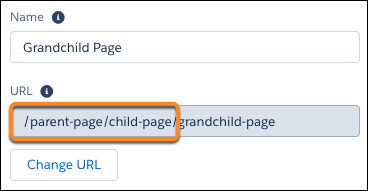 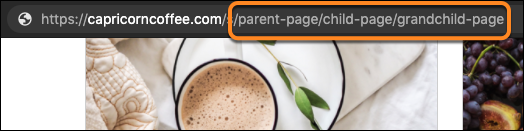 |
| API Name | A unique name you define when you create a page. |
| Page Access |
Specifies the level of access to the page. When you enable public access, guest users can view asset files on public pages by default. More restrictive profile settings can prevent certain users from viewing this page, even if you choose Public. Page access for some pages, like My Account, is automatically set to require users to log in and can't be modified. When you enable public access, the preference Let guest users view asset files and CMS content available to the site in is automatically enabled. |
| Title |
The SEO title of the page. Shown in search engine results, the browser’s tab or window title, and bookmarks. For data-based pages, such as object and content pages, the title is set dynamically. |
| Description |
The SEO description of the page. Shown in search engine results to help people decide if this page is the one they want. For data-based pages, such as object and content pages, the description is set dynamically. |
| Head Tags |
Provides the opportunity to enter specific For data-based pages, such as object and content pages, you can enter expressions to access values from the record associated with the page, such as the name, title, and value of specific fields. |
| Content Layout | Defines the content regions of your page, such as a two-column layout. |
| Theme Layout | By selecting Override the default theme layout for this page, you can choose to apply a different theme layout for the page. |
| Available in: both Salesforce Classic and Lightning Experience |
| Available in: Enterprise, Performance, Unlimited, and Developer Editions |
| User Permissions Needed | |
|---|---|
| To customize or publish an Experience Cloud site: |
|
| Available in: both Salesforce Classic and Lightning Experience |
| Available in: Essentials, Group, Enterprise, Professional, Performance, Unlimited, Contact Manager, and Developer Editions |
| Available in: both Salesforce Classic and Lightning Experience |
| Available in: Essentials, Group, Enterprise, Professional, Performance, Unlimited, Contact Manager, and Developer Editions |
| Available in: Salesforce Classic and Lightning Experience |
| Available in: Enterprise, Performance, Unlimited, and Developer Editions |
| Applies to: LWR and Aura sites |
| Optimization Tools | Content Delivery Network (CDN) for Digital Experiences | Experience Cloud License Type | Account Role Optimization (ARO) | High-Volume Creation Using Micro-Batching | Lightning Web Runtime (LWR) | Apex Caching | Progressive rendering | Page Optimizer | Scale Testing |
|---|---|---|---|---|---|---|---|---|---|
| Performance Impact | |||||||||
| High volume of users |
|
|
|||||||
| High traffic |
|
|
|
|
|
|
|||
| Heavy transaction load |
|
|
|||||||
| Many roles |
|
|
|||||||
| Heavy Customizations |
|
|
|
|
|||||
| Additional Services used at scale |
|
||||||||
| Available in: Salesforce Classic and Lightning Experience |
| Available in: Enterprise, Performance, Unlimited, and Developer Editions |
| Applies to: Aura sites |
| Available in: Salesforce Classic and Lightning Experience |
| Available in: Enterprise, Performance, Unlimited, and Developer Editions |
| Applies to: Aura sites |
| User Permissions Needed | |
|---|---|
| To assign post pinning permission to a user in a site: |
Enable Chatter AND Create and Set Up Experiences |
| To pin a post in a site: |
Create and Set Up Experiences OR Pin Posts in Feeds |
| Available in: both Salesforce Classic and Lightning Experience |
| Available in: Enterprise, Performance, Unlimited, and Developer Editions |
| Available in: both Salesforce Classic and Lightning Experience |
| Available in: Enterprise, Performance, Unlimited, and Developer Editions |
| Available in: both Salesforce Classic and Lightning Experience |
| Available in: Enterprise, Performance, Unlimited, and Developer Editions |
| Available in: Salesforce Classic and Lightning Experience |
| Available in: Group, Essentials, Professional, Enterprise, Performance, Unlimited, Developer, and Contact Manager Editions |
| Available in: both Salesforce Classic and Lightning Experience |
| Available in: Essentials, Group, Professional, Enterprise, Performance, Unlimited, Contact Manager, and Developer Editions |
| Available in: both Salesforce Classic and Lightning Experience |
| Available in: Essentials, Group (View Only), Professional, Enterprise, Performance, Unlimited, and Developer Editions |
| User Permissions Needed | |
|---|---|
| To view dashboards: | Run Reports |
| Available in: Salesforce Classic and Lightning Experience |
| Available in: Enterprise, Performance, Unlimited, and Developer Editions |
| Applies to: Aura sites |
| Available in: both Salesforce Classic and Lightning Experience |
| Available in: Enterprise, Performance, Unlimited, and Developer Editions |
| User Permissions Needed | |
|---|---|
| To view accounts: | Read on accounts |
| To create accounts: | Create on accounts |
| To disable a partner account: | Manage External Users |
| To create, edit, disable, or deactivate partner users: | Manage External Users |
| To create contacts: | Create on contacts |
| To view contacts: | Read on contacts |
| To create, edit, and delete profiles: | Manage Profiles and Permission Sets |
| To set field-level security: |
Manage Profiles and Permission Sets AND Customize Application |
| To set sharing rules: | Manage Sharing |
| Available in: both Salesforce Classic and Lightning Experience |
| Available in: Enterprise, Performance, Unlimited, and Developer Editions |
| Available in: All Editions |
| Permission sets available in: Contact Manager, Professional, Group, Enterprise, Performance, Unlimited, Developer, and Database.com Editions |
| Available in: Salesforce Classic and Lightning Experience |
| Available in: Essentials, Group, Professional,Enterprise, Performance, Unlimited, Contact Manager, and Developer Editions |
| Available in: both Salesforce Classic and Lightning Experience |
| Available in: Enterprise, Performance, Unlimited, and Developer Editions |
| User Permissions Needed | |
|---|---|
| To create an Experience Cloud site: | Create and Set Up Experiences AND View Setup and Configuration |
| To customize or publish an Experience Cloud site: |
|
| Available in: Salesforce Classic and Lightning Experience |
| Available in: Enterprise, Performance, Unlimited, and Developer Editions |
| Applies to: Aura sites |
| User Permissions Needed | |
|---|---|
| To customize or publish an Experience Cloud site: |
|
| Available in: Enterprise, Performance, Unlimited, and Developer Editions |
| User Permissions Needed | |
|---|---|
| To enable Progressive Rendering and apply settings: | Create and Set Up Communities |
| Available in: both Salesforce Classic and Lightning Experience |
| Available in: Enterprise, Performance, and Unlimited Editions |
| Available in: Enterprise, Performance, Unlimited, and Developer Editions |
| Available in: Enterprise, Performance, Unlimited, and Developer Editions |
| Available in: Salesforce Classic and Lightning Experience |
| Available in: Enterprise, Performance, and Unlimited Editions. This feature isn’t supported in Government Cloud. |
| Applies to: LWR and Aura sites |
| User Permissions Needed | |
|---|---|
| To customize or publish an Experience Cloud site: |
|
| Available in: Salesforce Classic |
| Available in: Contact Manager, Group, Professional, Enterprise, Performance, Unlimited, and Developer Editions |
| User Permissions Needed | |
|---|---|
| To upload and publish files to a public library: |
Manage Libraries checked in your library permission definition OR Add Content checked in your library permission definition |
| To upload and save files to a private library: | None |
| Available in: Salesforce Classic and Lightning Experience |
| Available in: Enterprise, Performance, Unlimited, and Developer Editions |
| Applies to: LWR and Aura sites |
| User Permissions Needed | |
|---|---|
| To create an Experience Cloud site: | Create and Set Up Experiences AND View Setup and Configuration |
| To customize or publish an Experience Cloud site: |
|
| Available in: Essentials, Group, Professional, Enterprise, Performance, Unlimited, Contact Manager, Developer, and Database.com Editions |
| Available in: Salesforce Classic and Lightning Experience |
| Available in: Enterprise, Performance, Unlimited, and Developer Editions |
| Applies to: Aura and Visualforce sites |
| Available in: both Salesforce Classic and Lightning Experience |
| Available in: Enterprise, Performance, Unlimited, and Developer Editions |
| Available in: Salesforce Classic and Lightning Experience |
| Available in: Enterprise, Performance, and Unlimited Editions |
| Applies to: LWR and Aura sites |
| User Permissions Needed | |
|---|---|
| To publish an Experience Cloud site: |
Be a member of the site AND Create and Set Up Experiences OR Be a member of the site AND an experience admin or publisher in that site |
| To edit a scheduled job: | Customize Application |
| Available in: Enterprise, Professional, Unlimited, and Developer editions. |
| Property | Details |
|---|---|
| Id | The system supplies this value. Don’t update this field. |
| Title | Enter a title for the component. The default text is Recognition Badges. |
| Button Text |
Enter a name for the button that users click to give badges. The default text is Give. The Give button is only available if the Give Recognition Badges in Lightning Communities permission is turned on. |
| Available in: Enterprise, Professional, Unlimited, and Developer editions. |
| Available in: Enterprise, Professional, Unlimited, and Developer editions. |
| Property | Details |
|---|---|
| Title | Enter a title for the component. The default text is Recommended. |
| Recommendation Channel |
Choose the recommendation channel. The default is Default Channel. To display recommendations that you created in a custom channel, choose that channel. Use these channel values; you can’t rename or create other channels. |
| Property | Details |
|---|---|
| Number of Records |
The number of entries retrieved to show in the list view. The default is 25. When the compact layout is selected, this property controls the number of records shown. If there are more than 25 records, users click a link to see the full list of records. The maximum number of records for the compact layout is 100. When the full layout is selected, this property controls the number of records initially shown. As a user scrolls down, more records are displayed. The maximum number of records per page is 100, but this limit doesn't apply when the full layout is selected on desktop. |
| Layout |
Choose from full, standard, or compact layout. The compact layout is ideal for showing short lists of information in a narrow column or when displaying your site on a mobile device. When a page using the full layout is viewed on a mobile device, the page automatically adjusts to a more mobile-friendly layout. To display the compact layout on mobile, explicitly select Compact. When choosing the layout, consider the following:
If there aren’t records to display for either a standard or compact list view, the component is hidden. |
| Object Name |
The Salesforce object whose records you want to show. The dropdown shows the supported objects. The component supports all Object Home page objects. See Objects Supported by Out-of-the-Box Components and Pages in Experience Builder Templates. If
Page’s Object Name name is
selected, only |
| Filter Name | The list view to show for the selected object. The dropdown shows only list views that are valid for the object you select. |
| Allow list pinning 1 |
Lets users select their preferred default view for a record list. Enabled by default. Lists, as elsewhere in Salesforce, can’t be unpinned, but users can select a new list to change their default view. Pinned
lists almost always override menu and component list
settings. The exception is when the navigation menu for
a component receives its filter name from the name of
the page—like |
| Allow inline edit 1 | Lets users edit individual fields in a list. Enabled by default. |
| Header Configuration | Click to expand. |
| Show list actions 2 |
Displays available list view controls, such as new, sharing, filter, and any custom actions that you’ve created. Enabled by default.
|
| Show list search 1 | Displays search field, scoped to the displayed list. Enabled by default. |
| Show refresh button | Enabled by default. |
| Show charts button | Enabled by default. |
| Show filter button | Enabled by default. |
| Show object name | Enabled by default. |
| Show image icon | Enabled by default. |
| Show display options 1 | Lets users view records in a table or Kanban format, or restricts them to a single type of view. Default is Show All Options. |


| Property | Details |
|---|---|
| Object | The Salesforce object whose records you want to display. The component supports all Object Home page objects, such as Opportunities, Accounts, or Contacts. |
| Record List | The Record List component displays a customizable list of records, such as open cases, accounts, opportunities, or product inventory, based on the object you select and the specific records you choose to show. |
| Number of Records to Display | Select how many records to display in a list view. The minimum is five, and the maximum is fifteen. |
| Choose a List Type |
Choose how records appear in the list. Use Table view for detailed data or Card view for a compact, visual layout. Pro Tip: For the best viewing experience, set Table view for desktop and Card view for mobile. |
| Header |
Customize the record list header to match the look and functionality you want. You can control whether the header is shown, set background color and borders, and choose from various text styling options. Show Header: This option is enabled by default and can be customized.
Show Object Icon Displays the object’s icon in the header. This option is enabled by default. Show Title Controls how the header title appears.
Show List View Picker Lets you switch between list views. Enabled by default.
Show Status Shows the status of the list view, including the total number of records, the column used for sorting, the sort order (ascending or descending), and whether any filters are applied. Enabled by default.
Show Search Adds a search field to the record list so users can filter results quickly and easily. |
| Records |
Customize the record display settings for Table and Card list types. These settings include hover colors, padding, background, border, spacing, and text styling. Customize the appearance of records for a consistent and accessible display across layouts. Adjust background and border settings, control cell or card padding, and define spacing between items. Style text to match your site’s design. Row or Card Hover Color Set the background color shown when hovering over a row (Table) or a card (Card). Use the gradient panel to adjust saturation and brightness, and the vertical hue slider to pick a base color. Applies to Table and Card. Cell or Card Padding Adjust the internal spacing of each table cell or card. Use padding to control spacing around content and improve overall readability for Top, Right, Bottom, and Left, or use Make all values equal (enabled by default) to apply the same value to all sides. You can also select the unit of measurement in px, rem, or %. Applies to Table and Card. Background Color Sets the background color of the record rows (Table) or cards (Card). Use this setting to align with your brand or improve visual clarity. Applies to Table and Card. Column Header Background Color Sets the background color of the column headers in a table layout. Applies to Table only. Column Header Text Color Sets the text color of column headers in the table view. Applies to Table only. Card Border Color Defines the color of the outer border—either around the full table or each card. Applies to Table and Card. Border Weight (px) Specifies the thickness of the border in pixels. The default value is 1px. Applies to Table and Card. Divider Border Color Sets the color of horizontal dividers between table rows. Applies to Table only. Divider Border Weight (px) Specifies the thickness of dividers between rows. The default value is 1px. Applies to Table only. Space Between Items (px) Sets the spacing between individual cards in the list. Default value is 16px. Applies to Card only. Text Style Controls how record content appears. Select from available text styles such as Paragraph or Heading. Applies to Table and Card. Text Color Sets the color of the record text. Choose a color that complements your site’s design and ensures readability. Applies to Table and Card. |
| Pagination |
Pagination helps you navigate between different pages of records on the Record List page. There are two types of pagination: Previous/Next Displays a fixed number of records per page. You can click Previous or Next to move between pages. Show More Loads additional records below the current list, creating a smooth scrolling experience. |
| Property | Details |
|---|---|
| Layout |
Configures the overall layout of the record list, including spacing and alignment settings.
|
| Custom CSS |
Applies a custom CSS to modify the appearance of the record list. Edit Head Markup To customize the |
| Property | Details |
|---|---|
| Show Component on Desktop |
Controls whether the component is visible when the site is viewed on desktop devices. This setting is enabled by default. Component visibility is also affected by visibility rules. These rules determine when the component appears and who can see it based on factors such as the user profile, audience, or device type. See Add Visibility Rule for Record List. |
| Available in: both Salesforce Classic and Lightning Experience |
| Available in: Essentials, Group, Enterprise, Professional, Performance, Unlimited, Contact Manager, and Developer Editions |
| Available in: Salesforce Classic and Lightning Experience |
| Available in: Group, Essentials, Professional, Enterprise, Performance, Unlimited, Developer, and Contact Manager Editions |
| Available in: both Salesforce Classic and Lightning Experience |
| Available in: Enterprise, Performance, Unlimited, and Developer Editions |
| User Permissions Needed | |
|---|---|
| To customize or publish an Experience Cloud site: |
|
| Available in: Salesforce Classic and Lightning Experience |
| Available in: Aura and LWR Experience Cloud Sites |
| Available in: Enhanced Chat with the Einstein for Service, Einstein Platform, Community, Community Plus, or Agentforce Service Agent add-on |
| Available in: Enterprise, Performance, Unlimited, and Developer Editions with Foundations or Agentforce 1 Editions. Access to some standard agent actions requires additional add-on licenses |
| User Permissions Needed | |
|---|---|
| To create an Experience Cloud site: | Create and Set Up Experiences AND View Setup and Configuration |
| To customize or publish an Experience Cloud site: | Create and Set Up Experiences AND View Setup and Configuration AND be a member of the site OR View Setup and Configuration AND be a member of the site AND have appropriate role-based site access |
| To create and manage Agentforce Service agents: | Create and Set Up Experiences AND View Setup and Configuration AND be a member of the site OR View Setup and Configuration AND be a member of the site AND have appropriate role-based site access |
| To set up this Enhanced Chat: | Customize Application AND Modify Metadata Through Metadata API Function |
| Available in: Salesforce Classic and Lightning Experience |
| Available in: Essentials, Group, Professional, Enterprise, Performance, Unlimited, Contact Manager, and Developer |
| User Permissions Needed | |
|---|---|
| To regenerate a preview: | Customize Application |
| Available in: both Salesforce Classic and Lightning Experience |
| Available in: Essentials, Group, Enterprise, Professional, Performance, Unlimited, Contact Manager, and Developer Editions |
| Available in: Salesforce Classic |
| Available in: Group, Professional, Enterprise, Performance, Unlimited, Contact Manager, and Developer Editions |
| User Permissions Needed | |
|---|---|
| To remove group records: |
|
| Available in: Salesforce Classic |
| Available in: Group, Professional, Enterprise, Performance, Unlimited, Contact Manager, and Developer Editions |
| User Permissions Needed | |
|---|---|
| To remove topics from posts: | Assign Topics |
| Available in: both Salesforce Classic and Lightning Experience |
| Available in: Enterprise, Performance, Unlimited, and Developer Editions |
| User Permissions Needed | |
|---|---|
| To rename the Chatter tab: |
Customize Application OR View Setup and Configuration AND Be designated as a translator |
| Available in: both Salesforce Classic and Lightning Experience |
| Available in: Essentials, Group, Enterprise, Professional, Performance, Unlimited, Contact Manager, and Developer Editions |
| Available in: Salesforce Classic and Lightning Experience |
| Available in: Enterprise, Performance, Unlimited, and Developer Editions |
| Applies to: Aura and Visualforce sites |
| Available in: Professional, Enterprise, Unlimited, Developer, and Performance Editions |
| Available in: Salesforce Classic and Lightning Experience |
| Available in: Enterprise, Performance, Unlimited, and Developer Editions |
| Applies to: Aura and Visualforce sites |
| User Permissions Needed | |
|---|---|
| To install AppExchange packages: | Download AppExchange Packages |
| Available in: Salesforce Classic and Lightning Experience |
| Available in: Enterprise, Performance, Unlimited, and Developer Editions |
| Applies to: Aura and Visualforce sites |
| Property | Details |
|---|---|
| Title | Enter a title for the reputation leaderboard. The default text is Leaderboard. |
| Number of Users | Enter the maximum number of users to display. You can display up to 10. The default is 5. |
| Show user rank | Displays the ranks of the users shown in the leaderboard. |
| Show logged-in user |
|
| Show help bubble | Displays a question mark icon at the top of the leaderboard that a user can hover over to get more info. |
| Exclude internal users | Excludes internal users from the leaderboard. |
| Help Bubble Text | Enter the message that appears when a user hovers over the question mark icon. The message can be up to 500 characters. The default text is Earn points and climb to new levels when you contribute in the experience! |
| Display Users |
Determines what information about a user shows in the leaderboard. Options include:
|
| Topic Knowledge Label (Up to 20 chars.) | When Knowledge is shown in the leaderboard, this text appears before the topics a user is knowledgeable about. The default text is Knows about. For example, if a user is knowledgeable about backpacks, their leaderboard entry can say “Knows about: Backpacks.” |
|
Level and Points 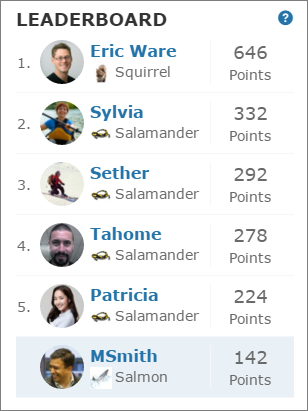 |
Topics and Points 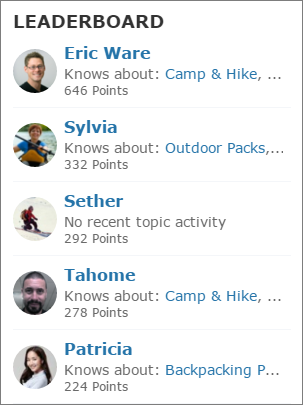 |
Topics and Last Active 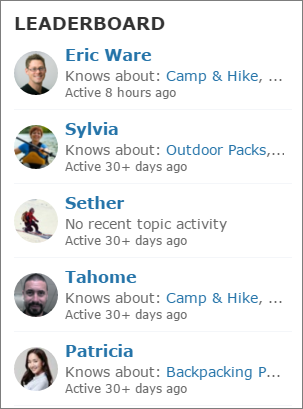 |
| Available in: both Salesforce Classic and Lightning Experience |
| Available in: Enterprise, Performance, Unlimited, and Developer Editions |
| Available in: Lightning Experience. |
| Available in: Enterprise, Performance, Unlimited, and Developer editions. |
| User Permissions Needed | |
|---|---|
| To create an Experience Cloud site: | Create and Set Up Experiences AND View Setup and Configuration |
| To customize an Experience Cloud site: |
|
| To publish an Experience Cloud site: |
|
| To submit a record for approval in an Experience Builder site | Be a member of the site and have access to the record |
| Available in: both Salesforce Classic and Lightning Experience |
| Available in: Enterprise, Performance, Unlimited, and Developer Editions |
| Available in: Salesforce Classic and Lightning Experience |
| Available in: Enterprise, Performance, Unlimited, and Developer Editions |
| Applies to: LWR, Aura, and Visualforce sites |
| Available in: Salesforce Classic |
| Available in: Contact Manager, Group, Professional, Enterprise, Performance, Unlimited, and Developer Editions |
| Record types available in: both Salesforce Classic and Lightning Experience |
| Record types available in: Essentials, Professional, Enterprise, Performance, Unlimited, and Developer Editions |
| User Permissions Needed | |
|---|---|
| To restrict record types: |
Manage record types and layouts for Files OR Manage Salesforce CRM Content |
| Allow content with any record type to be linked to this library | Select this option if you want to enable content published in other libraries to be shared to the library where you have restricted record types. The content in other libraries can be shared regardless of the record types used. |
|---|---|
| Do not apply record type restrictions to existing content | Select this option if you don’t want to receive warnings regarding existing content in the library. You won’t be alerted if existing content uses record types that you exclude from the library. This option refers to notifications only; existing content is not affected by restricted record types. |
| Available in: both Salesforce Classic and Lightning Experience |
| Available in: Enterprise, Performance, Unlimited, and Developer Editions |
| User Permissions Needed | |
|---|---|
| To approve, delete, or edit posts and comments that are pending review: An author can see a pending comment on a pending post only if the author posted both. | Can Approve Feed Post and Comment |
| To approve, delete, or edit posts and comments that are pending review: |
Can Approve Feed Post and Comment AND Access Experience Management OR Manage Experiences OR Create and Set Up Experiences AND Is a member of the Experience Cloud site |
| Available in: Salesforce Classic and Lightning Experience |
| Available in: Enterprise, Performance, Unlimited, and Developer Editions |
| Applies to: Aura sites |
| User Permissions Needed | |
|---|---|
| To customize or publish an Experience Cloud site: |
|
| Available in: Lightning Experience, Salesforce Classic |
| Available in: Essentials, Pro Suite, Group, Professional, Enterprise, Performance, Unlimited, Contact Manager, and Developer Editions |
| User Permissions Needed | |
|---|---|
| To enable Chatter: | Customize Application |
| Available in: Salesforce Classic and Lightning Experience |
| Available in: Enterprise, Performance, Unlimited, and Developer Editions |
| Applies to: Aura sites |
| Available in: Salesforce Classic and Lightning Experience |
| Available in: Enterprise, Performance, Unlimited, and Developer Editions |
| Applies to: Aura sites |
| Available in: Salesforce Classic |
| Available in: Contact Manager, Group, Professional, Enterprise, Performance, Unlimited, and Developer Editions |
| Available in: Salesforce Classic |
| Available in: Contact Manager, Group, Professional, Enterprise, Performance, Unlimited, and Developer Editions |
| Feature | Details | ||||||
|---|---|---|---|---|---|---|---|
| Content deliveries: default delivery bandwidth per rolling 24-hour window | 50 GB | ||||||
| Content deliveries: default delivery view counts per rolling 24-hour window | 50,000 | ||||||
| Content deliveries: maximum file size for online viewing | 25 MB | ||||||
| Content: maximum file size |
|
||||||
| Content: maximum number of libraries | 2,000 | ||||||
| Content: maximum number of files | 30,000,000 | ||||||
| Content: maximum number of files and versions in a 24–hour period (adjustable) | 200,000 (2,500 in Developer Edition and sandboxes) | ||||||
| Content packs: maximum number of files | 50 (N/A in Personal Edition) | ||||||
| Documents: maximum size of custom app logo | 20 KB | ||||||
| Documents: maximum size of document to upload | 5 MB | ||||||
| Documents: maximum file name size (including file extension name) | 255 characters | ||||||
| Available in: Salesforce Classic |
| Available in: Contact Manager, Group, Professional, Enterprise, Performance, Unlimited, and Developer Editions |
| Preference | Description | Learn More |
|---|---|---|
| Files uploaded to the Attachments related list on records are uploaded as Salesforce Files, not as attachments | In Salesforce Classic, controls whether uploads from Notes & Attachments become Salesforce Files or attachments. When enabled, users see Upload Files instead of Attach File on the related list. | Attach Files to Records |
| Set file access to Set by Record for files attached to records | Files attached to records inherit the record’s sharing settings. Users who can edit the record can also collaborate on the associated files; read-only record access maps to viewer access. | Set File Sharing to Inherit Record Permissions |
| Skip triggers execution when deploying asset files and Skip triggers execution and validation rules on asset files | Reduces trigger and validation activity when deploying asset files, which helps avoid errors while installing or updating managed packages that include asset files. | Enable Salesforce Files Settings For Managed Packages |
| Display alternative file previews | Controls whether Salesforce can use an alternate preview path when standard file previews are unavailable or low quality. |
| Available in: both Salesforce Classic and Lightning Experience |
| Available in: Enterprise, Performance, Unlimited, and Developer Editions |
| Available in: Salesforce Classic and Lightning Experience |
| Available in: Enterprise, Performance, Unlimited, and Developer Editions |
| Applies to: LWR, Aura, and Visualforce sites |
| Available in: both Salesforce Classic and Lightning Experience |
| Available in: Essentials, Group, Professional, Enterprise, Performance, Unlimited, Contact Manager, and Developer Editions |
| Available in: Salesforce Classic |
| Available in: Group, Enterprise, Professional, Performance, Unlimited, Contact Manager, and Developer Editions |
| Available in: Salesforce Classic |
| Available in: Contact Manager, Group, Professional, Enterprise, Performance, Unlimited, and Developer Editions |
| User Permissions Needed | |
|---|---|
| To search Salesforce CRM Content: |
Salesforce CRM Content User checked in your personal information AND Member of the library |
| Available in: Salesforce Classic |
| Available in: All Editions except Database.com |
| User Permissions Needed | |
|---|---|
| To view documents: | Read on documents |
| Available in: Salesforce Classic and Lightning Experience |
| Available in: Group, Essentials, Professional, Enterprise, Performance, Unlimited, Developer, and Contact Manager Editions |
| Available in: both Salesforce Classic and Lightning Experience |
| Files Connect for cloud-based external data sources is available in: Professional, Enterprise, Performance, Unlimited, and Developer Editions |
| User Permissions Needed | |
|---|---|
| To access cloud-based data sources like SharePoint Online: | Files Connect Cloud |
| Available in: Lightning Experience |
| Available in: Essentials, Group, Professional, Enterprise, Performance, Unlimited, Developer, and Contact Manager editions |
| Available in: both Salesforce Classic and Lightning Experience |
| Chatter Questions is available in: Essentials, Group, Professional, Developer, Performance, Enterprise, Contact Manager, and Unlimited Editions |
| Available in: Salesforce Classic and Lightning Experience |
| Available in: Essentials, Enterprise, Performance, Unlimited, and Developer Editions |
| User Permissions Needed | |
|---|---|
| To customize or publish an Experience Cloud site: |
|
| Security Level | Description |
|---|---|
| Strict CSP: Block Access to Inline Scripts and Permits Access to Allowed Hosts |
Default setting for sites created in Spring ’19 (February 2019) and later. Provides maximum security.
|
| Relaxed CSP: Permit Access to Inline Scripts and Allowed Hosts |
Provides moderate security.
|
| Allow Inline Scripts and Script Access to Any Third-party Host |
Provides no added security, but enables your site to work as currently designed.
Note This option is only visible for sites created before Spring ’19. In
Spring ’22 (February 2022), this option is being removed.
|
| Available in: Lightning Experience in Enterprise and Unlimited editions for an additional cost. To purchase, contact your Salesforce account executive. |
| Available in: Aura Experience Cloud sites that use Build Your Own Template |
| Available in: LWR Experience Cloud sites that use Build Your Own Template |
| Available in: Salesforce Classic |
| Available in: Group, Professional, Enterprise, Performance, Unlimited, Contact Manager, and Developer Editions |
| Available in: Salesforce Classic and Lightning Experience |
| Available in: Enterprise, Performance, Unlimited, and Developer Editions |
| Applies to: Aura and Visualforce sites |
| User Permissions Needed | |
|---|---|
| To manage external users: | Manage External Users |
| To create, edit, and delete profiles: | Manage Profiles and Permission Sets |
| Available in: Enterprise, Performance, Unlimited, and Developer Editions. |
| User Permissions Needed | |
|---|---|
| To customize or publish an Experience Cloud site: |
|
| Available in: Salesforce Classic and Lightning Experience |
| Available in: Enterprise, Performance, and Unlimited Editions |
| Applies to: LWR and Aura sites |
| Available in: Salesforce Classic and Lightning Experience |
| Available in: Enterprise, Performance, and Unlimited Editions |
| Applies to: LWR and Aura sites |
| Available in: Salesforce Classic and Lightning Experience |
| Available in: Enterprise, Performance, and Unlimited Editions |
| Applies to: LWR and Aura sites |
| Allowed Tags | Allowed Attributes |
|---|---|
| <link> |
For
|
| <meta> |
For You can use the
attribute |
| <script> |
For |
| Expression | Description |
|---|---|
| {!Record._Object} | Returns the display name of the object. |
| {!Record._Title} | Returns the title of the record as defined in the name field. Keep in mind that the name field can have a different label than Name. |
| {!Record.FieldName} |
The value of the specified field for the record. The field name is case-sensitive and
includes For example, show a record’s type and title in search results using{!Record.recordTypeLabel}.{!Record.title}. |
| Expression | Description |
|---|---|
| {!Content.contentTypeLabel} | Returns the display name of the object. |
| {!Content.title} | Returns the title of the content as defined in the name field. Keep in mind that the name field can have a different label than Name. |
| {!Content.FieldName} |
The value of the specified field for the content. The field name is case-sensitive and
includes For example, for a blog post, use {!Content.Body.Title}. |
| Property | Details |
|---|---|
| Show Header | To show a text header above the authentication header icons, select this option. |
| Header Text | Enter the text for the header text. |
| Use Experience Builder site auth provider URLs |
This option is selected by default in new Experience Builder sites and in new Social Login components that you add to existing sites. It improves performance and reduces HTTP redirects by using site-specific URLs for single sign-on (SSO) for all auth providers for your site. Copy the site’s callback URL in Auth. Providers in Setup. Update the callback URLs in your identity provider accordingly. When you deselect this option, Salesforce continues to use login.salesforce.com or test.salesforce.com to redirect to your site during SSO, which can result in decreased performance. If you configure Apple as an external authentication provider, select this option to ensure that the Social Login component recognizes user information. |
| Available in: Experience Builder sites accessed through Lightning Experience, Salesforce Classic, and mobile devices, and is available in Essentials, Enterprise, Performance, Unlimited, and Developer editions. |
| User Permissions Needed | |
|---|---|
| To customize or publish an Experience Cloud site: |
|
| Option | Description |
|---|---|
| Active | If you add a Language Selector component to your active site, this checkbox controls whether the selected language appears in the list. Use this setting to hide a language until you’re ready to release the associated content to your site visitors. |
| Fallback Language |
The fallback language appears when no content is available for the currently selected language. For example, imagine that a site visitor chooses Japanese from the language selector but your site doesn’t have a Japanese translation for that page. In that case, content is shown in the fallback language. Only one level of fallback language is supported for LWR sites. For example, if French (Canadian) falls back to French, then your site’s default language is the only fallback language allowed for French. |
| Display Label | You can define a display label for each language. The display label appears in any Language Selector components that you add to your site and in the Experience Builder’s built-in language menu. |
| Available in: Salesforce Classic and Lightning Experience |
| Available in: Enterprise, Performance, Unlimited, and Developer Editions |
| Applies to: Aura sites |
| User Permissions Needed | |
|---|---|
| To customize or publish an Experience Cloud site: |
|
| Available in: Lightning Experience |
| Available in: Essentials, Group, Professional, Enterprise, Performance, Unlimited, Developer, and Contact Manager editions. |
| User Permissions Needed | |
|---|---|
| To set up case feed timestamp format: | Customize Application |
| Available in: Lightning Experience in Enterprise and Unlimited editions for an additional cost. To purchase, contact your Salesforce account executive. |
| Available in: Aura Experience Cloud sites that use Build Your Own Template |
| Available in: LWR Experience Cloud sites that use Build Your Own Template |
| User Permissions Needed | |
|---|---|
| Turn on Agentforce Orchestrator |
|
| Available in: Salesforce Classic and Lightning Experience |
| Available in: Enterprise, Performance, Unlimited, and Developer Editions |
| Applies to: LWR, Aura, and Visualforce sites |
| Available in: both Salesforce Classic and Lightning Experience |
| Available in: Enterprise, Performance, Unlimited, and Developer Editions |
| User Permissions Needed | |
|---|---|
| To create triggers: | Modify All Data |
| Available in: both Salesforce Classic and Lightning Experience |
| Available in: Enterprise, Performance, Unlimited, and Developer Editions |
| User Permissions Needed | |
|---|---|
| To create, edit, delete, or clone approval processes: | Customize Application |
| To create or change queues: |
Customize Application AND Manage Public List Views |
| Available in: both Salesforce Classic and Lightning Experience |
| Files Connect for cloud-based external data sources is available in: Professional, Enterprise, Performance, Unlimited, and Developer Editions |
| User Permissions Needed | |
|---|---|
| To access cloud-based data sources like SharePoint Online: | Files Connect Cloud |
| Available in: Lightning Experience |
| Available in: Enterprise, Performance, Unlimited, and Developer Editions |
| User Permissions Needed | |
|---|---|
| To create campaigns. | “Create on Campaigns” |
| To read campaigns and use Campaign Marketplace. | “Read on Campaigns” |
| To edit campaigns. | “Edit on Campaigns” |
| To create or customize page layouts and record types. | “Customize Application” |
| Available in: Salesforce Classic and Lightning Experience |
| Available in: Enterprise, Performance, Unlimited, and Developer Editions |
| Applies to: LWR sites |
| User Permissions Needed | |
|---|---|
| To customize an Experience Cloud site: |
|
| Available in: Salesforce Classic and Lightning Experience |
| Available in: All Editions except Database.com |
| User Permissions Needed | |
|---|---|
| To enable or disable content deliveries: | Customize Application |
| Available in: Lightning Experience |
| Available in: Essentials, Enterprise, Performance, Unlimited, and Developer Editions |
| User Permissions Needed | |
|---|---|
| To access Experience Workspaces page: |
Manage Experiences OR Create and Set Up Experiences AND Is a member of the site |
| To set up content topics: |
Create Topics AND Edit Topics |
| User Permissions Needed | |
|---|---|
| To create an Experience Cloud site: | Create and Set Up Experiences |
| To customize an Experience Cloud site: |
|
| To publish an Experience Cloud site: |
|
| Available in: both Salesforce Classic and Lightning Experience |
| Available in: Enterprise, Performance, Unlimited, and Developer Editions |
| User Permissions Needed | |
|---|---|
| To enable Customer Insights in a site: |
Access Experience Management OR Manage Experiences AND Is a member of the site |
| To edit profiles: |
Manage Profiles and Permission Sets AND Customize Application |
| To create and save Lightning pages in Lightning App Builder: | Customize Application |
| Available in: Salesforce Classic and Lightning Experience |
| Available in: Aura and LWR Experience Cloud Sites |
| Available in: Enhanced Chat with the Einstein for Service, Einstein Platform, Community, Community Plus, or Agentforce Service Agent add-on |
| Available in: Enterprise, Performance, Unlimited, and Developer Editions with Foundations or Agentforce 1 Editions. Access to some standard agent actions requires additional add-on licenses |
| Available in: Salesforce Classic and Lightning Experience |
| Available in: Enterprise, Performance, Unlimited, and Developer Editions |
| Available in: LWR and Aura |
| User Permissions Needed | |
|---|---|
| To manage permission sets, access Data 360 Setup, and create an identity resolution ruleset: | Assign Permission Sets AND View Setup and Configuration |
| To create an Experience Cloud site: | Create and Set Up Experiences AND View Setup and Configuration |
| To customize or publish an Experience Cloud site: |
|
| Available in: Lightning Experience in Enterprise and Unlimited editions for an additional cost. To purchase, contact your Salesforce account executive. |
| Available in: Aura Experience Cloud sites that use Build Your Own Template |
| Available in: LWR Experience Cloud sites that use Build Your Own Template |
| User Permissions Needed | |
|---|---|
| To Configure Experience Builder |
|
| To Publish Site |
|
| Available in: Salesforce Classic and Lightning Experience |
| Available in: Essentials, Enterprise, Performance, Unlimited, and Developer Editions |
| User Permissions Needed | |
|---|---|
| To access Experience Workspaces or Experience Management page: |
Manage Experiences OR Create and Set Up Experiences AND Is a member of the site |
| To set up featured topics: | Edit Topics |
| To create, edit, and delete images for featured topics: | Create, Edit, and Delete on the image record |
| Available in: both Salesforce Classic and Lightning Experience |
| Available in: All Editions except Database.com |
| User Permissions Needed | |
|---|---|
| To edit Google Apps domain settings and activate or deactivate services: | Customize Application |
| To install or uninstall AppExchange packages: | Download AppExchange packages |
| Available in: both Salesforce Classic and Lightning Experience |
| Available in: Lightning Experience in Enterprise and Unlimited editions for an additional cost. To purchase, contact your Salesforce account executive. |
| Available in: Aura Experience Cloud sites that use Build Your Own Template |
| Available in: LWR Experience Cloud sites that use Build Your Own Template |
| User Permissions Needed | |
|---|---|
| To Configure Messaging Settings |
|
| Available in: Salesforce Classic and Lightning Experience |
| Available in: Essentials, Enterprise, Performance, Unlimited, and Developer Editions |
| User Permissions Needed | |
|---|---|
| To access Experience Workspaces or Experience Management page: |
Manage Experiences AND Create and Set Up Experiences AND Is a member of the site |
| To set up navigational topics: |
Create Topics AND Edit Topics |
| To add articles to topics: |
View Data Categories AND Read on related article types |
| Available in: Essentials, Group, Professional, Enterprise, Performance, Unlimited, Contact Manager, and Developer Editions |
| Available in: both Salesforce Classic and Lightning Experience |
| Available in: Enterprise, Performance, Unlimited, and Developer Editions |
| User Permissions Needed | |
|---|---|
| To update reputation levels: |
Manage Experiences AND Is a member of the Experience Cloud site |
| Available in: both Salesforce Classic and Lightning Experience |
| Available in: Enterprise, Performance, Unlimited, and Developer Editions |
| User Permissions Needed | |
|---|---|
| To update reputation points: |
Manage Experiences AND Is a member of the Experience Cloud site |
| Action | Points |
|---|---|
| Engagement | |
| Write a post | 1 |
| Write a comment | 1 |
| Receive a comment | 5 |
| Like something | 1 |
| Receive a like | 5 |
| Share a post | 1 |
| Someone shares your post | 5 |
| Mention someone |
1 If your post contains more than one @mention, you get a point for each @mention. |
| Receive a mention | 5 |
| Questions and Answers | |
| Ask a question | 1 |
| Answer a question | 5 |
| Receive an answer | 5 |
| Mark an answer as best | 5 |
| Your answer is marked as best | 20 |
| Knowledge | |
| Endorsing someone for knowledge on a topic | 5 |
| Being endorsed for knowledge on a topic | 20 |
| Available in: both Salesforce Classic and Lightning Experience |
| Available in: Essentials, Contact Manager, Group, Professional, Enterprise, Performance, Unlimited, and Developer Editions |
| User Permissions Needed | |
|---|---|
| To create, edit, or delete library permissions: |
Manage Content Permissions OR Manage Salesforce CRM Content |
| To create, edit, or delete page layouts and record types: |
Manage record types and layouts for Files OR Manage Salesforce CRM Content |
| To create content fields: |
Manage Content Properties OR Manage Salesforce CRM Content |
| To create libraries: |
Create Libraries OR Manage Salesforce CRM Content |
| To edit or delete libraries: | Manage Salesforce CRM Content |
| Available in: both Salesforce Classic and Lightning Experience |
| Available in: Enterprise, Performance, Unlimited, and Developer Editions |
| Available in: both Salesforce Classic and Lightning Experience |
| Available in: Enterprise, Performance, Unlimited, and Developer Editions |
| Available in: Salesforce Classic and Lightning Experience |
| Available in: Enterprise, Performance, Unlimited, and Developer Editions |
| Applies to: Aura and Visualforce sites |
| User Permissions Needed | |
|---|---|
| To enable the site case feed: |
|
| Available in: Salesforce Classic and Lightning Experience |
| Available in: Group, Professional, Enterprise, Performance, Unlimited, Contact Manager, and Developer Editions |
| User Permissions Needed | |
|---|---|
| To create permission sets: | Manage Profiles and Permission Sets |
| To assign permission sets: | Assign Permission Sets |
| Available in: Salesforce Classic and Lightning Experience |
| Available in: Enterprise, Performance, and Unlimited Editions |
| Applies to: LWR and Aura sites |
| User Permissions Needed | |
|---|---|
| To customize or publish an Experience Cloud site: |
|
| Available in: Essentials, Group, Professional, Enterprise, Performance, Unlimited, Contact Manager, Developer, and Database.com Editions |
| Available in: Salesforce Classic |
| Available in: Group, Enterprise, Professional, Performance, Unlimited, Contact Manager, and Developer Editions |
| Available in: both Salesforce Classic and Lightning Experience |
| Available in: Essentials, Group, Enterprise, Professional, Performance, Unlimited, Contact Manager, and Developer Editions |
| Available in: Salesforce Classic |
| Available in: Group, Enterprise, Professional, Performance, Unlimited, and Developer Editions |
| Available in: Lightning Experience |
| Available in: Essentials, Group, Enterprise, Professional, Performance, Unlimited, Contact Manager, and Developer Editions |
| Available in: both Salesforce Classic and Lightning Experience |
| Available in: Enterprise, Performance, Unlimited, and Developer Editions |
| User Permissions Needed | |
|---|---|
| To share a preview URL for your site: | Create and Set Up Experiences |
| Available in: Salesforce Classic and Lightning Experience |
| Available in: Essentials, Group, Enterprise, Professional, Performance, Unlimited, Contact Manager, and Developer Editions |
| Available in: Salesforce Classic and Lightning Experience |
| Available in: Group, Essentials, Professional, Enterprise, Performance, Unlimited, Developer, and Contact Manager Editions |
| Available in: Salesforce Classic and Lightning Experience |
| Available in: Group, Essentials, Professional, Enterprise, Performance, Unlimited, Developer, and Contact Manager Editions |
| Available in: Salesforce Classic and Lightning Experience |
| Available in: Group, Essentials, Professional, Enterprise, Performance, Unlimited, Developer, and Contact Manager Editions |
| Available in: Salesforce Classic and Lightning Experience |
| Available in: Enterprise, Performance, Unlimited, and Developer Editions |
| User Permissions Needed | |
|---|---|
| To create sharing rules | Manage Sharing |
| Available in: Salesforce Classic and Lightning Experience |
| Available in: Enterprise, Performance, Unlimited, and Developer Editions |
| User Permissions Needed | |
|---|---|
| To create sharing rules | Manage Sharing |
| Resources for Sharing and Security |
|---|
| Org-Wide Defaults |
|
Salesforce Org Resources
Experience Cloud Resources
|
| Account Roles and Role Hierarchies |
|
Salesforce Org Resources
Experience Cloud Resources |
| Sharing Rules |
|
Salesforce Org Resources
Experience Cloud Resources |
| Sharing for Experience Cloud Sites |
|
Resources |
| Available in: Salesforce Classic and Lightning Experience |
| Available in: Enterprise, Performance, Unlimited, and Developer Editions |
| Applies to: LWR and Aura sites |
| Available in: Salesforce Classic and Lightning Experience |
| Available in: Enterprise, Performance, Unlimited, and Developer Editions |
| Applies to: LWR sites |
| User Permissions Needed | |
|---|---|
| To customize or publish an Experience Cloud site: |
|
| Available in: Salesforce Classic and Lightning Experience |
| Available in: Enterprise, Performance, Unlimited, and Developer Editions |
| Applies to: LWR and Aura sites |
| User Permissions Needed | |
|---|---|
| To customize or publish an Experience Cloud site: |
|
| Available in: Salesforce Classic and Lightning Experience |
| Available in: Enterprise, Performance, Unlimited, and Developer Editions |
| Applies to: Aura and Visualforce sites |
| Available in: Salesforce Classic and Lightning Experience |
| Available in: Group, Essentials, Professional, Enterprise, Performance, Unlimited, Developer, and Contact Manager Editions |
| Available in: Lightning Experience in Enterprise and Unlimited editions for an additional cost. To purchase, contact your Salesforce account executive. |
| Available in: Aura Experience Cloud sites that use Build Your Own Template |
| Available in: LWR Experience Cloud sites that use Build Your Own Template |
| Available in: Salesforce Classic |
| Available in: Group, Enterprise, Professional, Performance, Unlimited, Contact Manager, and Developer Editions |
| Available in: Salesforce Classic and Lightning Experience |
| Available in: Group, Essentials, Professional, Enterprise, Performance, Unlimited, Developer, and Contact Manager Editions |
| Available in: Salesforce Classic and Lightning Experience |
| Available in: Enterprise, Performance, Unlimited, and Developer Editions |
| Applies to: LWR sites |
| Available in: both Salesforce Classic and Lightning Experience |
| Available in: Enterprise, Performance, Unlimited, and Developer Editions |
| User Permissions Needed | |
|---|---|
| To create an Experience Cloud site: | Create and Set Up Experiences AND View Setup and Configuration |
| To customize an Experience Cloud site: |
|
| To publish an Experience Cloud site: |
|
| To run a suggested action in an Experience Builder site: |
Run Flows OR Flow User field enabled on the user detail page OR If Override default behavior and restrict access to enabled profiles or permission sets is selected for an individual flow, access to that flow is given to users by profile or permission set |
| To view Einstein Next Best Action Reccomendation records when using Flow Builder as the reccomendation source in an Experience Cloud site: |
|
| Available in: both Salesforce Classic and Lightning Experience |
| Available in: Enterprise, Performance, Unlimited, and Developer Editions |
| Available in: Salesforce Classic and Lightning Experience |
| Available in: Enterprise, Performance, Unlimited, and Developer Editions |
| Applies to: LWR, Aura, and Visualforce sites |
| Available in: Enterprise, Professional, Unlimited, and Developer editions. |
| Available in: Salesforce Classic |
| Available in: Contact Manager, Group, Professional, Enterprise, Performance, Unlimited, and Developer Editions |
| User Permissions Needed | |
|---|---|
| To access Salesforce CRM Content: | Salesforce CRM Content User checked in your personal information |
| Available in: both Salesforce Classic and Lightning Experience |
| Files Connect for cloud-based external data sources is available in: Professional, Enterprise, Performance, Unlimited, and Developer Editions |
| Available in: both Salesforce Classic and Lightning Experience |
| Available in: Enterprise, Performance, Unlimited, and Developer Editions |
| If Your Organization Has: | Users You Follow Automatically | Records You Follow Automatically |
|---|---|---|
| 15 users or fewer | All users in your organization |
Up to 25 of your most recently used records, in the following order:
|
| 16 or more users |
Up to 25 users in your organization, including (if available):
|
Up to 25 of your most recently used records, in the following order:
|
| Available in: Salesforce Classic and Lightning Experience |
| Available in: Enterprise, Performance, Unlimited, and Developer Editions |
| Applies to: LWR, Aura, and Visualforce sites |
| Available in: both Salesforce Classic and Lightning Experience |
| Available in: Enterprise, Performance, Unlimited, and Developer Editions |
| User Permissions Needed | |
|---|---|
| To customize or publish an Experience Cloud site: |
|
| Available in: both Salesforce Classic and Lightning Experience |
| Available in: Enterprise, Performance, Unlimited, and Developer Editions |
| User Permissions Needed | |
|---|---|
| To customize or publish an Experience Cloud site: |
|
| Available in: both Salesforce Classic and Lightning Experience |
| Available in: Enterprise, Performance, Unlimited, and Developer Editions |
| User Permissions Needed | |
|---|---|
| To customize or publish an Experience Cloud site: |
|
| Available in: Salesforce Classic and Lightning Experience |
| Available in: Enterprise, Performance, Unlimited, and Developer Editions |
| Applies to: Aura and Visualforce sites |
| User Permissions Needed | |
|---|---|
| To enable threaded discussions in a site: |
Enable Chatter AND Create and Set Up Experiences |
| To delete a discussion thread in a community: |
Modify All Data OR Moderate Site Feeds OR Salesforce disabled block-delete at your org’s request AND You’re the author of the post, question, comment, or reply |
| Property | Details |
|---|---|
| Default Navigation Menu | Select a navigation menu to showcase in Tile Menu. |
| Edit Navigation Menu | Click to edit your chosen navigation menu. |
| Image Layout |
Select one of the three image options for the images in each menu tile.
|
| Tile Formatting | Click to expand. |
| Show banner | For the Full, With Overlay layout, choose to show a banner. |
| Banner Position |
Options for:
|
| Banner Height |
Choose 15–100%. This setting doesn’t apply to the Full, No Overlay layout. |
| Banner Background Color | Set the color for the banner background. |
| Border Radius | Choose from 0-50px. |
| Blank Image Color | Tile color if there’s no image. |
| Tile Background Color | For the Partial layout, the background tile color if the image doesn’t take up the entire tile. |
| Icon Size | Size of the icon containing the image for the Partial layout. Choose from small, medium, or large. |
| Text Formatting | Click to expand. |
| Color | Text color. |
| Size | Text size. Choose from small, medium, or large. |
| Horizontal Alignment | Choose from right, left, or center. |
| Available in: Salesforce Classic and Lightning Experience |
| Available in: Group, Essentials, Professional, Enterprise, Performance, Unlimited, Developer, and Contact Manager Editions |
| Available in: Salesforce Classic and Lightning Experience |
| Available in: Group, Essentials, Professional, Enterprise, Performance, Unlimited, Developer, and Contact Manager Editions |
| User Permissions Needed | |
|---|---|
| To add existing topics to posts and comments: | Assign Topics |
| To edit topic names and descriptions: | Edit Topics |
| Property | Details |
|---|---|
| Show Posts |
Enable this setting to show the number of posts tagged with the topic. For navigational topics, the number of posts includes posts tagged with the topic and posts tagged with subtopics. The number of posts that use the topic can be inaccurate but provides a good comparative measure of how often people use the topic in posts. |
| Show Articles | Enable this setting to show the number of articles tagged with the topic. |
| Show Followers | Enable this setting to show the number of people following the topic. |
| Show how many people used the topic in the last 60 days. | Enable this setting to show how many Experience Builder site members have used the topic in the past 60 days. |
| Topic ID | This field populates dynamically with the topic ID. |
| Available in: both Salesforce Classic and Lightning Experience |
| Available in: all editions |
| Available in: Salesforce for Android, Salesforce for iOS |
| Available in: Essentials, Group, Enterprise, Professional, Performance, Unlimited, Contact Manager, and Developer editions |
| Available in: Salesforce Classic |
| Available in: Group, Enterprise, Professional, Performance, Unlimited, Contact Manager, and Developer Editions |
| Available in: Salesforce Classic and Lightning Experience |
| Available in: Group, Essentials, Professional, Enterprise, Performance, Unlimited, Developer, and Contact Manager Editions |
| Available in: both Salesforce Classic and Lightning Experience |
| Available in: Enterprise, Performance, Unlimited, and Developer Editions |
| Available in: Enterprise, Performance, Unlimited, and Developer Editions |
| User Permissions Needed | |
|---|---|
| To manage scorecards: |
Create, Edit, and Delete on Accounts AND Create, Edit, and Delete on Reports AND Create, Edit, and Delete on Scorecards |
| To view scorecards: |
Read on Accounts AND Read on Reports AND Read on Scorecards |
| To view scorecard metrics: | Run Reports |
| Available in: Salesforce Classic and Lightning Experience |
| Available in: Enterprise, Performance, Unlimited, and Developer Editions |
| Applies to: LWR, Aura, and Visualforce sites |
| User Permissions Needed | |
|---|---|
| To create custom report types: | Manage Custom Report Types |
| To create, edit, and delete reports: | Create and Customize Reports |
| To create and share dashboards: | Manage Dashboards in Public Folders |
| To report on Chatter Messages: | Moderate Experiences Chatter Messages |
| High-level usage | Primary Object > B (Child Object) > C (Child Object, If Applicable) | Description |
|---|---|---|
| Chatter Usage | Networks > Chatter Messages | Create reports on the private message activity.1 |
| Chatter Usage | Networks > Feed Revisions | Create reports on posts and comments that your members have edited. |
| Chatter Usage | Networks > Groups | Create reports on groups. |
| Moderation | Networks > Network Audits |
Create reports on all moderation activity and history. To report on moderation activity in private Chatter messages, filter the report by Audited Object Type (on the Network Audits object) to equal Chatter Message. |
| Moderation | Networks > Site Members > Network Activity Audit — Moderators | Create reports on members who either flagged items or moderated a flagged item. |
| Moderation | Networks > Site Members > Network Activity Audit — User | Create reports on the members whose items were flagged, blocked, or replaced. |
| Moderation | Networks > Site Members > User Login | Create reports on frozen members. |
| Moderation |
Networks > Network Moderations > Content Documents Networks > Network Moderations > Feed Posts Networks > Network Moderations > Feed Comments Networks > Network Moderations > Private Messages |
Create reports on content that is currently flagged. These reports allow you to see the actual contents of the flagged item. For example, you can see the contents of a flagged private message to easily determine if the message is spam. |
| Moderation | Networks > Unpublished Feed Entities > Feed Posts | Create report on posts that are pending review and approval. |
| Public Activity | Networks > Network Public Usage Daily Metrics | Create reports on the daily public site page views and unique visitors. |
| Recommendations | Networks > Recommendation Metric | Create reports on custom recommendation usage. |
| Topic Activity | Networks > Topics | Create reports on topic activity. |
| Topic Activity | Networks > Topic Assignments | Create reports on topic assignments. |
| User Activity | Networks > Network Activity Daily Metrics | Create reports on the daily number of posts and comments by member type. |
| User Activity | Networks > Site Members > Login History | Create reports on login activity. This report includes only direct logins to the site. If a user logs in to an org and then switches to a site, their login activity isn't included. |
| User Activity | Networks > Site Membership Daily Metrics | Create reports on the daily count of total active members, new members added, and external member logins by member type. |
| User Activity | Networks > Network Unique Contributor Daily Metrics | Create reports on the unique daily contributors. A member is counted as a contributor if they posted or commented on a group or a user profile. |
| User Profile Photos | Networks > Site Members | To report on user profiles with or without photos, filter the report by Has Profile Photo (on the Site Members object) to equal True or False. |
| Available in: both Salesforce Classic and Lightning Experience |
| Available in: Enterprise, Performance, Unlimited, and Developer Editions |
| User Permissions Needed | |
|---|---|
| To customize or publish an Experience Cloud site: |
|
| Available in: Salesforce Classic |
| Chatter Questions is available in: Group, Professional, Developer, Performance, Enterprise, Contact Manager, and Unlimited Editions |
| Available in: Salesforce Classic and Lightning Experience |
| Available in: Enterprise, Performance, Unlimited, and Developer Editions |
| Applies to: LWR sites |
| User Permissions Needed | |
|---|---|
| To create an Experience Cloud site: | Create and Set Up Experiences AND View Setup and Configuration |
| To customize or publish an Experience Cloud site: |
|
| Available in: Salesforce Classic and Lightning Experience |
| Available in: Essentials, Enterprise, Performance, Unlimited, and Developer Editions |
| User Permissions Needed | |
|---|---|
| To translate topics: |
View Setup and Configuration AND Be designated as a translator |
| Available in: Salesforce Classic and Lightning Experience |
| Available in: Group, Essentials, Professional, Enterprise, Performance, Unlimited, Developer, and Contact Manager Editions |
| Available in: Enterprise, Professional, Unlimited, and Developer editions. |
| Available in: Enterprise, Professional, Unlimited, and Developer editions. |
| Available in: Salesforce Classic and Lightning Experience |
| Available in: Enterprise, Performance, Unlimited, and Developer Editions |
| Applies to: LWR and Aura sites |
| Error Message | Cause | Solution |
|---|---|---|
| Specify a unique ID for each component in this view. | In DigitalExperienceBundle, each component in a view must have a unique ID. In this case, two or more components have the same ID. |
Retrieve the metadata from both the source and target orgs using DigitalExperienceBundle. In the view that caused the error, in both the source and the target org, search for components with matching IDs. When you find a matching ID, manually update it by altering a couple of characters to ensure that each component has a unique identifier. |
| The devName of an existing route can’t be changed. Revert the devName of the generated_route_id route back to its original value and try again. | In ExperienceBundle, devName represents a unique API name that’s automatically generated for a route when you create it. devName is a required value that must not be changed. This error occurs if the value was altered in some way. |
Review any recent modifications or customizations related to standard component functionality. Determine how and why the name was altered, and revert the name to its original value. Alternatively, consider using SiteDotCom for your deployment instead of ExperienceBundle. |
| We couldn't validate property_name in file_path.json for component component_id. Error: specific_error_information | In ExperienceBundle, this error occurs when the site configuration in the source org doesn't match the target org. For example, let's say the theme in the source org is using Default_User_Profile_Menu, but the theme in the target org is using Default_User_Profile_Menu1. | Ensure that the sites in the source and target orgs use the same configuration. For example, if the specific error information mentions that a component is missing, ensure that the component names match in both orgs. |
| You seem to be missing the property isLockerServiceEnabled in site_name/config/mainAppPage.json with component ID component_id. | In ExperienceBundle, this error occurs when the isLockerServiceEnabled property in the site's config/mainAppPage.json file is missing. | Add "isRelaxedCSPLevel" : false to the
config/mainAppPage.json file.
|
| Your site needs a route with route type route_type. |
This issue can occur due for various reasons. Reason 1: There's a discrepancy between the site features or custom objects that are enabled in the source org and the target org. Because of this difference, the ExperienceBundle retrieval process can't include the necessary object- or feature-related files from the source org. However, the target org requires these files. |
Enable the relevant permission in the source org. Then retrieve ExperienceBundle again and deploy the updated bundle to the target org. If it isn't possible to enable the permission in the source org, you can disable the permission on the target org instead. Keep in mind that, as a result, permission-related features can be missing in the deployed site. |
| Reason 2: Each site template includes default routes types that are required. This issue can occur if the route type was somehow deleted or renamed. | Update the site_name.site-meta.xml file to include a route with the correct route type. Ensure that the route configuration aligns with the intended functionality of the site. |
| Available in: Salesforce Classic and Lightning Experience |
| Available in: Enterprise, Performance, Unlimited, and Developer Editions |
| Applies to: LWR, Aura, and Visualforce sites |
| Available in: Lightning Experience in Enterprise and Unlimited editions for an additional cost. To purchase, contact your Salesforce account executive. |
| Available in: Aura Experience Cloud sites that use Build Your Own Template |
| Available in: LWR Experience Cloud sites that use Build Your Own Template |
| User Permissions Needed | |
|---|---|
| To enable Autonomous Enterprise Search |
|
| Manage Agentforce Agents | |
| Available in: Enterprise, Professional, Unlimited, and Developer editions. |
| User Permissions Needed | |
|---|---|
| To turn on or off Recognition Badges: |
Create and Set Up Experiences AND Moderate Chatter |
| Available in: Enterprise, Performance, Unlimited, and Developer Editions |
| You must have at least one active community license in your org to use this feature. |
| User Permissions Needed | |
|---|---|
| To unarchive an Experience Cloud site: | Create and Set Up Experiences |
| Available in: both Salesforce Classic and Lightning Experience |
| Available in: Enterprise, Performance, Unlimited, and Developer Editions |
| Available in: Lightning Experience in Enterprise and Unlimited editions for an additional cost. To purchase, contact your Salesforce account executive. |
| Available in: Aura Experience Cloud sites that use Build Your Own Template |
| Available in: LWR Experience Cloud sites that use Build Your Own Template |
| Available in: both Salesforce Classic and Lightning Experience |
| Available in: Group, Enterprise, Professional, Performance, Unlimited, Contact Manager, and Developer Editions. |
| Available in: both Salesforce Classic and Lightning Experience |
| Available in: Essentials, Contact Manager, Group, Professional, Enterprise, Performance, Unlimited, and Developer Editions |
| Available in: Salesforce Classic and Lightning Experience |
| Available in: Group, Essentials, Professional, Enterprise, Performance, Unlimited, Developer, and Contact Manager Editions |
| Available in: Salesforce Classic |
| Available in: Contact Manager, Group, Professional, Enterprise, Performance, Unlimited, and Developer Editions |
| User Permissions Needed | |
|---|---|
| To add a version: | Add Content checked in your library permission definition |
| Available in: both Salesforce Classic and Lightning Experience |
| Available in: Enterprise, Performance, Unlimited, and Developer Editions |
| User Permissions Needed | |
|---|---|
| To update your template | Create and Set Up Experiences AND Manage Experiences |
| My Current Template Type and Version | What Can I Expect When Updating to Spring ’19? |
|---|---|
| Winter ’19 templates and Lightning Bolt solutions |
If you’ve applied CSS customizations, migrate them in the upgraded components. Overriding CSS isn’t recommended. The best way to update the styling of your components is to use the Theme panel in Experience Builder. To update existing CSS overrides see CSS mappings for updated components. |
| Summer ’18 templates and Lightning Bolt solutions | Your site is updated automatically with all the features of the Winter ’19 release. No need to manually update. |
| Spring ’18 templates and Lightning Bolt solutions |
Overriding CSS isn’t recommended. To update existing CSS overrides, see CSS mappings for updated components and Standard Design Tokens for Sites. |
| Winter ’18 templates and Lightning Bolt solutions |
|
| Spring ’17 and Summer ’17 Customer Service, Partner Central, and Lightning Bolt solutions |
|
| Winter ’16 to Spring ’17 Customer Service (Napili) |
|
| Pre-Winter ’16 Koa, Kokua, or Customer Service (Napili) |
Most component customizations and properties are overwritten. However:
|
| Pre-Spring ’16 Aloha template | Most branding properties defined using the Branding Editor in Experience Builder are maintained. However, sometimes your site’s colors are reset to the default value. After you update the template, check the branding properties and update the ones that were reset |
| Salesforce Tabs + Visualforce | Template updates for sites using Salesforce Tabs + Visualforce aren’t managed from Experience Builder. |
| Pre-Winter ’18 branding properties ... | Map to these updated branding properties ... |
|---|---|
| Background Color (1) | Background Color (1) |
| Button Color (2) | Action Color (2) |
| Button Border Color | — |
| Button Hover Color | — |
| Button Hover Border Color | — |
| Font Color (3) | Text Color (3) |
| Error Font Color (4) | Error Font Color (4) |
| Background Image (5) | Background Image (5) |
| Card Background Color (6) |
Card Background Color (6) Also controls card transparency |
| Card Border Color | — |
| Card Transparency | — |
| Font Family (7) | Primary Font (7) |
| Available in: both Salesforce Classic and Lightning Experience |
| Available in: Enterprise, Performance, Unlimited, and Developer Editions |
| User Permissions Needed | |
|---|---|
| To customize or publish an Experience Cloud site: |
|
| Available in: Salesforce Classic and Lightning Experience |
| Available in: Enterprise, Performance, Unlimited, and Developer Editions |
| Applies to: LWR sites |
| User Permissions Needed | |
|---|---|
| To customize or publish an Experience Cloud site: |
|
| Available in: Salesforce Classic and Lightning Experience |
| Available in: Enterprise, Performance, Unlimited, and Developer Editions |
| Applies to: Aura sites |
| Available in: Salesforce Classic and Lightning Experience |
| Available in: Enterprise, Performance, Unlimited, and Developer Editions |
| Applies to: LWR sites |
| User Permissions Needed | |
|---|---|
| To customize or publish an Experience Cloud site: |
|
| Available in: Salesforce Classic and Lightning Experience |
| Available in: Group, Essentials, Professional, Enterprise, Performance, Unlimited, Developer, and Contact Manager Editions |
| Available in: Salesforce Classic |
| Available in: Contact Manager, Group, Professional, Enterprise, Performance, Unlimited, and Developer Editions |
| User Permissions Needed | |
|---|---|
| To upload and publish files and Web links: |
Manage Libraries checked in your library permission definition OR Add Content checked in your library permission definition |
| To publish Google docs: | Google Apps account |
| Available in: Salesforce Classic |
| Available in: All Editions |
| User Permissions Needed | |
|---|---|
| To upload new documents: | Create on documents |
| To replace documents: | Edit on documents |
| Indicate Document is Internal | When checked, a flag is added to the document indicating that document viewers should not share the file outside of the organization. Checking this box does not expressly enforce any security rules. |
|---|---|
| Externally Available Image | If the document is an image, such as a logo, that's not confidential. The image will be available from HTML email templates without requiring a Salesforce username and password. It can be used as a custom tab icon or custom app logo, which do require a Salesforce username and password to view. You can also display the image as a custom logo in meeting requests |
| Available in: Salesforce Classic and Lightning Experience |
| Available in: Group, Essentials, Professional, Enterprise, Performance, Unlimited, Developer, and Contact Manager Editions |
| Available in: both Salesforce Classic and Lightning Experience |
| Available in: Enterprise, Performance, Unlimited, and Developer Editions |
| User Permissions Needed | |
|---|---|
| To customize or publish an Experience Cloud site: |
|
| Available in: Salesforce Classic and Lightning Experience |
| Available in: Enterprise, Performance, and Unlimited Editions |
| Applies to: LWR and Aura sites |
| Available in: Salesforce Classic and Lightning Experience |
| Available in: Enterprise, Performance, Unlimited, and Developer Editions |
| Applies to: LWR, Aura, and Visualforce sites |
| Available in: Salesforce Classic and Lightning Experience |
| Available in: Enterprise, Performance, and Unlimited Editions |
| Applies to: LWR and Aura sites |
| Available in: Enterprise, Performance, Unlimited, and Developer Editions |
| You must have at least one active community license in your org to use this feature. |
| User Permissions Needed | |
|---|---|
| To customize or publish an Experience Cloud site: |
|
| Available in: Salesforce Classic and Lightning Experience |
| Available in: Enterprise, Developer, Performance, and Unlimited Editions |
| User Permissions Needed | |
|---|---|
| To configure record and case creation in batches: | Use Micro-Batching to Create Records |
| To set the Created By field of a record created to the original user: | Set Audit Fields upon Record Creation |
| To publish an Experience Cloud site: |
|
| To edit Apex classes: |
|
| Available in: Salesforce Classic and Lightning Experience |
| Available in: Enterprise, Developer, Performance, and Unlimited Editions |
| User Permissions Needed | |
|---|---|
| To configure record and case creation in batches: | Use Micro-Batching to Create Records |
| To publish an Experience Cloud site: |
|
| To edit Apex classes: |
|
| Available in: both Salesforce Classic and Lightning Experience |
| Available in: Enterprise, Performance, Unlimited, and Developer Editions |
| User Permissions Needed | |
|---|---|
| To customize or publish an Experience Cloud site: |
|
| Available in: Enterprise, Professional, Unlimited, and Developer editions. |
| User Permissions Needed | |
|---|---|
| To manage page components: | Create And Set Up Experiences |
| Available in: Salesforce Classic |
| Available in: Group, Professional, Enterprise, Performance, Unlimited, Contact Manager, and Developer Editions |
| Available in: Salesforce Classic and Lightning Experience |
| Available in: Enterprise, Developer, Performance, and Unlimited Editions |
| User Permissions Needed | |
|---|---|
| To configure record and case creation in batches: | Use Micro-Batching to Create Records |
| To publish an Experience Cloud site: |
|
| Available in: Salesforce Classic |
| Available in: all editions except Database.com |
| User Permissions Needed | |
|---|---|
| Using Google Docs in Salesforce |
Read on the appropriate record type AND Google Apps account |
| Available in: Salesforce Classic |
| Available in: All Editions except Database.com |
| User Permissions Needed | |
|---|---|
| Activating or deactivating Google Talk: | Customize Application |
| Available in: both Salesforce Classic and Lightning Experience |
| Available in: Enterprise, Performance, Unlimited, and Developer Editions |
| Available in: Salesforce Classic and Lightning Experience |
| Available in: Enterprise, Performance, Unlimited, and Developer Editions |
| Applies to: LWR sites |
| User Permissions Needed | |
|---|---|
| To customize or publish an Experience Cloud site: |
|
| Column heading | column value |
|---|---|
| Parent ID | The ID of the record that the URL slug is created for. |
| Language Code | A Salesforce-supported language code. For example,
en_US.
|
| URL Name |
The SEO-friendly URL slug for the record in the specified language. URL slugs have a character limit of 150 and allow these
characters: |
| Available in: Salesforce Classic |
| Available in: All Editions except Database.com |
| User Permissions Needed | |
|---|---|
| To create a content delivery: | None |
| To edit a content delivery: |
Owner of the record OR Modify all Data |
| Available in: Salesforce Classic |
| Available in: Group, Professional, Enterprise, Performance, Unlimited, Contact Manager, and Developer Editions |
| Available in: both Salesforce Classic and Lightning Experience |
| Available in: Enterprise, Performance, Unlimited, and Developer Editions |
| User Permissions Needed | |
|---|---|
| To customize or publish an Experience Cloud site: |
|
| Property | Details |
|---|---|
| User ID | The system supplies this value so that authenticated users can view their own information. Don’t update this field. |
| Show Influence Section | To show the user’s reputation scores under their photos, select the box. |
| Show user’s reputation score in the Influence section | To show user’s reputation scores in the Influence section, select the box. Otherwise, the user’s reputations scores under their photos. |
| Show Knows About | Determines if the Knowledgeable About list is shown. |
| Show Photo | To show the user’s photo, select the box. |
| Display circular photo |
To apply a circular crop to user profile photos, select the box. Otherwise the crop is a square/rectangle. Users may must reload their photos so that they fit inside in the cropped area. |
| Maximum Topics Displayed | Enter the maximum number of topics listed for each user, up to a limit of 10. |
| Property | Details |
|---|---|
| User ID | The system supplies this value so that authenticated users can view their own information. Don’t update this field. |
| Display circular photo |
To apply a circular crop to user profile photos, select the box. Otherwise the crop is a square/rectangle. Users must reload their photos so they fit in the cropped area. |
| Display Reputation | To display the reputation level below the user profile photo, select the box. |
| Property | Details |
|---|---|
| Case Filter Name or IkD |
The name or ID of the list view that displays the user's cases. This value is used throughout the site to display the user's list of cases. By default, the template uses the AllOpenCases view, which lets users view any open cases that they have permission to see. Configure sharing to ensure that users see only cases that belong to them. Alternatively, you can use another pre-defined list view or create a custom list view. |
| Include Contact Support | Select to include the option to contact an agent from the profile. |
| Home Label | Enter the text shown for the link to the site home page from the user navigation menu. The default is Home. |
| Include My Messages | Include a My Messages link in the profile menu, which shows the number of unread messages in the menu and opens the Messages page when clicked. |
| My Profile Label | Enter the text shown to indicate a user’s profile. The default is My Profile. |
| Contact Support Label | Enter the text for the link to the page where the user can open a case. The default is Contact Support. |
| Login Label | Enter the text for the link to log in to the site. The default is Login. |
| Logout Label | Enter the text for the link to log out from the site. The default is Log Out. |
| Experience Builder Label | Enter the text for the link to the Experience Builder page. The default is Experience Builder. This link appears only for users with permissions to manage the site. |
| Site Setup Label | Enter the text for the link to the setup page for sites. The default is Site Setup. This link is shown to users with permissions to create or modify the site’s administration settings. |
| User Settings Label | Enter the text for the link to access an authenticated user’s personal settings for the site. The default is My Settings. |
| Show User Settings in Menu | Select this option to show user settings in the profile dropdown list. |
| My Account Label |
Enter the text for the link that external users click to view their account record. The default is My Account. This feature is available in the Spring ’16 version of the Customer Service template and later. External site members who access the My Account link see their account details based on the configuration of the Record Detail page. |
| Available in: both Salesforce Classic and Lightning Experience |
| Available in: Group, Enterprise, Professional, Performance, Unlimited, Contact Manager, and Developer Editions. |
| Click: | To: |
| Your profile photo | Change your chat status. Select  Available,
  Away, or
  Offline. People can’t chat with you when you’re
Offline.
Offline. People can’t chat with you when you’re
Offline.
|

|
See feed updates from everyone and everything you follow, and post an update.
|

|
See and comment on updates directed to you. |

|
Chat with people and see their updates. Chat messages appear in a separate window.
Chat is available only if it’s enabled in your organization. |

|
Read and reply to private Chatter messages. Click a message to view it, or click New Message to send a new message. Messages are available only if they are enabled in your organization. |

|
See feed updates from groups:
|

|
See and comment on records that you follow. From the dropdown menu at the top, select the type of record you want to view, for example, Account. If you’re not following records, there aren’t any records in the list. Click a record’s name to view its details. Chatter Desktop shows the first eight fields on a record. |

|
Edit your Chatter Desktop settings or switch your connection. |

|
Instantly synchronize your data. While Chatter Desktop synchronizes your data automatically, it doesn’t always happen instantly. Instant synchronization gives you control over when synchronization occurs. |


| Available in: Salesforce Classic and Lightning Experience |
| Available in: Enterprise, Performance, Unlimited, and Developer Editions |
| Applies to: Aura sites |
| User Permissions Needed | |
|---|---|
| To assign permission to verify answers in a site: |
Enable Chatter AND Create and Set Up Experiences |
| To verify answers in a site: |
Create and Set Up Experiences OR Verify Answers to Chatter Questions |
| Available in: Salesforce Classic and Lightning Experience |
| Available in: Group, Essentials, Professional, Enterprise, Performance, Unlimited, Developer, and Contact Manager Editions |
| Available in: Salesforce Classic and Lightning Experience |
| Available in: Group, Essentials, Professional, Enterprise, Performance, Unlimited, Developer, and Contact Manager Editions |
| Available in: Salesforce Classic and Lightning Experience |
| Available in: Group, Professional, Enterprise, Essentials, Performance, Unlimited, Contact Manager, and Developer Editions |
| User Permissions Needed | |
|---|---|
| To edit or delete asset files or to add asset files to the Asset Library by default in Experience Builder or Salesforce CMS: | Customize Application |
| Available in: Salesforce Classic |
|
Available in: All Editions except Database.com Salesforce CRM Content available in: Contact Manager, Group, Professional, Enterprise, Performance, Unlimited, and Developer Editions |
| User Permissions Needed | |
|---|---|
| To view the delivery detail page: |
Access to the associated content details page in Salesforce CRM Content OR Access to the record associated with the content delivery |
| To edit, expire, or delete a content delivery: |
Owner of the record OR Modify all Data |
| Available in: Salesforce Classic |
| Available in: Contact Manager, Group, Professional, Enterprise, Performance, Unlimited, and Developer Editions |
| User Permissions Needed | |
|---|---|
| To preview and download shared content: | Member of the library |
| To preview and download private content: | None |
| To upload a new version: | Add Content checked in your library permission definition |
| To archive and restore content: |
Archive Content checked in your library permission definition OR Author of the content |
| To permanently delete content: | Delete Content checked in your library permission definition |
| To view and edit comments: | Modify Comments checked in your library permission definition |
| To delete comments: | Delete Comments checked in your library permission definition |
| To tag content: | Tag Content checked in your library permission definition |
| To mark content as featured: | Feature Content checked in your library permission definition |
| To deliver content from a shared library: | Deliver Content checked in your library permission definition |
| To deliver content from a personal library: | Deliver Uploaded Files and Personal Content checked in your library permission definition |
| To post content from a library to a Chatter feed: | Post Content to Chatter Feeds checked in your library permission definition |
| Available in: Salesforce Classic |
| Available in: Contact Manager, Group, Professional, Enterprise, Performance, Unlimited, and Developer Editions |
| User Permissions Needed | |
|---|---|
| To subscribe to content: |
Salesforce CRM Content User feature license enabled on the user detail page OR Portal user with View Content in Portals profile permission |
| Available in: Salesforce Classic |
| Available in: Contact Manager, Group, Professional, Enterprise, Performance, Unlimited, and Developer Editions |
| User Permissions Needed | |
|---|---|
| To edit a library: |
Manage Salesforce CRM Content OR Manage Libraries checked in your library permission definition |
| To add or remove library members: |
Manage Salesforce CRM Content OR Manage Libraries checked in your library permission definition |
| Available in: Salesforce Classic |
| Available in: Group, Enterprise, Professional, Performance, Unlimited, Contact Manager, and Developer Editions |
| Available in: Salesforce Classic and Lightning Experience |
| Available in: Group, Essentials, Professional, Enterprise, Performance, Unlimited, Developer, and Contact Manager Editions |
| Available in: Salesforce Classic |
| Available in: Group, Professional, Enterprise, Performance, Unlimited, Contact Manager, and Developer Editions |
| Available in: Salesforce Classic |
| Available in: All Editions except Database.com |
| User Permissions Needed | |
|---|---|
| To view documents: | Read on documents |
| To change document properties: | Edit on documents |
| To replace documents: | Edit on documents |
| To delete documents: | Delete on documents |
| Available in: Salesforce Classic and Lightning Experience |
| Available in: Group, Essentials, Professional, Enterprise, Performance, Unlimited, Developer, and Contact Manager Editions |
| Available in: both Salesforce Classic and Lightning Experience |
| Available in: Essentials, Group, Enterprise, Professional, Performance, Unlimited, Contact Manager, and Developer Editions |
| Available in both: Salesforce Classic and Lightning Experience |
| Available in: Essentials, Group, Professional, Enterprise, Performance, Unlimited, and Developer Editions |
| Available in: Salesforce Classic |
| Available in: Essentials, Group, Enterprise, Professional, Performance, Unlimited, Contact Manager, and Developer Editions |
| Available in: Salesforce Classic |
| Available in: Essentials, Group, Enterprise, Professional, Performance, Unlimited, Contact Manager, and Developer Editions |
| Available in: Salesforce Classic and Lightning Experience |
| Available in: Group, Essentials, Professional, Enterprise, Performance, Unlimited, Developer, and Contact Manager Editions |
| Available in: Salesforce Classic and Lightning Experience |
| Available in: Essentials, Group, Professional, Enterprise, Performance, Unlimited, Contact Manager, and Developer Editions |
| If the post was made on | And mentions | Then these people can see the post and comments |
|---|---|---|
| A person’s profile | Other people | Anyone with access to the person’s profile. |
| Public group | Anyone with access to the person’s profile. | |
| Private group | Anyone with access to the person’s profile, even if they’re not a member of the private group. | |
| Public group A | Other people | Anyone with access to public group A. |
| Public group B | Anyone with access to public group A. | |
| Private group | Anyone with access to public group A, even if they’re not a member of the private group. | |
| Private group A | Other people | Members of private group A. |
| Public group | Members of private group A. | |
| Private group B | People who are members of both private group A and private group B see this mention in both group feeds. People who are members of private group B but not members of A don’t see the mention or receive any notification for it. | |
| Unlisted group A | Other people | Members of unlisted group A and users with the “Manage Unlisted Groups” permission. |
| Public group | Members of unlisted group A and users with the “Manage Unlisted Groups” permission. | |
| Private group B | People who are members of both private group B and unlisted group A, or people who have the “Modify Unlisted Groups” permission. | |
| Record detail page | Other people | Everyone who is following you or this record and has access to the record sees your post in their What I Follow feed. |
| Public group | People with sharing access to the record. | |
| Private group | People with sharing access to the record, even if they’re not a member of the private group. |
| Available in: both Salesforce Classic and Lightning Experience |
| Available in: Enterprise, Performance, Unlimited, and Developer Editions |
| User Permissions Needed | |
|---|---|
| To customize or publish an Experience Cloud site: |
|
| Available in: both Salesforce Classic and Lightning Experience |
| Available in: Essentials, Group, Enterprise, Professional, Performance, Unlimited, Contact Manager, and Developer Editions |
| Available in: Salesforce Classic and Lightning Experience |
| Available in: Enterprise, Performance, Unlimited, and Developer Editions |
| Applies to: LWR, Aura, and Visualforce sites |
| Available in: Lightning Experience |
| Available in: Essentials, Group, Enterprise, Professional, Performance, Unlimited, Contact Manager, and Developer Editions |
| Available in: both Salesforce Classic and Lightning Experience |
| Available in: Enterprise, Performance, Unlimited, and Developer Editions |
| Available in: Salesforce Classic and Lightning Experience |
| Available in: Enterprise, Performance, Unlimited, and Developer Editions |
| Applies to: LWR sites |
| Available in: Salesforce Classic and Lightning Experience |
| Available in: Group, Essentials, Professional, Enterprise, Performance, Unlimited, Developer, and Contact Manager Editions |
| User Permissions Needed | |
|---|---|
| To create groups | Create and Own New Chatter Groups |
| Available in: both Salesforce Classic and Lightning Experience |
| Available in: Enterprise, Performance, Unlimited, and Developer Editions |
| Available in: both Salesforce Classic and Lightning Experience |
| Available in: Enterprise, Performance, Unlimited, and Developer Editions |
| Available in: both Salesforce Classic and Lightning Experience |
| Available in: Enterprise, Performance, Unlimited, and Developer Editions |
| Available in: Salesforce Classic and Lightning Experience |
| Available in: Essentials, Enterprise, Performance, Unlimited, and Developer Editions |
| Component | Customer Service and Lightning Bolt Solutions | Partner Central and Partner Central Enhanced | Customer Account Portal | Help Center | Build Your Own (Aura) | Available in Versions |
|---|---|---|---|---|---|---|
| Account Brand Details |
|
|
|
Summer ’19 and later | ||
| Activities |
|
|
|
|
||
| Announcement Section |
|
|
|
|
Winter ’16 and later | |
| Article Content |
|
|
|
|
All versions | |
| Articles with This Topic |
|
|
|
|
|
|
| Ask Button |
|
|
|
All versions | ||
| Biometric Login Button | |
|
|
|
|
Spring ’25 and later |
| Breadcrumb |
|
|
|
|
|
All versions |
| Calendar |
|
|
All versions | |||
| Campaign Marketplace |
|
|
|
|
|
All versions |
| Case Comments Publisher |
|
|
All versions | |||
| Case Deflection |
|
|
|
|
|
Spring ’18 and later |
| CMS Collection |
|
|
|
|
|
Winter ‘19 and later |
| CMS Connect (HTML) |
|
|
|
|
|
All versions |
| CMS Connect (JSON) |
|
|
|
|
|
All versions |
| CMS Single Item |
|
|
|
|
|
Winter ‘19 and later |
| CMS Single Item (Detail) |
|
|
|
|
|
Winter ‘19 and later |
| Calendar |
|
|
|
|
All versions | |
| Contact Request Button & Flow |
|
|
|
|
Spring ’19 and later | |
| Contact Support Button |
|
|
|
|
|
All versions |
| Contact Support & Ask Buttons 1 |
|
|
Winter ’16 and later | |||
| Contact Support Form |
|
|
|
|
|
Spring ’18 and later |
| Create Case Form |
|
|
|
|
All versions | |
| Create Record Button |
|
|
|
|
Winter ’16 and later | |
| Create Record Form |
|
|
|
|
Winter ’16 and later | |
| Custom Lightning Components |
|
|
|
|
|
Winter ’16 and later |
| Customizable User Settings |
|
|
|
|
Summer ’19 and later | |
| Dashboard |
|
|
|
|
Winter ’16 and later | |
| Dashboard List |
|
|
|
|
Winter ’16 and later | |
| Deflection Tracking | * |
† |
† |
† |
* |
* Spring ’19 and later † Summer ’19 and later |
| CRM Analytics Dashboard |
|
|
|
|
Summer ’17 and later | |
| Einstein Predictions |
|
|
|
|
Winter ’20 and later | |
| Einstein Scoring |
|
|
Summer ’23 and later | |||
| Engagement |
|
|
Winter ’17 and later | |||
| Enhanced List View |
|
|
Spring ’24 and later | |||
| Featured Topics |
|
|
|
|
|
Winter ’16 and later |
| Featured Topics & Feeds |
|
|
All versions | |||
| Feed |
|
|
|
|
Winter ’16 and later | |
| Feed Compact |
|
|
|
|
Winter ’16 and later | |
| Feed History |
|
|
|
|
Winter ’17 and later | |
| Feed Post & Comments |
|
|
|
|
Summer ’15 and later | |
| Feed Publisher |
|
|
|
|
Winter ’16 and later | |
| Files List |
|
|
|
|
|
Winter ’16 and later |
| Flow (Experience Builder Component) |
|
|
|
|
|
Winter ’18 and later |
| Follow Button |
|
|
|
Summer ’15 and later | ||
| Global Search Box |
|
|
|
|
All versions | |
| Global Search for Peer-to-Peer Communities |
|
Winter ’18 and later | ||||
| Global Search Results |
|
|
|
|
|
All versions |
| Group |
|
|
|
|
Winter ’16 and later | |
| Group Banner |
|
|
|
|
Winter ’16 and later | |
| Group Detail |
|
|
|
|
Winter ’16 and later | |
| Group Related List |
|
|
|
|
Winter ’16 and later | |
| Headline |
|
|
|
|
All versions | |
| HTML Editor |
|
|
|
|
|
All versions |
| Knowledgeable People |
|
|
|
Summer ’15 and later | ||
| Language Selector |
|
|
|
|
|
Winter ’16 and later |
| Lead Inbox |
|
|
|
|
Summer ’17 and later | |
| Libraries |
|
|
|
|
|
Winter ’18 and later |
| Manage Members Section |
|
|
|
|
Winter ’16 and later | |
| Member Profile and Settings |
|
|
|
|
Winter ’18 and later | |
| Membership |
|
|
|
|
Winter ’17 and later | |
| Message Notification |
|
|
|
Spring ’17 and later | ||
| Navigation Menu |
|
|
Winter ’16 and later | |||
| New Message Button |
|
|
|
Spring ’17 and later | ||
| Orchestration Work Guide |
|
|
|
|
|
Winter ‘23 and later |
| Page Refresh |
|
|
|
|
|
Summer ’22 and later |
| Path (Experience Builder Site Component) |
|
|
|
|
Winter ’16 and later | |
| Paused Flows |
|
|
|
|
All versions | |
| Profile Header |
|
|
|
|
Before Winter ’183 | |
| Quip |
|
|||||
| Quip Docs Related List |
|
|||||
| Recognition Badges |
|
|
|
|
|
Winter ’19 and later |
| Recommendations |
|
|
Winter ’18 and later | |||
| Recommendations Carousel |
|
|
|
|
|
Summer ’15 and later |
| Record Banner |
|
|
|
|
Winter ’16 and later | |
| Record Detail |
|
|
|
|
Winter ’16 and later | |
| Record Information Tabs |
|
|
|
|
|
Winter ’16 and later |
| Record List |
|
|
|
|
Winter ’16 and later | |
| Record Related List |
|
|
|
|
Winter ’16 and later Spring ’20 and later; in Help Center, a file is the only object that’s supported. |
|
| Related Articles List |
|
|
|
|
Summer ’16 and later | |
| Related List - Single |
|
|
|
|
Winter ‘19 and later | |
| Related Questions List |
|
|
|
Summer ’16 and later | ||
| Related Record List |
|
|
|
* |
|
Winter ’16 and later |
| Related Topics List |
|
|
|
|
Spring ’15 and later | |
| Report Chart |
|
|
|
|
Winter ’16 and later | |
| Report List |
|
|
|
|
Winter ’16 and later | |
| Report Summary |
|
|
|
|
Winter ’16 and later | |
| Reputation Leaderboard |
|
|
|
|
Spring ’15 and later | |
| Request Approval |
|
|
|
|
|
Winter ’24 and later |
| Rich Content Editor |
|
|
|
|
|
Winter ’16 and later |
| Scroll To |
|
|
All versions | |||
| Search Results |
|
|
|
|
|
All versions |
| Embedded Service |
|
|
|
|
Summer ’17 and later | |
| Stream Detail |
|
|
|
|
Winter ’18 and later | |
| Stream List |
|
|
|
|
Winter ’18 and later | |
| Suggested Actions |
|
|
|
|
|
Spring ’19 and later |
| Survey |
|
|
|
|
Winter ’18 and later | |
| Tab Layout |
|
|
|
|
|
Winter ’16 and later |
| Tile Menu |
|
|
|
|
|
All versions |
| Top Article by Topic |
|
|
|
|
Winter ’16 and later | |
| Topic Catalog |
|
|
|
|
|
Spring ’16 and later |
| Topic Description |
|
|
|
Spring ’16 and later | ||
| Topic Metrics |
|
|
|
|
Winter ’16 and later | |
| Topics |
|
|
|
|
Winter ’19 and later | |
| Totals |
|
|
|
|
Winter ’16 and later | |
| Trending Articles by Topic |
|
|
|
|
Winter ’17 and later | |
| Trending Topics |
|
|
|
|
|
Spring ’15 and later |
| Unanswered Questions |
|
|
|
Winter ’16 and later | ||
| User Profile |
|
|
|
|
Spring ’16 and later | |
| User Profile Detail |
|
|
|
|
Winter ’16 only | |
| User Profile Image |
|
|
|
|
All versions | |
| User Profile Knows About |
|
|
|
Winter ’16 and later | ||
| User Profile Menu |
|
|
|
|
Winter ’18 and later3 | |
| User Profile Related List |
|
|
|
|
Spring ’16 and later | |
| User Profile Stats |
|
|
|
Spring ’15 and Summer ’15 | ||
| User Profile Summary |
|
|
|
|
All versions | |
| User Profile Tabs |
|
|
|
Spring ’15 and later | ||
| Visualforce Page Component |
|
|
|
|
|
Spring ’17 and later |
| Campaign Marketplace |
|
|
|
|
|
Summer'24 and later |
| Lead Inbox |
|
|
|
|
Summer'24 and later | |
| Enablement |
|
|
|
Summer'23 and later | ||
| Channel Program Details |
|
|
|
|
|
Summer'25 and later |
| Joint Business Plans |
|
|
|
|
|
Summer'26 and later |
| Partner Referral Welcome |
|
|
|
|
|
Summer'26 and later |
| Account Plan |
|
|
|
|
|
Summer'26 and later |
| Loyalty Accrual Activities |
|
|
|
|
|
Summer'26 and later |
| Loyalty Points |
|
|
|
|
|
Summer'26 and later |
| Loyalty Tiers and Benefits |
|
|
|
|
|
Summer'26 and later |
| Loyalty Transaction Journals |
|
|
|
Summer'26 and later |
| Available in: both Salesforce Classic and Lightning Experience |
| Available in: Enterprise, Performance, Unlimited, and Developer Editions |
| Available in: Salesforce Classic and Lightning Experience |
| Available in: Enterprise, Performance, Unlimited, and Developer Editions |
| Applies to: LWR and Aura sites |
| Available in: both Salesforce Classic and Lightning Experience |
| Available in: Essentials, Group, Enterprise, Professional, Performance, Unlimited, Contact Manager, and Developer Editions |
| If You Attach a File: | Who Can See It? | Where Does it Appear? |
|---|---|---|
| On a Chatter feed | All Chatter users in your company |
|
| On your Chatter profile or on someone else's Chatter profile | All Chatter users in your company |
|
| On a public group | All Chatter users in your company |
|
| On a private group that you're a member of | Members of the group and users with “Modify All Data” and “View All Data” permissions |
|
| On an unlisted group that you're a member of | Members of the group and users with the “Manage Unlisted Groups” permission |
|
| On a record | Anyone with sharing rights to the record |
|
| Available in: Salesforce Classic and Lightning Experience |
| Available in: Group, Essentials, Professional, Enterprise, Performance, Unlimited, Developer, and Contact Manager Editions |
| Sharing Setting | Definition | When Does a File Have This Setting? |
|---|---|---|
 Private
|
The file is private. It hasn't been shared with anyone else besides the owner. The file owner and users with Modify All Data permission can find and view this file. However, if the file is in a private library, only the file owner has access to it. |
A file is private when you:
|
 Privately Shared Privately Shared
|
The file has been shared only with specific people, groups, or via link. It's not available to all users in your company. Only the file owner, users with Modify All Data or View all Data permission, and specific file viewers can find and view this file. External users see files posted to records they have access to, unless the record post was marked Internal Only. |
A file is privately shared when it's:
|
 Your Company Your Company
|
All users in your company can find and view this file. |
A file is shared with your company when it's posted:
|
| Available in: both Salesforce Classic and Lightning Experience |
| Available in: Enterprise, Performance, Unlimited, and Developer Editions |
| Available in: Salesforce Classic and Lightning Experience |
| Available in: Group, Essentials, Professional, Enterprise, Performance, Unlimited, Developer, and Contact Manager Editions |
| Available in: both Salesforce Classic and Lightning Experience |
| Available in: Enterprise, Performance, Unlimited, and Developer Editions |
| Available in: Salesforce Classic and Lightning Experience |
| Available in: Group, Essentials, Professional, Enterprise, Performance, Unlimited, Developer, and Contact Manager Editions |
| Feature | Limit |
|---|---|
| Organization-wide storage | Storage is based on the number of Salesforce licenses purchased. Additional storage can be purchased. |
| File size |
|
| Maximum number of versions per file | 2,048 |