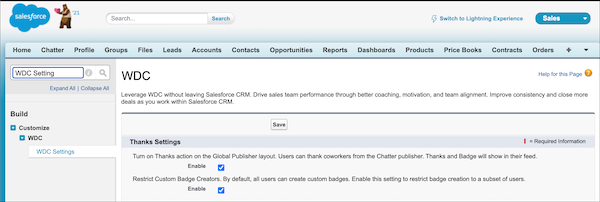
Recognition Badges are based on the WDC Thanks feature. Enable this feature plus the
ability to restrict who can create badges before continuing in your setup.
Required Editions
| Available in: Enterprise, Professional, Unlimited, and
Developer editions.
|
| User Permissions Needed |
| To set up the Thanks feature: |
Customize Application |
-
In Classic, from Setup, enter WDC Settings in the Quick
Find box.
-
Select WDC Settings.
-
Under Thanks Setting, select Enable and save.
The Restrict Custom Badge Creators option is now available.
-
Under Restrict Custom Badge Creators, select Enable, and save.