Assign Screen-Responsive Property Values in Custom Components in Enhanced LWR
Sites
Specify different values for desktop, mobile, and tablet displays for string or
integer property types in custom Lightning web components in enhanced LWR sites. With
screen-responsive properties, the component uses the correct property value based on the end
user’s screen size.
Required Editions
| Available in: Salesforce Classic and Lightning Experience |
| Available in: Enterprise, Performance,
Unlimited, and Developer Editions
|
| Applies to: Enhanced LWR sites |
| User Permissions
Needed |
| To customize or publish an Experience Cloud site: |
- Create and Set Up Experiences AND View Setup and Configuration AND be a member
of the site
OR
- View Setup and Configuration AND be a member of the site AND have appropriate
role-based site access
|
Screen-responsive properties are available only when the component developer
has programmatically declared those properties to be screen
responsive.
-
In Experience Builder, select the custom component.
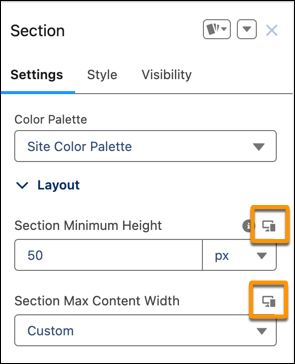
In the component’s property panel, an icon indicates the properties that
are screen responsive.
-
Specify the property value for the current screen size.
By default, smaller screen sizes inherit the property values that you
specify for larger screen sizes.
-
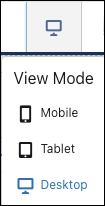
To specify a property value for a different screen size, use the menu in the
navigation bar to select another view mode.