Enable upvoting and downvoting in lieu of liking questions and answers in your
Experience Cloud site. When you enable upvoting and downvoting, members see an
Upvote option under a question or answer and a
Downvote option on the question or answer’s overflow menu. The
Like option goes away. Upvoting and downvoting are disabled by default
in Experience Cloud sites created in Spring ’19 and later.
Required Editions
| Available in: Salesforce Classic and Lightning Experience |
| Available in: Enterprise, Performance, Unlimited,
and Developer Editions |
| Applies to: Aura and Visualforce sites |
| User Permissions
Needed |
| To enable up and down voting: |
Create and Set Up Experiences |
For sites created before the Winter ’18 release, it’s an easy task to enable up and down
voting.
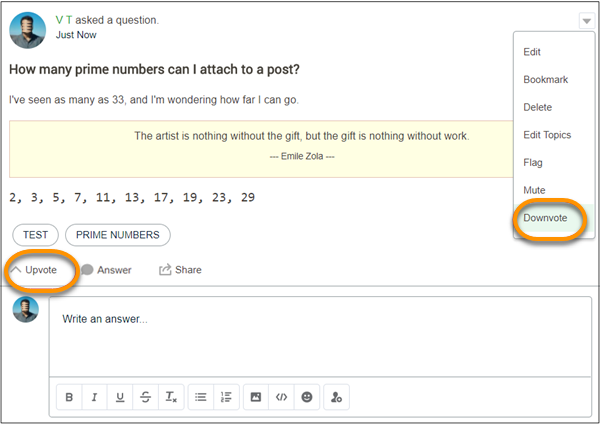
When you change to upvotes, pre-existing likes are included in the upvote count. Click the
count to see a list of the people who have upvoted.

