
Archive an inactive site so that users can no longer access it. You must deactivate a site before you can archive it.
Required Editions
| Available in: Salesforce Classic and Lightning Experience |
| Available in: Enterprise, Performance, Unlimited, and Developer Editions |
| Applies to: LWR, Aura, and Visualforce sites |
| User Permissions Needed | |
|---|---|
| To archive an Experience Cloud site: |
|
-
Open the Digital Experiences app from the App Launcher.
 Note To update visibility and tab settings for profiles you want to have access to the Digital Experiences app and the All Sites page, see Enable Access to the Digital Experiences App.
 - Click View All in All Sites.
- Click the name of the site you want to archive.
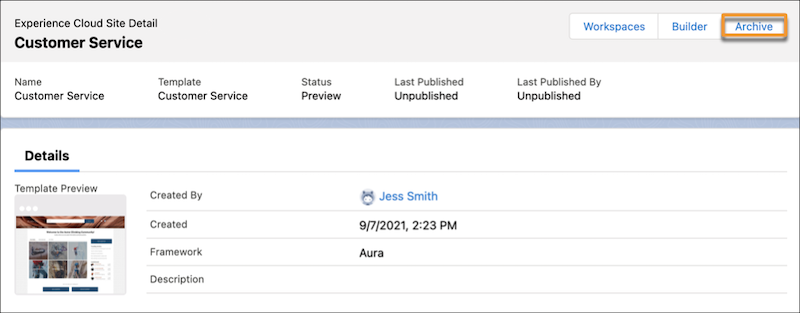
- On the site detail page, click Archive.
- Click Archive again.
Your site is archived. If you change your mind, you can unarchive it. However, if you discontinue a license for a product that you no longer use, for example a B2B or D2C Commerce license, you must deactivate and archive any site that depends on that license, such as a storefront.
- Considerations for Archiving a Site
Before you archive a site, consider what types of sites can be archived, and the impact that archiving might have on users.